











A Satisfactory server has no ban list, and the panel has no button to kick a player. The way to keep someone out is to change the join password and give the new one only to people you trust.
What the panel says
Open the Players page. In the card Kick and ban, the panel says:
“A Satisfactory server has no kick or ban the panel can use: an admin kicks from the Server Manager in the game, and the game keeps no ban list. To keep people out, set a join password, and change it when you need to.”
So there are two tools. An admin can kick from inside the game. The join password keeps people out afterwards.
The Server Manager is the game’s own screen for dedicated servers. You open it in the game, from the main menu of Satisfactory on your PC.
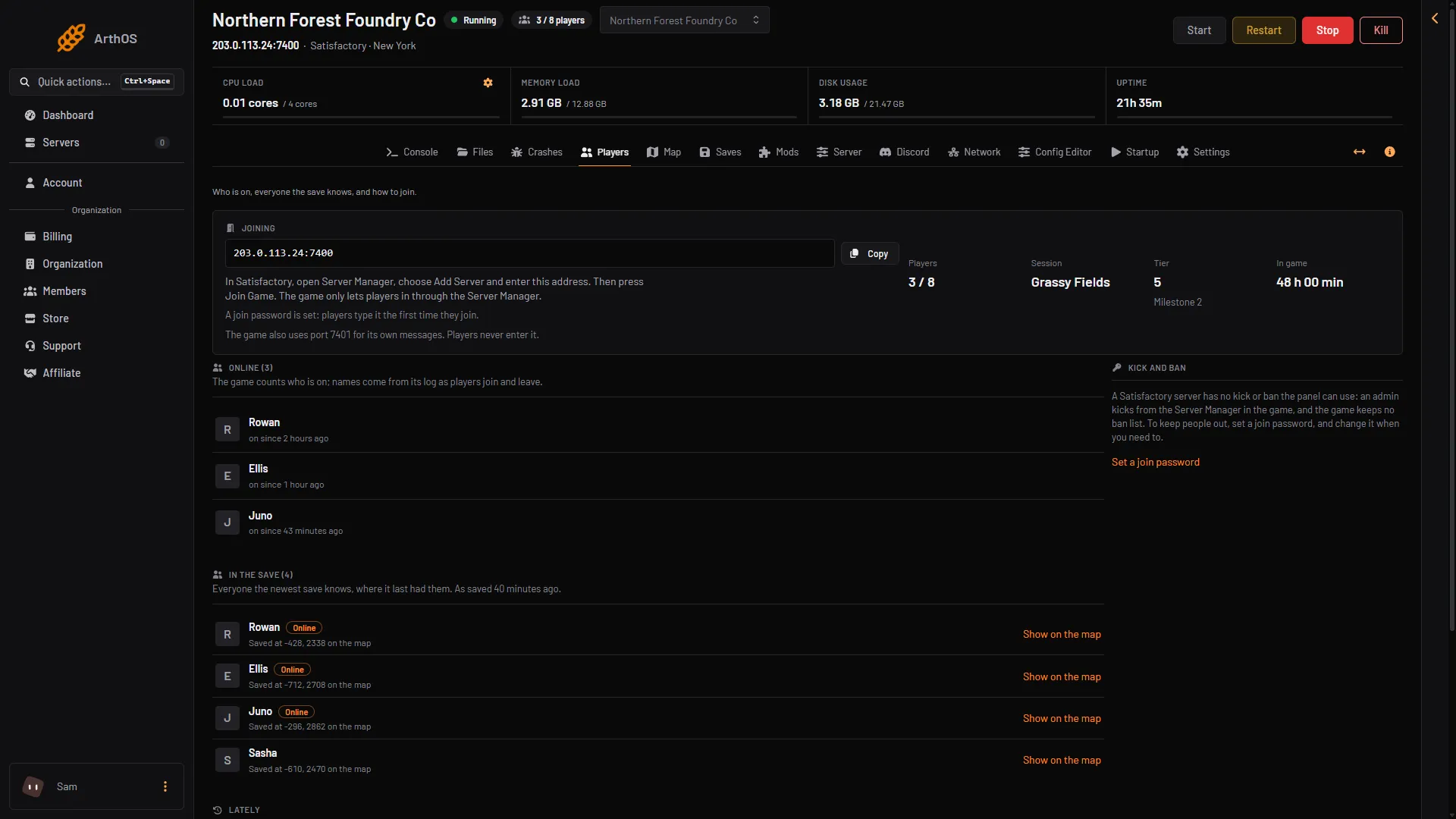
- Kick and ban
Kick a player
In the game, an admin kicks from the Server Manager. The panel does not do it for you. Not checked on 1.2 as of 27 October 2026: the steps for the kick in the Server Manager.
To sign in as admin in the Server Manager, see the Server Manager guide.
A kick is not a ban. The player can join again straight away unless you also change the join password. Players already in the game stay connected when you change the password, so kick them first.
Keep someone out: change the join password
- Open the Server page.
- Find Join password.
- Type a new password.
- Choose Set.
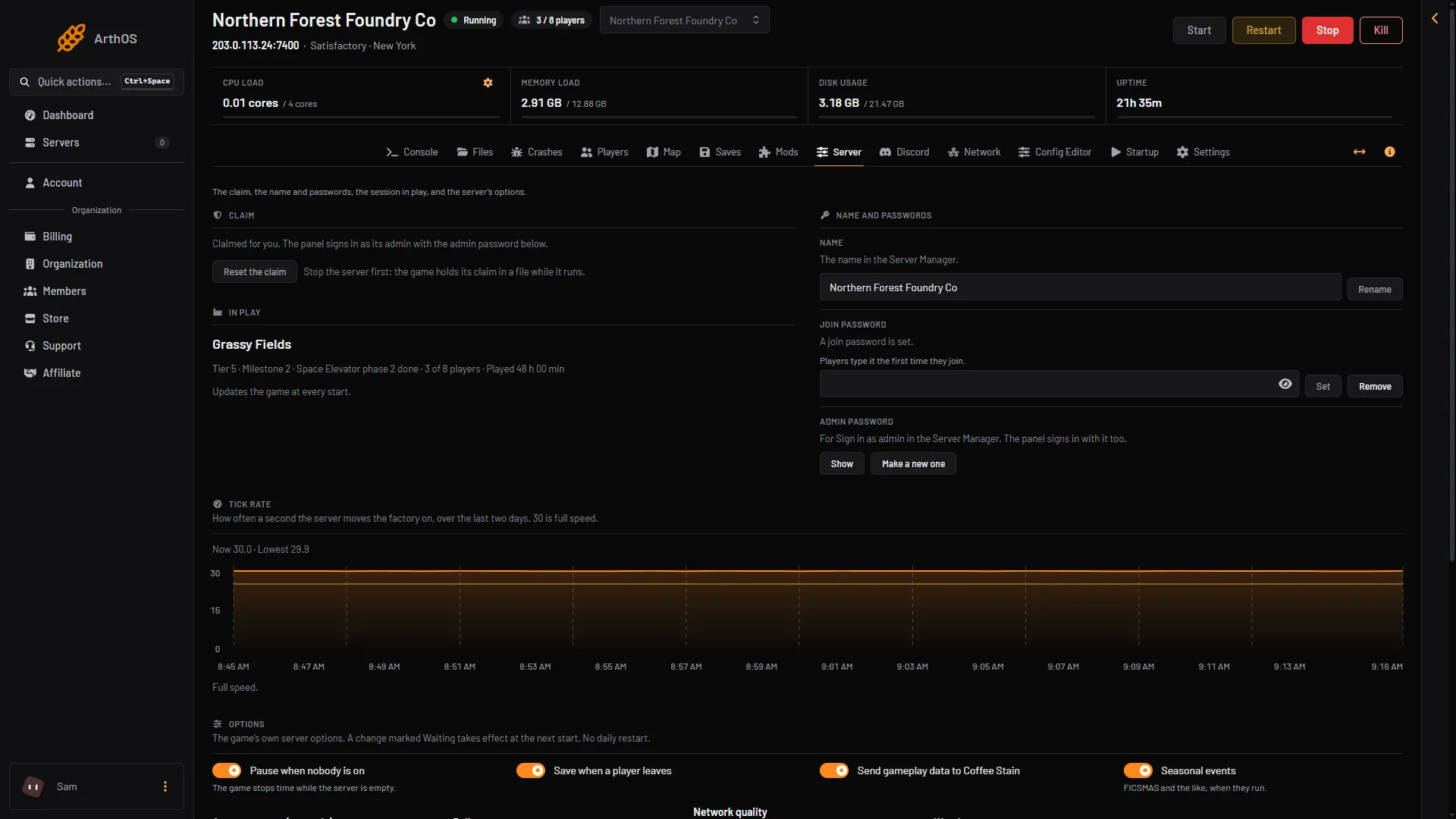
- Set the join password
- Remove the join password
The password applies at once, and it can be 64 characters at most. The panel answers: “Players need the password to join now. Players already on stay.”
This is how it works:
- Players who are in the game now stay connected until they leave. Anyone who leaves and joins again needs the new password.
- Not checked on 1.2 as of 27 October 2026: whether a new join password signs out players who are already in the game.
- The password is the same for everyone. You cannot block one person and let the others in with the old password.
- Anyone who knows the new password can join. Do not post it where the player you want out can read it.
To let everyone in again, choose Remove. The page then says: “No join password: anyone with the address can join.”
For more on the password, see set a server password.
See who is on, and who was refused
On the Players page, the list Online shows who is in the game now. The list Lately shows joins and leaves from the server’s log of its latest start. It also shows lines for players the game refused, with the reason the game gave. One example is “Someone tried to join without the Server Manager and was turned away”. These lines tell you someone used a wrong password or joined without the Server Manager.
See online players for how to read these lists.
If it does not work
- The player is still in the game after you set a password. The password stops new joins. It does not remove players already on. Ask an admin to kick them in the Server Manager. The other way is to choose Restart at the top right of the server page, but a restart drops every player, the ones you want too. Share the new password only with the players you want back.
- The Server page does not show the password settings. The server is stopped, or the game is still starting. The game keeps the passwords itself, so start the server and wait a few seconds until it answers. A member’s role must also allow changing the startup settings.
- The player says they cannot join at all. They need the new password. Check they join through the Server Manager. A join any other way is refused.
More about the game: Satisfactory servers.
Sources: satisfactory.wiki.gg: Dedicated servers, satisfactory.wiki.gg: HTTPS API