











The join password decides who can enter your Satisfactory server. Set it on the Server page with Set. Take it away with Remove. It applies at once while the game runs, with no restart.
Why set one
A new server has no join password. The Players page says so: “No join password: anyone with the address can join.” Anyone who gets the address can join your factory.
With a join password, players type it the first time they join.
It is not the admin password. The admin password is for admins only. See the admin password.
Set it
- Make sure the server is running. If it is stopped, choose Start at the top right of the server page. The page shows the password only while the game runs.
- Open the Server page.
- Find Join password.
- Type the password and choose Set (box 1 in the picture). It can be at most 64 characters, on one line.
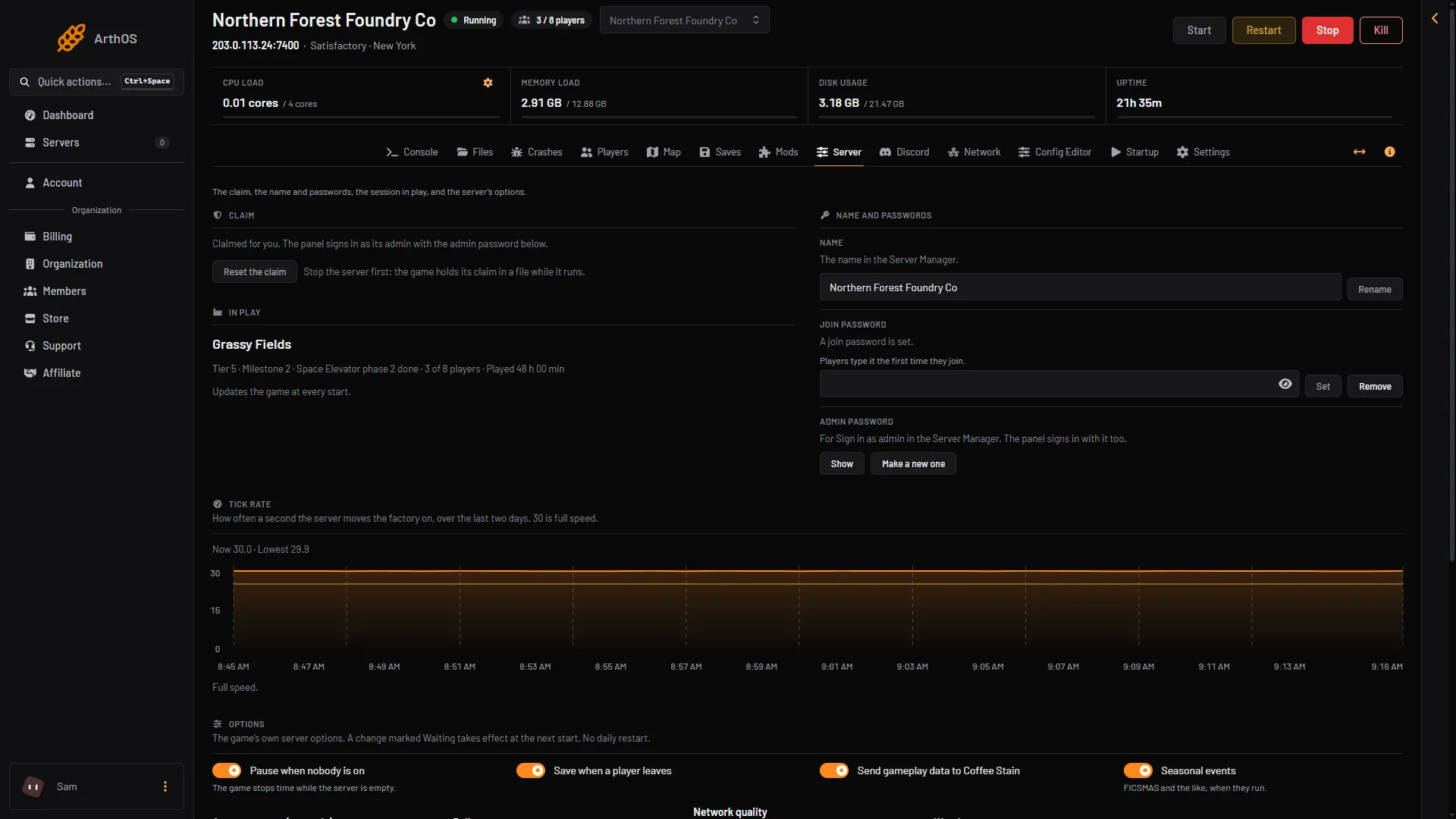
- Set the join password
- Remove the join password
The page now says “A join password is set.” The Players page says “A join password is set: players type it the first time they join.”
The panel tells you the result: “Players need the password to join now. Players already on stay.” This means players who are already in the game are not removed.
Remove it
Choose Remove (box 2 in the picture) next to Join password. The page says “No join password: anyone with the address can join.” and the panel confirms “Anyone with the address can join now.”
Keep someone out
A Satisfactory server has no kick or ban the panel can use. An admin can kick a player in the game, from the Server Manager (a screen in the game), but the game keeps no ban list, so a kicked player can come back.
To keep someone out, change the join password and tell only the people you want. Players already in the game stay until they leave, so kick them first in the game.
Join as a player
Players add the server in the Server Manager and type the password when asked. See connect to a Satisfactory server. The Players page also says when a join password is set.
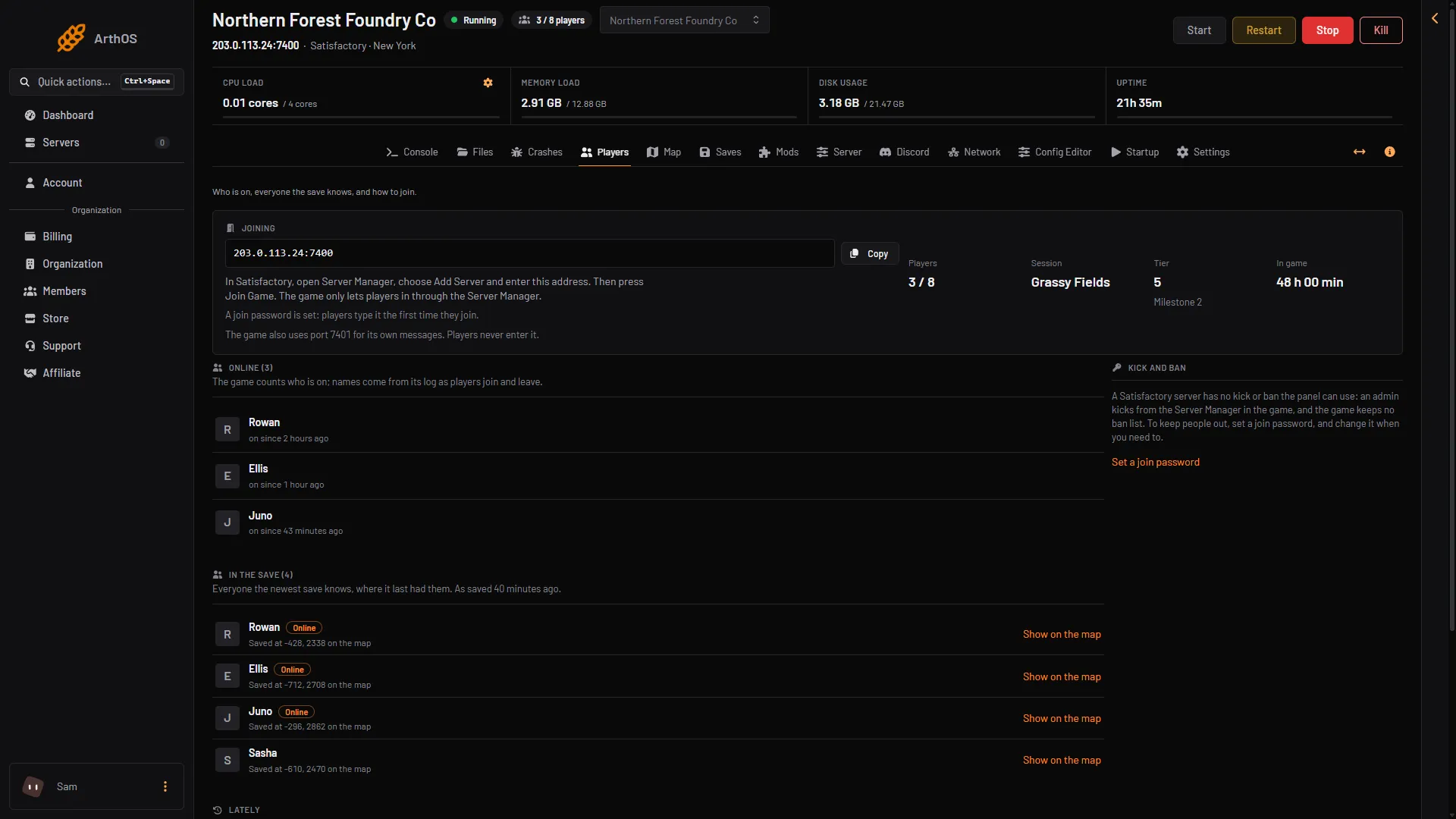
- Join password
If it does not work
- Set is not possible. The server is stopped, or still starting. The game keeps the password itself, so the page shows it only while the game runs.
- Players are asked again for the password. You changed it. They type the new one.
- The password disappeared. Resetting the claim wipes the join password along with the other settings. Set it again. See claim a server.
- A refusal for a long password. Keep it to 64 characters or fewer.
More about the game: Satisfactory servers.