











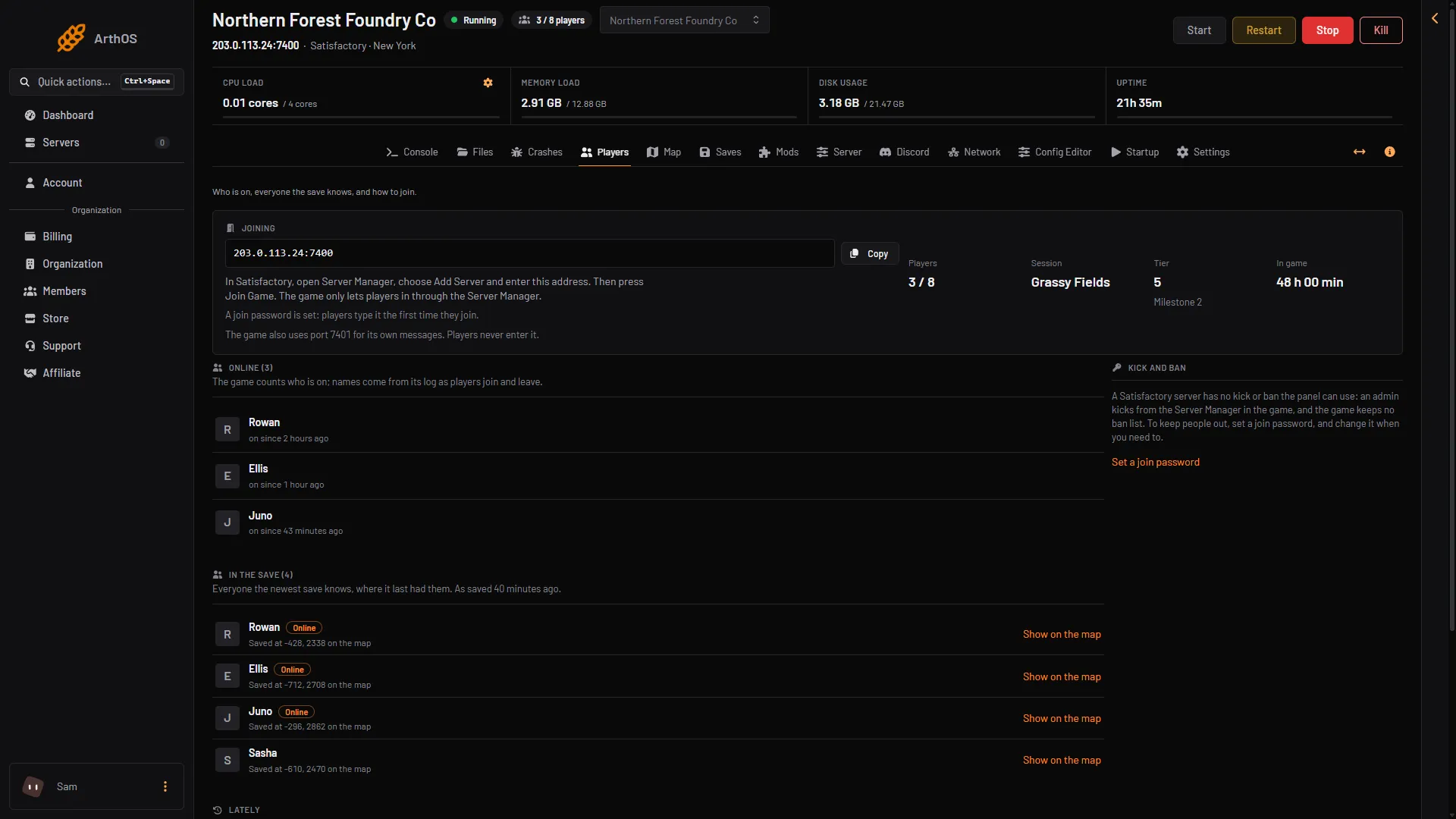
Open the Players page of your server. The Online list shows who is playing now. The card above it shows how many are on out of how many the server allows. The page refreshes by itself every few seconds while a game is running.
- Who is on
The stats card
At the top, next to the Joining card, are four numbers:
- Players: players on now, out of the limit, such as
3 / 8. It shows a dash when the server is stopped or has no game loaded. - Session: the name of the game being played. A session is one factory and all its saves.
- Tier: the current tier, with the milestone being worked on.
- In game: how long the game has been played, in total.
The count in the server’s header and in the server list is the game’s own count too.
Online
Online (3) lists the players on now. Each row says “on since” with a time.
The game itself counts who is on. The names come from its log, as players join and leave. For a moment the count can be ahead of the names. The page then says “(number) more on, not named in the log yet.” The names fill in a moment later.
In the save
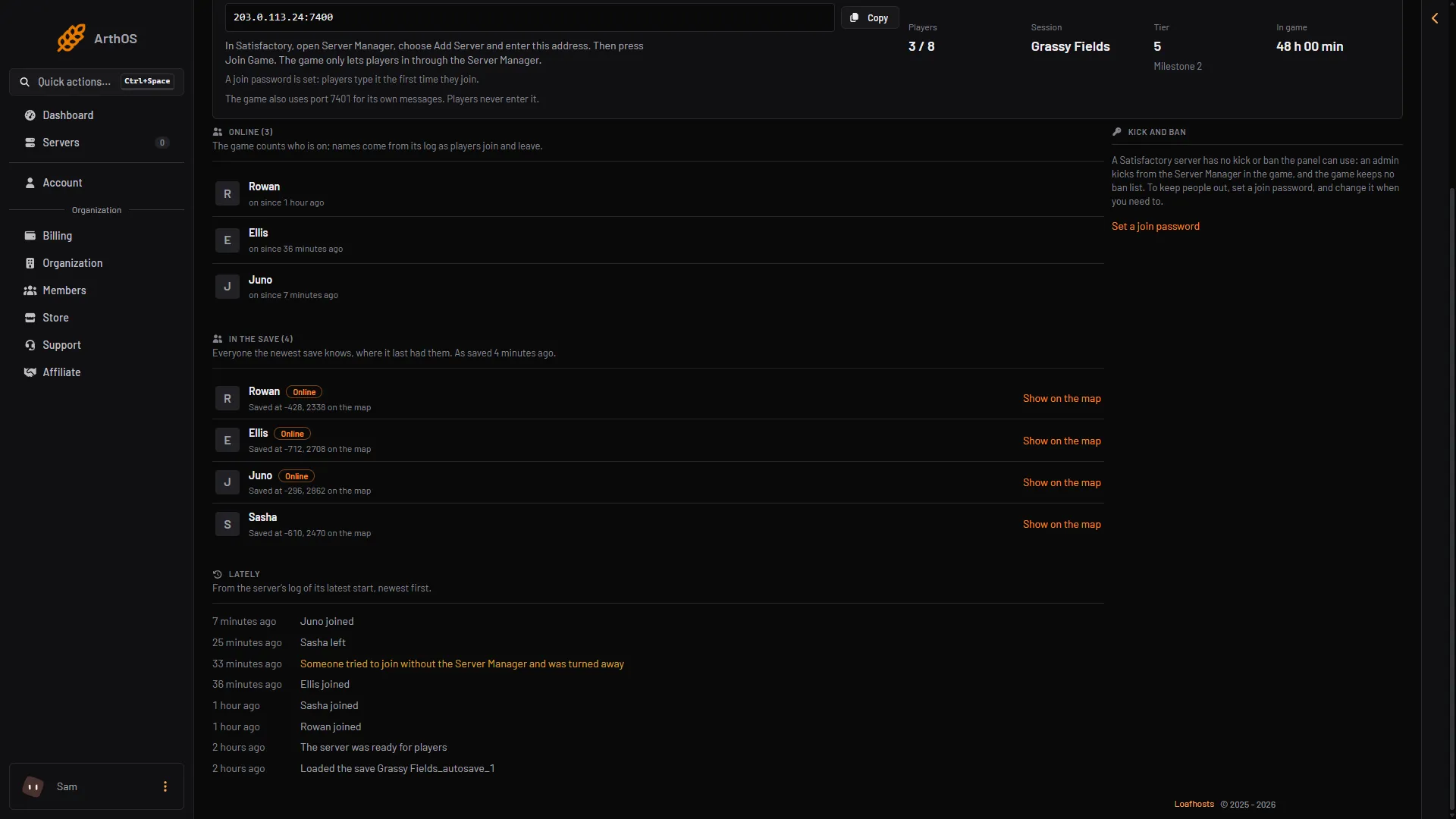
In the save lists everyone the newest save knows, online or not. Each row shows where the save last had that player, as “Saved at (x), (y) on the map”. Players who are on now carry an Online tag. The page says when the save was made (“As saved …”), so a position can be a few minutes old. The game autosaves every 300 seconds unless you changed it.
Choose Show on the map on a row to open the Map page at that player. See the server map.
Lately
Lately lists what the server’s log shows since its latest start, newest first:
- (name) joined
- (name) left
- Someone was refused, with the reason. A player who tried to join without the Server Manager (the screen in the game where a player adds a server) reads “Someone tried to join without the Server Manager and was turned away”.
- The server was ready for players
- Loaded the save (name)
- Everyone the save knows
- Show on the map
- Lately
- Turned away
Why a page can look empty
| The page says | It means |
|---|---|
| The server is stopped. Start it to see who is on. | Choose Start at the top right of the server page. A server nobody played on for the Standby time (10 days by default) stops by itself. |
| The server is running, but the game is not answering yet: it may still be starting. | Wait a minute. |
| The server is loading a save. Players show here once it has. | Wait for the save to load. |
| No game is loaded. Load a save or start a new game on the Saves page. | Nobody can play until a game is loaded. |
If it does not work
- A player is on but missing from Online. The name is not in the log yet. Wait a moment. The count on Players is the game’s own and is right.
- Nobody shows under In the save. The newest save has no players yet. Save once a player has been on.
- You want to remove a player. The game has no kick or ban the panel can use. See kick and ban.
For live positions on the map, see Ficsit Remote Monitoring. More about the game: Satisfactory servers.