



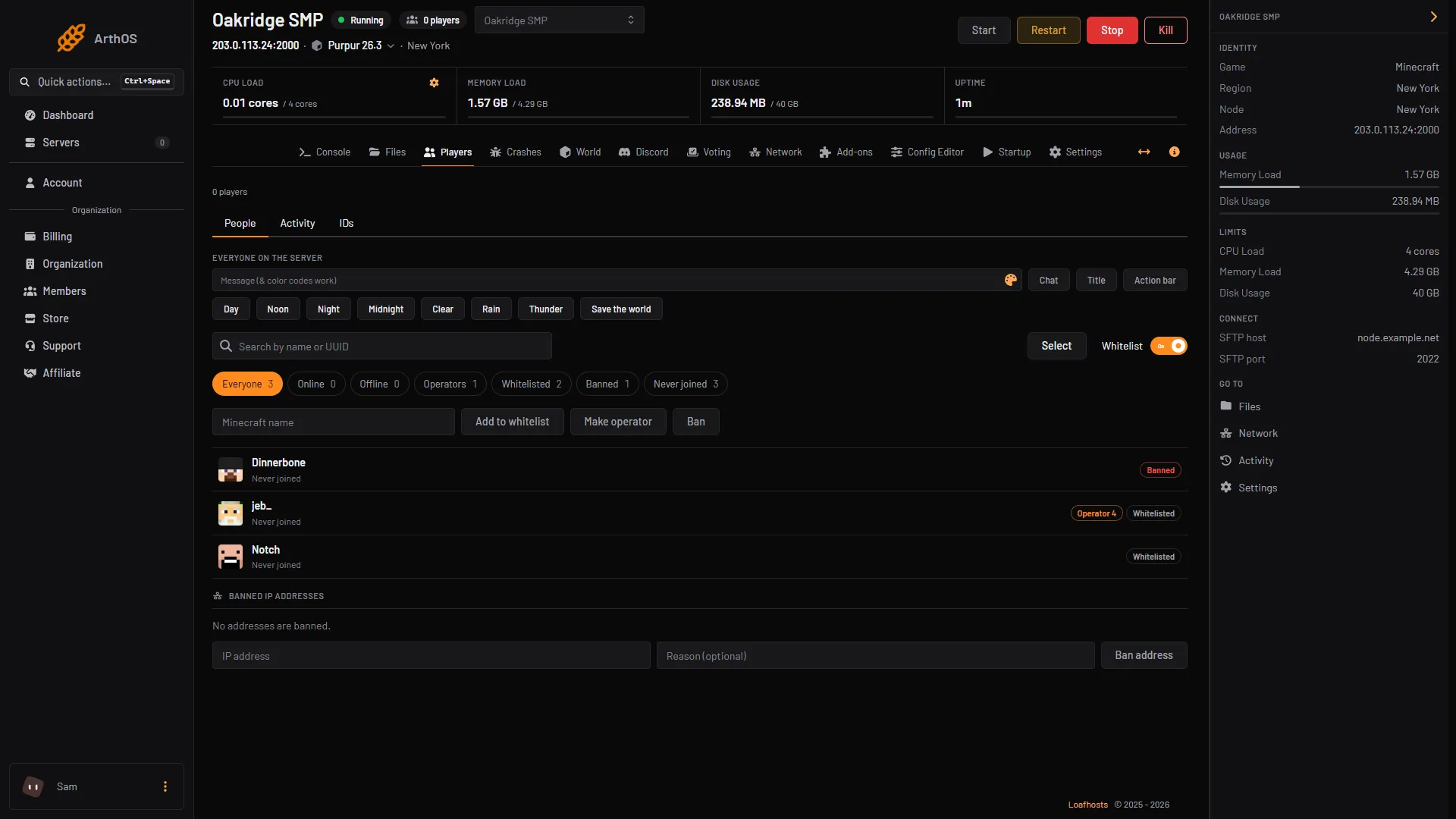
Open the Players tab and click a name. The player’s page opens on Inventory. It shows their armour, off hand, main inventory, hotbar and level. The Ender chest tab next to it shows their ender chest. You can look at any player the server knows, online or not.
Open a player
- Choose the Players tab of your Minecraft server.
- On the People tab, find the player. Type part of a name or a UUID into Search by name or UUID, or use a chip such as Online.
- Click the player’s name. Their own page opens. The back arrow at the top left takes you to the list again.
- Click a player
A name that has never joined has no UUID yet, so there is nothing more to show until they join.
The Inventory tab
- Inventory tab
- Worn and off hand
- Main inventory
- Health and food
- Show on the world map
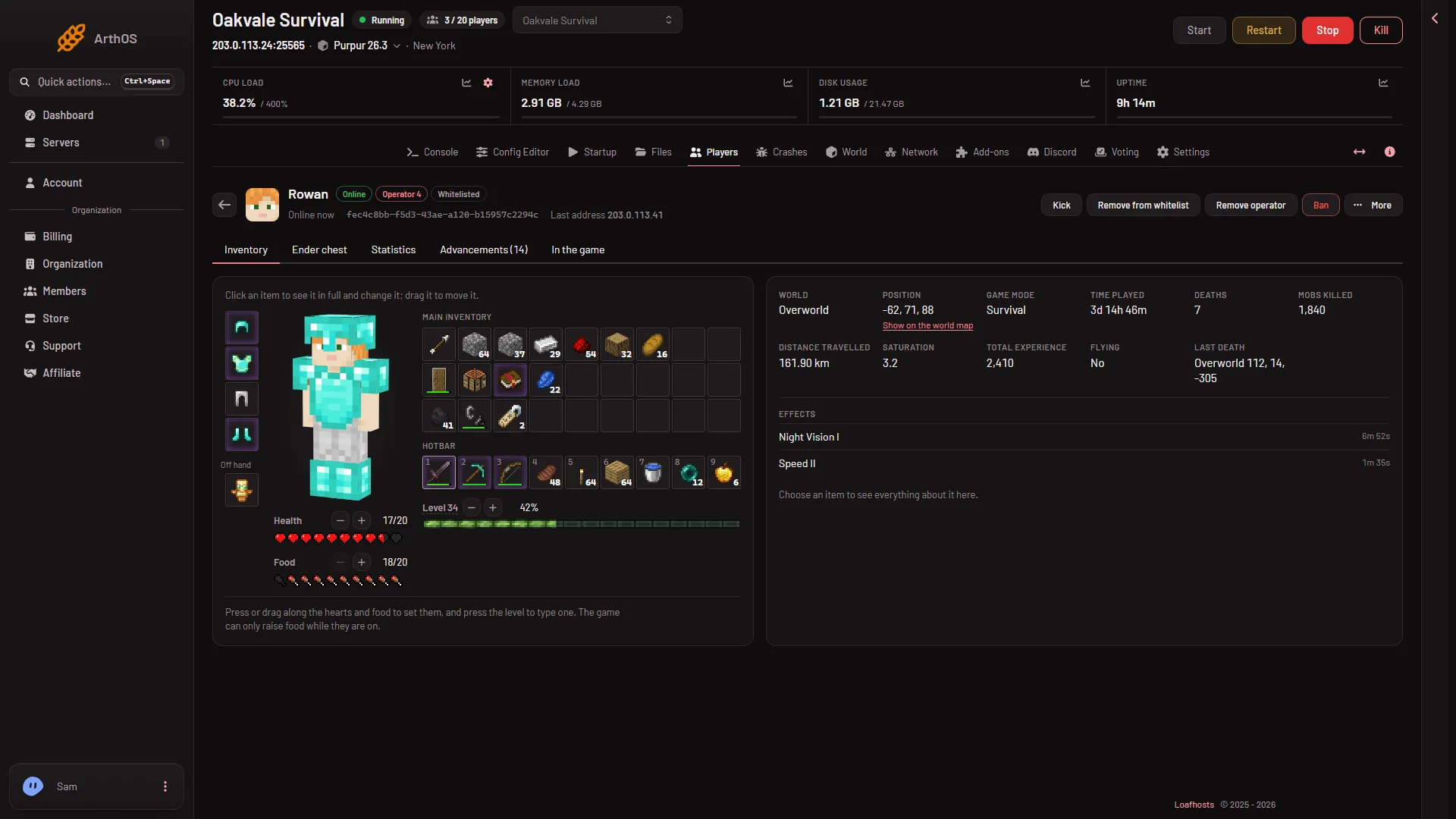
- Worn and off hand (2). Head, chest, legs and feet, then Off hand.
- The 3D player wears their armour. Drag it, or use the arrow keys, to turn it.
- Main inventory (3). The 27 slots, with the nine Hotbar slots under them and the Level below.
- Health (4) and food. Hearts, and the food row under them, with their numbers.
- The panel on the right lists the World, Position, Game mode, Time played, Deaths, Mobs killed, Distance travelled, Saturation, Total experience, Flying, Last death and Effects. Show on the world map (5) opens the World tab at where they stand, if your role may see the World tab.
Hover over an item to see the tooltip the game shows: its name, enchantments and wear. Click an item to see it in full. To change it, see change, move or add items.
The Ender chest tab
An ender chest belongs to one player and is kept in their save. They can open it from any ender chest in any dimension.
Choose Ender chest (1). Its 27 slots appear above the main inventory, so you can see both at once.
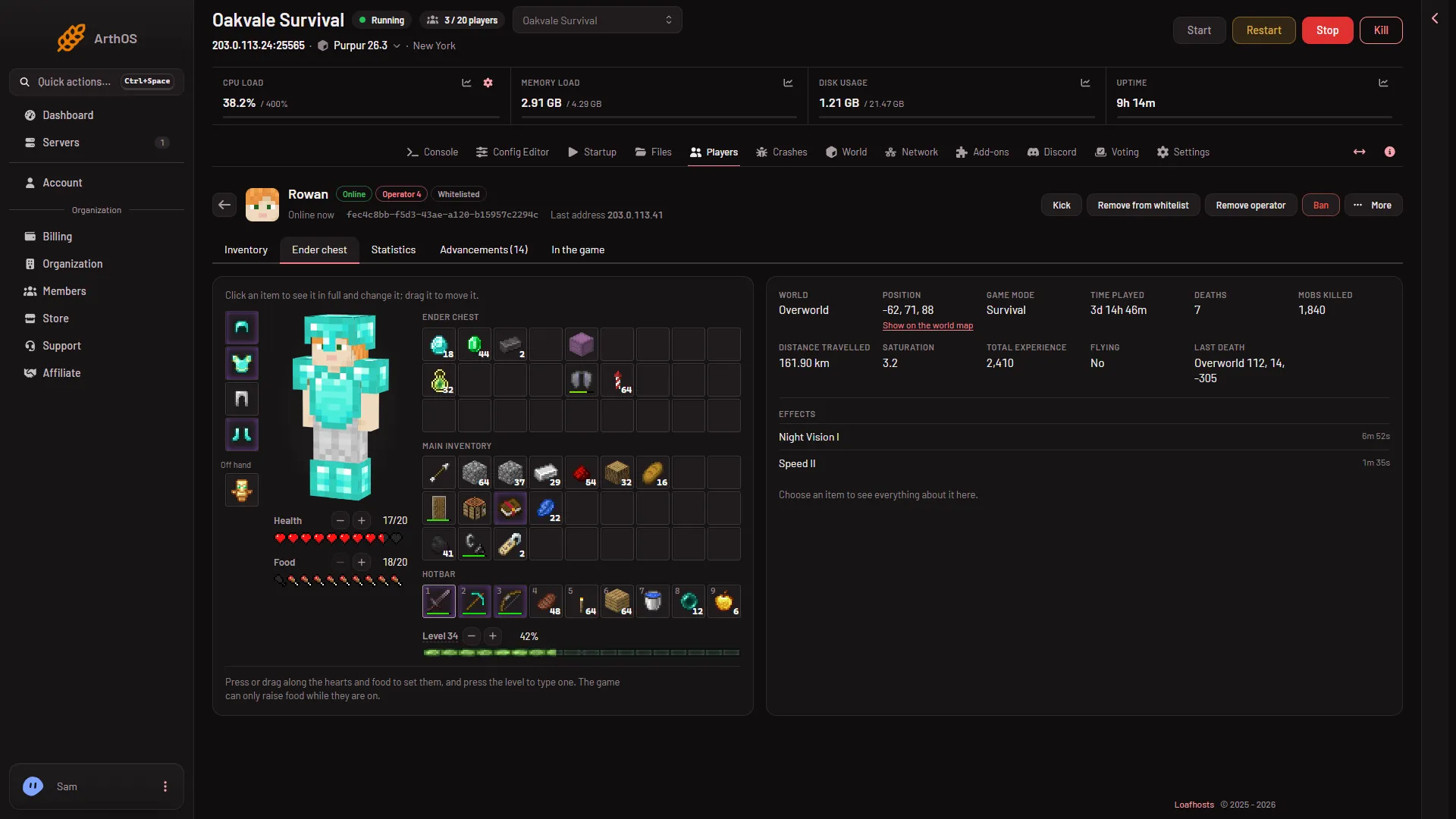
- Ender chest tab
Online or offline
- Online. What you see is read from the game. The page checks again every few seconds.
- Offline. The page reads their save file and says “As of the game’s last save”, with the time. A player with no save says “This player has no save on the server yet.”
What you need to know
- Item pictures and names need a server on Minecraft Java 1.21.4 or newer. On an older version the item pictures and names are missing and you cannot change items.
- Your role must be allowed to read players to look. It must be allowed to change players in the game to change items, health, food and level.
- The Statistics tab shows counts such as blocks mined. See player statistics.
- The tab is for Minecraft Java. Bedrock servers have their own players page.
If it does not work
- There is no Players tab. It is only on Java servers.
- The page says the player has no save yet. They have not joined and been saved. Look again after they have played.
- The inventory looks old. An offline player shows what the server last saved for them.
- The picture slots are blank or plain. The server version may be older than 1.21.4.
More about the game: Minecraft servers.