






Type worldborder set 4000 in the server console. The number is the whole width of the border in blocks, so 4000 keeps everyone within 2,000 blocks of the centre, which starts at 0, 0. Since Minecraft 1.21.9 each dimension has its own border, so the command only changes the dimension it runs in.
In the ArthOS panel
The panel has no border page. You use the console, and one setting in the Config Editor.
- Open the Console tab. Make sure the server is running.
- Click the command box and type the command with no slash, then press Enter. The reply shows as a “System chat:” line.
- Type these, one at a time, changing the numbers to suit:
worldborder center 0 0sets the centre. The default is 0, 0.worldborder set 4000sets the width.worldborder getprints the current width (1), to check.
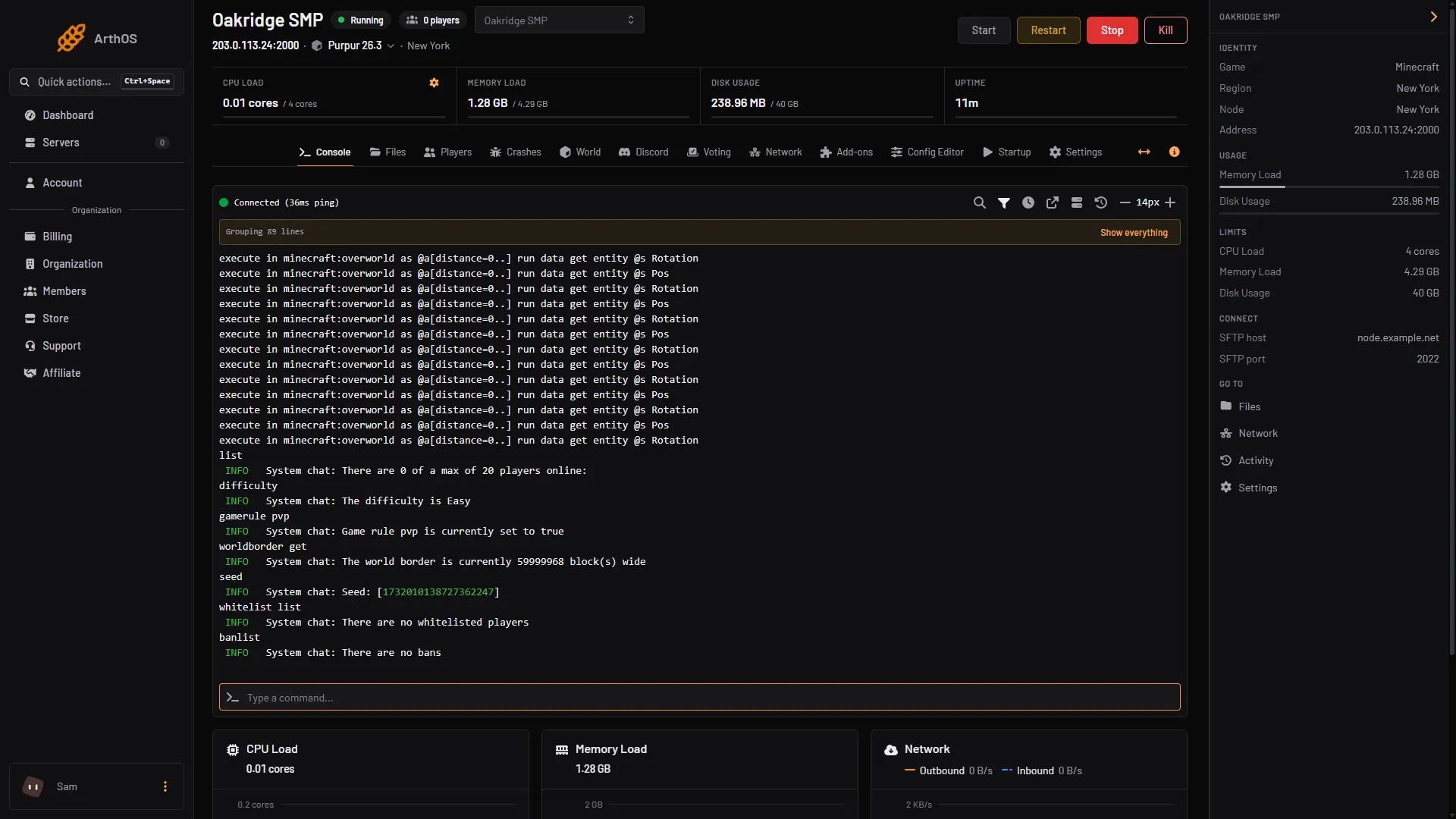
- worldborder get reply
On a new world the reply reads “The world border is currently 59999968 block(s) wide”, the default.
- The game saves the border with the world (in
world_border.dat), so it survives a restart.
The border for other dimensions
Because the command only changes the dimension it runs in, an operator typing it in game, in chat with a slash, changes the dimension they are standing in. Operators need permission level 2 or higher. Setting the Nether or End border from the Console was not checked as of 11 October 2026; an operator can type the command in game while standing in that dimension.
Every command
| Command | What it does | Default |
|---|---|---|
worldborder set <size> | Sets the width and length in blocks | 59,999,968 |
worldborder add <size> | Makes it larger, or smaller with a negative number | |
worldborder center <x> <z> | Moves the centre | 0, 0 |
worldborder damage amount <n> | Damage per second for each block outside the buffer | 0.2 |
worldborder damage buffer <blocks> | How far past the border a player can go before damage | 5 |
worldborder warning distance <blocks> | How close to the border the screen tints red | 5 |
worldborder warning time <time> | How long before a shrinking border reaches a player the tint starts | 15 seconds |
worldborder get | Shows the width |
The size must be at least 1 and at most 59,999,968, and the centre must be within 29,999,984 of 0, 0.
The size cap in the Config Editor
Open Config Editor, type “world size” in Search… (1), and look at Maximum world size (2). The panel’s help says: “How far the world border can reach from the centre, in blocks.” It accepts 1 to 29,999,984, which is also the default. Change it if you want, choose Save (3) and restart the server.
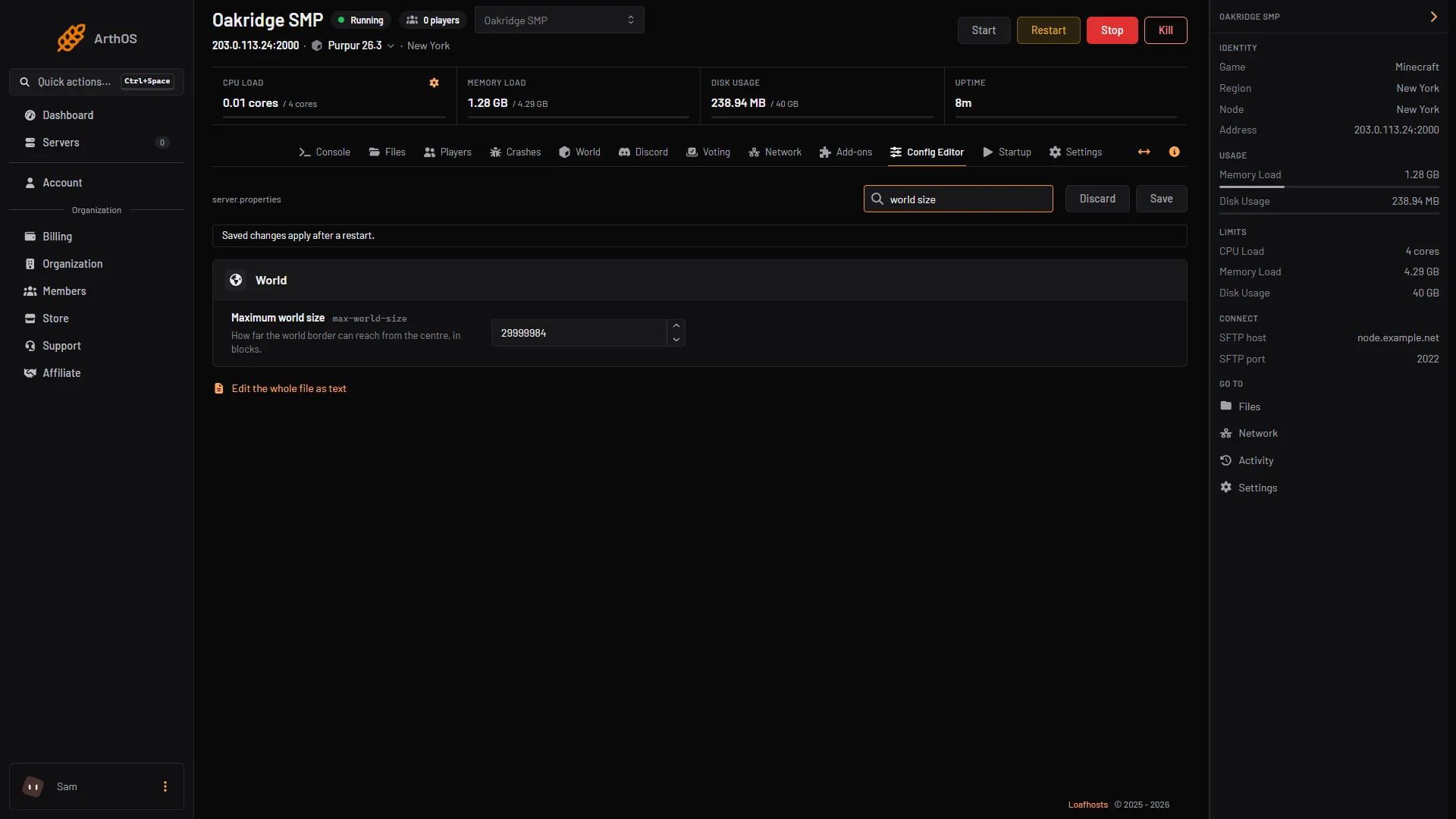
- Search for world size
- Maximum world size
- Save
By hand
On any Java server, run the commands above in the console. To set the cap, edit max-world-size in server.properties (integer, 1 to 29999984) and restart. The wiki describes it as the number of blocks from the centre of the world where the border appears.
Good to know
- Entities cannot move through the border. A player outside the buffer takes damage per second, except in Creative or Spectator mode.
- Players can still explore right up to the border, and the server generates that terrain as they go. To generate it ahead of time, see pregenerating chunks, which can read the border for you.
If it does not work
- The command failed. The size is outside 1 to 59,999,968, or the centre is further than 29,999,984 blocks from 0, 0.
- There is no border in the Nether or the End. Each dimension has its own, so the command has to run in each one.
- Players are still outside it. Ender pearls, chorus fruit and respawning at a spawn outside the border can put a player on the far side, and players in Creative are not hurt. Move the world spawn inside the border.
- Maximum world size did nothing. It needs a restart.
- Unknown command in game. The player is not an operator of level 2 or higher. See op and deop.
More on the game: Minecraft servers.
Sources: minecraft.wiki: Worldborder, minecraft.wiki: World border, minecraft.wiki: Server.properties