






Pregenerating means the server builds the terrain in an area ahead of time, so players do not wait for new land as they explore. Install the Chunky plugin, set a radius with chunky radius, run chunky start, and leave it running. Chunky can be paused and continued.
Chunky’s own wiki describes it as a tool that “pre-generates chunks, quickly, efficiently, and safely”. It works on a plugin server such as Paper or Purpur.
Check that Chunky has a build for your version
As of 11 October 2026, on a Purpur 26.3 server, the panel offered Chunky 1.5.3 in its Chunky install dialog (Modrinth), file Chunky-Bukkit-1.5.3.jar. A newer Minecraft version needs a new build, and the panel only installs a build made for your exact version and loader.
In the ArthOS panel
- Take a backup first (see the backups guide). Pregenerating adds a lot of files, and the world folder gets much larger.
- Open Add-ons, choose Plugins, and pick Modrinth (1). Type
Chunkyin the search box (2) and choose Install (3) on the Chunky card.
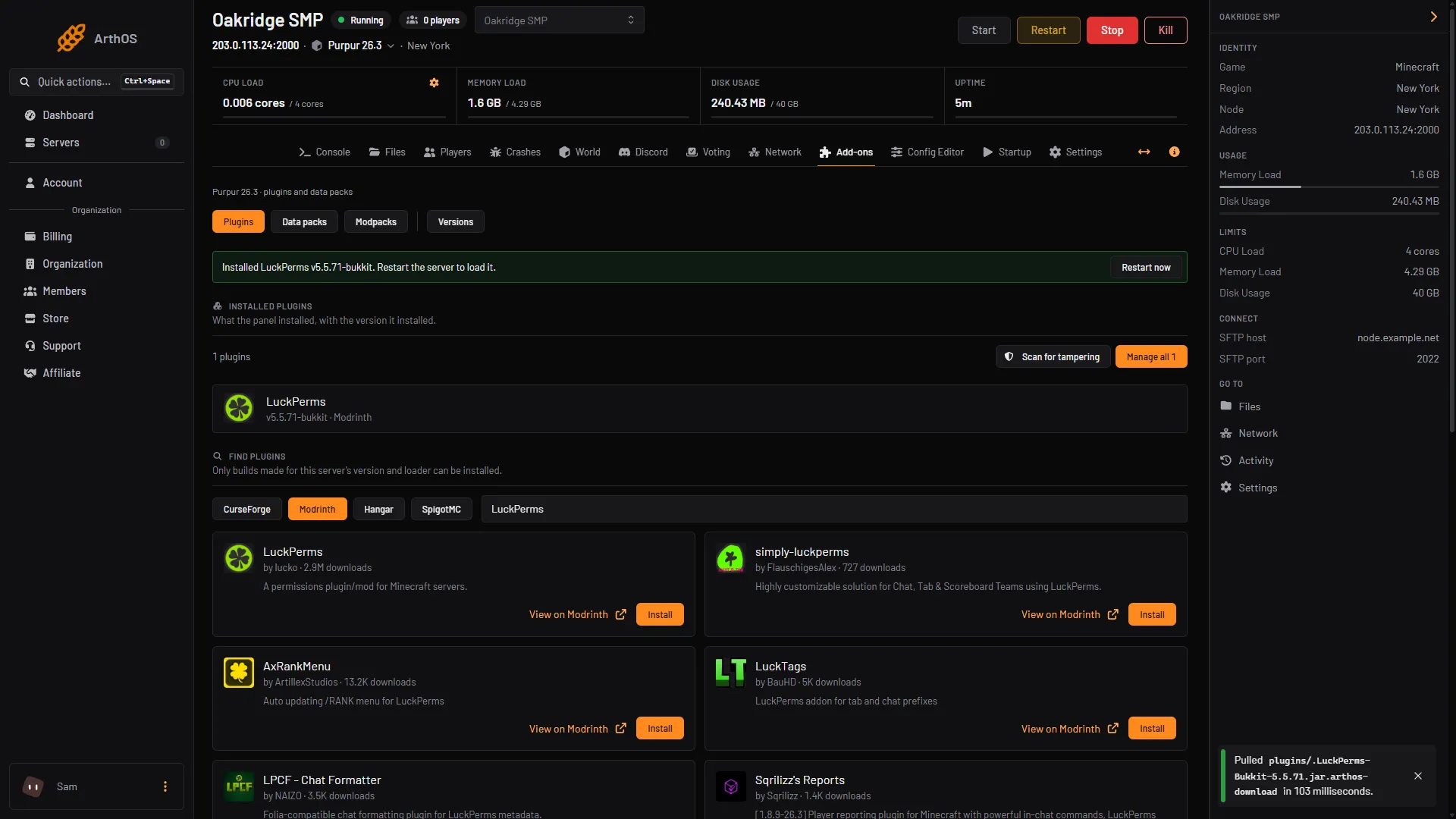
- Pick a source
- Search for Chunky
- Install (on the plugin you picked)
- The dialog lists the builds, newest first. Choose Install on the newest one. Restart the server when the panel says “Restart the server to load it”, with Restart now. Chunky loads on the restart.
- Open Console and use the command box (1). In the console you type commands with no slash.
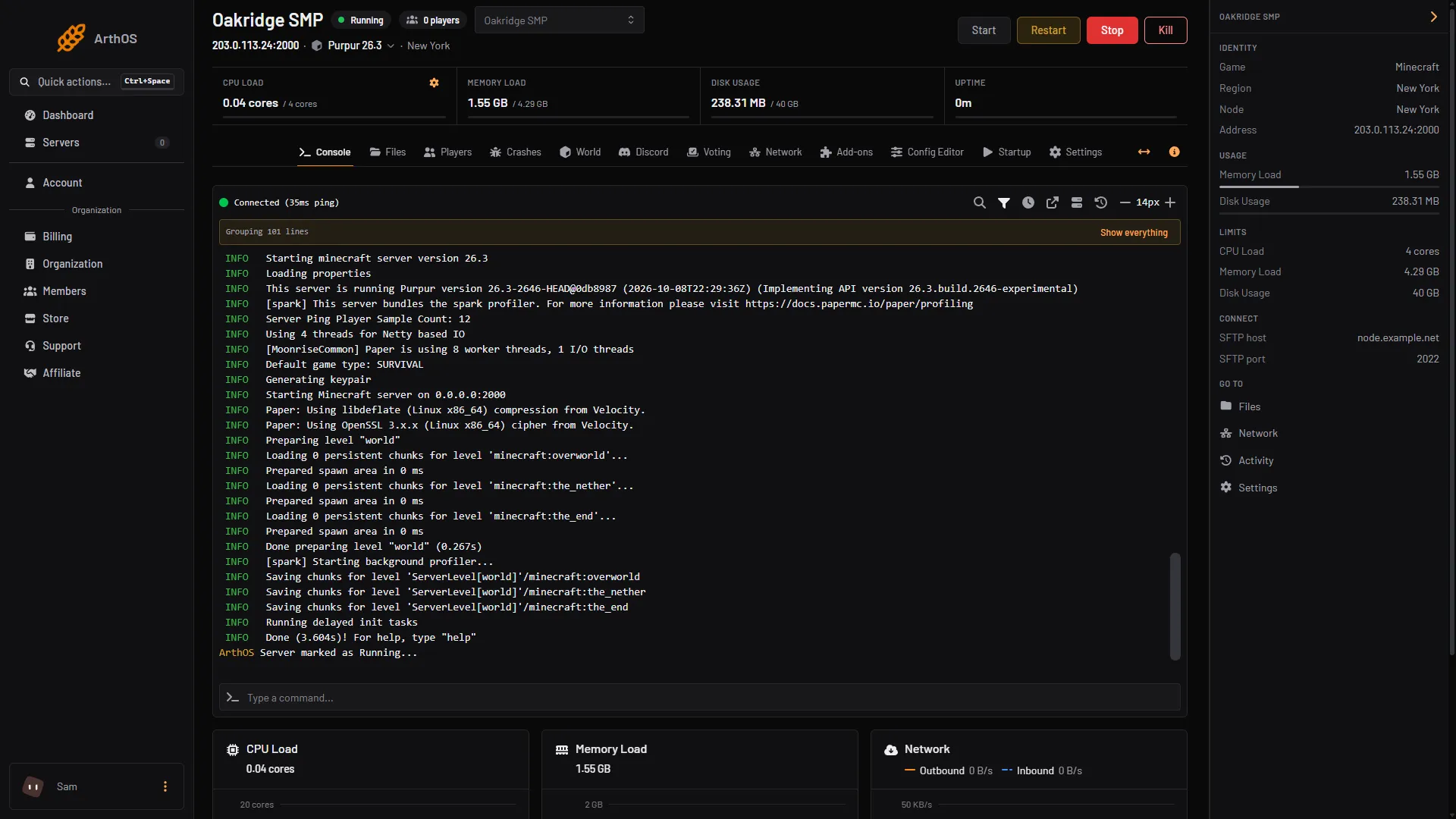
- Type the chunky commands
-
Choose what to generate. Either match your world border:
chunky worldborder
or set it by hand:
chunky center 0 0chunky radius 2000
-
Check the selection with
chunky selection. It shows the world, shape, centre and radius. -
Run
chunky start. The progress prints in the console. -
To stop for a while, run
chunky pause. Runchunky continuelater to carry on from where it stopped.chunky cancelends the task for good, but it does not delete chunks already made.
Watch Disk Usage in the header while it runs. If it nears the limit, run chunky pause. Also watch CPU use. If players start to lag, run chunky pause and continue later. For how to read lag, see TPS and lag.
Commands you will use
| Command | What it does |
|---|---|
chunky radius 2000 | Radius in blocks. 10k means 10,000 and 625c means 625 chunks. |
chunky center 0 0 | Centre of the area. Without numbers, your own position. |
chunky shape circle | square is the default. |
chunky worldborder | Copies the centre and radius of the current world border. |
chunky start | Starts with the current selection. |
chunky start world square 0 0 2000 | One line: world, shape, centre, radius. |
chunky pause / chunky continue / chunky cancel | Pause (saves progress), resume, or end the task. |
chunky progress | Shows progress in game. |
The default selection is a square at 0, 0 with a radius of 500 blocks. The radius is half the width, so a radius of 2000 covers a square 4000 blocks wide, which is 250 by 250 chunks. If you set a border with worldborder set 4000, the matching radius is 2000.
Each dimension is its own task. In game, stand in the dimension and type /chunky world to select it, then set the radius and start.
By hand
Download the build for your server software from Modrinth or Hangar and put it in the plugins folder. Restart, then use the same commands in the server console or in game as an operator.
If it does not work
- No Chunky card, or Install says no build is made for this server. Chunky has no build for your exact version or loader yet. Check the project page, or use the version changer for a supported version. A build made for an older version may still work but can cause bugs or lag; see when a plugin has no build for your version.
- Unknown command
chunky. The plugin is installed but the server has not restarted since. - It generated much more than the border. The default radius is 500 and the selection was never set. Run
chunky selectionbeforechunky start. - It is slow. Pregenerating does a lot of work. A larger radius takes longer, and you can pause it at any time.
More on the game: Minecraft servers.
Sources: github.com: Wiki, github.com: Commands, modrinth.com: Chunky, hangar.papermc.io: Chunky, minecraft.wiki: Worldborder