












DenyTechnologyList is a Palworld server setting that switches off chosen technologies. You give it a list of Technology IDs. The list is empty by default, so nothing is blocked. The Config Editor page shows this setting but does not let you edit it in a row. You change it as text, and it applies at the next start.
Find the Technology IDs
A Technology ID is the short name the game uses for one technology. It is not the name players see. Pocketpair publishes the full list on its Technology IDs page. Each row has the ID and the name.
A few examples from that page:
| Technology ID | Name |
|---|---|
PALBOX | Palbox |
RepairBench | Repair Bench |
GrapplingGun | Grappling Gun |
GrapplingGun2 | Mega Grappling Gun |
GrapplingGun3 | Giga Grappling Gun |
GrapplingGun4 | Hyper Grappling Gun |
GrapplingGun5 | Ultra Grappling Gun |
GuildChest | Guild Chest |
Copy the ID exactly. Capital letters count.
How the line looks
The settings file keeps every setting inside one long line that starts with OptionSettings=(. The setting goes inside that line, between commas. Each ID is in double quotes. All IDs sit in one pair of brackets.
Pocketpair’s own example blocks the Palbox and the Repair Bench. This example blocks the Palbox: do not copy it as it is.
Inside the one OptionSettings=(...) line, change this pair and keep the commas between it and the pairs next to it:
DenyTechnologyList=("PALBOX","RepairBench")Pocketpair’s PvP page uses this setting to block fast-movement Pal Gear, all five Grappling Guns (GrapplingGun to GrapplingGun5) and GuildChest. Its full line also holds seven SkillUnlock_ IDs. Copy that line from Pocketpair’s PvP page rather than from memory. See the PvP server guide for the other PvP settings.
To block nothing, leave the setting as the game ships it, with nothing after the equals sign:
DenyTechnologyList=In the panel
-
Stop the server. The game writes its settings file again when it stops, so a change made by hand while it runs is lost.
-
Open the Config Editor page and pick Game settings.
-
Under Advanced, choose Show them. Find
DenyTechnologyList. It shows the current entries (1) and a note (2): “A list the game reads line by line. Change it in the file editor, so no entry is lost.”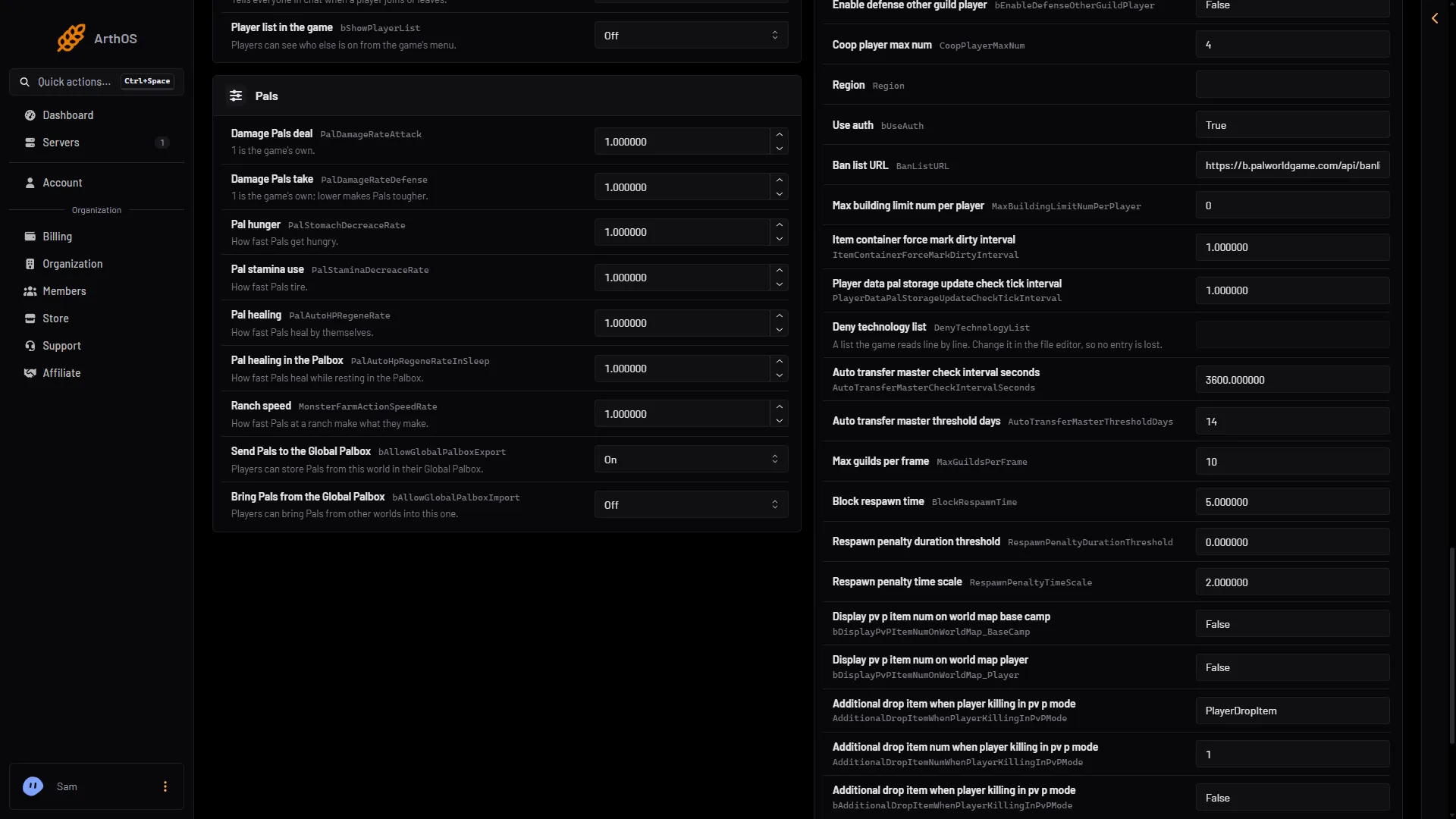
- The DenyTechnologyList row
- The value is edited as text
-
Choose Edit the whole file as text.
-
Find
DenyTechnologyList=inside theOptionSettingsline. Write your IDs between the brackets, as in the example above. -
Save the file.
-
Start the server.
Do not break the rest of the line. Keep the commas between settings and the closing bracket at the end of the line. If the server misbehaves after an edit, open the file again and check the line.
By hand
The file is Pal/Saved/Config/LinuxServer/PalWorldSettings.ini on the server. With server mods on, these two files are in another folder under Pal/Saved/Config. Open Config in Files and use the folder that holds them, or use the Config Editor page, which always finds them. Edit the file only while the server is stopped. A change still waiting in the Config Editor page is written at the next start, over the same setting in a hand edit. Prefer Edit the whole file as text in the Config Editor page to editing the file in Files.
When it applies
The game reads the list when it starts. A change does not reach a running server. Start the server again after you save.
If it does not work
- Nothing is blocked. Check that you saved while the server was stopped. Check the ID spelling against the Technology IDs page.
- The edit disappeared. The server was running when you edited the file. The game wrote its own copy over yours when it stopped. Stop the server first, then edit.
- The settings look wrong after an edit. Check the
OptionSettingsline for a missing comma, a missing quote or a missing closing bracket. - A technology a player already has still works. Not checked on 1.0.5 as of 4 November 2026: whether a block removes a technology that is already unlocked.
More about the game: Palworld servers.
Sources: docs.palworldgame.com: Configuration, docs.palworldgame.com: Technologyids, docs.palworldgame.com: Pvp