












Guides / Palworld
Palworld server guides.
One task per guide: how to do it in the ArthOS panel, and by hand where there is a way.
Basics
16 guides-
 Basics
How to connect to a Palworld server on PC, Xbox and PS5
Join a Palworld server: on PC and Mac type the address in Join Multiplayer Game, on Xbox and PS5 find the server by name in Community Servers. - Basics
How to restart a Palworld server safely
Restart a Palworld server from the panel without losing progress. The panel saves first. Warn players with a countdown, or set a daily restart schedule. - Basics
How to set a Palworld server password (join password)
Set or remove the join password on your Palworld server in the Config Editor. Use letters, digits, - and _. It applies at the next start. - Basics
How to set up a Palworld server, from order to first join
Set up a Palworld server on Loafhosts: what a new server starts with, how to name it, add a join password, become admin and invite friends on every platform. - Basics
How to update a Palworld server
A Palworld server on Loafhosts updates itself at every start. See your build on the World page and restart with a warning when a new version is out. - Basics
Palworld admin password: set it and use it in game
Where the Palworld admin password is, why it should be 16 characters or more on Loafhosts, the rules for it, and how to use it in game. Never share it. - Basics
Palworld community server: list your server in the game
A Palworld community server is a dedicated server shown in the game's own server list. Turn Listed in Community Servers on or off and set the name players see. - Basics
Palworld crossplay server: Steam, Xbox, PS5 and Mac
Steam, Xbox, PS5 and Mac players can join one Palworld server by default. Choose which platforms may join in the Config Editor; it applies at the next start. - Basics
Palworld max players: change the player limit
Set how many players can be on your Palworld server at once, from 1 to 32. Plans start at 8, 16 or 32. The change applies at the next start. - Basics
Palworld server requirements: memory, CPU and disk
What a Palworld server needs: 4 CPU cores, 16 GB of memory recommended, a fast SSD. The Loafhosts sizes, what uses memory, and what to do when it runs out. - Basics
Change your Palworld server name and description
Change the Palworld server name (up to 64 characters) and description (up to 128) in the Config Editor. It shows in Community Servers after a restart. - Basics
How to schedule a daily Palworld server restart
Restart your Palworld server every day with a schedule: warn players with a Broadcast message, then restart. It saves the world first while the API is on. - Basics
Let a friend help run your Palworld server
Give a friend panel access to your Palworld server with an organization role, so they can kick, ban and watch the map without ever seeing the admin password. - Basics
Palworld Discord status and event posts
Show your Palworld server's status in a Discord channel and post joins, leaves, kicks, bans, starts and crashes with a webhook. Set up on the Discord page. - Basics
Palworld server port: which one to use
A Loafhosts Palworld server uses one UDP game port, 8211 in Pocketpair's default. Players type the address and that port. No port forwarding needed. - Basics
Palworld standby and the wake link
Standby stops a Palworld server nobody plays on, 10 days by default. Players start it again with a wake link. Not used while Reset abandoned guilds is on.
Players and the map
16 guides- Players and the map
Find a Palworld player ID (user ID and player ID)
Palworld uses two ids per player: a user id such as steam_ and a SteamID64, and a 32-character player id. See where to copy each one. - Players and the map
How to become admin on a Palworld server
Become admin in Palworld: press Enter, type /AdminPassword and the server's admin password. See what admin allows, and what the panel does without it. - Players and the map
How to kick and ban players on a Palworld server
Kick or ban a Palworld player from the panel Players page, the Map, the Console or in game. Ban someone who is offline by id. Bans take effect at once. - Players and the map
Palworld live map: see where players are
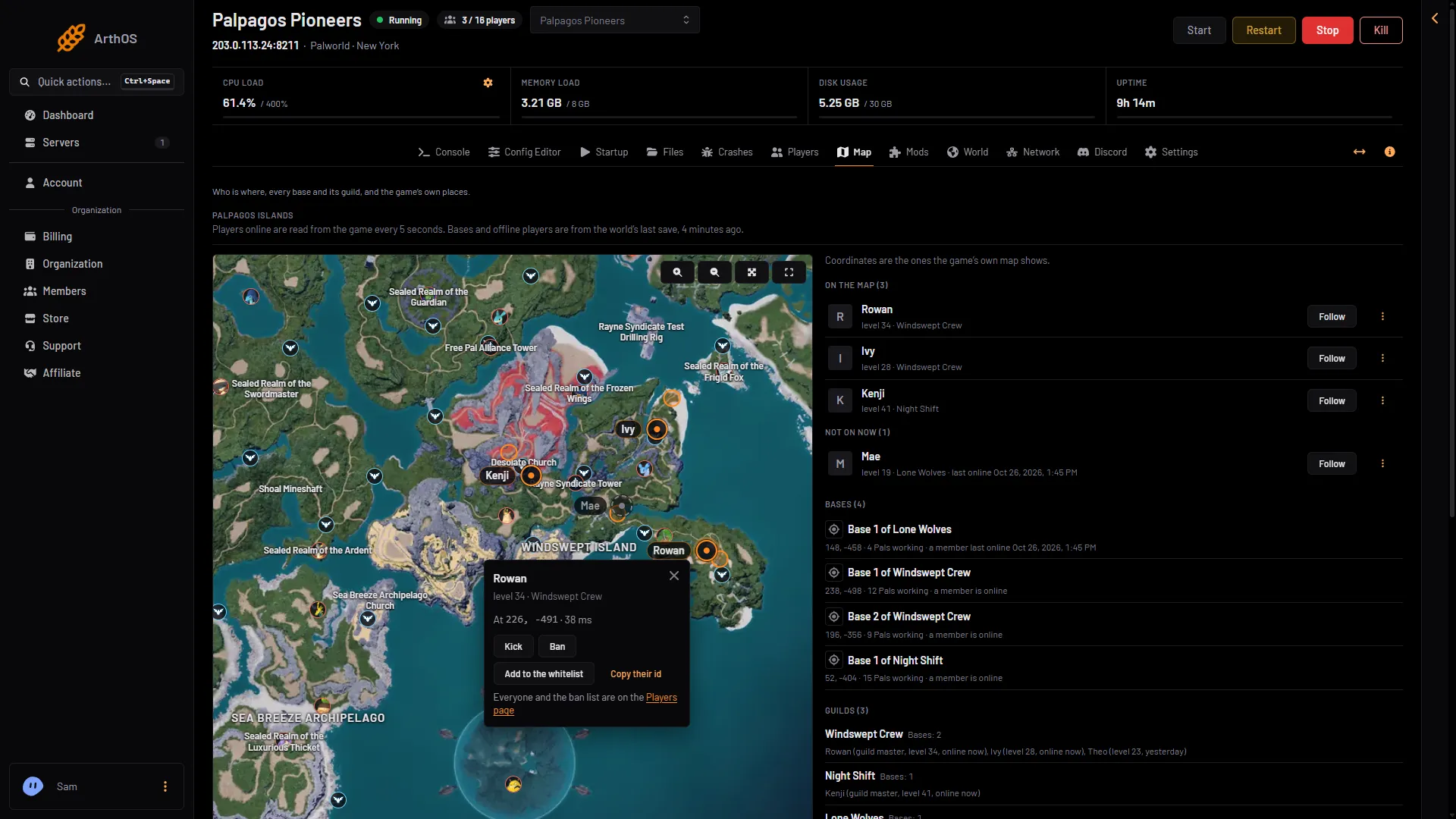
The Map page shows every player on your Palworld server on the game's own map, updated every 5 seconds, with the same coordinates the game shows. - Players and the map
Palworld server commands: the full admin list
Every Palworld admin command, what it does and how to use it in game or in the panel Console, plus the panel buttons that do the same jobs. - Players and the map
Palworld whitelist: only chosen players can join
Palworld has no whitelist of its own. The panel keeps one by kicking anyone not on it within seconds. Add yourself first, then switch it on. - Players and the map
See who is online on your Palworld server
The Players page lists who is on your Palworld server with level, ping and buildings. The Map and the console show it too. All need the game's API. - Players and the map
Send a message to everyone on a Palworld server
Broadcast a message to every Palworld player: use Message everyone on the Players page, Broadcast in the console, or /Broadcast in game. 200 characters. -
How to unban a player on a Palworld server
Lift a Palworld ban from the panel Players page, the Map card, the Console or in game. The player can join again at once, with no restart needed. - Players and the map
Palworld chat log: see joins, chat, kicks and bans
See who joined, left, chatted, or was kicked or banned on your Palworld server. The Players page shows this start; older starts are in kept logs. - Players and the map
Palworld give items command: there is none
Palworld has no admin command to give items, Pals or experience. Change Experience, Gathering yield, Enemy drops or Capture chance in the Config Editor. - Players and the map
Palworld map places: towers, fast travel, Alpha Pals
The Palworld Map page shows the game's own places: islands, fast travel, towers, Alpha Pals, dungeons and ores. Choose which to show and jump to an island. - Players and the map
Palworld server console: live log, filters and commands
Read the Palworld game log live, search and filter it, and type admin commands like Broadcast or KickPlayer in the Console page. Includes Stop and Kill. - Players and the map
See Palworld bases, guilds and offline players
The Palworld Map page lists every base with its guild and Pals, each guild's members, and where offline players last were. It needs a private permission. - Players and the map
See who has played on your Palworld server
Palworld keeps no list of past players. The panel keeps one for 90 days: names used, last time here, bans and the whitelist. You can act from each row. - Players and the map
Teleport and spectate on a Palworld server
Teleport to a player, bring one to you, or spectate on Palworld: these admin commands work only in the game after /AdminPassword, not in the panel console.
Worlds and backups
14 guides- Worlds and backups
Move a Palworld co-op save to a dedicated server
Copy your co-op world to a Loafhosts Palworld server: upload the folder, choose Play this world, start. Bases come along; players get new characters. - Worlds and backups
Palworld save file location on your server
Where a Loafhosts Palworld server keeps its worlds, backups, ban list, settings and logs, and how to open them in Files or over SFTP. - Worlds and backups
Palworld world backups: the game's own, on the panel
Palworld keeps its own backups of your world while it runs. Turn them on in the Config Editor, see them on the World page, and put one back. - Worlds and backups
Palworld WorldOption.sav: settings not applying
A world with its own WorldOption.sav ignores the Config Editor's Game settings. Choose Use the Config Editor's settings on the World page to fix it. - Worlds and backups
Roll back a Palworld world after griefing or a crash
Stop the server, pick an earlier moment on the World page, Put back, and start. Everything since then is lost for everyone, but the rollback can be undone. - Worlds and backups
Start a new Palworld world on your server
Stop the server, choose Start a new world on the World page, and start again. The old world stays on the server and settings carry over. - Worlds and backups
Upload a Palworld world to your server
Bring a Palworld world from another server or host: stop the server, upload its folder to Pal/Saved/SaveGames/0, then choose Play this world and start. - Worlds and backups
Back up a Palworld server: create, lock, download, restore
Make a Palworld backup from Settings, Backups, keep one safe with Lock, download it, and restore it. Press Save now first for an up-to-the-second copy. - Worlds and backups
How to delete a Palworld world
Delete a Palworld world you no longer play: pick another world first, then use Delete on the World page. Bases, Pals, characters and backups go with it. - Worlds and backups
How to download your Palworld world
Save the world, then download its folder from Pal/Saved/SaveGames/0 with Files or SFTP. Level.sav, LevelMeta.sav and Players hold your bases and Pals. - Worlds and backups
How to save a Palworld world now
Choose Save now on the Players page, type Save in the console, or use /Save in game. Do it before a backup, a download or a risky change. - Worlds and backups
Palworld autosave interval and world backups
Palworld saves the world every 30 seconds. Change Autosave every (seconds) and World backups in the Config Editor, and see what a longer gap costs in a crash. - Worlds and backups
Palworld world id: find it and choose the world
Each Palworld world is a 32-character folder in Pal/Saved/SaveGames/0. DedicatedServerName in GameUserSettings.ini picks which one loads. - Worlds and backups
Switch between worlds on a Palworld server
One Palworld server can hold several worlds. Stop it, choose Play this world on the World page, and start it. Each world keeps its own bases and characters.
Server mods
10 guides- Server mods
Install Palworld server mods from the Steam Workshop
Add a Palworld Workshop mod to your server: search or paste a link, add what it needs, press Apply, then read the row to see if the game set it up. - Server mods
Palworld mod not loading on your server: fixes
A Palworld server mod that does not load is usually missing a helper mod, made for players only, or needs a newer game. Read the row on the Mods page. - Server mods
Palworld players with mods cannot join: allow mods
A player who plays with mods cannot join your Palworld server? When Players may use mods is Off, modded games are refused. Turn it On in the Config Editor. - Server mods
Palworld server mods: how they work
Loafhosts runs Palworld Workshop server mods. Learn what Turn on server mods does, what it costs your characters, and why only server-made mods run. - Server mods
Palworld UE4SS and PalSchema: add what your mods need
Most Palworld server mods need UE4SS Experimental (Palworld), and PalSchema mods need PalSchema. Add both from the Workshop tab, apply once, then start. - Server mods
Palworld update and server mods: what to do first
After a Palworld update, a server mod can stop working until its author updates it. Check the Workshop, drop the mod or pause Update on start, then Update all. - Server mods
Palworld server mods: do players need them too?
Some Palworld server mods also have a part for players. The Mods page marks them For players too. Xbox and PlayStation players cannot install mods. - Server mods
Remove a mod from your Palworld server
Take a Palworld server mod off the list on the Mods page, apply, and it stops loading. Its files stay until you delete them. Here is every step. - Server mods
Turn off Palworld server mods
Turn off server mods on your Palworld server: the standard server is downloaded, mod files are deleted, and the world, settings and passwords stay. - Server mods
Update Palworld server mods
When a Palworld mod has a newer version, its row shows Update. Choose Update or Update all, then Apply. The game sets up the new version at its next start.
Game and server settings
23 guides- Game and server settings
Change the Palworld experience rate (ExpRate)
Set the Palworld experience rate with ExpRate: default 1, 2 is twice as much. Change it in the Config Editor and restart the server to apply it. - Game and server settings
How to make a Palworld PvP server
Turn on PvP on a Palworld dedicated server with three settings, see what it changes, and apply Pocketpair's recommended PvP settings. Applies at the next start. - Game and server settings
Palworld 1.0 server settings: every setting explained
Every PalWorldSettings.ini setting on Palworld 1.0.5 with its default and what it does, how the game reads the file, and sourced preset recipes. - Game and server settings
Palworld base limits: bases, guild bases, workers
Set how many bases a Palworld server, a guild and a base can have. Defaults are 128, 4 and 15; higher values raise server load. Applies after a restart. - Game and server settings
Palworld Config Editor: change server settings
Change Palworld server and game settings in the Config Editor: groups, search, Advanced, edit as text, and what waits for the next restart. - Game and server settings
Palworld day and night speed: shorter nights
Change how fast day and night pass on your Palworld server with Day speed and Night speed (DayTimeSpeedRate, NightTimeSpeedRate). Both default to 1. - Game and server settings
Palworld death penalty: what you drop when you die
Set what players drop on death in Palworld: nothing, items, items and gear, or everything with Pals. Covers drops and lost Pals. Next start. - Game and server settings
Palworld guild settings: size, reset and rejoin
Set Palworld guild size, the reset of abandoned guilds and the rejoin wait. The reset deletes bases and base Pals after 72 hours by default, once turned on. - Game and server settings
Palworld hardcore mode on a dedicated server
Turn on Palworld hardcore mode: a player who dies cannot return as that character. Set Hardcore, New character after a hardcore death and Pals lost. Next start. - Game and server settings
Palworld building limits and building health
Limit buildings per player and change building health, damage and wear on a Palworld server. All start at the game's own values and apply after a restart. - Game and server settings
Palworld capture rate: catch Pals more easily
Raise or lower the chance of catching wild Pals on your Palworld server with Capture chance (PalCaptureRate). Default 1. Applies at the next start. - Game and server settings
Palworld chat limit, join messages and player list
Set how many chat messages a Palworld player can send a minute, switch join and leave messages, show the ESC player list, and show who built a structure. - Game and server settings
Palworld DenyTechnologyList: block technologies
Block chosen technologies on a Palworld server with DenyTechnologyList. Find the Technology IDs, edit the settings file as text, write the line, restart. - Game and server settings
Palworld drop, gathering and supply drop rates
Change what trees, rocks and enemies give, how heavy items are and how often supply drops fall on a Palworld server. Defaults are 1 and 180 minutes. - Game and server settings
Palworld egg hatching time on your server
Change how long a Huge Egg takes to hatch on your Palworld server. The default is 1 hour. Set it in the Config Editor; it applies at the next start. - Game and server settings
Palworld fast travel and start location settings
Turn off Palworld fast travel, limit it to bases, let players pick a start point, or make players sleep where they log out. All four apply at the next start. - Game and server settings
Palworld Global Palbox settings: import and export
Choose whether players can send Pals to the Global Palbox or bring Pals in from other worlds on your Palworld server. Send is on by default, bring is off. - Game and server settings
Palworld Pal randomizer: shuffle where Pals spawn
Turn on the Palworld Pal randomizer to shuffle which wild Pals appear where. Pick a mode, a seed and random levels, then start a new world. - Game and server settings
Palworld performance settings that lower server load
Which Palworld settings cost the server most: wild Pals, base workers, bases, dropped items and sync distance. Defaults, where to change them, how to read load. -
Palworld PvP item drops: reward for killing a player
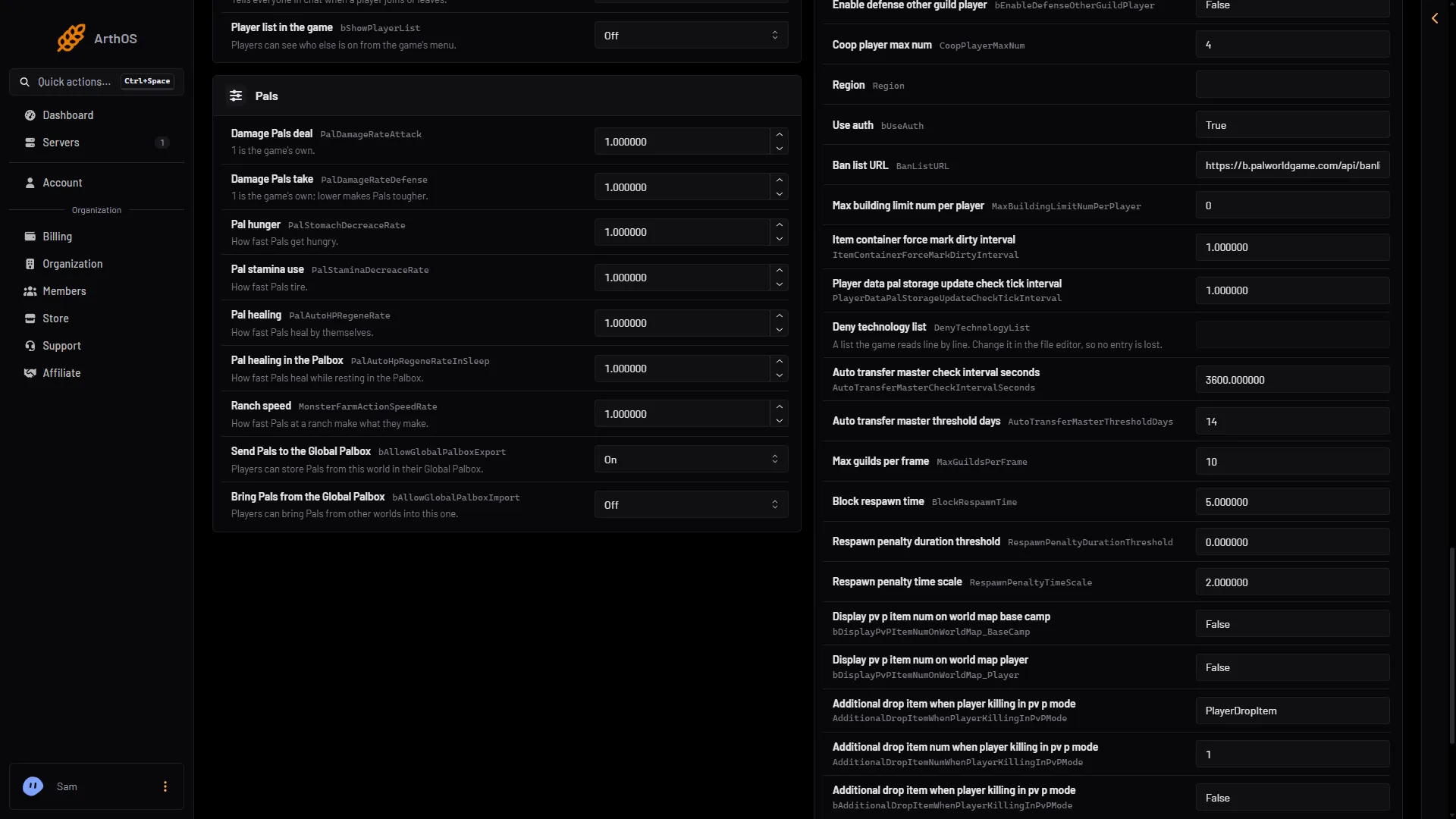
Make a Palworld PvP kill drop a special item, set how many drop, and show the item counts on the map. The five settings, where to find them and when they apply. - Game and server settings
Palworld raids and predator Pals: turn them off
Turn off Palworld raids and predator Pals in the Config Editor. Both are On by default, change after a restart, and the Advanced camp spawn setting stays Off. - Game and server settings
Palworld respawn time and respawn penalty settings
Set how long a Palworld player waits to respawn and how repeat deaths make it longer. Three Advanced settings, with the defaults and Pocketpair's PvP example. - Game and server settings
Palworld voice chat: turn it on and set the distance
Turn on voice chat on a Palworld server, then change how far voices carry with the two voice distance settings. Takes effect on restart.
Fixes
13 guides- Fixes
Palworld everyone starts a new character: why
Palworld players start with new characters? It happens after a co-op move, a mods switch, hardcore or a new world. Find which one it is and how to avoid it. - Fixes
Palworld Players page says the API is off: fix
Palworld Players page or Map says the API is off? Set an admin password of 16 or more characters in the Config Editor and restart. The three messages explained. - Fixes
Palworld progress lost: why the world went back
Palworld world went back to an earlier time? Find out if a stop, a crash or a different world caused it, then put back a newer backup from the World page. - Fixes
Palworld server crashed or keeps crashing (fix)
Read the Crashes page of your Palworld server: how each start ended, what the panel found, what to do about out of memory, and how much a crash can lose. - Fixes
Palworld server lag: causes and fixes
Palworld server lagging? Read Server FPS on the Players page, then lower Pals at bases, items on the ground and view distance, restart daily or go bigger. - Fixes
Palworld server not showing in Community Servers
Your Palworld server is missing from the in-game list? Check Listed in Community Servers, that it has finished starting, and the name to search for. - Fixes
Palworld server out of memory: causes and fixes
Palworld server out of memory? See where the Crashes page shows it, what makes memory grow, and fix it with a daily restart, fewer Pals or a bigger plan. - Fixes
Palworld server: cannot connect or join (fixes)
Cannot join your Palworld server? Check that it is running, the address and port, the game version, the passwords, the whitelist, bans and player limit. - Fixes
Palworld settings not saving or resetting (fix)
A Palworld setting that will not stick? The game rewrites its settings file when it stops. Save in the Config Editor and restart so the change is kept. - Fixes
Palworld version mismatch: players cannot join
Players on a different Palworld version cannot join your server. See the version on the World page, update the server with a restart, and update the game. - Fixes
Palworld guild or bases disappeared: how to get them back
Bases or a whole guild gone on your Palworld server? Reset abandoned guilds deletes them after a quiet spell. Check the setting, then put back a world backup. - Fixes
Palworld RCON and REST API: what works on the panel
RCON is off and deprecated on Palworld. The REST API stays inside the server, and the panel uses it for Players, Map and commands. Outside tools cannot connect. - Fixes
Palworld server logs: where they are and how to read them
Where a Palworld server's log is kept, how to watch it live in the Console, read it on Crashes and download it from Files. One log per start, newest ten kept.
- Change the Palworld experience rate (ExpRate) Set the Palworld experience rate with ExpRate: default 1, 2 is twice as much. Change it in the Config Editor and restart the server to apply it.
- Find a Palworld player ID (user ID and player ID) Palworld uses two ids per player: a user id such as steam_ and a SteamID64, and a 32-character player id. See where to copy each one.
- How to become admin on a Palworld server Become admin in Palworld: press Enter, type /AdminPassword and the server's admin password. See what admin allows, and what the panel does without it.
- How to connect to a Palworld server on PC, Xbox and PS5 Join a Palworld server: on PC and Mac type the address in Join Multiplayer Game, on Xbox and PS5 find the server by name in Community Servers.
- How to kick and ban players on a Palworld server Kick or ban a Palworld player from the panel Players page, the Map, the Console or in game. Ban someone who is offline by id. Bans take effect at once.
- How to make a Palworld PvP server Turn on PvP on a Palworld dedicated server with three settings, see what it changes, and apply Pocketpair's recommended PvP settings. Applies at the next start.
- How to restart a Palworld server safely Restart a Palworld server from the panel without losing progress. The panel saves first. Warn players with a countdown, or set a daily restart schedule.
- How to set a Palworld server password (join password) Set or remove the join password on your Palworld server in the Config Editor. Use letters, digits, - and _. It applies at the next start.
- How to set up a Palworld server, from order to first join Set up a Palworld server on Loafhosts: what a new server starts with, how to name it, add a join password, become admin and invite friends on every platform.
- How to update a Palworld server A Palworld server on Loafhosts updates itself at every start. See your build on the World page and restart with a warning when a new version is out.
- Install Palworld server mods from the Steam Workshop Add a Palworld Workshop mod to your server: search or paste a link, add what it needs, press Apply, then read the row to see if the game set it up.
- Move a Palworld co-op save to a dedicated server Copy your co-op world to a Loafhosts Palworld server: upload the folder, choose Play this world, start. Bases come along; players get new characters.
- Palworld 1.0 server settings: every setting explained Every PalWorldSettings.ini setting on Palworld 1.0.5 with its default and what it does, how the game reads the file, and sourced preset recipes.
- Palworld admin password: set it and use it in game Where the Palworld admin password is, why it should be 16 characters or more on Loafhosts, the rules for it, and how to use it in game. Never share it.
- Palworld base limits: bases, guild bases, workers Set how many bases a Palworld server, a guild and a base can have. Defaults are 128, 4 and 15; higher values raise server load. Applies after a restart.
- Palworld community server: list your server in the game A Palworld community server is a dedicated server shown in the game's own server list. Turn Listed in Community Servers on or off and set the name players see.
- Palworld Config Editor: change server settings Change Palworld server and game settings in the Config Editor: groups, search, Advanced, edit as text, and what waits for the next restart.
- Palworld crossplay server: Steam, Xbox, PS5 and Mac Steam, Xbox, PS5 and Mac players can join one Palworld server by default. Choose which platforms may join in the Config Editor; it applies at the next start.
- Palworld day and night speed: shorter nights Change how fast day and night pass on your Palworld server with Day speed and Night speed (DayTimeSpeedRate, NightTimeSpeedRate). Both default to 1.
- Palworld death penalty: what you drop when you die Set what players drop on death in Palworld: nothing, items, items and gear, or everything with Pals. Covers drops and lost Pals. Next start.
- Palworld everyone starts a new character: why Palworld players start with new characters? It happens after a co-op move, a mods switch, hardcore or a new world. Find which one it is and how to avoid it.
- Palworld guild settings: size, reset and rejoin Set Palworld guild size, the reset of abandoned guilds and the rejoin wait. The reset deletes bases and base Pals after 72 hours by default, once turned on.
- Palworld hardcore mode on a dedicated server Turn on Palworld hardcore mode: a player who dies cannot return as that character. Set Hardcore, New character after a hardcore death and Pals lost. Next start.
- Palworld live map: see where players are The Map page shows every player on your Palworld server on the game's own map, updated every 5 seconds, with the same coordinates the game shows.
- Palworld max players: change the player limit Set how many players can be on your Palworld server at once, from 1 to 32. Plans start at 8, 16 or 32. The change applies at the next start.
- Palworld mod not loading on your server: fixes A Palworld server mod that does not load is usually missing a helper mod, made for players only, or needs a newer game. Read the row on the Mods page.
- Palworld Players page says the API is off: fix Palworld Players page or Map says the API is off? Set an admin password of 16 or more characters in the Config Editor and restart. The three messages explained.
- Palworld players with mods cannot join: allow mods A player who plays with mods cannot join your Palworld server? When Players may use mods is Off, modded games are refused. Turn it On in the Config Editor.
- Palworld progress lost: why the world went back Palworld world went back to an earlier time? Find out if a stop, a crash or a different world caused it, then put back a newer backup from the World page.
- Palworld save file location on your server Where a Loafhosts Palworld server keeps its worlds, backups, ban list, settings and logs, and how to open them in Files or over SFTP.
- Palworld server commands: the full admin list Every Palworld admin command, what it does and how to use it in game or in the panel Console, plus the panel buttons that do the same jobs.
- Palworld server crashed or keeps crashing (fix) Read the Crashes page of your Palworld server: how each start ended, what the panel found, what to do about out of memory, and how much a crash can lose.
- Palworld server lag: causes and fixes Palworld server lagging? Read Server FPS on the Players page, then lower Pals at bases, items on the ground and view distance, restart daily or go bigger.
- Palworld server mods: how they work Loafhosts runs Palworld Workshop server mods. Learn what Turn on server mods does, what it costs your characters, and why only server-made mods run.
- Palworld server not showing in Community Servers Your Palworld server is missing from the in-game list? Check Listed in Community Servers, that it has finished starting, and the name to search for.
- Palworld server out of memory: causes and fixes Palworld server out of memory? See where the Crashes page shows it, what makes memory grow, and fix it with a daily restart, fewer Pals or a bigger plan.
- Palworld server requirements: memory, CPU and disk What a Palworld server needs: 4 CPU cores, 16 GB of memory recommended, a fast SSD. The Loafhosts sizes, what uses memory, and what to do when it runs out.
- Palworld server: cannot connect or join (fixes) Cannot join your Palworld server? Check that it is running, the address and port, the game version, the passwords, the whitelist, bans and player limit.
- Palworld settings not saving or resetting (fix) A Palworld setting that will not stick? The game rewrites its settings file when it stops. Save in the Config Editor and restart so the change is kept.
- Palworld UE4SS and PalSchema: add what your mods need Most Palworld server mods need UE4SS Experimental (Palworld), and PalSchema mods need PalSchema. Add both from the Workshop tab, apply once, then start.
- Palworld update and server mods: what to do first After a Palworld update, a server mod can stop working until its author updates it. Check the Workshop, drop the mod or pause Update on start, then Update all.
- Palworld version mismatch: players cannot join Players on a different Palworld version cannot join your server. See the version on the World page, update the server with a restart, and update the game.
- Palworld whitelist: only chosen players can join Palworld has no whitelist of its own. The panel keeps one by kicking anyone not on it within seconds. Add yourself first, then switch it on.
- Palworld world backups: the game's own, on the panel Palworld keeps its own backups of your world while it runs. Turn them on in the Config Editor, see them on the World page, and put one back.
- Palworld WorldOption.sav: settings not applying A world with its own WorldOption.sav ignores the Config Editor's Game settings. Choose Use the Config Editor's settings on the World page to fix it.
- Roll back a Palworld world after griefing or a crash Stop the server, pick an earlier moment on the World page, Put back, and start. Everything since then is lost for everyone, but the rollback can be undone.
- See who is online on your Palworld server The Players page lists who is on your Palworld server with level, ping and buildings. The Map and the console show it too. All need the game's API.
- Send a message to everyone on a Palworld server Broadcast a message to every Palworld player: use Message everyone on the Players page, Broadcast in the console, or /Broadcast in game. 200 characters.
- Start a new Palworld world on your server Stop the server, choose Start a new world on the World page, and start again. The old world stays on the server and settings carry over.
- Upload a Palworld world to your server Bring a Palworld world from another server or host: stop the server, upload its folder to Pal/Saved/SaveGames/0, then choose Play this world and start.
- Back up a Palworld server: create, lock, download, restore Make a Palworld backup from Settings, Backups, keep one safe with Lock, download it, and restore it. Press Save now first for an up-to-the-second copy.
- Change your Palworld server name and description Change the Palworld server name (up to 64 characters) and description (up to 128) in the Config Editor. It shows in Community Servers after a restart.
- How to delete a Palworld world Delete a Palworld world you no longer play: pick another world first, then use Delete on the World page. Bases, Pals, characters and backups go with it.
- How to download your Palworld world Save the world, then download its folder from Pal/Saved/SaveGames/0 with Files or SFTP. Level.sav, LevelMeta.sav and Players hold your bases and Pals.
- How to save a Palworld world now Choose Save now on the Players page, type Save in the console, or use /Save in game. Do it before a backup, a download or a risky change.
- How to schedule a daily Palworld server restart Restart your Palworld server every day with a schedule: warn players with a Broadcast message, then restart. It saves the world first while the API is on.
- How to unban a player on a Palworld server Lift a Palworld ban from the panel Players page, the Map card, the Console or in game. The player can join again at once, with no restart needed.
- Let a friend help run your Palworld server Give a friend panel access to your Palworld server with an organization role, so they can kick, ban and watch the map without ever seeing the admin password.
- Palworld autosave interval and world backups Palworld saves the world every 30 seconds. Change Autosave every (seconds) and World backups in the Config Editor, and see what a longer gap costs in a crash.
- Palworld building limits and building health Limit buildings per player and change building health, damage and wear on a Palworld server. All start at the game's own values and apply after a restart.
- Palworld capture rate: catch Pals more easily Raise or lower the chance of catching wild Pals on your Palworld server with Capture chance (PalCaptureRate). Default 1. Applies at the next start.
- Palworld chat limit, join messages and player list Set how many chat messages a Palworld player can send a minute, switch join and leave messages, show the ESC player list, and show who built a structure.
- Palworld chat log: see joins, chat, kicks and bans See who joined, left, chatted, or was kicked or banned on your Palworld server. The Players page shows this start; older starts are in kept logs.
- Palworld DenyTechnologyList: block technologies Block chosen technologies on a Palworld server with DenyTechnologyList. Find the Technology IDs, edit the settings file as text, write the line, restart.
- Palworld Discord status and event posts Show your Palworld server's status in a Discord channel and post joins, leaves, kicks, bans, starts and crashes with a webhook. Set up on the Discord page.
- Palworld drop, gathering and supply drop rates Change what trees, rocks and enemies give, how heavy items are and how often supply drops fall on a Palworld server. Defaults are 1 and 180 minutes.
- Palworld egg hatching time on your server Change how long a Huge Egg takes to hatch on your Palworld server. The default is 1 hour. Set it in the Config Editor; it applies at the next start.
- Palworld fast travel and start location settings Turn off Palworld fast travel, limit it to bases, let players pick a start point, or make players sleep where they log out. All four apply at the next start.
- Palworld give items command: there is none Palworld has no admin command to give items, Pals or experience. Change Experience, Gathering yield, Enemy drops or Capture chance in the Config Editor.
- Palworld Global Palbox settings: import and export Choose whether players can send Pals to the Global Palbox or bring Pals in from other worlds on your Palworld server. Send is on by default, bring is off.
- Palworld guild or bases disappeared: how to get them back Bases or a whole guild gone on your Palworld server? Reset abandoned guilds deletes them after a quiet spell. Check the setting, then put back a world backup.
- Palworld map places: towers, fast travel, Alpha Pals The Palworld Map page shows the game's own places: islands, fast travel, towers, Alpha Pals, dungeons and ores. Choose which to show and jump to an island.
- Palworld Pal randomizer: shuffle where Pals spawn Turn on the Palworld Pal randomizer to shuffle which wild Pals appear where. Pick a mode, a seed and random levels, then start a new world.
- Palworld performance settings that lower server load Which Palworld settings cost the server most: wild Pals, base workers, bases, dropped items and sync distance. Defaults, where to change them, how to read load.
- Palworld PvP item drops: reward for killing a player Make a Palworld PvP kill drop a special item, set how many drop, and show the item counts on the map. The five settings, where to find them and when they apply.
- Palworld raids and predator Pals: turn them off Turn off Palworld raids and predator Pals in the Config Editor. Both are On by default, change after a restart, and the Advanced camp spawn setting stays Off.
- Palworld RCON and REST API: what works on the panel RCON is off and deprecated on Palworld. The REST API stays inside the server, and the panel uses it for Players, Map and commands. Outside tools cannot connect.
- Palworld respawn time and respawn penalty settings Set how long a Palworld player waits to respawn and how repeat deaths make it longer. Three Advanced settings, with the defaults and Pocketpair's PvP example.
- Palworld server console: live log, filters and commands Read the Palworld game log live, search and filter it, and type admin commands like Broadcast or KickPlayer in the Console page. Includes Stop and Kill.
- Palworld server logs: where they are and how to read them Where a Palworld server's log is kept, how to watch it live in the Console, read it on Crashes and download it from Files. One log per start, newest ten kept.
- Palworld server mods: do players need them too? Some Palworld server mods also have a part for players. The Mods page marks them For players too. Xbox and PlayStation players cannot install mods.
- Palworld server port: which one to use A Loafhosts Palworld server uses one UDP game port, 8211 in Pocketpair's default. Players type the address and that port. No port forwarding needed.
- Palworld standby and the wake link Standby stops a Palworld server nobody plays on, 10 days by default. Players start it again with a wake link. Not used while Reset abandoned guilds is on.
- Palworld voice chat: turn it on and set the distance Turn on voice chat on a Palworld server, then change how far voices carry with the two voice distance settings. Takes effect on restart.
- Palworld world id: find it and choose the world Each Palworld world is a 32-character folder in Pal/Saved/SaveGames/0. DedicatedServerName in GameUserSettings.ini picks which one loads.
- Remove a mod from your Palworld server Take a Palworld server mod off the list on the Mods page, apply, and it stops loading. Its files stay until you delete them. Here is every step.
- See Palworld bases, guilds and offline players The Palworld Map page lists every base with its guild and Pals, each guild's members, and where offline players last were. It needs a private permission.
- See who has played on your Palworld server Palworld keeps no list of past players. The panel keeps one for 90 days: names used, last time here, bans and the whitelist. You can act from each row.
- Switch between worlds on a Palworld server One Palworld server can hold several worlds. Stop it, choose Play this world on the World page, and start it. Each world keeps its own bases and characters.
- Teleport and spectate on a Palworld server Teleport to a player, bring one to you, or spectate on Palworld: these admin commands work only in the game after /AdminPassword, not in the panel console.
- Turn off Palworld server mods Turn off server mods on your Palworld server: the standard server is downloaded, mod files are deleted, and the world, settings and passwords stay.
- Update Palworld server mods When a Palworld mod has a newer version, its row shows Update. Choose Update or Update all, then Apply. The game sets up the new version at its next start.