












You change how long a Huge Egg takes to hatch with one setting, Huge egg hatching time (hours). A new server uses 1 hour. A higher number makes players wait longer. A lower number makes them wait less. The change applies at the next start.
The key behind it is PalEggDefaultHatchingTime. Pocketpair describes it as the “time to hatch a Huge Egg (hours)”. It adds: “Other eggs also require time to incubate.” The panel’s help line says smaller eggs take less time.
In the panel
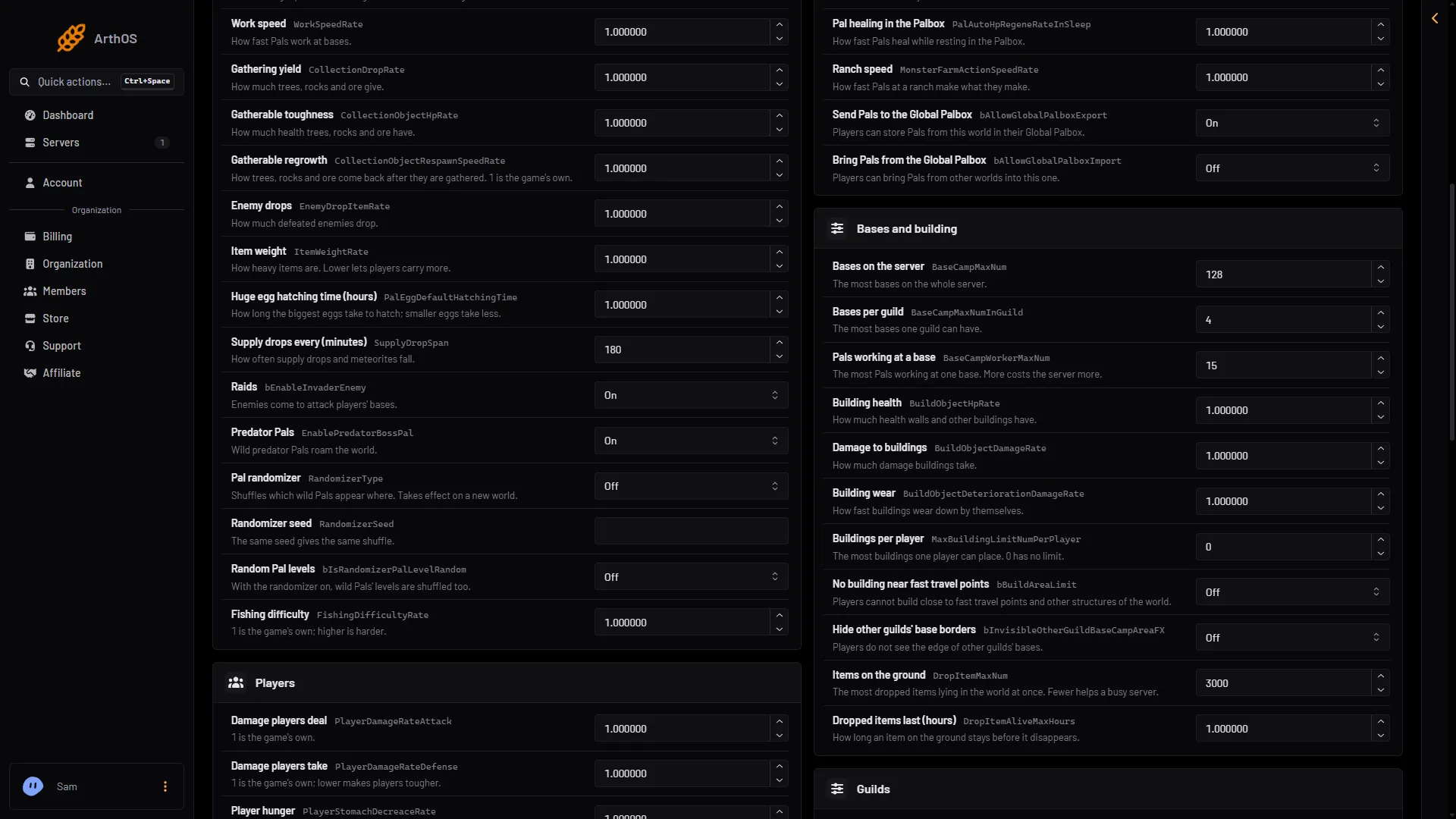
- Type the hours here
- Open the Config Editor page.
- At the top, choose the source Game settings.
- Open the group World.
- Find Huge egg hatching time (hours) (1 in the picture). Type the number of hours. Decimals are allowed, for example
0.5for half an hour. - Save.
If the server is running, the panel shows “Saved, waiting for the next restart: (names).” and keeps your change until the next start. Choose Restart now to apply it at once. A restart disconnects everyone. If the server is stopped, the change is written straight away.
Why the panel waits
The game writes PalWorldSettings.ini again when it stops, with the values it loaded. A change made to the file by hand while the server runs is lost. The Config Editor avoids this by holding your change until the next start. See the Config Editor guide.
By hand
The file is Pal/Saved/Config/LinuxServer/PalWorldSettings.ini. With server mods on, these two files are in another folder under Pal/Saved/Config. Open Config in Files and use the folder that holds them, or use the Config Editor, which always finds them. Edit the file only while the server is stopped. Inside the one OptionSettings=(...) line, change this pair and keep the commas between the pairs:
PalEggDefaultHatchingTime=1.000000The value is in hours. 1.000000 is the default on the 1.0.5 server file.
What it does not do
- It is a Huge Egg setting. Other eggs also take time to incubate, and Pocketpair documents no separate setting for them.
- Not checked on 1.0.5 as of 4 November 2026: whether a value of 0 hatches an egg at once.
If it does not work
- The number did not change in game. The server has not restarted since you saved. Choose Restart now or restart it from the Console.
- The setting is not in the list. Make sure the source is Game settings, not Server settings.
- Nothing changed on a world you uploaded. A world with its own
WorldOption.savignores the Config Editor’s settings for the settings that file holds. See the WorldOption.sav guide.
More about the game: Palworld servers.
Sources: docs.palworldgame.com: Configuration