









Project Zomboid has three kinds of protection in the server ini: a game file check, Steam VAC, and ten AntiCheat keys that each watch one thing. Open Config Editor, choose the .ini tab and search for Kick players whose game files differ, Steam VAC or Kick above this ping (ms). Choose Save, then restart the server.
The three main switches
All three are in the Joining group.
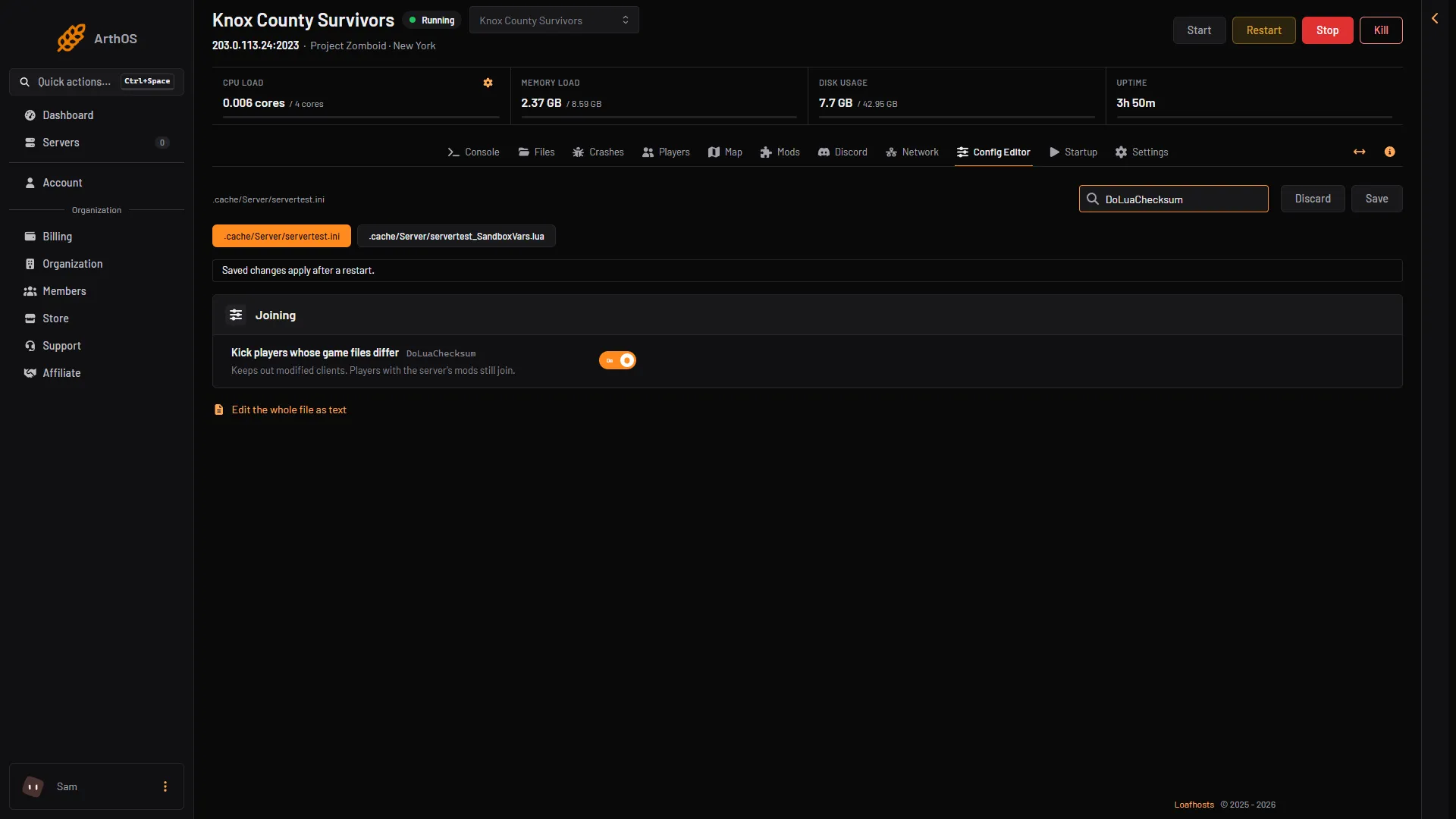
- Kick players whose game files differ
- Kick players whose game files differ (
DoLuaChecksum). The game’s comment says: kick clients whose game files do not match the server’s. The panel’s help adds that players with the server’s mods still join. A new file has it on. - Steam VAC (
SteamVAC). The game’s comment says: enable the Steam VAC system. VAC is Valve’s anti-cheat. A new file has it on. The game also has a start option,-steamvac, that overrides this key. The panel does not pass it, so this row is the setting that counts. - Kick above this ping (ms) (
PingLimit). The ping, in milliseconds, above which a player is kicked. 0 turns it off. The default is 0.
PZwiki warns that a bug makes DoLuaChecksum flag false positives on Linux servers, which stops some players joining. Not checked on Build 42.21 as of 18 October 2026. If a player with the right mods is refused, this is the first setting to look at.
The AntiCheat keys
Ten more keys sit in the card called Advanced. Choose Show them, or type AntiCheat in the Search box. Each one switches protection for one thing. The game’s comment for each reads “Disables … anti-cheat protection”, and the value is a number. PZwiki gives the four values:
| Value | Mode | What happens when a player breaks the rule |
|---|---|---|
| 1 | Ban | The player is banned at once. |
| 2 | Kick | The player is kicked at once. |
| 3 | Log | The violation is written to the server logs. |
| 4 | Disable | Nothing. The check is off. |
| Key | Config Editor label | What it watches | Value in a new file |
|---|---|---|---|
AntiCheatSafety | Anti cheat safety | The safety (PVP) system | 2 |
AntiCheatSpeed | Anti cheat speed | Character speed | 2 |
AntiCheatNoClip | Anti cheat no clip | Walking through walls | 4 |
AntiCheatHit | Anti cheat hit | Character hits | 2 |
AntiCheatPacketException | Anti cheat packet exception | Packet exception checks | 4 |
AntiCheatPermission | Anti cheat permission | Player permissions | 2 |
AntiCheatXP | Anti cheat xp | Player XP | 2 |
AntiCheatSafeHouse | Anti cheat safe house | Safehouses | 2 |
AntiCheatPlayer | Anti cheat player | The player | 2 |
AntiCheatChecksum | Anti cheat checksum | Checksums | 2 |
The values are what PZwiki lists for a new ini file. They are not the Default of a game comment, because the comments state none. The rows are plain text boxes: type the number.
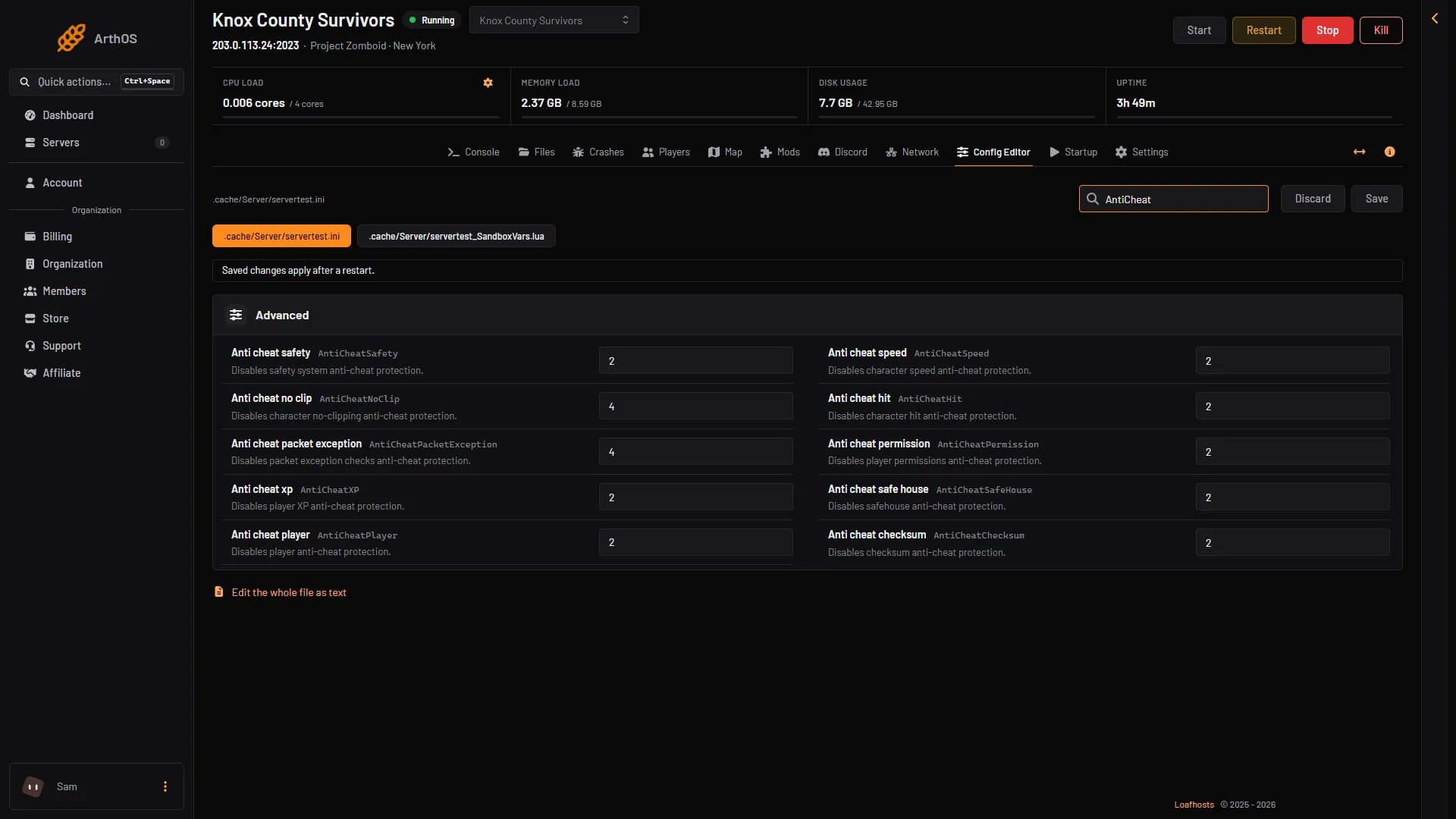
- Advanced card
- Anti cheat safety
- Anti cheat speed
- Anti cheat checksum
The game does not say more about what each check looks for. Not checked on Build 42.21 as of 18 October 2026: how strict each check is, and which of them can flag an honest player.
Change them
- Open Config Editor and choose the
.initab. - Change the row and choose Save.
- Restart the server. The change applies after a restart.
If it does not work
- Honest players are kicked. Look at the ten values. A key set to 2 kicks. Set it to 3 to log only, then read the logs to see what it flagged. See server logs.
- A cheater is not stopped. A key set to 4 does nothing. Set it to 2 or 1.
- You need to remove a player yourself. See ban and kick players.
- A change did not apply. Restart the server after Save.
More about the game: Project Zomboid servers.
Sources: pzwiki.net: Server settings, pzwiki.net: Startup parameters