









On a Loafhosts server the logs are in the .cache/Logs folder. Open Files, then .cache, then Logs. The newest start’s files are there. Earlier starts are in folders named logs_ and a date.
If you run the server yourself, the game’s data folder is Zomboid in your home folder (~/Zomboid on Linux, C:\Users\<you>\Zomboid on Windows), and the logs are in its Logs folder. A -cachedir= start option moves the Zomboid folder; Loafhosts uses -cachedir=/home/container/.cache.
The log files
Each file starts with the date and minute of the start, as YYYY-MM-DD_HH-MM, for example 2026-10-17_15-50_user.txt.
_DebugLog-server.txt: the server log. Start here when something goes wrong._user.txt: joins. Each player gives a line forattempting to join,allowed to joinandfully connected, with their place in the world._admin.txt: one line for every admin action._chat.txt: every chat line, private ones too._cmd.txt: commands that were run.PerkLog.txt: skill changes. It is written when Log skill changes (PerkLogs) is on in the Config Editor, in the group “Logs”. It istruein the shipped ini, so the file is written by default.
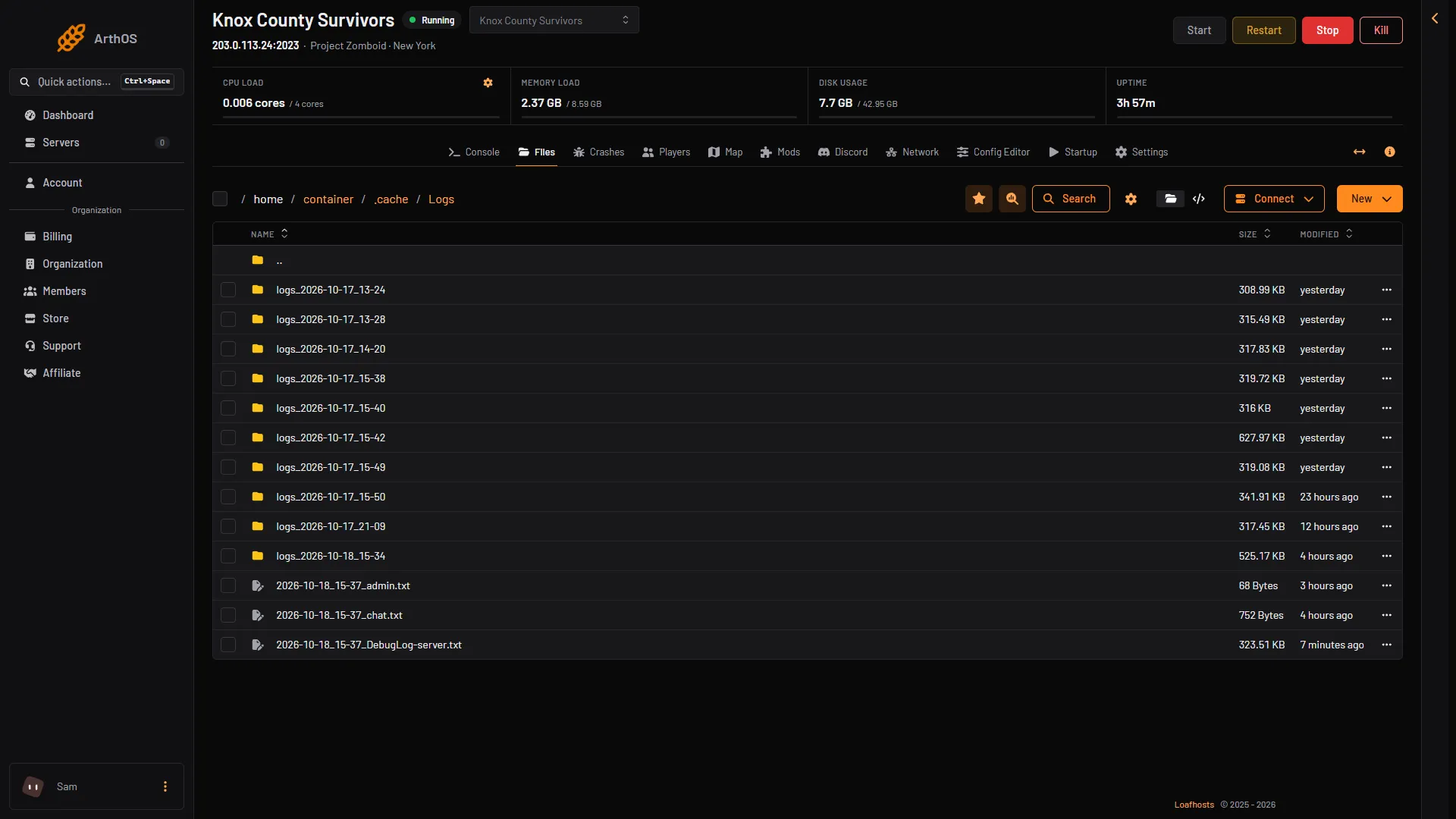
- An earlier start
- Server log
- Chat log
Box 1 is the folder of an earlier start. Box 2 is the server log of the newest start and box 3 is its chat log. A _user.txt file appears once a player joins.
Earlier starts
At the next start, the files from the last one move into a folder called .cache/Logs/logs_ plus the date and minute of that start. So the newest start is loose in Logs, and every older one has its own folder. The Crashes page reads these folders for you and lists the last 15 starts.
The game also writes .cache/server-console.txt. It is a copy of what the console shows, and it is rewritten at each start.
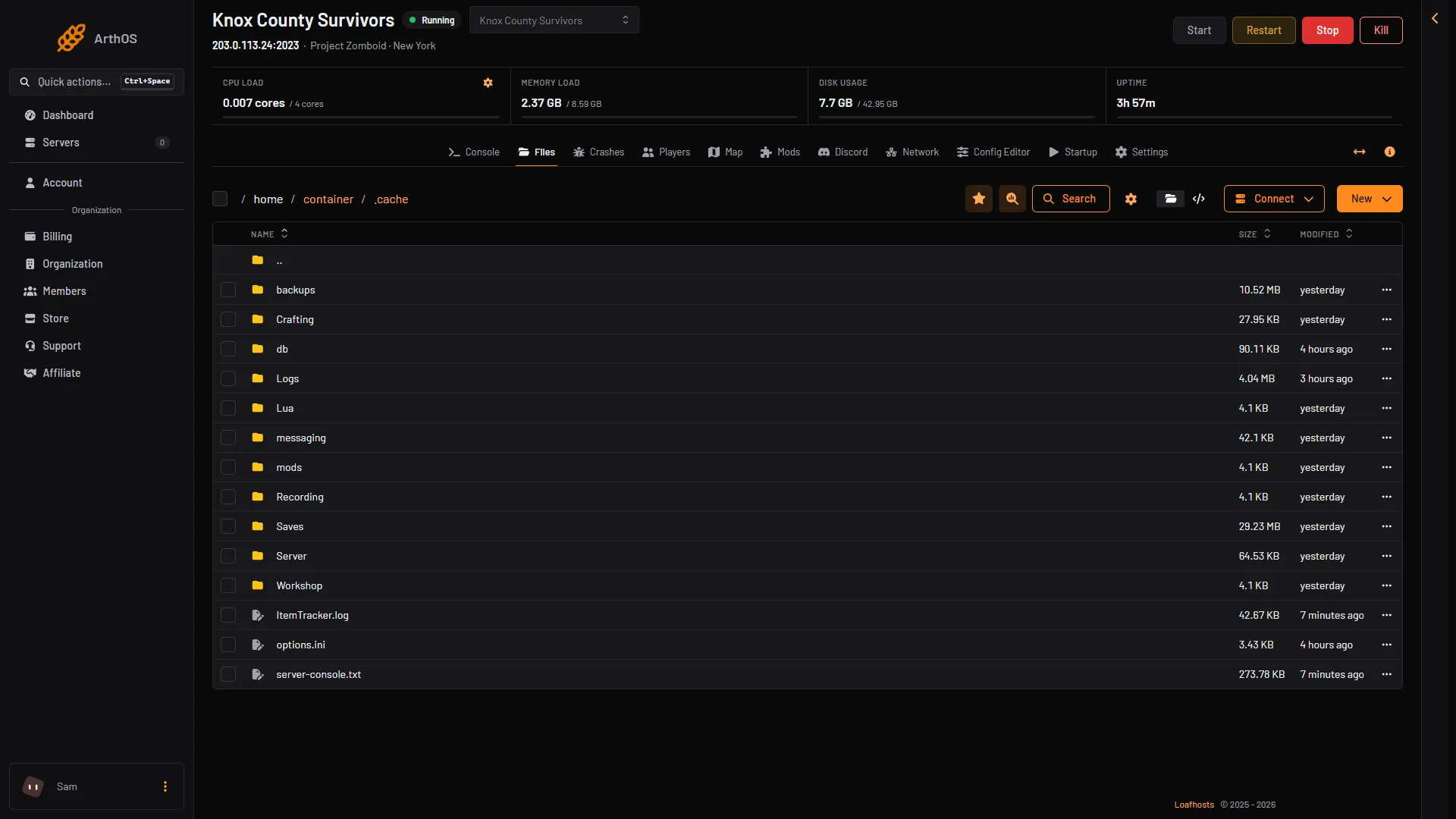
- Logs
- server-console.txt
Watch it live
Open the Console tab. It shows the same lines as they happen. The server is ready when it shows *** SERVER STARTED ****.
A clean stop with quit writes Saving players, Saving finish and Shutdown handling finished. If a log ends without those, the server did not stop cleanly.
Times are UTC
The times in the log files, and in the logs_<date> folder names, are UTC, not your local time. The Crashes page shows times in your own time zone. A line looks like [17-10-26 13:24:30.806], which is day, month, year, then the time. That one is 17 October 2026 at 13:24 UTC.
Many ERROR lines are normal
A healthy start writes hundreds of lines marked ERROR, for things like missing sounds. They are not a problem. Do not search for the word ERROR. Look for a stop that was not asked for, or for a line that names a mod or a setting. The Crashes page does that for you. See Project Zomboid server crashed.
Change how much the log says
The log has a level for each kind of message. To change one, send this command in the Console tab:
log "Type" "Level"
The type can be General, Network, Multiplayer, Lua, Mod, Sound, Zombie, Combat, Vehicle and others. The level can be Trace, Debug, General, Warning or Error. For example, log "Mod" "Debug". In game, an admin types it in chat with a slash first.
At each start, the server log says the levels are set in the debuglog-server.cfg file. The location of debuglog-server.cfg is not covered here. Not checked on Build 42.21 as of 18 October 2026: whether a level set with log lasts past a restart.
More about the game: Project Zomboid servers.
If it does not work
- The Logs folder is empty. The server has not started yet.
- An old start is not on the Crashes page. The page lists the last 15 starts only. Older
logs_folders can still be opened in Files. - Two starts share one file. A crash restart in the same minute writes over the earlier start’s files.
- The times look wrong. The files use UTC.
Sources: pzwiki.net: Admin commands, pzwiki.net: Startup parameters