









Open the Players page and choose Character on a player’s row. A window shows what that player carries, wears and holds, with their skills, needs and wounds. It works while the server is stopped, because it reads the server’s own save files.
The game cannot do this by command. No admin command prints a player’s inventory, and RCON runs the same commands, so it cannot print one either. The Character window is the way to see it on a Loafhosts server.
Open the Character window
- Open the Players page of your server.
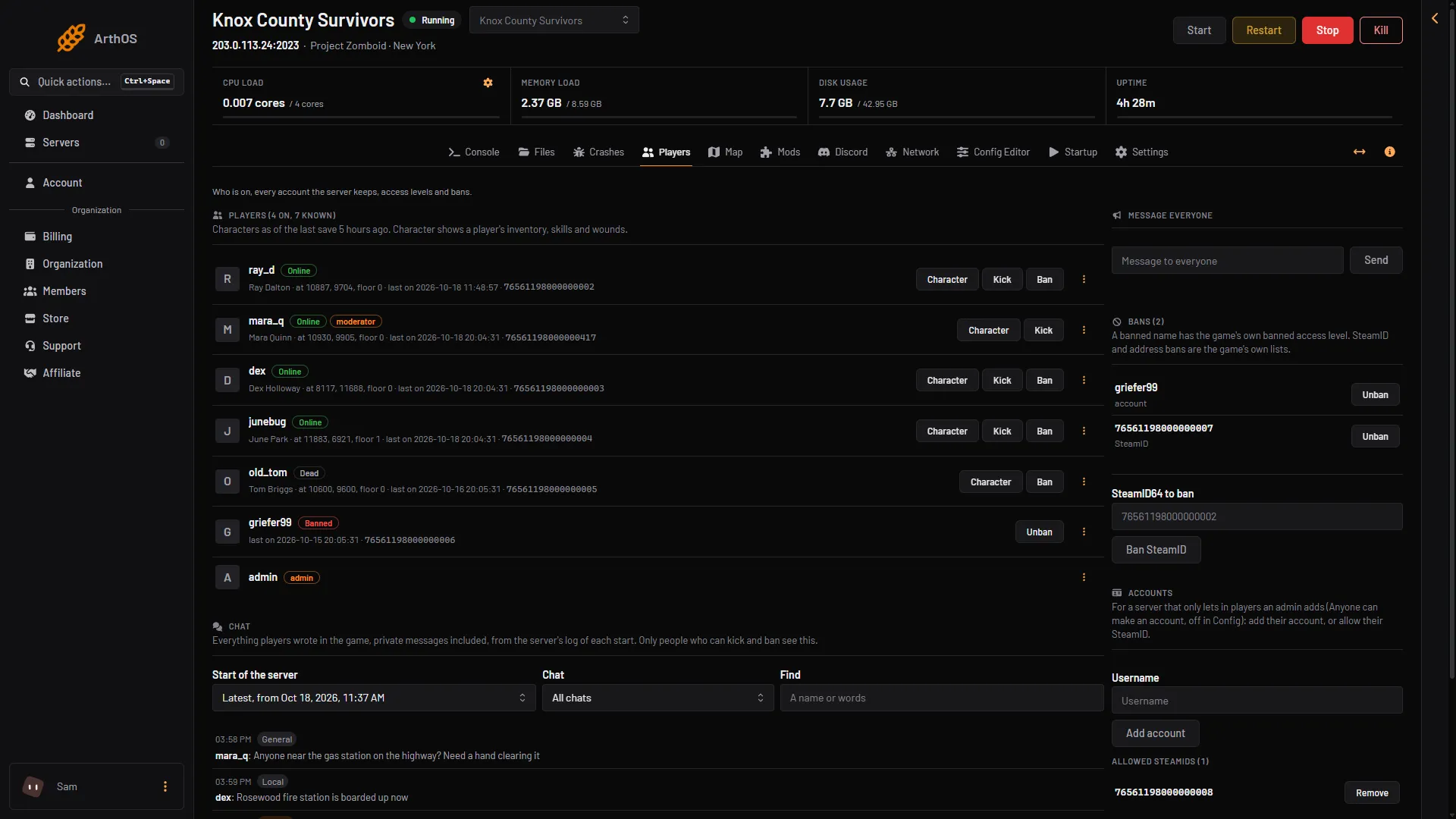
- Find the player in the list “Players (N on, M known)”. Every account and every saved character is listed, online or not.
- Choose Character on their row.
- Players list
- Character
The list is box 1. Character (box 2) opens the window.
What the window shows
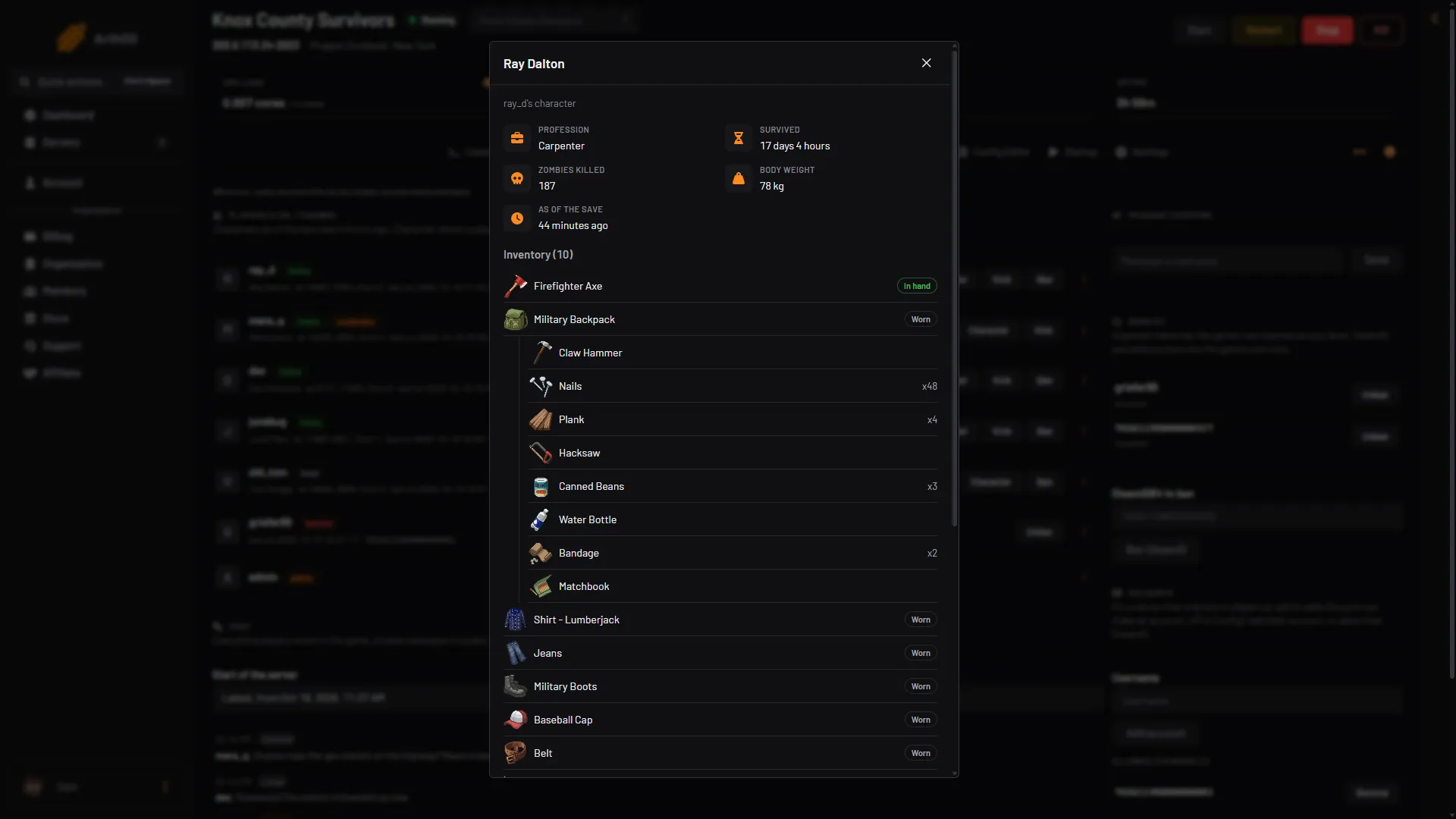
At the top you see the player’s Profession, Survived (in days and hours), Zombies killed, Body weight and As of the save, which says how old the information is.
- Profession
- Survived
- Inventory
- In hand
- Worn
- Inventory lists every item with its picture. A tag shows Worn for clothes and bags being worn, and In hand for the item held. Items inside a bag are listed under that bag, and a count such as
x48shows a stack. - Skills lists each skill the player has levelled.
- Condition shows needs such as Hunger, Thirst and Tiredness as percentages. It also shows zombie infection, body temperature and wounds by body part, such as a scratched and bandaged left forearm. A player with nothing wrong shows “No wounds, nothing they need.”
A player with no items shows “They carry nothing.” A new character with no levels shows “No skill levels yet.”
How fresh it is
The window shows the character as of the last save, not live. The game writes a character to its save in two ways: when the world saves, and when a player’s game sends the character to the server. On a new Loafhosts server the world saves every 10 minutes. You can change that with Save the world every (minutes) (SaveWorldEveryMinutes) in the Config Editor.
While the Map page is open and someone is on the server, the game saves every few seconds. That keeps the Character window close to live. See the server map.
To give or take items
The window only reads. To add an item to an online player, use Give item in the row’s menu. See give items to a player.
If it does not work
- The items look old. The save has not run since they changed things. Open the Map page with them online, or wait for the next save.
- The server is stopped. That is fine. The window still opens from the last save.
- You cannot see the page or the button. Your organization role may not allow it. Ask the server owner.
More about the game: Project Zomboid servers.
Sources: pzwiki.net: Admin commands, pzwiki.net: Server settings