









Open the Players page, open the menu on the player’s row, choose Give item, pick the item and choose Give item. The item goes straight into that player’s inventory. The player must be online.
In the ArthOS panel
The server must be running, and the player must be on it now. You need the permission that lets you use in-game actions on players.
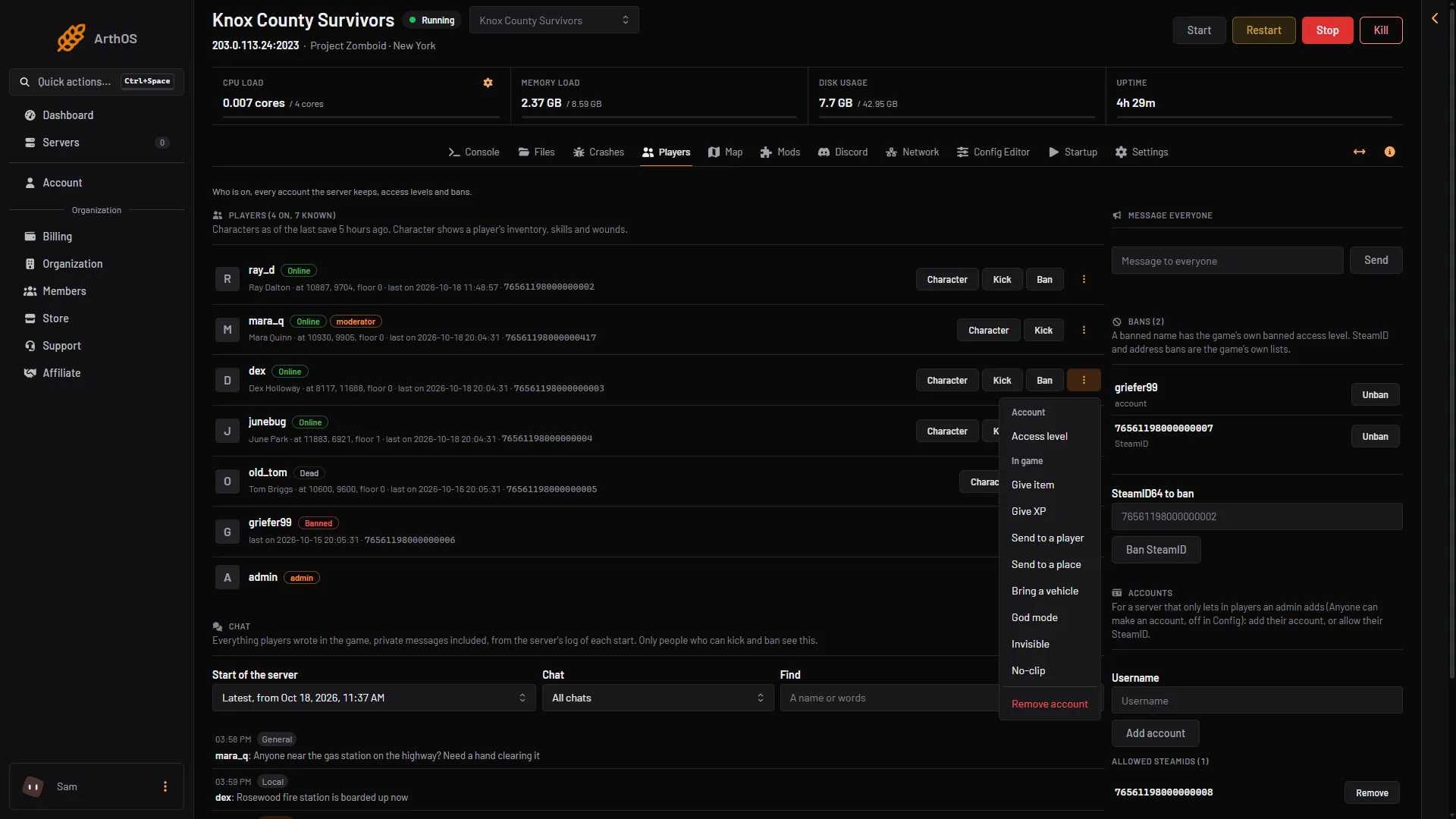
- Open the Players page.
- On the player’s row, open the menu (the three dots).
- Under In game, choose Give item. A box titled “Give (name) an item” opens.
- Give item
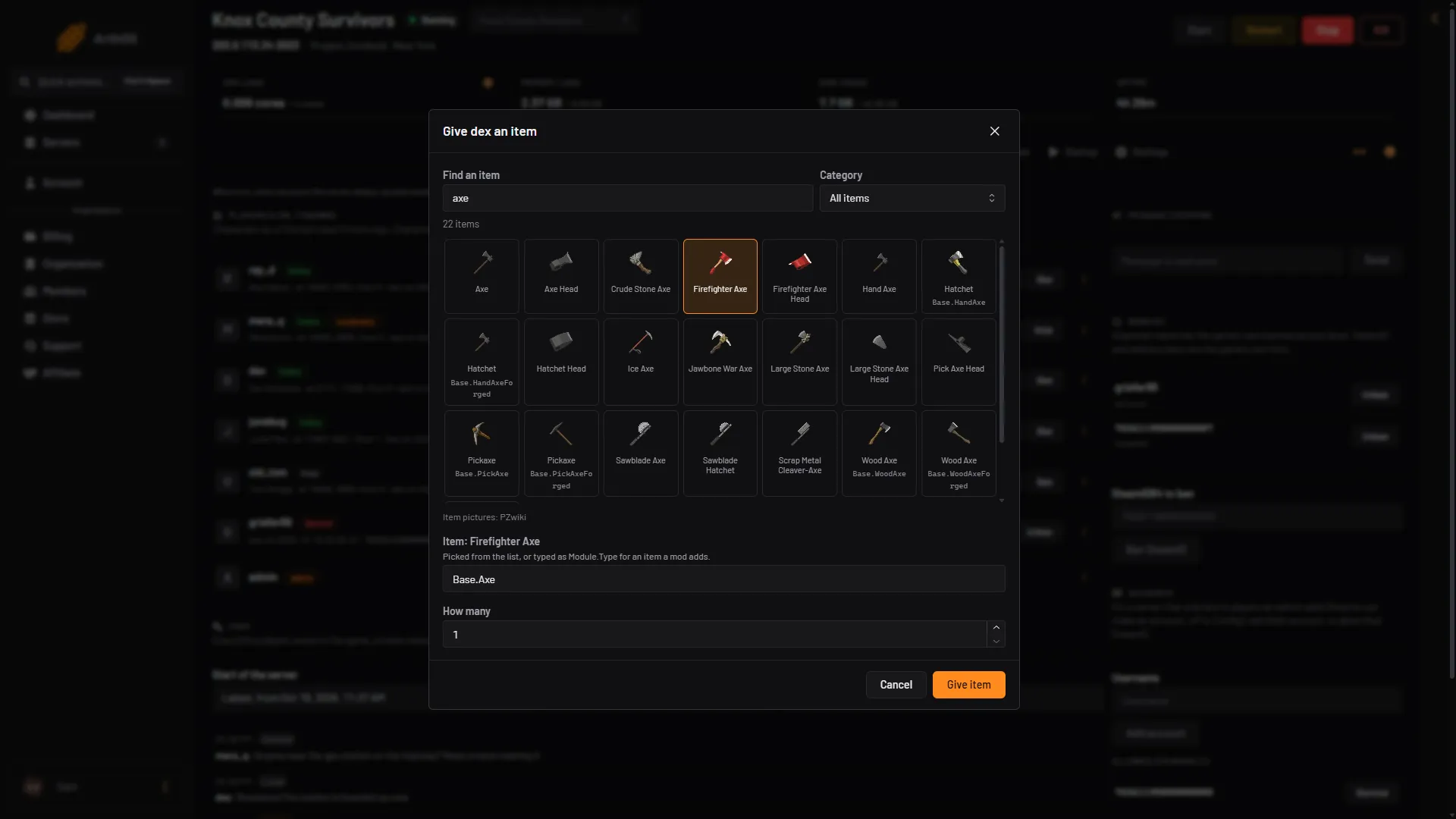
- In Find an item (1), type a name, like
axe, or an id, likeBase.Axe. Each item has a picture. Category (2) narrows the list. The list holds the game’s own items (moduleBase). - Click the item (3). For example, the Firefighter Axe tile gives
Base.Axe(seen live). Its name shows in the Item box (4), as “Item: (name)”. - Set How many (5). You can give 1 to 100 at a time.
- Choose Give item (6).
- Search
- Category
- Pick the item
- Item
- How many
- Give item
The panel shows the game’s own reply as a message, for example “Item Base.Apple Added in (name)‘s inventory.” The box stays open, so you can give another item straight away.
An item from a mod
A mod’s items may not be in the list. Not checked on Build 42.21 as of 18 October 2026. Type the item in the Item box as Module.Type. The module is the part before the dot, and the type is the part after it. Core game items use the module Base, like Base.Axe. For a mod’s items, use the module and type that the mod’s own page or files give. The box shows “Write it as Module.Type.” until the text has that shape.
By hand
In game, an admin types the command in chat with a slash. In the server console, leave the slash off.
/additem "username" "Base.Axe" 5- The first part is the player’s name, in quotes.
- The second part is the item id,
Module.Type. Ids are case-sensitive:Base.Axeworks, butbase.axedoes not. - The last part is how many. It is optional.
If you leave out the name, the admin who types the command gets the item.
Where to find item ids
- The list in the Give item box shows the items your own server knows, with pictures.
- PZwiki has a page for each item. The id is on the item’s page. Start from PZwiki’s item page.
PZwiki says its item pages were last updated for an older build, so an id may have changed. If the game says it cannot find an item, pick it from the list in the panel instead.
If it does not work
- The panel says the player is not on the server. Items can only be given to a player who is online. Ask them to join, then try again.
- The panel says the game refused it. The id is wrong. Check the spelling and the capital letters, or pick the item from the list.
- The item list does not load. The panel tells you it could not read the list. Type the item as
Module.Typeinstead. - The Give item choice is missing. Your role may not allow in-game actions on players, or the player is offline.
See also Project Zomboid admin commands, give a player XP and bring a player a vehicle. More about the game: Project Zomboid servers.
Sources: pzwiki.net: Admin commands, pzwiki.net: Items