









Open the Players page, open the menu on the player’s row, choose Bring a vehicle, pick one and send it. The vehicle appears beside the player, with its key. The player must be online.
In the ArthOS panel
- Open the Players page.
- On the player’s row, open the menu (the three dots).
- Under In game, choose Bring a vehicle. A box titled “Bring (name) a vehicle” opens.
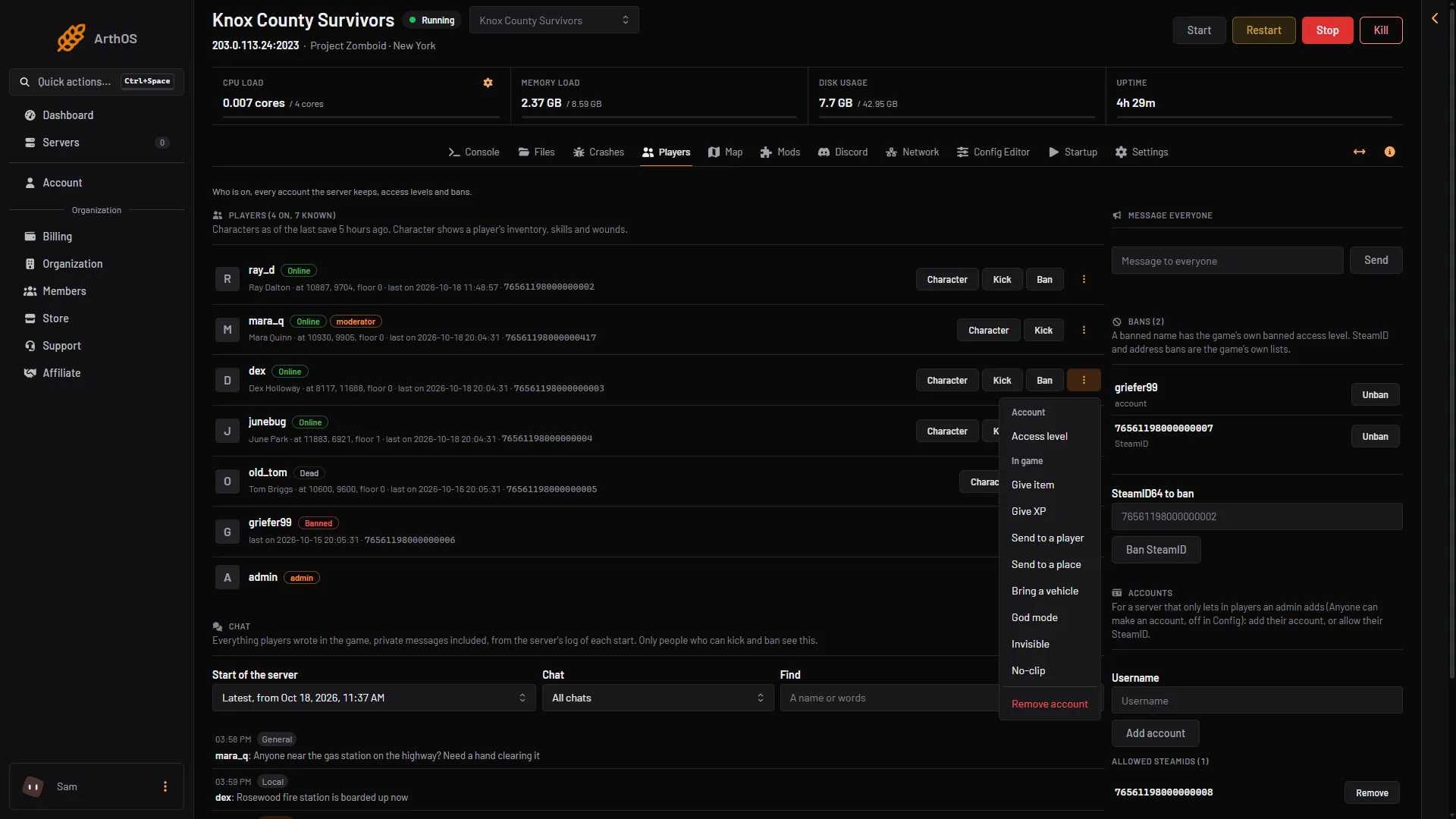
- Bring a vehicle
- In Vehicle (1), pick one from the list. The list starts with the Sedan (2).
- Choose Bring a vehicle.
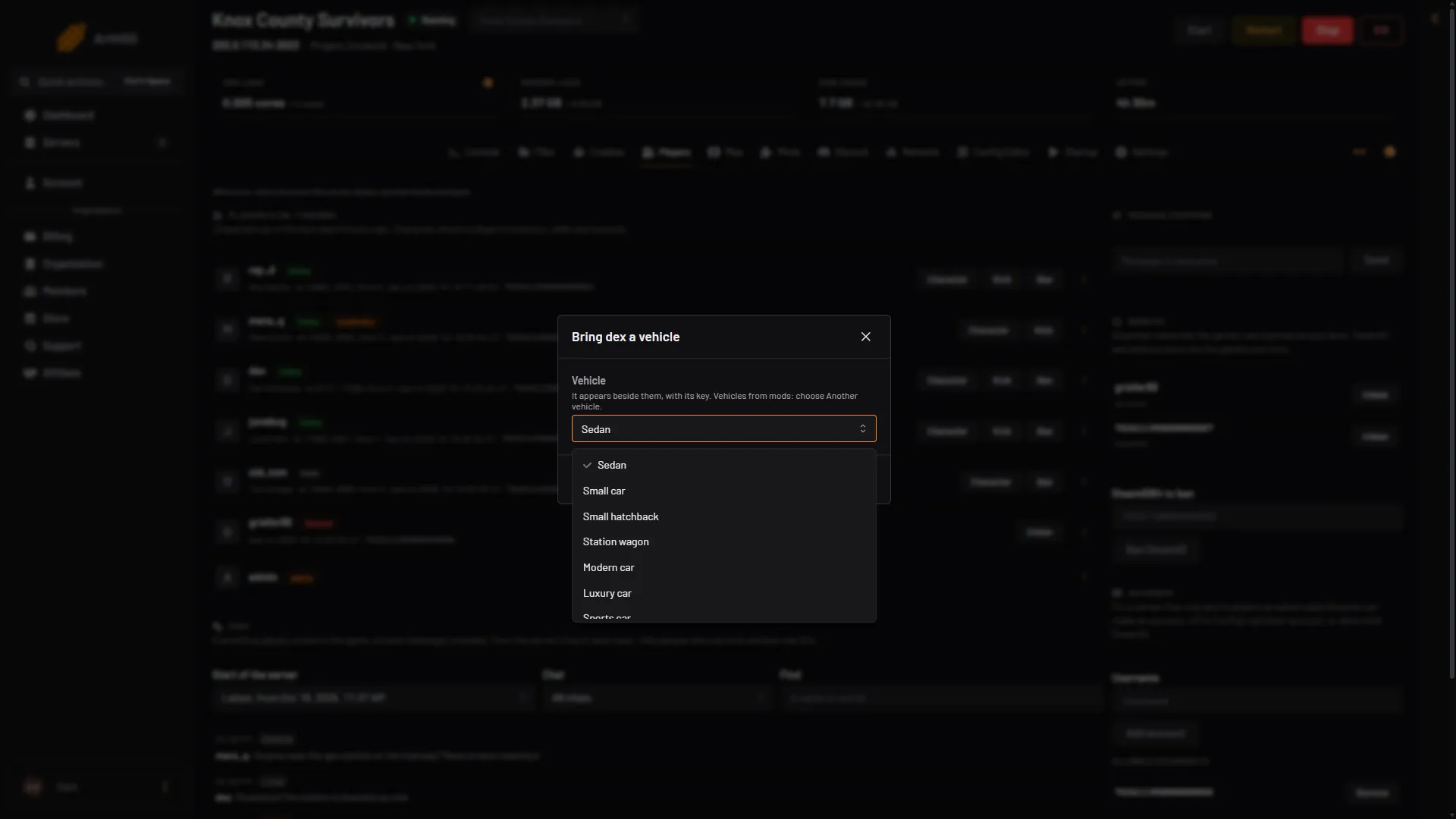
- Vehicle
- Sedan
The list holds undamaged vehicles that can be driven. The box says the vehicle appears beside the player, with its key. Not checked on Build 42.21 as of 18 October 2026: the vehicle appearing beside the player with its key, and the “can not spawn” reply below.
A vehicle that is not in the list
For a vehicle from a mod, or one the list does not hold:
- In Vehicle, choose Another vehicle.
- In Vehicle script, type the script name as
Module.Type, likeBase.PickUpTruck. - Choose Bring a vehicle.
The box shows “Write it as Module.Type.” until the text has that shape.
Vehicle script names
| Script | Vehicle |
|---|---|
Base.CarNormal | Sedan |
Base.SmallCar | Small car |
Base.SmallCar02 | Small hatchback |
Base.CarStationWagon | Station wagon |
Base.ModernCar | Modern car |
Base.CarLuxury | Luxury car |
Base.SportsCar | Sports car |
Base.CarTaxi | Taxi |
Base.SUV | SUV |
Base.OffRoad | Off-road |
Base.PickUpTruck | Pickup truck |
Base.PickUpVan | Pickup van |
Base.Van | Van |
Base.StepVan | Step van |
Base.VanAmbulance | Ambulance |
Base.CarLightsPolice | Police car |
Base.PickUpTruckLightsFire | Fire department pickup |
Base.Trailer | Trailer |
PZwiki’s vehicle page lists more scripts, for example Base.VanSeats (a six-seater van), Base.VanRadio, Base.RaceCar12 and the trailers Base.Trailer_Horsebox and Base.Trailer_Livestock. That page was last updated for an older build, so try an id from it and read the game’s reply.
By hand
In game, an admin types the command in chat with a slash. In the server console, leave the slash off.
/addvehicle "Base.VanAmbulance" "username"The first part is the vehicle script. The second part is the player’s name. PZwiki says the second part can also be coordinates, x,y,z, to put the vehicle at a spot. Script names are case-sensitive.
If it does not work
- The panel says the player is not on the server. The vehicle goes to a player who is online.
- The panel says the game refused it, with “can not spawn”. The spot beside the player has no room for the vehicle. Move the player to open ground and try again, or see teleport players.
- The game says it cannot find the vehicle. The script name is wrong. Check the capital letters, or pick one from the list.
- The player cannot start the vehicle. The vehicle comes with its key. The player needs the key in the ignition or on them. Without it, a vehicle can be hot-wired from the driver’s seat, which needs electrical level 1 and mechanics level 2, or the Burglar occupation.
- Bring a vehicle is missing. Your role may not allow in-game actions on players, or the player is offline.
See also the vehicle settings, giving items and admin commands. More about the game: Project Zomboid servers.