









Open the Players page, open the menu on the player’s row, choose Give XP, pick a Skill, set the XP and send it. The player must be online. This gives experience points, not levels.
In the ArthOS panel
- Open the Players page.
- On the player’s row, open the menu (the three dots).
- Under In game, choose Give XP. A box titled “Give (name) XP” opens.
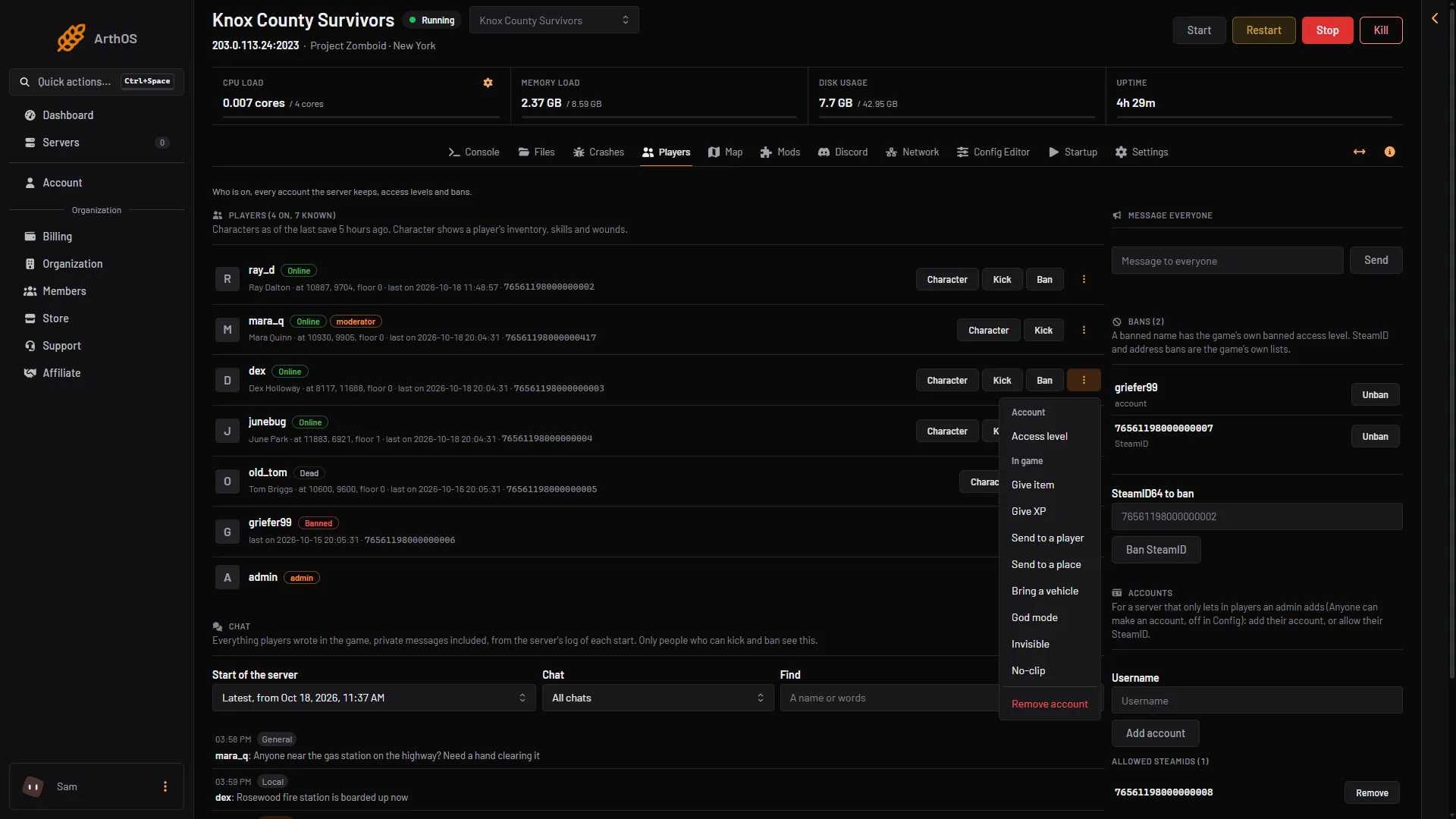
- Give XP
- In Skill (1), pick the skill. You can type to search the list.
- In XP (2), type the amount. It starts at 100. You can give 1 to 1,000,000 at a time.
- Choose Give XP (3).
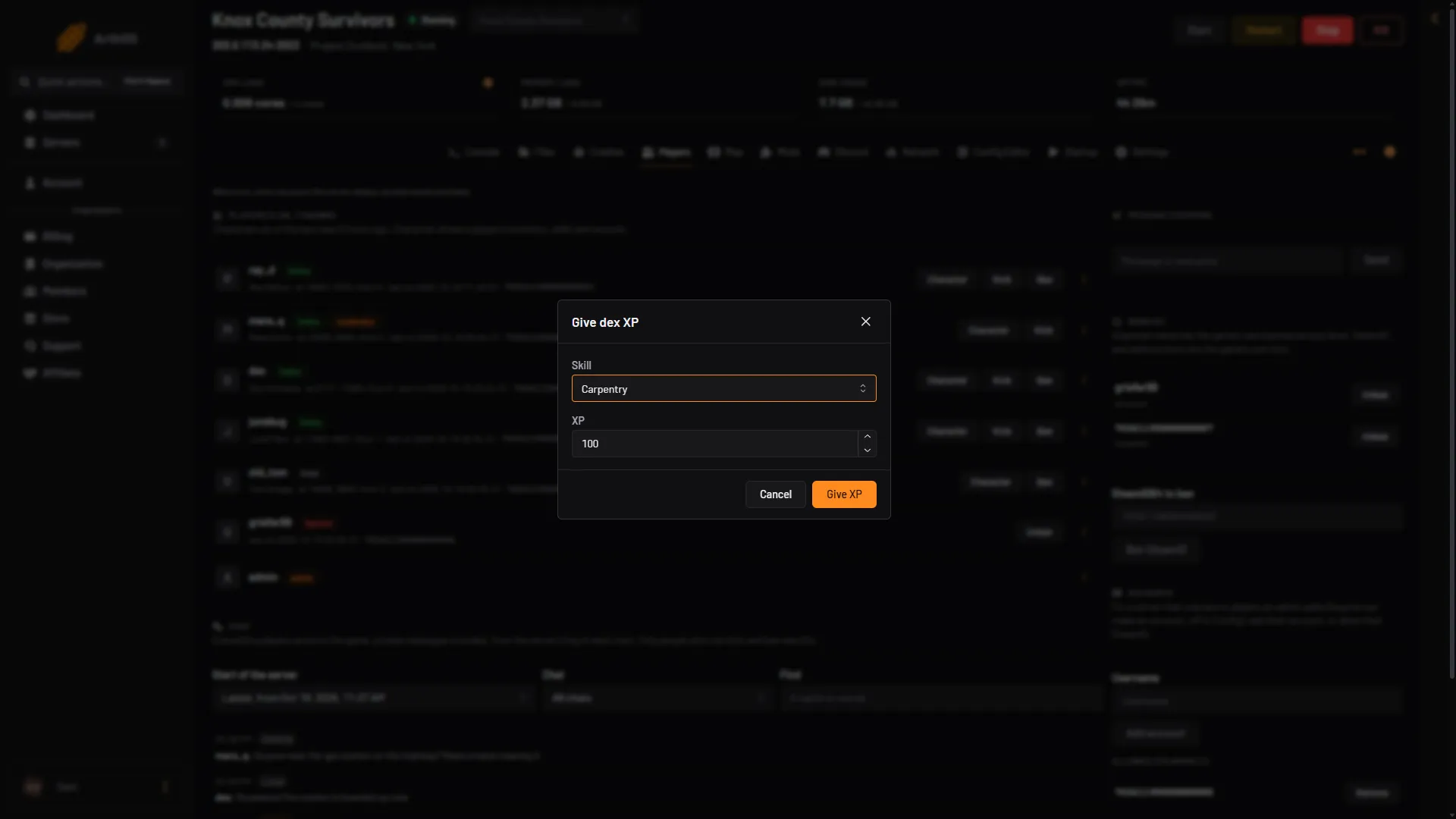
- Skill
- XP
- Give XP
The panel shows the game’s reply, for example “Added 100.0 Woodwork xp’s to (name)”. The skill name in the reply is the game’s id, not the name in the list. See the table below.
XP is not levels
Each level needs more XP than the one before it. Strength and Fitness need far more than the other skills. No Build 42 source gives the exact amounts, so they are not listed here. If a level does not rise as you expect, give more XP and look at the player’s skills in the Character window.
By hand
In game, an admin types the command in chat with a slash. In the server console, leave the slash off.
/addxp "username" Woodwork=500The first part is the player’s name in quotes. After it comes the skill id, an equals sign and the amount of XP. The skill ids are the game’s own, and some differ from the names you see in game. The panel’s list uses these:
| Id | Name in the list |
|---|---|
Aiming | Aiming |
Husbandry | Animal Care |
Axe | Axe |
Blacksmith | Blacksmithing |
Butchering | Butchering |
Woodwork | Carpentry |
Carving | Carving |
Cooking | Cooking |
Electricity | Electrical |
Farming | Agriculture |
Doctor | First Aid |
Fishing | Fishing |
Fitness | Fitness |
PlantScavenging | Foraging |
Glassmaking | Glassmaking |
FlintKnapping | Knapping |
Lightfoot | Lightfooted |
LongBlade | Long Blade |
Blunt | Long Blunt |
Maintenance | Maintenance |
Masonry | Masonry |
Mechanics | Mechanics |
Nimble | Nimble |
Pottery | Pottery |
Reloading | Reloading |
Sprinting | Running (called Sprinting in the Config Editor’s multiplier rows) |
SmallBlade | Short Blade |
SmallBlunt | Short Blunt |
Sneak | Sneaking |
Spear | Spear |
Strength | Strength |
Tailoring | Tailoring |
Tracking | Tracking |
Trapping | Trapping |
MetalWelding | Welding |
If it does not work
- The panel says the player is not on the server. XP can only be given to a player who is online.
- The panel says the game refused it. The skill id is wrong. Use an id from the table, with the same capital letters.
- The Give XP choice is missing. Your role may not allow in-game actions on players, or the player is offline.
- The skill did not level up. You gave less XP than the next level needs. Give more.
See also give a player an item, the XP multiplier setting and admin commands. More about the game: Project Zomboid servers.
Sources: pzwiki.net: Admin commands, pzwiki.net: Skills