









Open the Players page, open the menu on the player’s row, and choose God mode, Invisible or No-clip. Then choose Turn on or Turn off. The player must be online. Each mode is for one player and stays on while the player is on.
- God mode: they take no damage while it is on.
- Invisible: zombies do not see them while it is on.
- No-clip: they pass through walls and buildings while it is on.
These are admin tools, for testing or for running an event. Use them on your own character, or on a player who has asked for it.
In the ArthOS panel
- Open the Players page.
- On the player’s row, open the menu (the three dots).
- Under In game, choose God mode, Invisible or No-clip. A box opens with a short line about what the mode does.
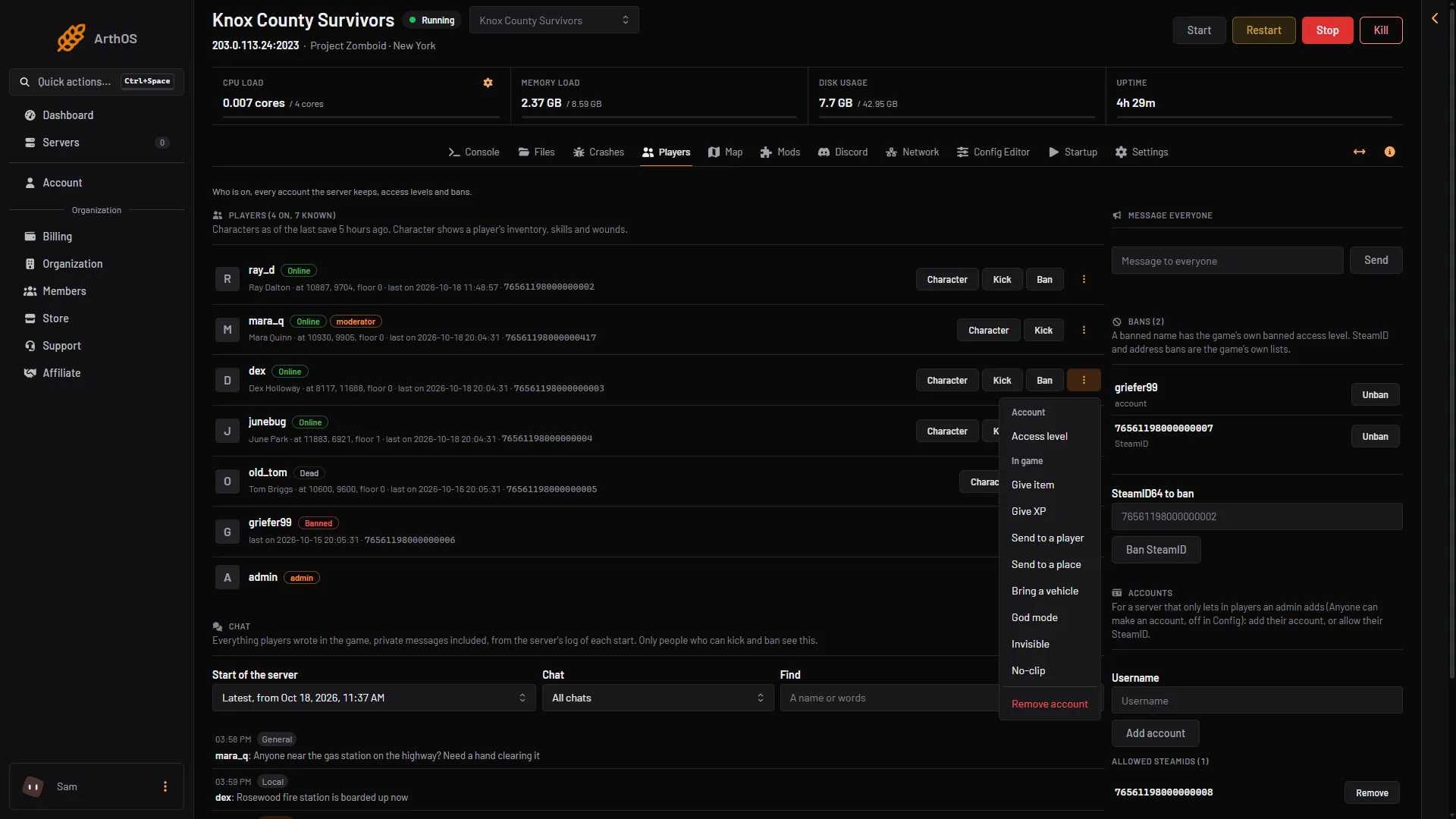
- God mode
- Invisible
- No-clip
- Read the line in the box (1). Choose Turn on (3) to start the mode, or Turn off (2) to stop it.
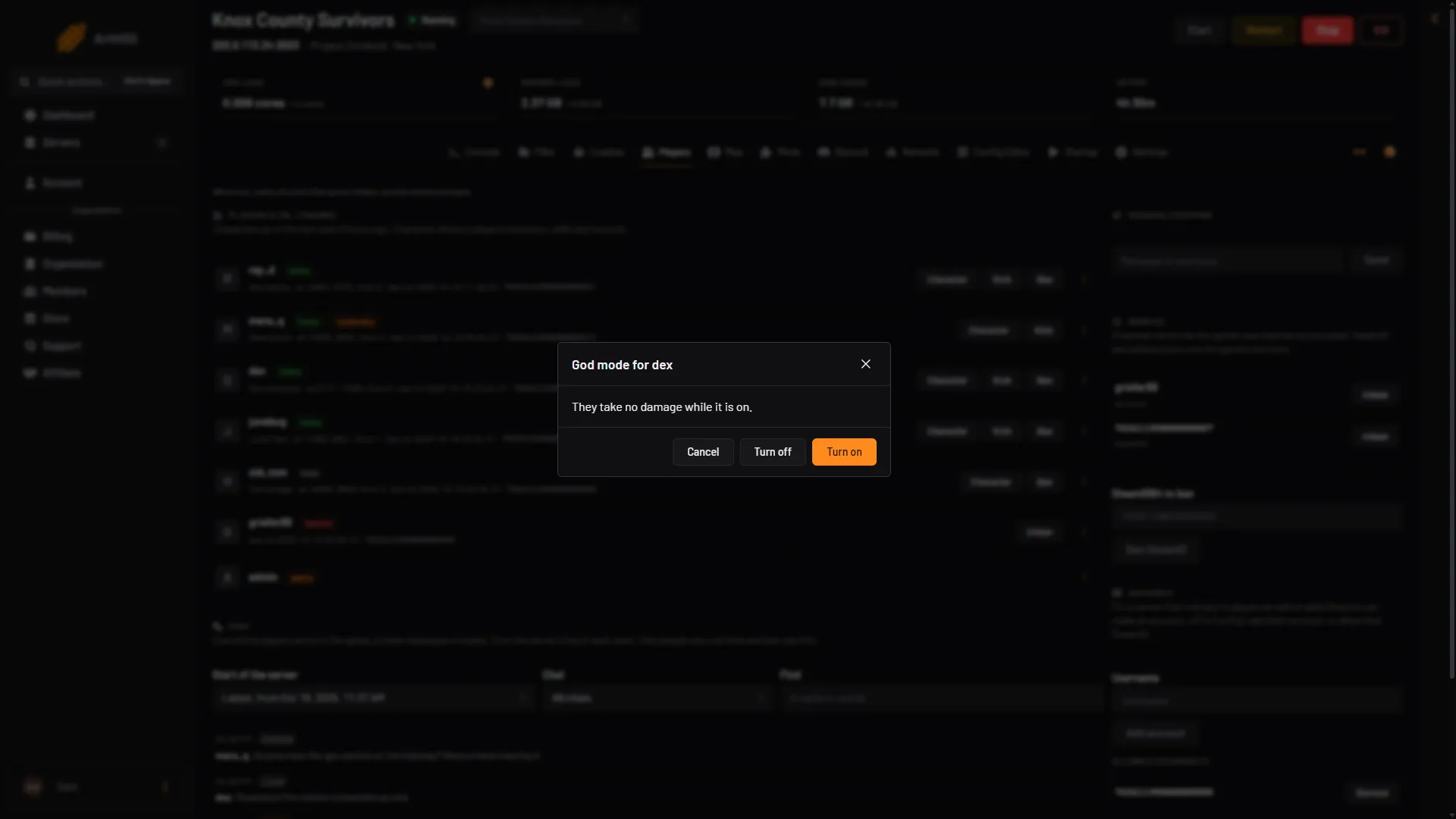
- What it does
- Turn off
- Turn on
The panel shows the game’s own reply as a message:
| Choice | Reply when turned on | Reply when turned off |
|---|---|---|
| God mode | User (name) is now invincible. | User (name) is no longer invincible. |
| Invisible | User (name) is now invisible. | User (name) is no longer invisible. |
| No-clip | User (name) won’t collide. | User (name) will collide. |
The panel does not show which players have a mode on. If you lose track, choose Turn off for each mode.
By hand
An admin types these in game, in chat, with a slash. In the server console, leave the slash off. Use -true to turn the mode on and -false to turn it off.
/godmodplayer "username" -true
/invisibleplayer "username" -true
/noclip "username" -true
PZwiki says noclip also switches on and off when you give it no value. It also lists godmod and invisible, which act on you if you give no name.
PZwiki marks both god mode commands as having a known bug. If god mode does not behave, turn it off and on again, and tell the player to watch their health.
If it does not work
- The panel says the player is not on the server. These modes need an online player.
- The game says the user does not exist. The name is wrong. Copy it from the Players list.
- A choice is missing from the menu. Your role may not allow in-game actions on players, or the player is offline.
- The player still takes damage in god mode. Turn it off and on again. PZwiki lists god mode as buggy.
- The player left the server. A mode may not carry over to their next visit. Turn it on again when they are back. This is not checked on Build 42.21 as of 18 October 2026.
See also admin commands, teleport players and make yourself admin. More about the game: Project Zomboid servers.
Sources: pzwiki.net: Admin commands