









Open the Players page, open the menu on the player’s row and choose Send to a player or Send to a place. Or open the Map, click the player and choose Pick a spot on the map. The player must be online. They arrive once the game has loaded the area around them.
Send a player to another player
- Open the Players page.
- On the player’s row, open the menu (the three dots).
- Under In game, choose Send to a player.
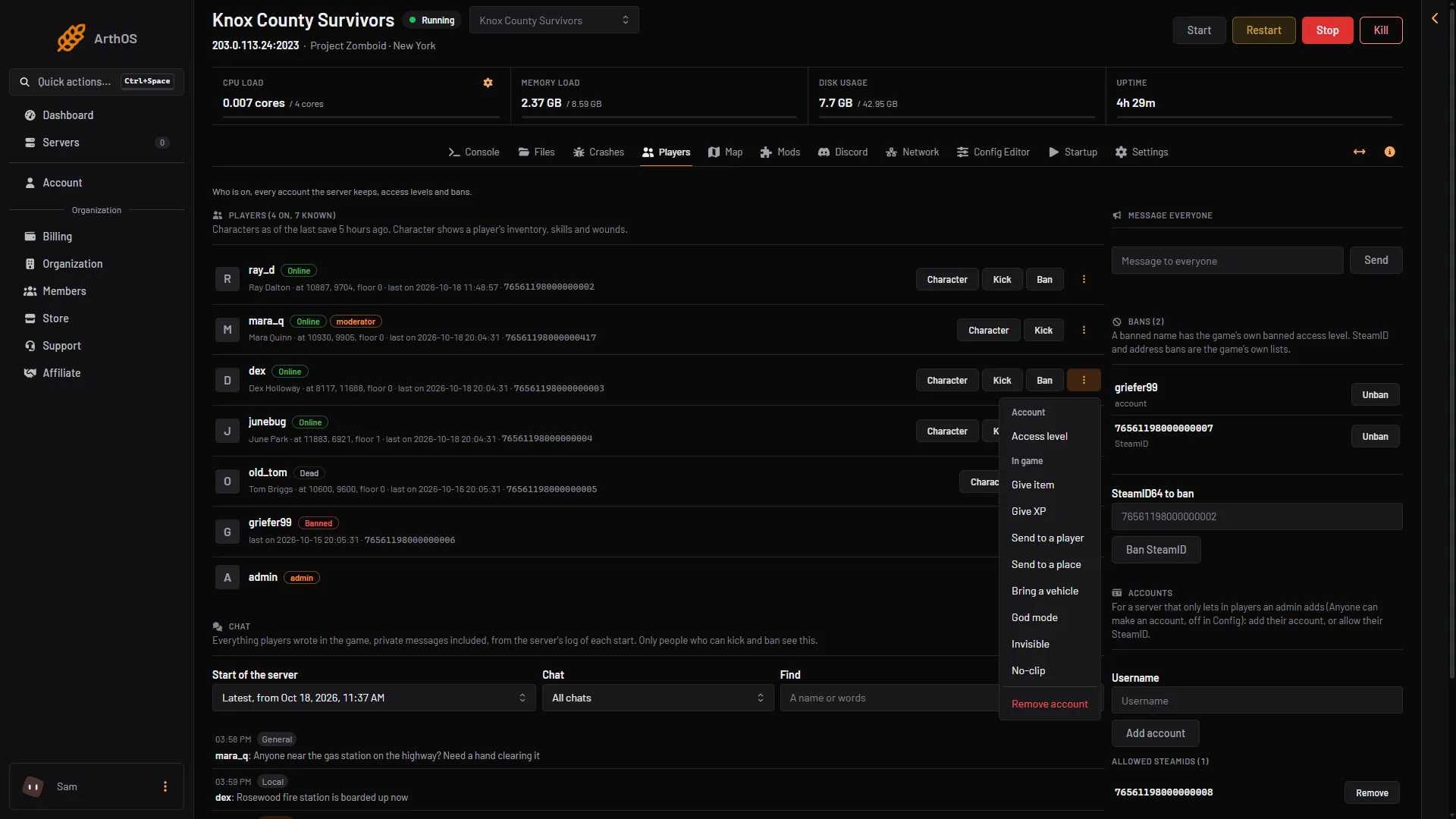
- Send to a player
- Send to a place
- In Send to, pick the player to go to. The list holds the other players who are online now. If nobody else is on, the box says “Nobody else is on.”
- Choose Send to a player.
Send a player to a place
A place is a spot on the map. It is three numbers: X, Y and the floor. X and Y are world tiles. The floor is 0 on the ground, 1 for the first floor up, and below 0 for a basement.
- Open the player’s menu and choose Send to a place under In game.
- Type the X field (1) and the Y field (2). They start at the player’s last saved spot. Each can be a whole number from 0 up to 1,000,000.
- Set Floor (3). It can be from -32 to 31.
- Choose Send them there (4).
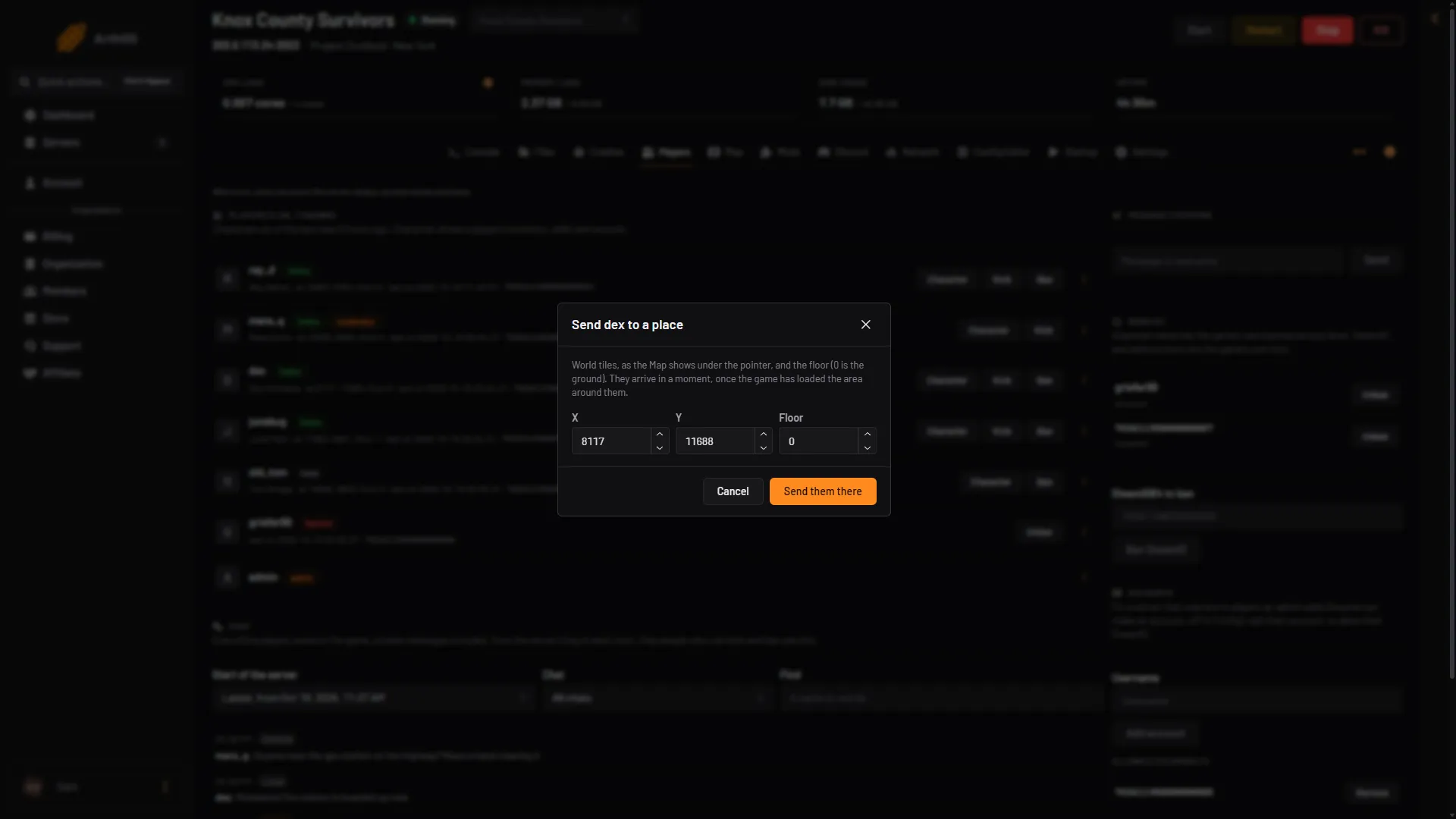
- X
- Y
- Floor
- Send them there
Find the numbers on the Map page. The world tile coordinates of the pointer show at the bottom left of the map.
Pick the spot on the map
- Open the Map page.
- Click the player’s marker. A card opens with what you can do. Under MOVE it has Pick a spot on the map and Send to a player.
- Choose Pick a spot on the map. The map says “Click where to send (name)”.
- Click the spot you want.
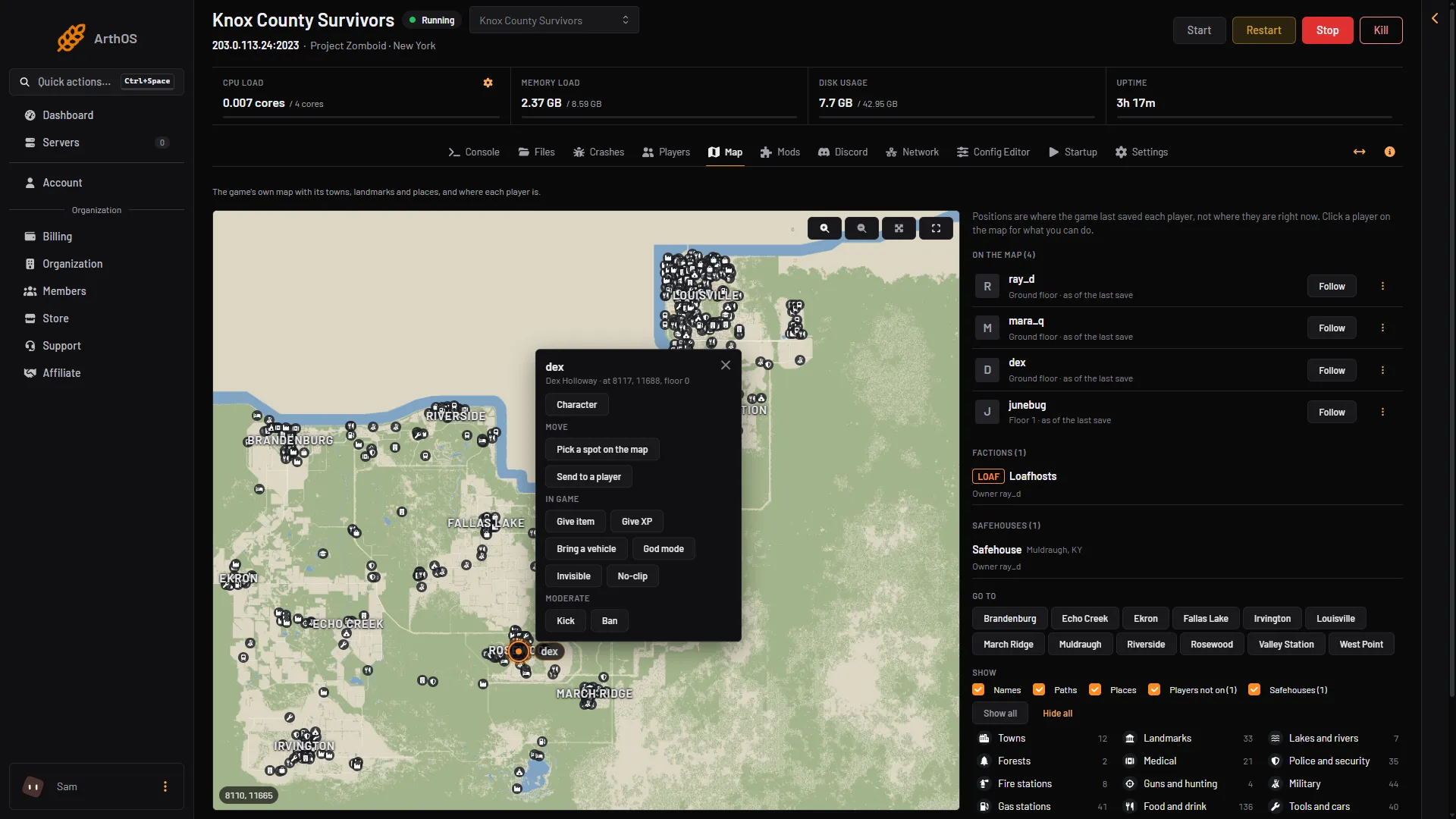
The Map shows each player where the game last saved them, not always where they are this second. While the page is open with players on, the game saves often, so the markers keep up. See the Project Zomboid map.
By hand
In game, an admin types the command in chat with a slash. In the server console, leave the slash off.
/teleportplayer "player1" "player2"sends player1 to player2./teleportto x,y,zsends you to those coordinates, for example/teleportto 10000,11000,0./teleport "playername"sends you to a player. PZwiki says to wait for the map to appear after you teleport.
teleportto and teleport move the admin who types them, so they need an admin in game. From the Console page, use teleportplayer or the panel’s Send to a place.
Not checked on Build 42.21 as of 18 October 2026: a teleported player arriving at the spot.
The panel sends a form of teleportto that includes the player’s name, so that the admin does not move. PZwiki shows only the form without a name. The form with a name is not checked on Build 42.21 as of 18 October 2026.
If it does not work
- The panel says the player is not on the server. Both players must be online.
- The panel says to choose another player. You picked the player themselves. Pick someone else.
- The player did not move at once. They arrive once the game has loaded the area around the spot. Wait a moment.
- A menu choice is missing. Your role may not allow in-game actions on players, or the player is offline.
See also admin commands and god mode and invisible. More about the game: Project Zomboid servers.
Sources: pzwiki.net: Admin commands