









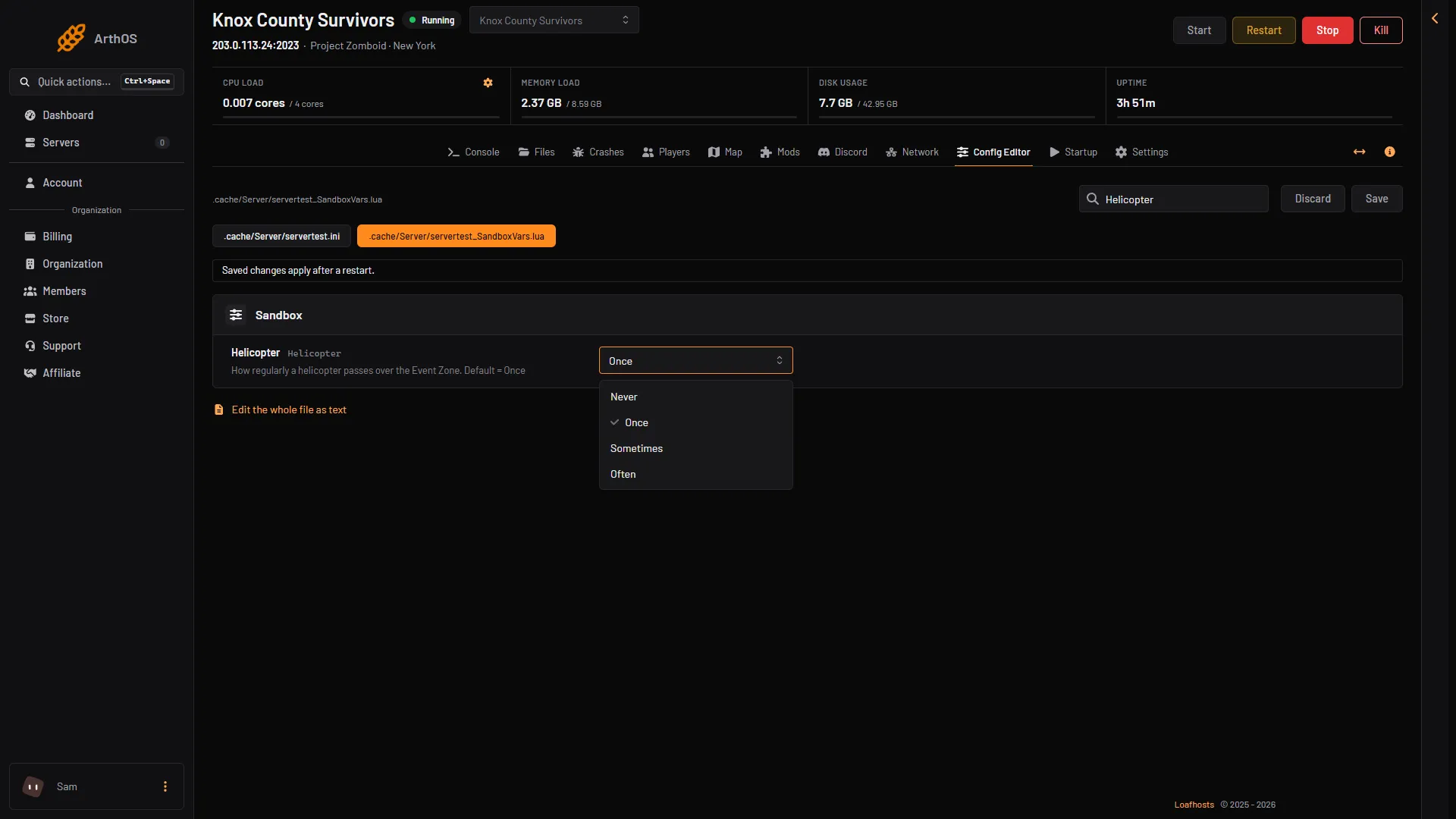
Open the Config Editor, choose the sandbox file and set Helicopter to Never, Once, Sometimes or Often. The default is Once. Restart the server to apply it. To start one at any time, type chopper in the server console.
What the event does
The helicopter is a hidden event. Players cannot see it, but zombies hear it from very far away and walk towards the player it is hunting. In multiplayer the game picks a random player. According to PZwiki, if the helicopter spots the player it hovers over them for about a minute and then leaves. If it does not, it searches the area for up to an hour. It can come back a couple of hours later. Even cleared areas can fill with zombies afterwards.
The in-game emergency broadcast warns players at 7 AM on the day, with the text “Air Activity Detected”. Staying indoors with the lights off is the usual answer.
Change how often it comes
- Open the Config Editor and choose the sandbox file.
- Find Helicopter (
Helicopter). - Pick a choice:
- Never: no helicopter at all.
- Once: one visit (the default).
- Sometimes: it returns now and then.
- Often: it returns more often.
- Save, then restart the server.
- Helicopter
PZwiki says the first visit falls on day 6 to 9 after the start date, between 9 AM and 6 PM.
Other event rows
- Meta event (
MetaEvent). How often zombie-attracting events such as distant gunshots happen. Never, Sometimes (the default) or Often. - Sleeping event (
SleepingEvent). How often events like nightmares happen while a player sleeps. Never (the default), Sometimes or Often.
The row called Meta knowledge is not an event. It decides how much of a book or tape players see before they have fully read it or watched it.
Start the helicopter by hand
Admins can place the event on a random player.
- Open the Console page.
- Type
chopperand send it.
Inside the game, an admin types /chopper in chat. PZwiki’s Admin commands page lists chopper as “Place a helicopter event on a random player” and gunshot as “Place a gunshot sound on a random player”.
The panel has no button for this. To warn players first, send servermsg "text".
By hand
In servertest_SandboxVars.lua (the file name starts with your server name):
Helicopter = 2,1 = Never, 2 = Once (default), 3 = Sometimes, 4 = Often.
When it takes effect
The sandbox change applies after a restart. The chopper command works at once.
If it does not work
- The helicopter never came. Check that Helicopter is not Never, and that the server was restarted after you saved.
- The chopper command seems to do nothing. The event is hidden and the game picks the player. Not checked on Build 42.21 as of 18 October 2026: the game’s reply to the command.
- The server will not start after an edit. Open Crashes. The panel restores the last sandbox copy that worked and keeps the broken one beside it as
.broken.
More about the game: Project Zomboid servers.
Sources: pzwiki.net: Helicopter event, pzwiki.net: Admin commands