









Use the Console page of your server to send commands. Type the command without a slash and press Enter. The game’s reply shows in the console. RCON, the remote console, is how the panel sends those commands to the game. The RCON port and password are the panel’s.
In the ArthOS panel
- Start the server and wait until the console shows
*** SERVER STARTED ****. - Open the Console page.
- In the box, type a command without the slash, for example
playersorservermsg "Restart in 5 minutes". - Press Enter. The reply shows in the console.
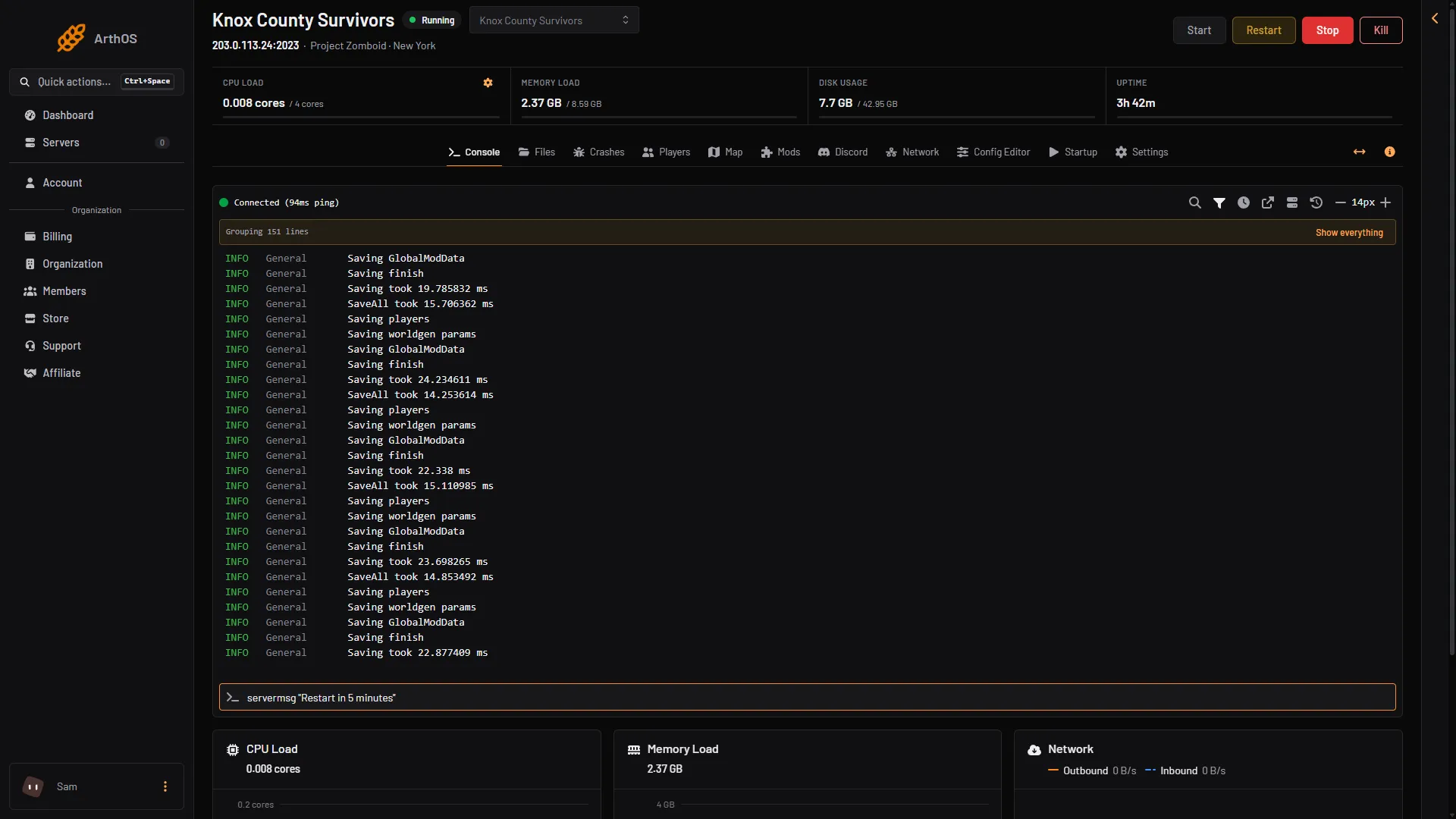
- Type the command here
These replies were seen on Build 42.21: save answers “World saved”, and servermsg answers “Message sent to everyone”. The list of commands is in admin commands.
The Players page also sends commands for you, so you only type the ones it has no button for.
RCON on a Loafhosts server
The panel talks to the game over RCON. That is how it knows who is online. For that reason:
- RCON port and RCON password are locked in the Config Editor. They say: “The panel sets this every time the server starts, so it cannot be changed here.” The Startup page shows the RCON port read only.
- The panel writes the port and the password at every start.
- Use the Console page to type commands.
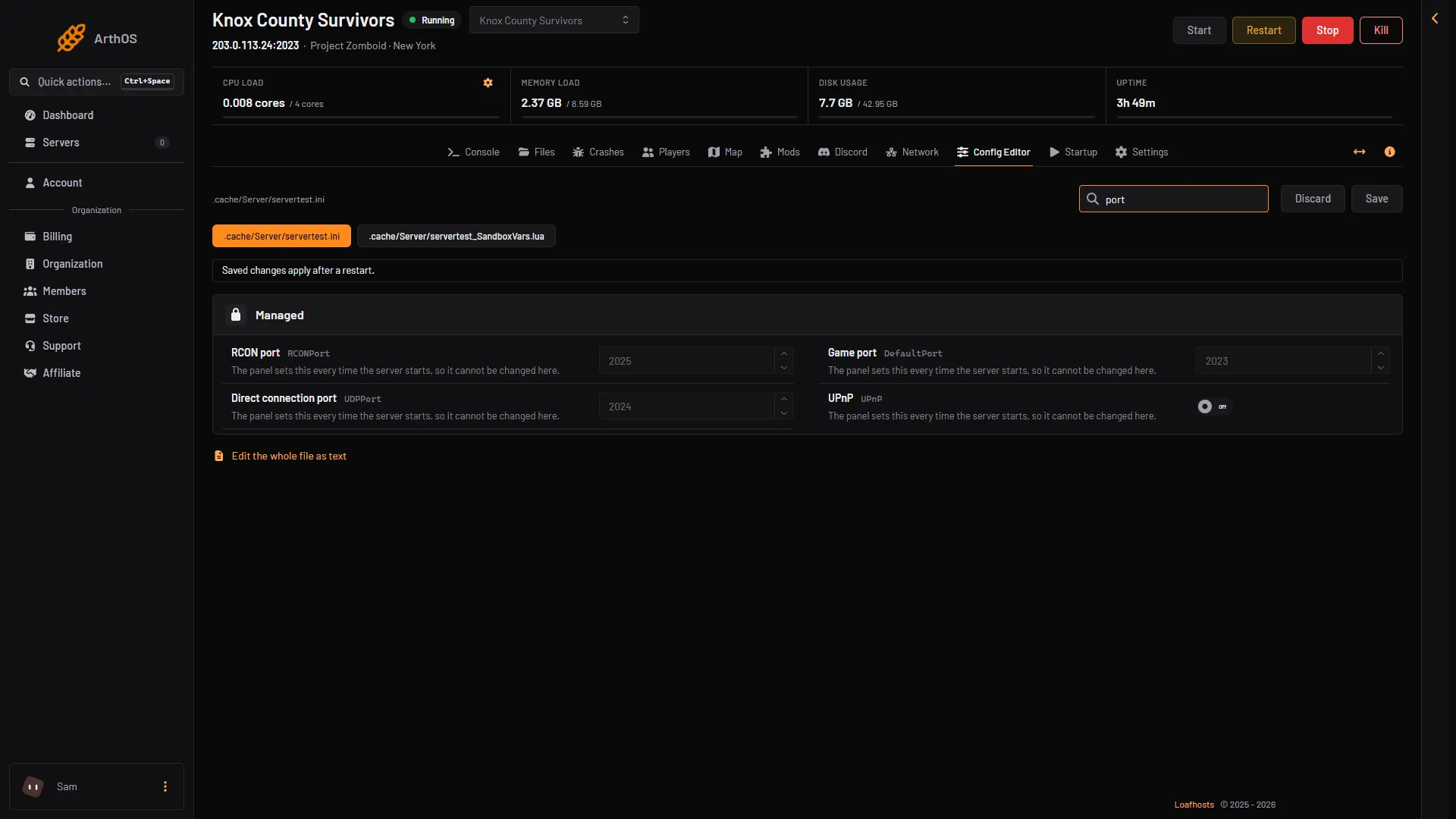
- RCON port
- Game port
The Network page also lists the RCON port, the third of the three ports.
By hand
For a server you host yourself, RCON is set in the server ini, <Server Name>.ini:
RCONPort: the port, a number from 0 to 65535. The default is 27015.RCONPassword: the password. RCON is off until a password is set. Pick a strong one.
The port is TCP. The game ports (16261 and 16262 by default) are UDP.
Open the TCP port only for the addresses that need it, because anyone with the password can run admin commands. Restart the server after changing the ini. Not checked on Build 42.21 as of 18 October 2026: changing the ini while the server runs.
On a self-hosted server, commands can also be typed in the server window itself, without the slash.
If it does not work
- Nothing happens in the Console. Start the server and wait for
*** SERVER STARTED ****. - The command is refused. Type it without the slash, and put names in double quotes.
- The game says “done” for a name that does not exist. Check the name on the Players page.
- You want to change the RCON port or password. You cannot: the panel sets both at every start. Use the Console page.
- Your own server does not answer on RCON. Check that
RCONPasswordis set, and that the TCP port is open.
More about the game: Project Zomboid servers.
Sources: pzwiki.net: Admin commands, pzwiki.net: Dedicated server