









A Project Zomboid server uses three ports. Players join on the game port. The direct connection port is the next number up. The RCON port is the one after that, and the panel uses it. Open the Network page to see them.
The three ports
| Port | Game setting | Protocol | What it is for |
|---|---|---|---|
| Game port | DefaultPort | UDP | Players join here. On Loafhosts’ servers the Steam browser asks this port about the server too (measured on Loafhosts, not in the game’s docs). |
| Direct connection port | UDPPort | UDP | The second port the game uses. PZwiki lists it as the “Direct Connection Port”. |
| RCON port | RCONPort | TCP | Remote console. The panel uses it to send commands and read who is online. |
On a server you run yourself, PZwiki gives the defaults as 16261 and 16262 (both UDP) for the first two, and 27015 for RCON. A Loafhosts server gets its own three numbers instead. On a new server they are in a row: the direct connection port is the game port plus one, and the RCON port is the game port plus two.
Find your ports
- Open the Network page.
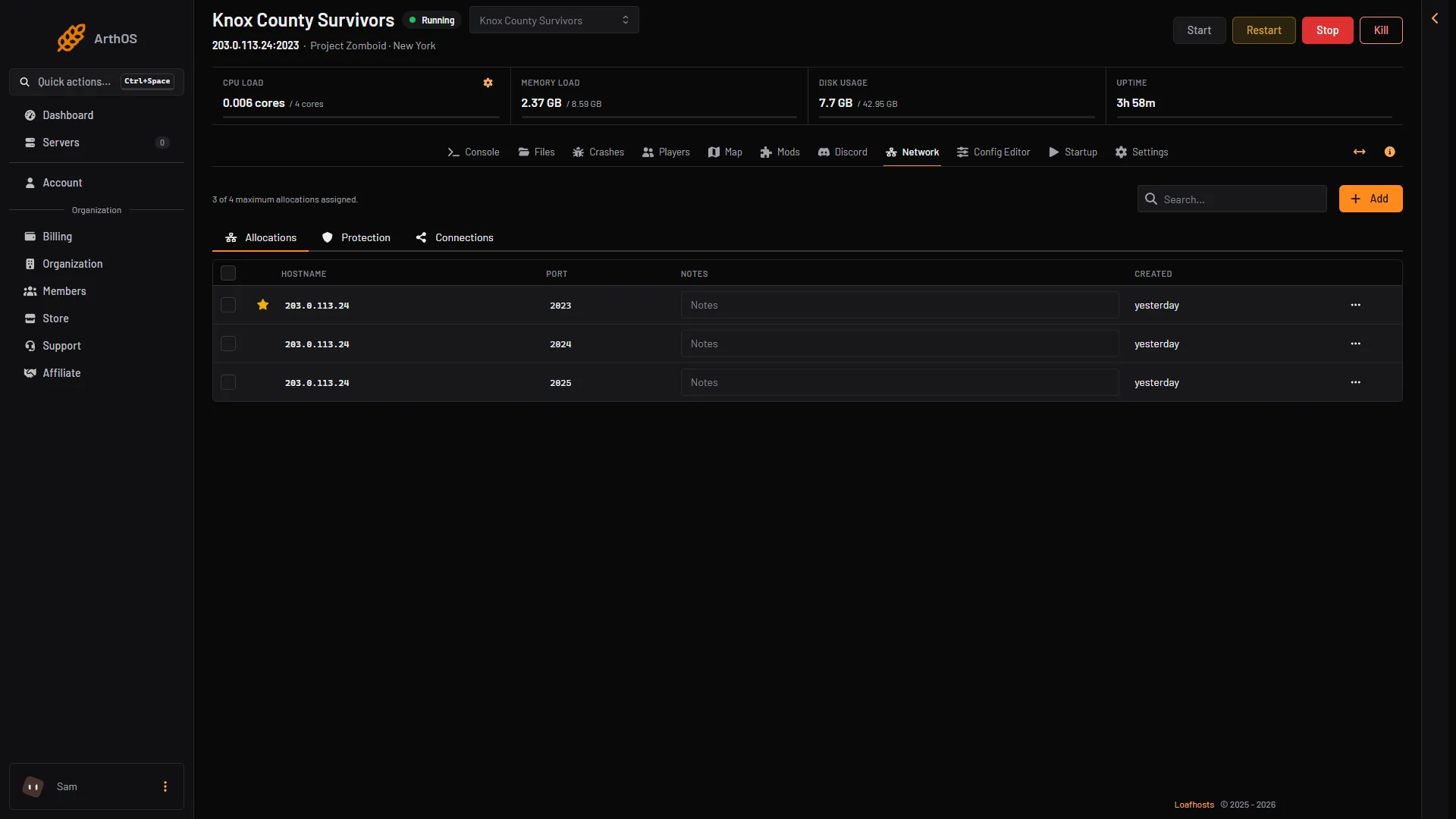
- The list shows your server’s address and each port. The first one, marked with a star, is the primary one. That is the game port.
- Players use the address and the game port to join. See connect to a Project Zomboid server.
- Game port
- Direct connection port
- RCON port
The Allocations tab lists the ports by number on one address. The starred first one is the game port (1). The next number up is the direct connection port (2). The one after is RCON (3). The Protection and Connections tabs sit beside it.
The Config Editor shows them locked
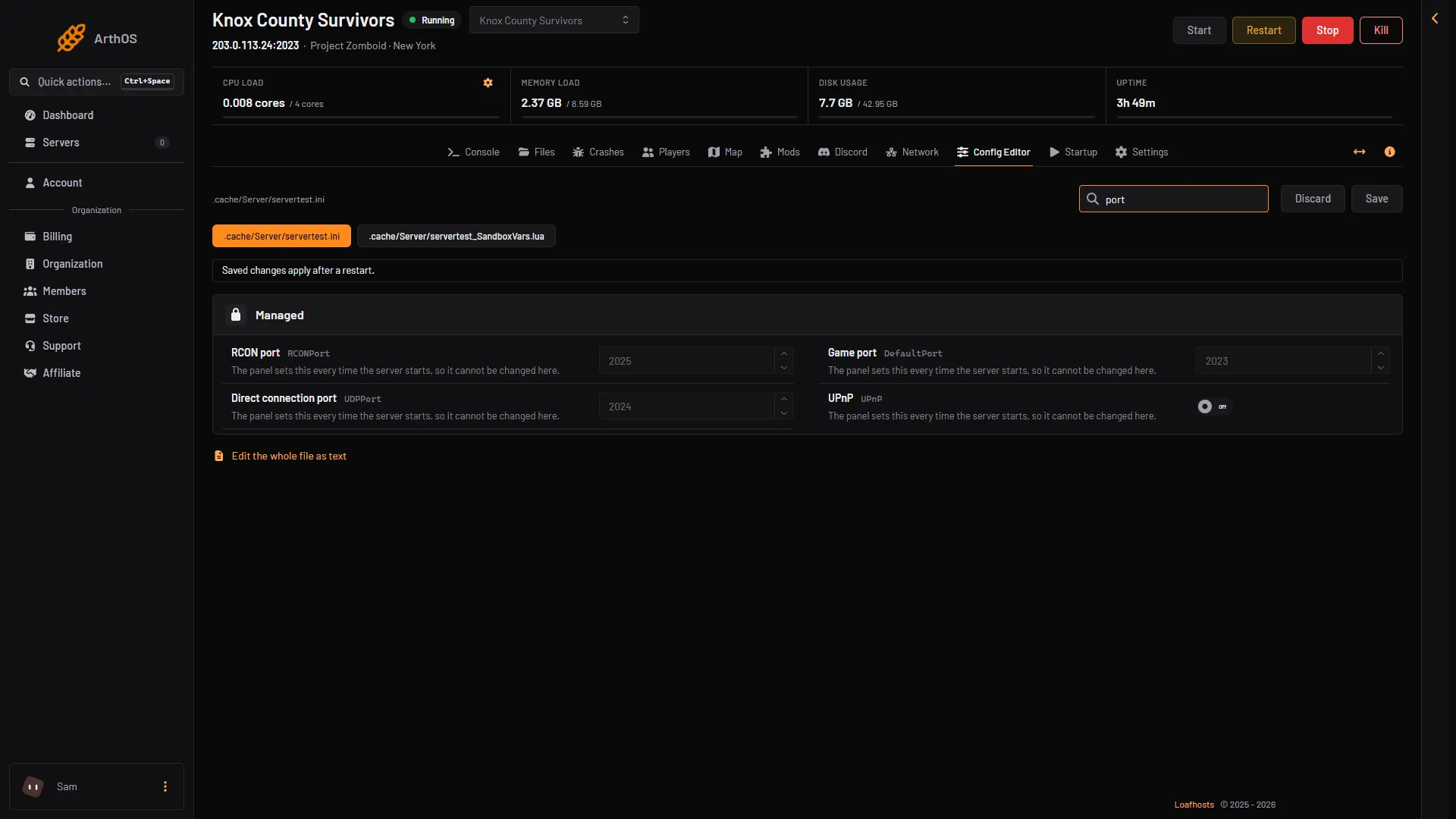
In the Config Editor, Game port, Direct connection port, UPnP, RCON port and RCON password are locked. They say “The panel sets this every time the server starts, so it cannot be changed here.” The panel writes them into the server’s settings file at every start, from the ports your server was given.
- Game port
- Direct connection port
- RCON port
Startup: SteamPort
The Startup page has a variable called SteamPort. It is the panel’s name for the direct connection port (UDPPort). The 42.21 ini has no SteamPort1 or SteamPort2 keys. Loafhosts sets it for you. Do not change it, or the direct connection port will no longer match the one the server was given.
The RCON port is on the same page, read only. The RCON port and password are the panel’s. Use the Console page to type commands.
UPnP is off
UPnP is the game’s option to open ports on a home router by itself. On a Loafhosts server it stays off, because the host opens the ports. You do not forward anything.
Protection
Every port is behind the network edge’s DDoS protection. Project Zomboid has no game filter yet, so the Protection page shows None for this game. The site’s DDoS page says the same.
If it does not work
- Players cannot find the server. Check that they use the game port from the Network page. See cannot connect.
- The Crashes page says “The game’s port was in use”. Another copy of the server may still have been running. Stop the server, wait a minute, and start it again.
- You want to type a command. Use the Console page. The RCON port is the panel’s. See RCON and the console.
Sources: pzwiki.net: Server settings, pzwiki.net: Dedicated server, pzwiki.net: Startup parameters