









Two rows in the Config Editor control how a new player starts. Starting items lists the items they begin with. Fixed spawn point sends every new player to one place. Save, then restart the server.
Starting items
Starting items is the ini key SpawnItems. It is a list of item types, separated by commas. The game’s own example is Base.Axe,Base.Bag_BigHikingBag.
Every item the game ships is in the module Base, so the id is Base. and then the item’s type. Use the item’s id exactly. Case counts: Base.Axe works and base.axe does not.
- Open the Config Editor.
- Find Starting items in the group Gameplay.
- Type the item types, separated by commas, with no spaces.
- Save and restart the server.
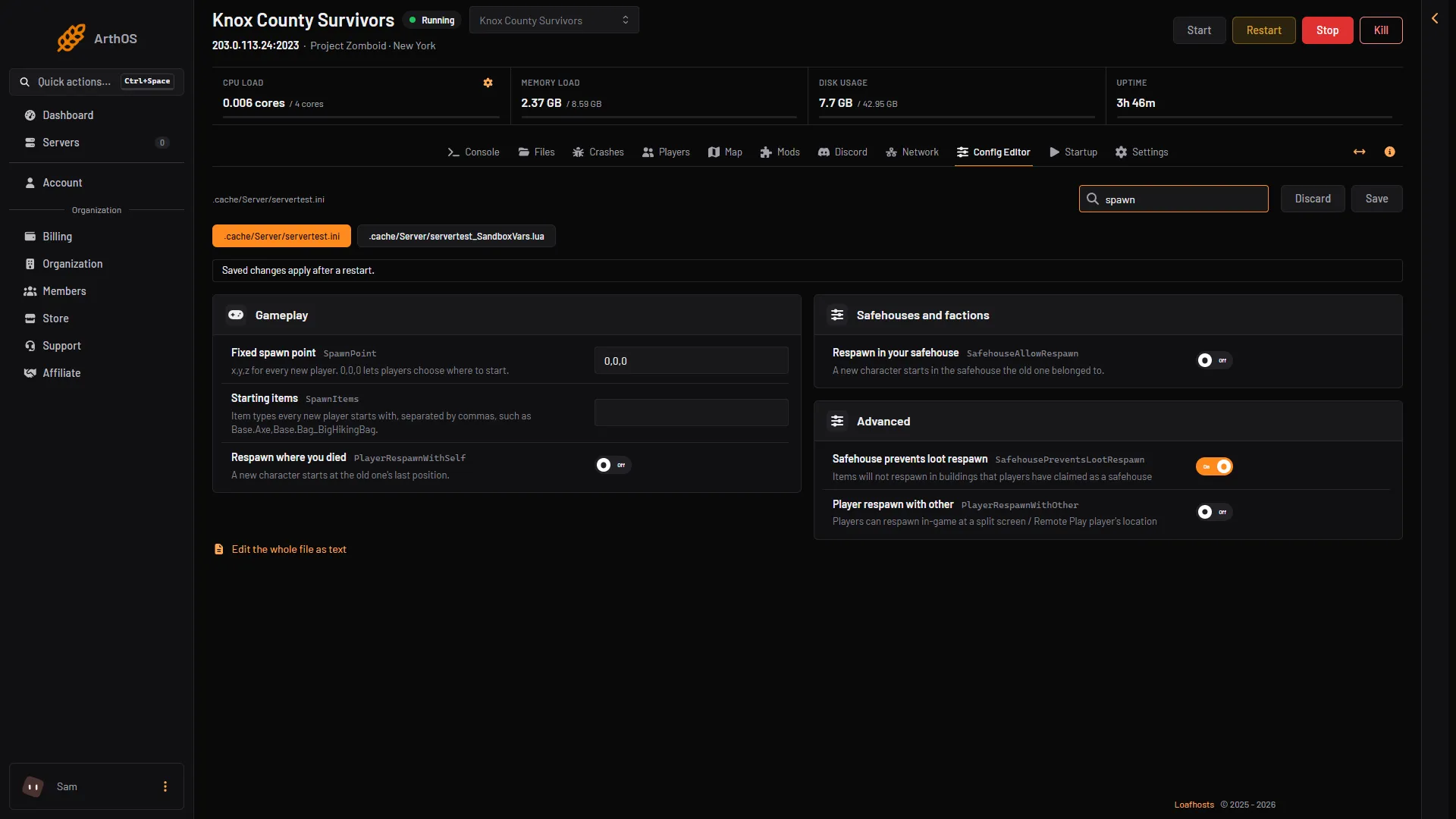
- Fixed spawn point
- Starting items
Items from a mod use the mod’s own module name, such as ModName.ItemType. The Give item window on the Players page lists the server’s items with their ids. See give items to a player.
There is also a sandbox option, StarterKit (shown as Starter kit in the sandbox group). It is off by default. The game’s comment says it makes players spawn with chips, a water bottle, a small backpack, a baseball bat and a hammer. Not checked on Build 42.21 as of 18 October 2026: how it combines with Starting items.
Fixed spawn point
Fixed spawn point is the ini key SpawnPoint. It takes three numbers: x,y,z. The game’s comment says it forces every new player to spawn at those world coordinates. 0,0,0 is ignored, which lets players choose where to start.
- Find the place you want. The Map page shows world tiles under the pointer. The official map at
map.projectzomboid.comalso gives coordinates. - Open the Config Editor and find Fixed spawn point in the group Gameplay.
- Type the coordinates, for example
10000,9000,0. The last number is the floor, and0is the ground. - Save and restart the server.
Spawn regions and spawn points, by hand
Two Lua files in .cache/Server shape the list of places players can pick from. Open them in Files. Both start with the Server Name of your server (servertest by default).
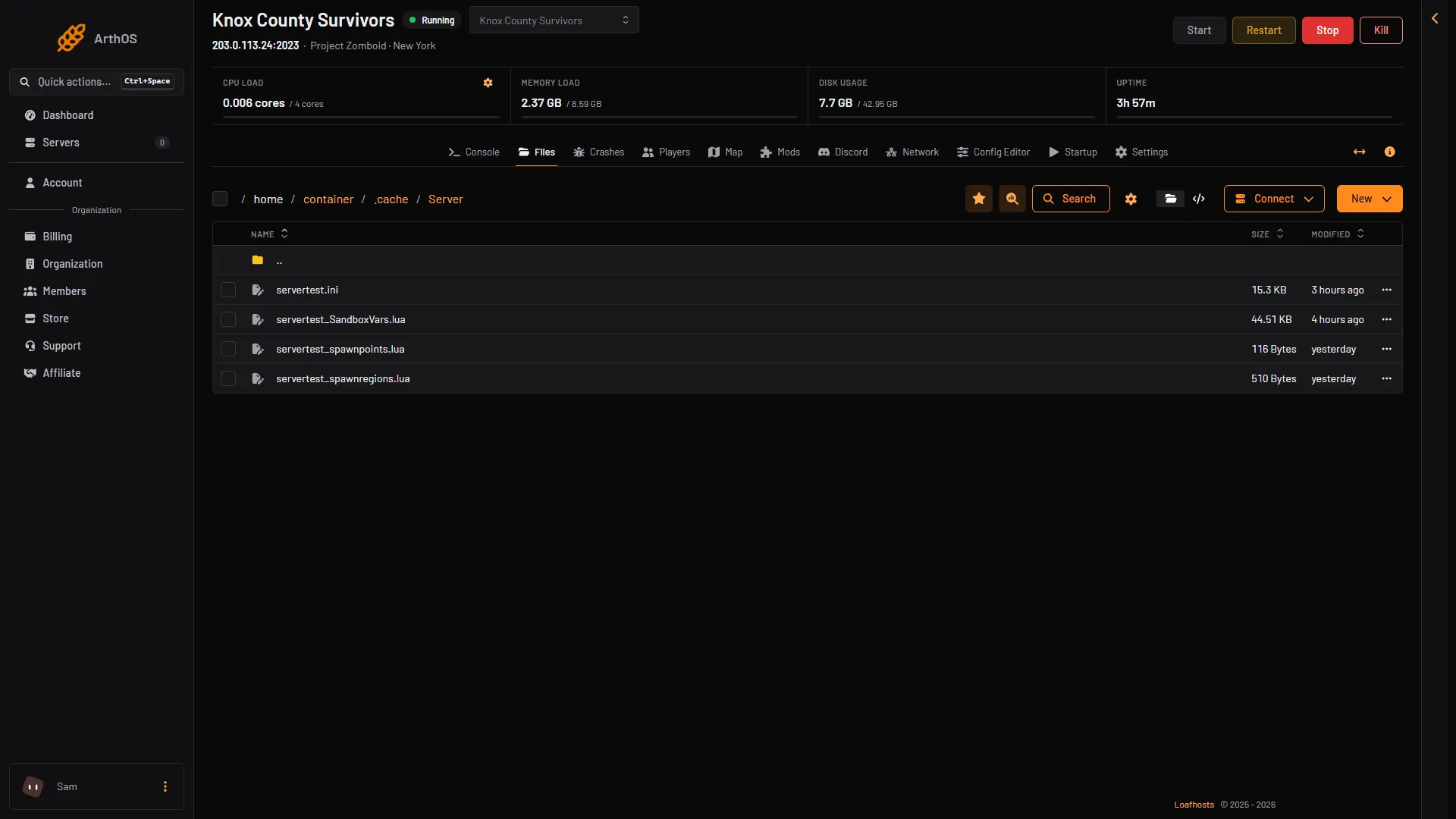
- servertest_spawnpoints.lua
- servertest_spawnregions.lua
<Server Name>_spawnregions.lualists the regions on offer. The game lists Muldraugh, Rosewood, Riverside and the other towns here.<Server Name>_spawnpoints.luaadds spawn points, per profession, without needing a region there.
A region file looks like this:
function SpawnRegions()
	return {
		{ name = "Muldraugh, KY", file = "media/maps/Muldraugh, KY/spawnpoints.lua" },
		{ name = "Rosewood, KY", file = "media/maps/Rosewood, KY/spawnpoints.lua" },
	}
end
To add a region, add one more line inside the return block in the same shape. For a map from a mod, see map mods. Not checked on Build 42.21 as of 18 October 2026: where a map mod gives you the name and path for its line.
A spawn points file looks like this:
function SpawnPoints()
	return {
		unemployed = {
			{ posX = 12067, posY = 6801, posZ = 0 }
		}
	}
endIf it does not work
- New players start somewhere else. Check Fixed spawn point is not
0,0,0, and that you restarted after saving. - A player does not get an item. The id is wrong. Check the spelling and the capital letters. Use the Give item window to find the exact id.
- The server will not start after a Lua file edit. A comma or bracket may be missing. Read the Console for the error, then fix the file.
- A player who already has a character still starts where they were. The game’s comments describe these rows for new players only.
More about the game: Project Zomboid servers.
Sources: pzwiki.net: Server settings, pzwiki.net: Dedicated server, pzwiki.net: Admin commands