











You have two choices on the Mods page. Turn off a mod keeps its files and the game does not load it. Remove deletes the mod. Both need the server to be stopped, because the game reads its mods only when it starts.
Turn off a mod
- Choose Stop at the top right of the server page. A stop from the panel saves the game first. The Mods page says “Stop the server to turn a mod on or off or remove it” while it runs.
- Open the Installed tab.
- Use the switch on the mod’s row, labelled Turn (mod name) off.
- The row shows an Off chip. A message says the mod is off from the next start.
- Choose Start at the top right of the server page.
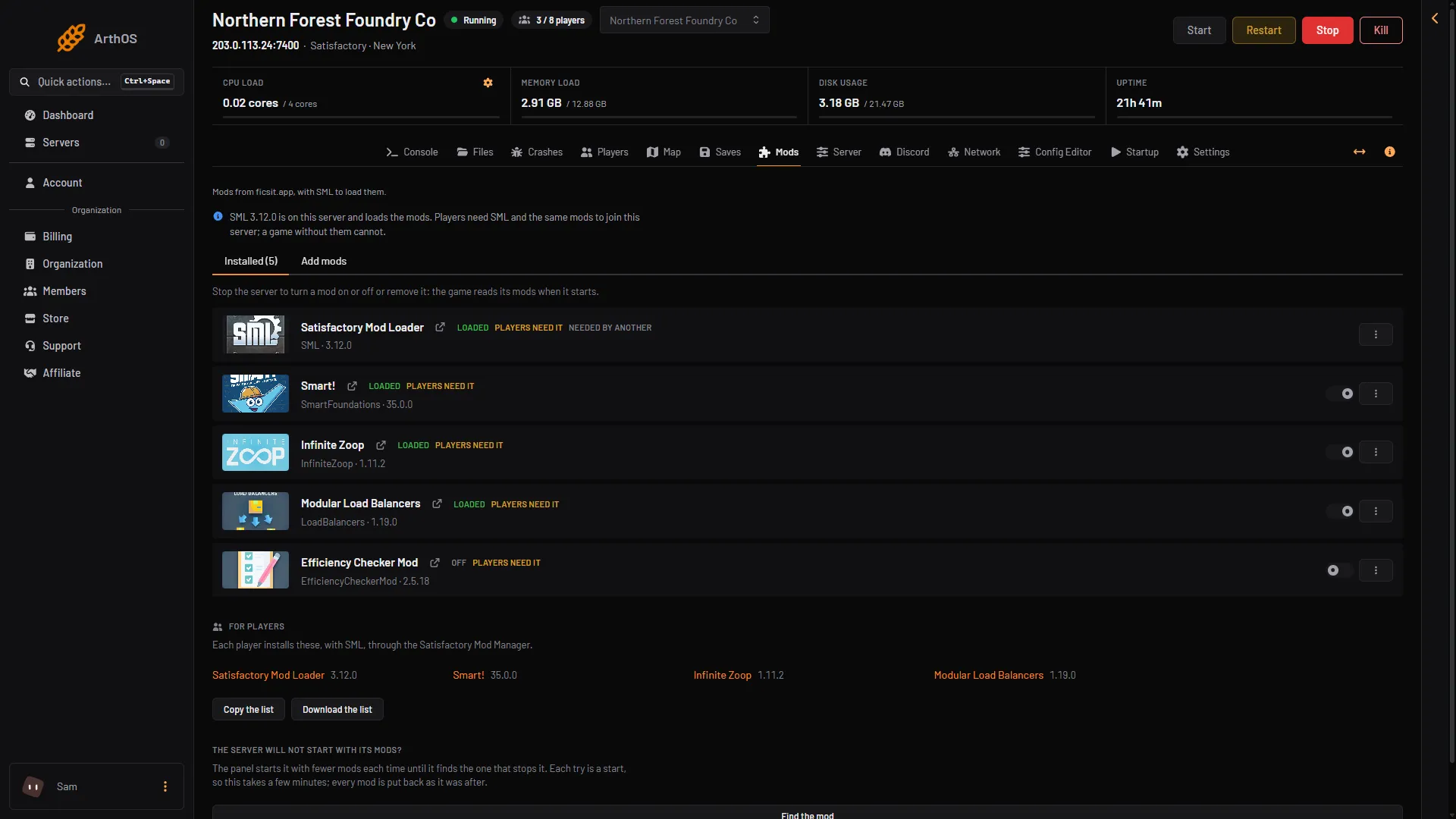
- The Off chip
- The switch
To bring the mod back, stop the server and use the same switch, now labelled Turn (mod name) on.
A mod that is off is not in the For players list, so players do not need it.
Remove a mod
- Choose Stop at the top right of the server page.
- On the mod’s row, open the menu (three dots, More for (mod name)) and choose Remove.
- A box asks Remove (mod name)? It says: “Its folder in FactoryGame/Mods is deleted. Its settings in FactoryGame/Configs stay.”
- Choose Remove.
The mod’s settings files stay in FactoryGame/Configs. If you install the mod again later, it finds them. To delete them too, open Files and remove them there.
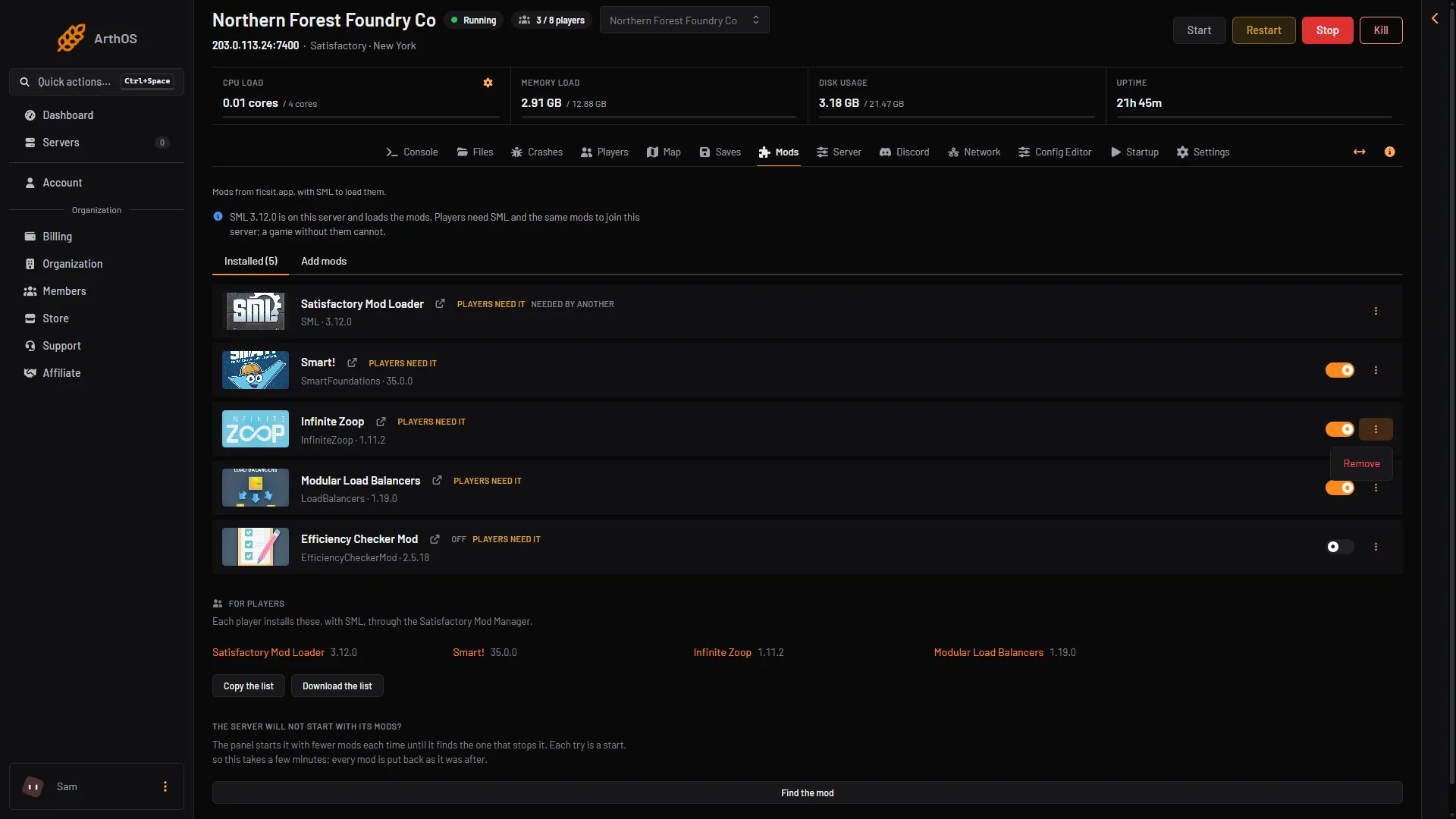
- Remove
When a mod is needed by another
Some mods are installed only because another mod needs them. Their row has the chip Needed by another. You cannot turn off or remove a mod while a mod that needs it is still on. The panel says which: “(names) need it; turn them off first” or “(names) need it; remove them first”. Take out the mods that need it first.
Go back to an unmodded server
- Remove every mod, starting with the ones that other mods need last. A mod that is only turned off still counts as a mod on the page, so remove it.
- Then remove Satisfactory Mod Loader, SML. Its row has no switch, but it has Remove in its menu. SML is not removed for you when the last mod goes.
- Choose Start at the top right of the server page. The top of the page then says: “The server runs without mods, so any player can join.”
Players can then join with a game that has no mods. The players guide covers the player side: how players install the same mods.
Saves
If your world used a mod’s buildings or items, removing the mod can break the save. Stop the server from the panel first, which saves the game, then make a backup: in Settings, open the Backups tab. A panel backup does not save the game first. Not checked on 1.2 as of 27 October 2026: what each mod does to an old save when it is removed.
If it does not work
- The switch or Remove is greyed out. The server is running. Choose Stop at the top right of the server page.
- There is no switch on SML. That is right. SML can only be removed.
- The server still says players need mods. SML is still installed. Remove it too.
Sources: docs.ficsit.app: SatisfactoryModManager.html, satisfactory.wiki.gg: Modding