






Furnace Splitter (by FastBurst) spreads ore evenly across a furnace’s input slots when you move it in. You no longer split stacks by hand. Install it from the Plugins page, then give players the furnacesplitter.use permission. Your server needs Oxide or Carbon first (see install Oxide or Carbon).
It is for servers where players smelt a lot. It does not make smelting faster. For speed, see Quick Smelt.
What it does
When a player opens a furnace and moves ore from their inventory into it, the plugin splits that stack across the furnace’s input slots. It also adds the fuel the batch needs. A small panel on the furnace screen shows the time left, the total number of stacks, and a Trim fuel button that drops spare fuel.
It only splits when the furnace holds nothing, or only the same item. Mixed items go in as normal.
In the ArthOS panel
- Open your server and choose Plugins. Under Find plugins, type
furnace splitterin Search uMod. Search uMod (1) lists the Furnace Splitter card (2) by FastBurst. Choose Install (3). The panel offered version 2.5.4 on 11 October 2026.
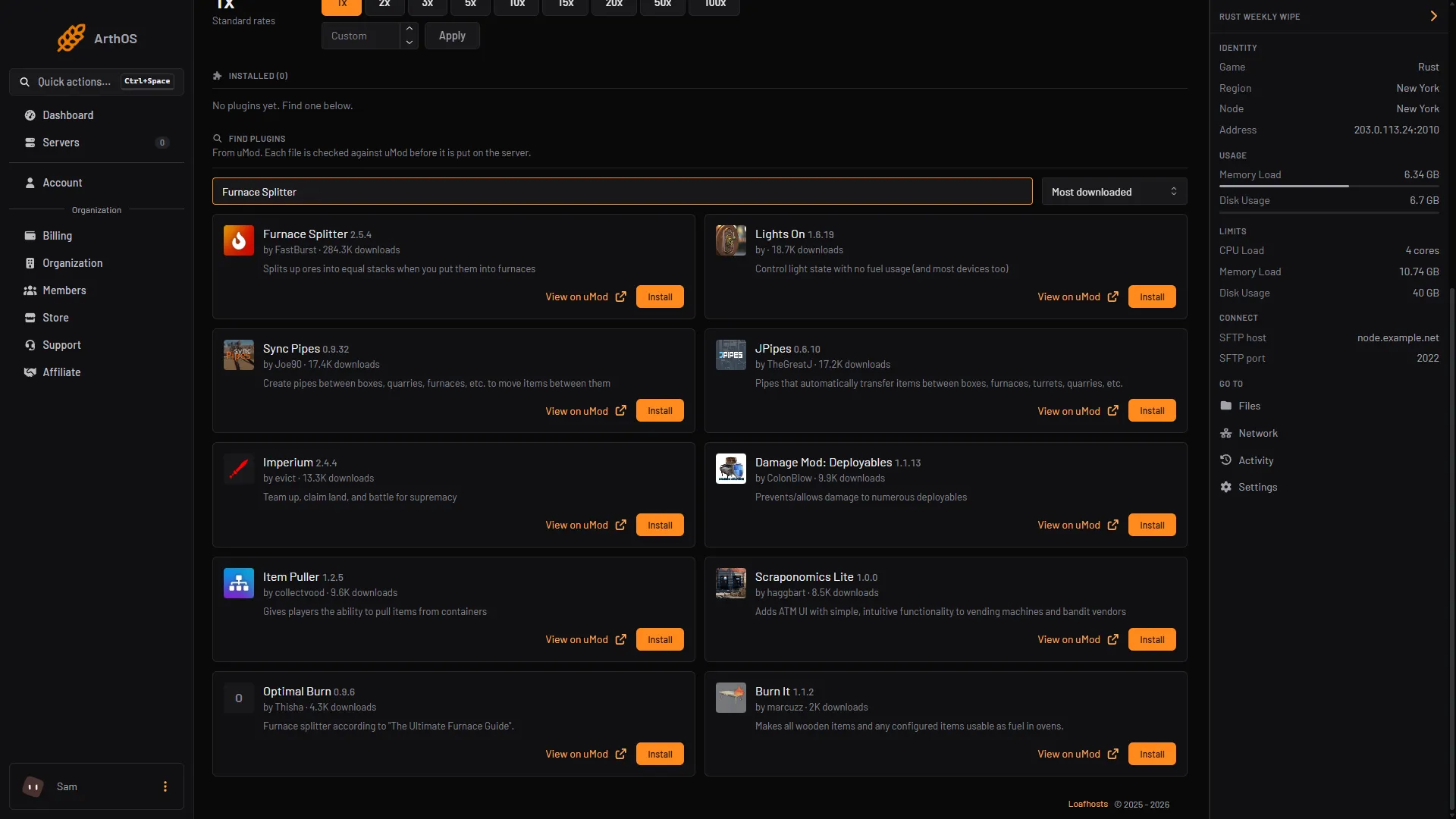
- Search uMod
- Furnace Splitter card
- Install
- Look at its row under Installed. It should say LOADED. If it says NOT LOADED, read the Console for the reason and see plugins not loading.
- Open the Console tab and grant the permission. Type with no slash:
| Framework | Everyone | One player |
|---|---|---|
| Oxide | oxide.grant group default furnacesplitter.use | oxide.grant user YourName furnacesplitter.use |
| Carbon | c.grant group default furnacesplitter.use | c.grant user YourName furnacesplitter.use |
The default group holds every player who connects. More about groups is in grant plugin permissions.
- In game, open a furnace and move ore into it with shift click or by dragging. The ore should spread across the slots.
Commands for players
These are typed in game chat, with the slash. A player needs furnacesplitter.use.
| Command | What it does |
|---|---|
/fs | Shows whether Furnace Splitter is on for you. |
/fs on | Turns it on for you. |
/fs off | Turns it off for you. The ore then moves as normal. |
Each player’s choice is remembered if the plugin’s savePlayerData setting is true, which is the default.
Settings
Press Config on the plugin row. It opens FurnaceSplitter.json. Config appears once the plugin has loaded and written its file. The settings that matter:
| Setting | Default | What it does |
|---|---|---|
savePlayerData | true | Remembers each player’s /fs on or /fs off. |
UiPosition | x 0.6505, y 0.022 | Where the small panel sits on the furnace screen. |
ovens | one entry named "*" | One entry per furnace type. "*" covers every furnace type that has no entry of its own. |
Inside an ovens entry, enabled turns the splitting on or off for that furnace type, and fuelMultiplier (default 1.0) scales the fuel the plugin adds. Keep the file valid JSON, save it, then press Reload on the plugin.
What it costs your server
No listed source gives a figure for its cost. Not checked as of 11 October 2026: its effect on server speed, and using it together with Quick Smelt.
By hand
Download FurnaceSplitter.cs from its uMod page and upload it to oxide/plugins (Oxide) or carbon/plugins (Carbon). The settings file is FurnaceSplitter.json in oxide/config or carbon/configs. After editing it, reload in the console with oxide.reload FurnaceSplitter or c.reload FurnaceSplitter.
If it does not work
- Nothing splits. The player does not hold
furnacesplitter.use, or they typed/fs off. Check withoxide.show user YourName(Oxide) and/fs. - The ore does not spread in one furnace type. That type may have
enabledset tofalsein theovenslist, or the furnace does not make by-products, which the plugin needs. - Only some of the ore is split. The furnace already holds a different item. Empty it first.
- The small panel is in the wrong place. Change
UiPositioninFurnaceSplitter.json, then press Reload. - The plugin says NOT LOADED. Read the Console from the start of the server for the reason. See plugins not loading after a Rust update.
Hosting Rust? See the Rust page.
Sources: umod.org: Furnace splitter, umod.org: FurnaceSplitter.cs, umod.org: Permissions, umod.org: Configuration