






Maximum players is on the Startup page, not in the Config Editor. Change the number, choose Save, then restart the server. A bigger number needs more memory and a faster processor, so raise it in small steps.
In the ArthOS panel
- Open your server and choose Startup.
- Scroll to the Maximum players card (1). It reads “How many players can be on at once.” A new server starts at 40. The panel accepts 1 to 500.
- Type the new number in the box (2).
- Choose Save (3), at the top right of the Variables list.
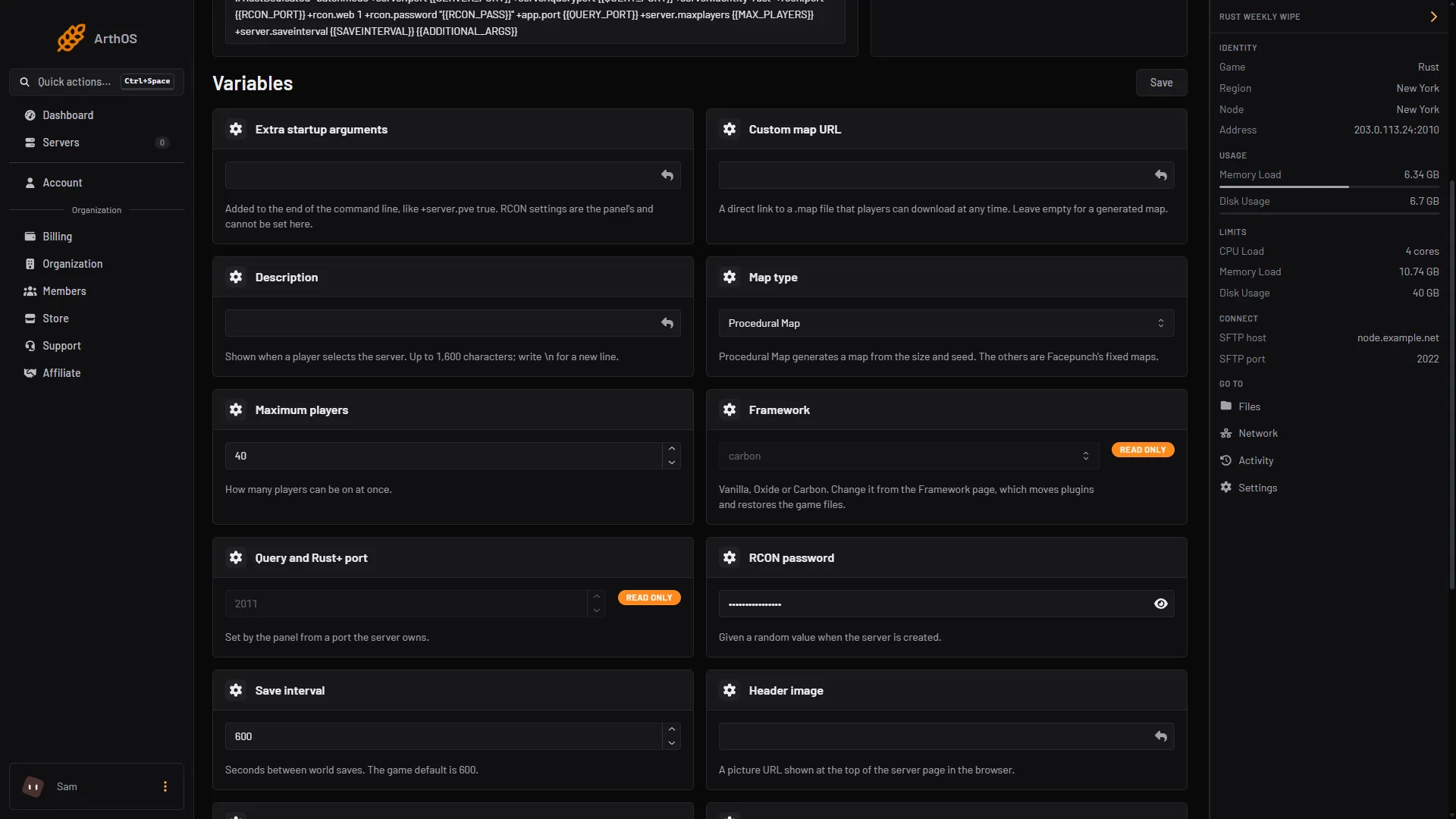
- Maximum players card
- Number box
- Save
- Restart the server. The number goes into the command that starts the game, so it takes effect at the next start. Use Restart at the top of the page, or restart with a warning if players are on.
If the server is stopped, Start it. The new number is used from then on.
What a bigger number costs
Facepunch, the maker of Rust, gives two rules in its server guide:
- More players need a faster processor.
- Memory use is not fixed. Facepunch says it depends on the use and the population of the server. It points to two calculators for an estimate: the Pine Hosting Rust RAM calculator and the Physgun Rust resource calculator.
The map size matters too. Facepunch says a larger map needs more disk space and memory, and its requirements list 12 GB of free memory. A 4000 map with nobody on used about 6.2 GB on a Loafhosts server. Your plan’s memory is under Limits on the right of the server page.
A sensible way to raise it:
- Raise Maximum players by about 10.
- Restart and let the server fill on a busy evening.
- Watch Memory Load in the header, and the server frame rate in the Rust lag guide.
- If memory stays close to the limit, or the frame rate drops, lower the number again or move to a larger plan. See out of memory.
By hand
When you host Rust yourself, set it on the start line:
RustDedicated -batchmode +server.maxplayers 100Or put this line in server/<identity>/cfg/server.cfg, where <identity> is the name you gave with +server.identity:
server.maxplayers 100Facepunch’s guide describes +server.maxplayers as the most players connecting at one time. Restart the server after the change. For a full start line, see the setup guide.
If it does not work
- The old number is still in use. The server has not restarted since you saved. Restart it.
- The panel refuses the number. It accepts whole numbers from 1 to 500. Remove any spaces or letters.
- The server lags or runs out of memory with more players. The server needs more than the plan gives. Lower the number or see Rust server lag.
Hosting Rust? See the Rust page.