











Daily restart is a Satisfactory server option. You pick an hour, and the game restarts the server at that hour every day. The hour is on the server’s own clock, and the panel shows which time zone that is.
The game’s own notes say the setting is not an interval. It is the hour of the day at which the server restarts.
Set it in the panel
- Open the Server page of your Satisfactory server. The server must be running and the game must be answering.
- In the card Options, find Daily restart.
- Under it the panel shows “On the server’s clock (the zone)”. The restart hour is in that zone, not in yours.
- Pick an hour from the list. Choose the entry No daily restart. for no restart at all.
- Choose Save options.
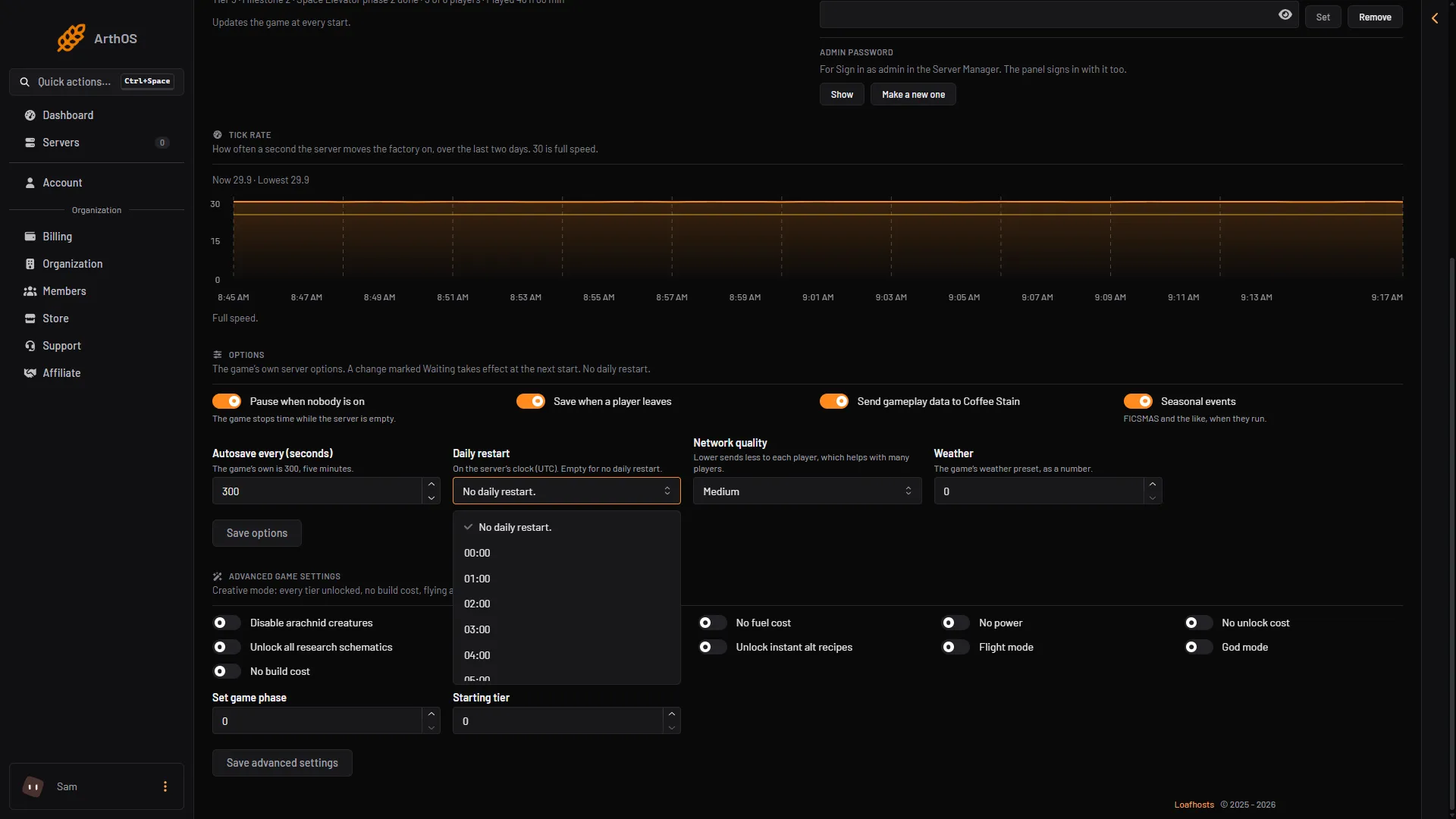
- Daily restart
- No daily restart
- An hour
The card then says “Restarts every day at (time) ((zone)).” or “No daily restart.” If the option shows Waiting, the new hour applies at the next start of the server. To apply it now, choose Restart at the top right of the server page. A member’s role must be allowed to change the startup settings to use this card.
Why a big factory benefits
The Server page has a Tick rate card. The tick rate is how many times a second the server moves the factory on, and 30 is full speed. When the factory has run slow, the card says: “Big factories slow the server down: a daily restart helps, and so does a lower network quality with many players.”
When the factory runs slow right now, the card says a restart helps at once, and that a daily restart and a lower network quality with many players keep it from coming back. See the tick rate for how to read the card.
Daily restart or a schedule
The panel can also restart a server on a schedule. They are two different things.
- Daily restart is the game’s own option. The game restarts itself at the hour you chose.
- A schedule lives in Settings, in the Schedules tab. You create it with Create Schedule, add a step with Add Step, and use the Power Action restart. It can run on any days and times you choose, and the panel does the restart.
Every stop and every restart you start from the panel first saves the game. Not checked on 1.2 as of 27 October 2026: whether the game saves just before its own daily restart, and whether a scheduled restart saves first. For a save you are sure of, choose Save now on the Saves page before the hour comes.
Use one of the two, not both, so the server does not restart twice. For more on restarting, see restart your server.
If it does not work
- The Options card is missing. The server is stopped or still starting. Start it with Start at the top right of the server page and wait until the page shows its settings.
- The server restarted at the wrong hour. The hour is on the server’s clock, shown under the option. Check the zone.
- Nothing changed. Look for Waiting next to the option. The new hour applies at the next start.
More about the game: Satisfactory servers.