











Restart a Satisfactory server with the Restart button at the top right of its page. The panel saves the game first, then stops the server and starts it again. Everyone who is playing is dropped for a short time and can join again when it is back. The panel cannot send a message to players in this game, so tell them yourself before you restart.
Why a restart is safe for your factory
The game does not save when it is simply told to stop. So the panel does it for you. Before it stops a Satisfactory server it asks the game to save, and the save is named after your session (one factory and all its saves) with _stop on the end, for example MyFactory_stop. The Console shows [Loafhosts] Saved MyFactory_stop before stopping. Only then does the server stop.
If no game is loaded, the Console says [Loafhosts] No game is loaded, so there was nothing to save, and the restart goes on.
Not checked on 1.2 as of 27 October 2026: a very large save that is slow to write before the stop.
This save happens on Stop and Restart. It does not happen on Kill. Kill ends the game at once and saves nothing, so use it only when the server is stuck.
Restart from the panel
- Tell your players first, in your own chat or Discord. Give them a few minutes to finish what they are doing.
- Open the server and choose Restart at the top right of the server page.
- Confirm. The box says: “The server shuts down and starts again. Anyone connected is dropped and can rejoin once it is back.”
- Watch the Console. It shows the save, the stop and the start.
The server is ready a few seconds after it starts. Players can join again then.
If you want a save you can name, or an extra one, use Save now on the Saves page first. See save now.
A daily restart
A restart every day keeps a big factory from slowing the server down over time. There are two ways: the game’s own restart, or a schedule.
Option 1: the game’s own daily restart
On the Server page, in the card Options, open the Daily restart list. Choose No daily restart, or one hour of the day from 00:00 to 23:00. The hour is on the server’s clock (UTC, the standard world time). Then choose Save options. If the option shows Waiting, it applies at the next start.
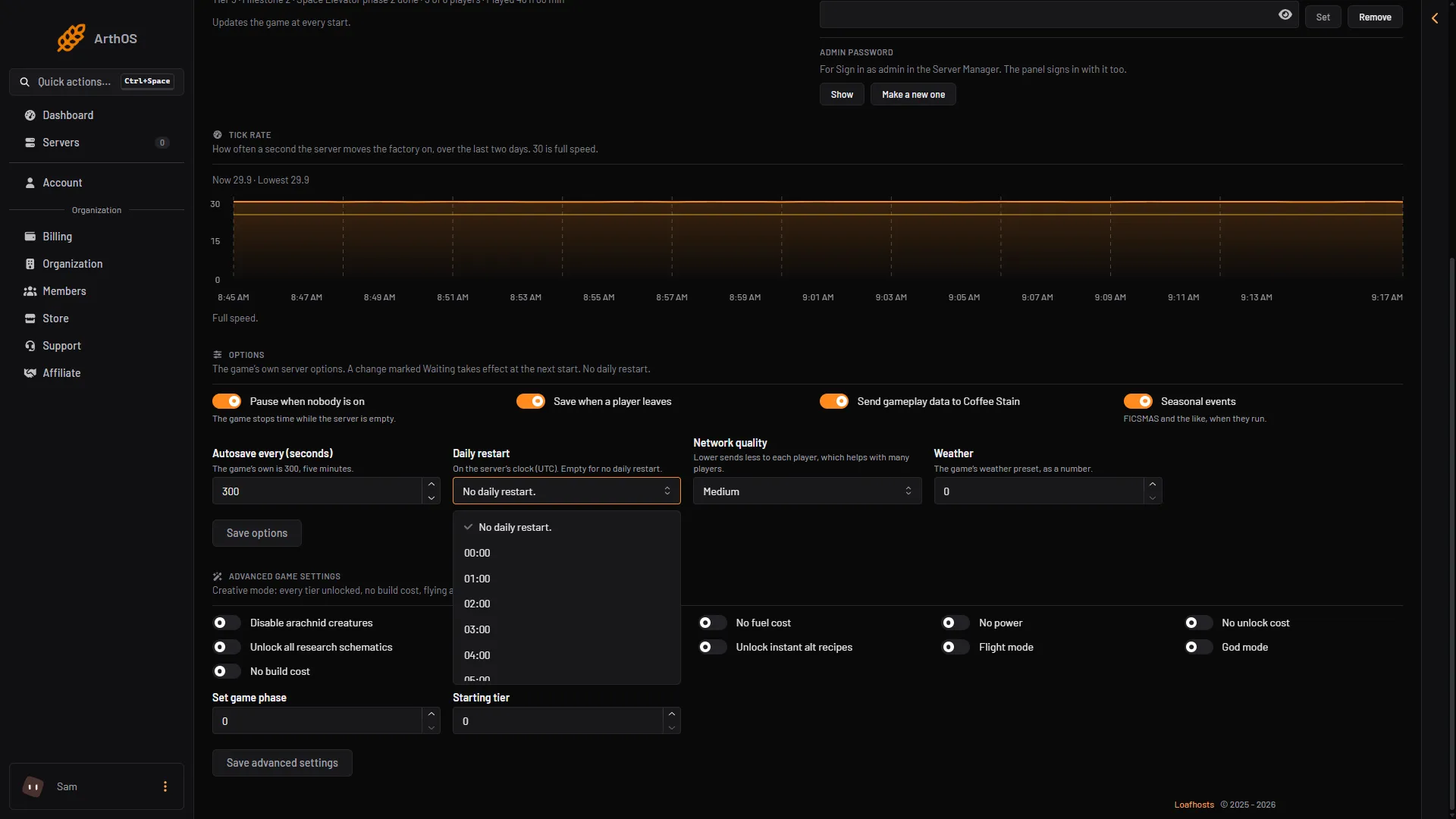
- Open the list
- No daily restart
- Pick an hour
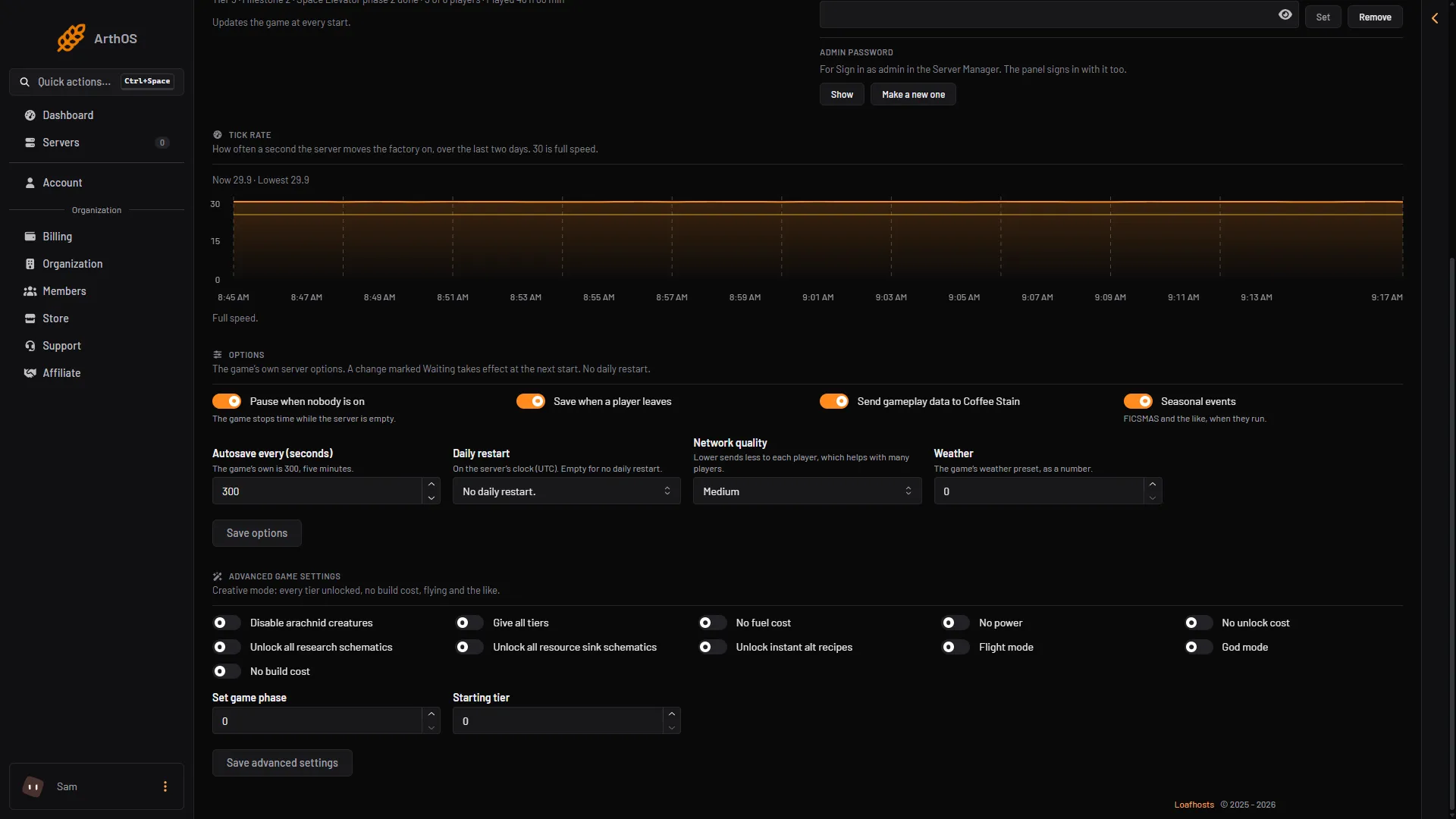
- Daily restart
- Save options
This restart is done by the game itself, not by the panel. The panel’s save before stop is for restarts the panel makes. Between restarts the game autosaves, every 300 seconds by default. Not checked on 1.2 as of 27 October 2026: whether the game also saves at the moment of its own daily restart.
Option 2: a schedule
A schedule runs a restart from the panel, so the save before stop always happens.
- Open Settings and choose the Schedules tab.
- Create a schedule and give it a name in Schedule Name.
- Add a trigger of the kind Time Interval (Cron). In Runs choose Daily and set At to the time. The page says: “Times use the server timezone.”
- Add a step. For Action Type choose Send Power Signal, and for Power Action choose Restart.
- Save.
The step is described as: “Stops the game and starts it again, and goes on to the next step at once.”
The Restart with countdown button on the Schedules tab is for Minecraft. It does not appear for Satisfactory, and no schedule step can send a chat message to players in this game. A schedule restart comes without warning, so pick an hour when nobody plays, or tell players the time in advance.
If it does not work
- The server will not come back. Look at the Console and at the Crashes page. See Satisfactory server crash.
- “No game is loaded”. The server has no game started. Start a new game on the Saves page. See start a new game.
- Players cannot join after the restart. Wait a minute for the server to finish starting. See Satisfactory cannot connect.
More about the game: Satisfactory servers.