











“Encryption token missing” means the player did not join through the Server Manager. The fix is to add the server in the Server Manager and press Join Game there. Nothing is wrong with the server.
The Server Manager is a screen inside the game where a player keeps a list of servers. A Satisfactory server only lets players in through it. A join any other way is refused with this error.
Fix it
Each player does this on their own PC:
- Start Satisfactory.
- In the game, open the Server Manager and choose Add Server. Type the address (the part before the colon, for example
203.0.113.24) and the port (the number after it, for example7400). Both are on the Players page, in the Joining card. Not checked on 1.2 as of 27 October 2026: the names of the boxes in Add Server. - Open the server in the list.
- Press Join Game. This is the button for that server, inside the Server Manager.
- If the server has a join password, type it the first time.
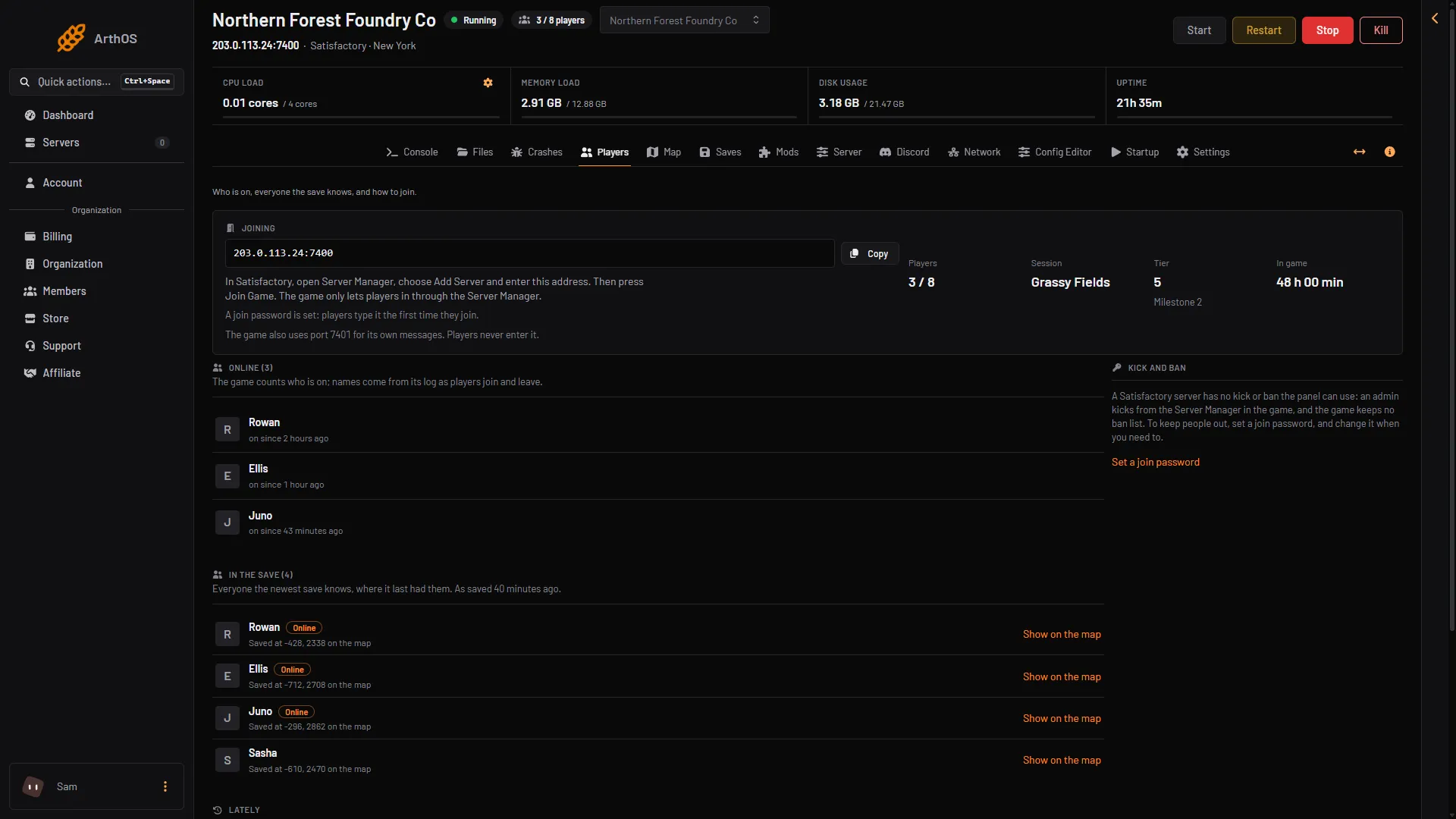
- Copy the address
- How players join
- The join password line
More steps are in connect to a Satisfactory server.
What does not work
These all skip the Server Manager, so the player sees the error:
- Typing the address anywhere other than the Server Manager.
- Joining from a Steam friend’s list.
- Opening a link or an invite.
- The Join Game button on the main menu of the game, which is for other players’ sessions.
If a player tried one of these before, tell them to remove it and use the Server Manager.
See it in the panel
The server notes each time it happens.
- On the Players page, the Lately list shows “Someone tried to join without the Server Manager and was turned away”.
- On the Crashes page, the start shows the finding “A player joined without the Server Manager”. The fix there says the same: add the server in the Server Manager, then press Join Game. It is a notice, not a crash. The server keeps running.
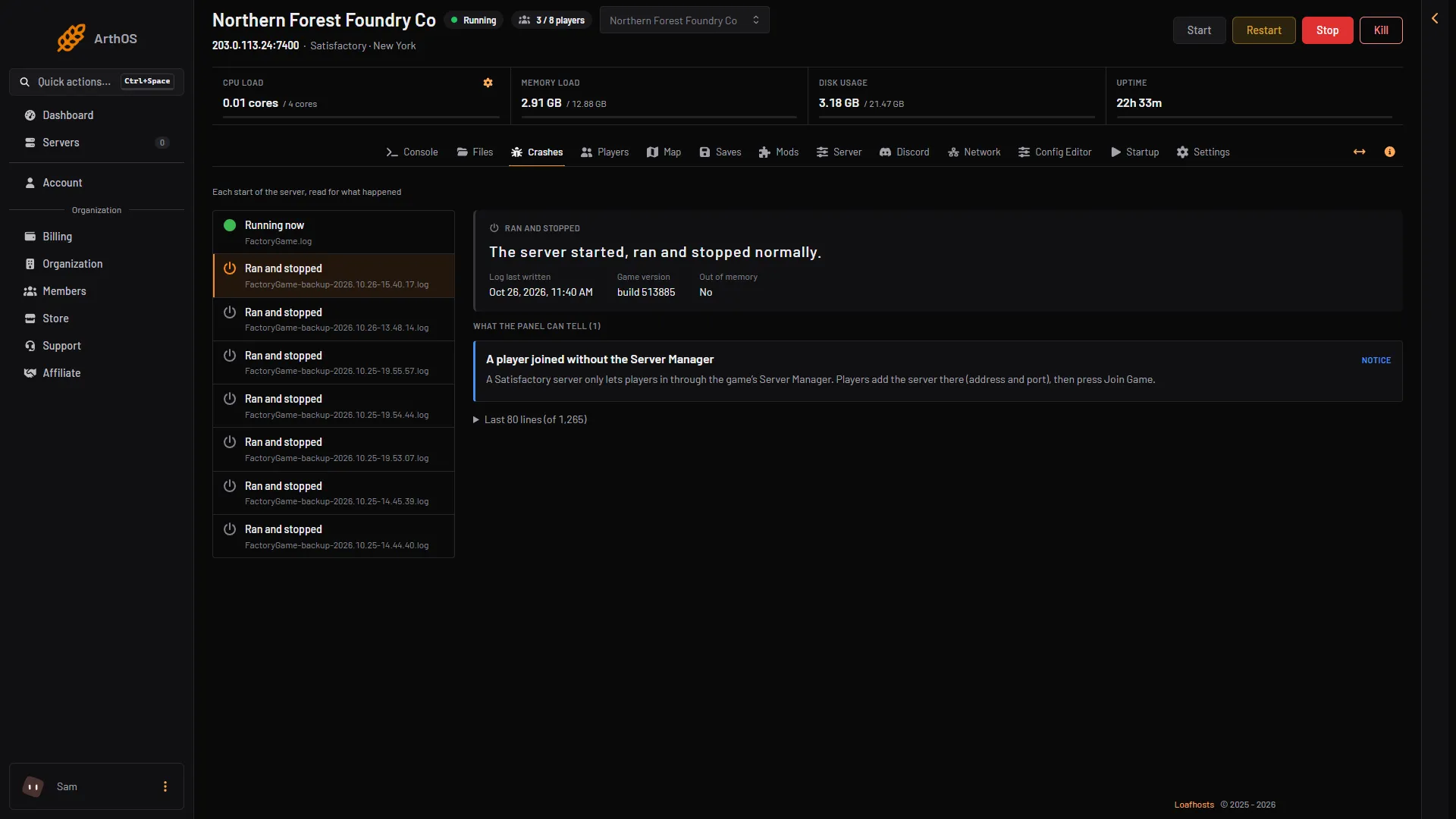
- Joined without the Server Manager
- The fix
The game’s log has the lines No EncryptionToken specified and Result=EncryptionTokenMissing. The panel hides the token and the entry ticket on every log view.
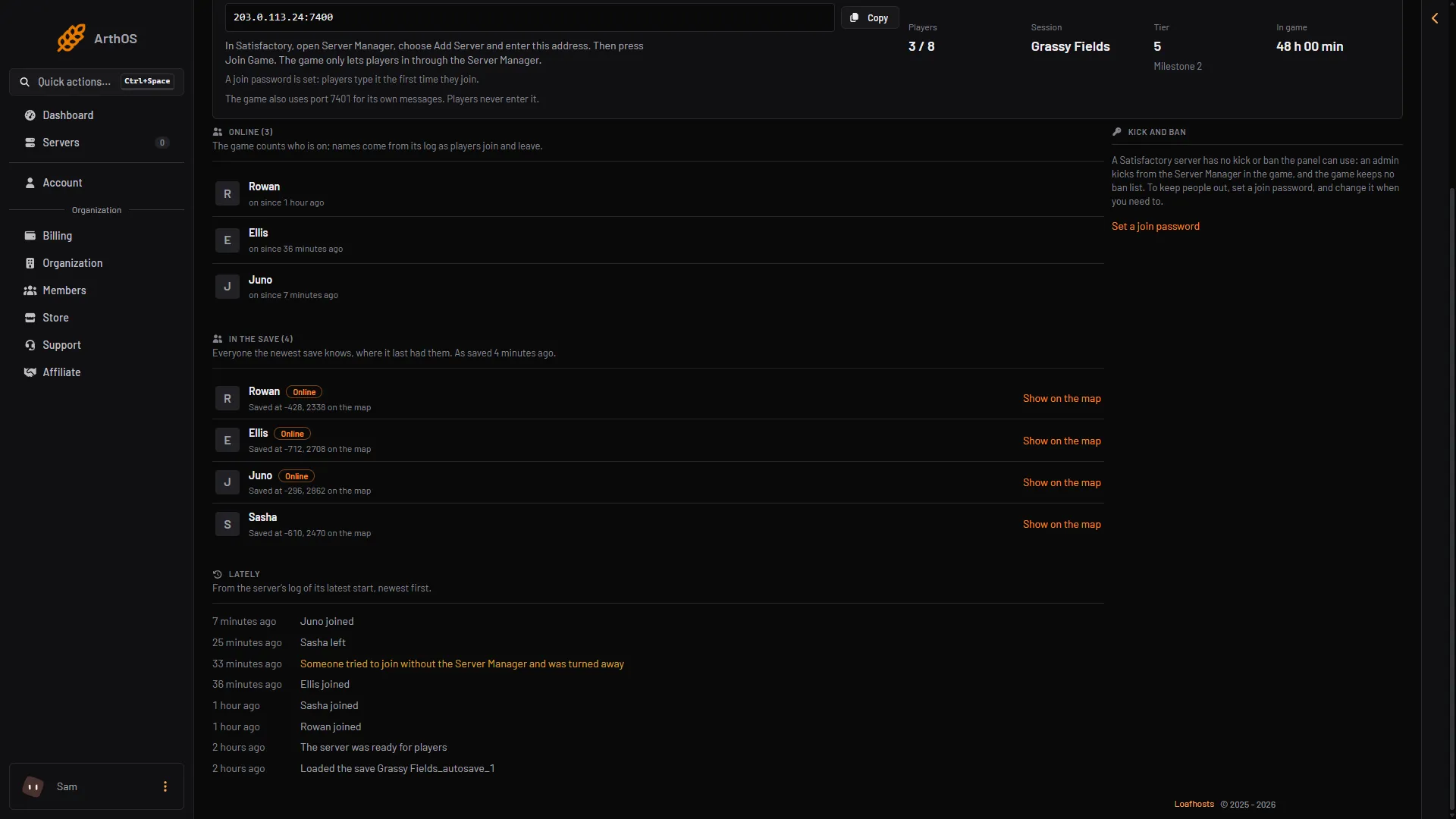
- Turned away
If it still does not work
- The error comes back after using the Server Manager. Check the address. It needs the game port as well, and the Joining card shows both.
- The player is on a console. Consoles cannot join dedicated servers. Only the Steam and Epic Games Store versions on PC can.
- A different error appears. See Satisfactory cannot connect. A game version, or a branch (the normal release or experimental), that differs from the server’s also stops a join.
More about the game: Satisfactory servers.