











You join a Satisfactory server through the Server Manager. This is a screen inside the game. Add the server there with its address, then choose Join Game. Joining any other way is refused.
Before you start
- The server must be running and have a game loaded. If it has none, an admin must start a new game first.
- You need the same game version as the server, and the same branch (normal or experimental).
- You can play on Steam or on the Epic Games Store. Both can join the same server. Console versions of Satisfactory cannot join a dedicated server at all.
Find the address
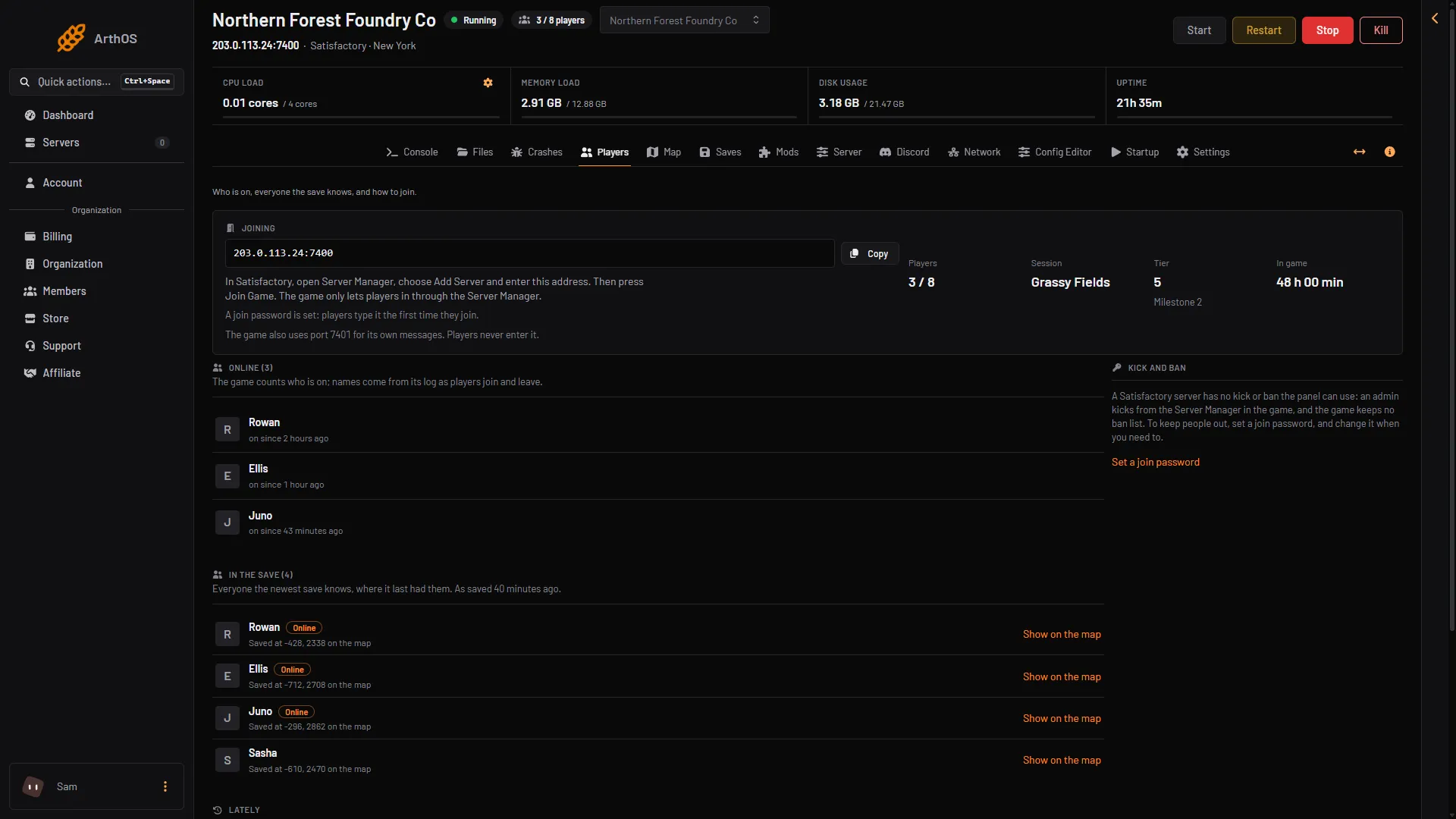
In the panel, open the Players page. The Joining card shows the address with the game port, for example 203.0.113.24:7400. Choose Copy (box 1 in the picture) to copy it, and send it to your friends.
- Copy the address
- How players join
- Join password
The card also says whether a join password is set (box 3). The game uses a second port for its own messages. Players never type it. Only the address and the game port are needed.
Join from the game
- Start Satisfactory and open the main menu.
- In the game, open the Server Manager.
- Choose Add Server. Type the address (the part before the colon, for example
203.0.113.24) and the port (the number after it, for example7400). Not checked on 1.2 as of 27 October 2026: the names of the boxes in Add Server. - Select the server in the list and choose Join Game.
- If the server has a join password, type it. You type it the first time you join. See set a join password.
The server is saved in your Server Manager, so next time you only select it and choose Join Game.
If it does not work
-
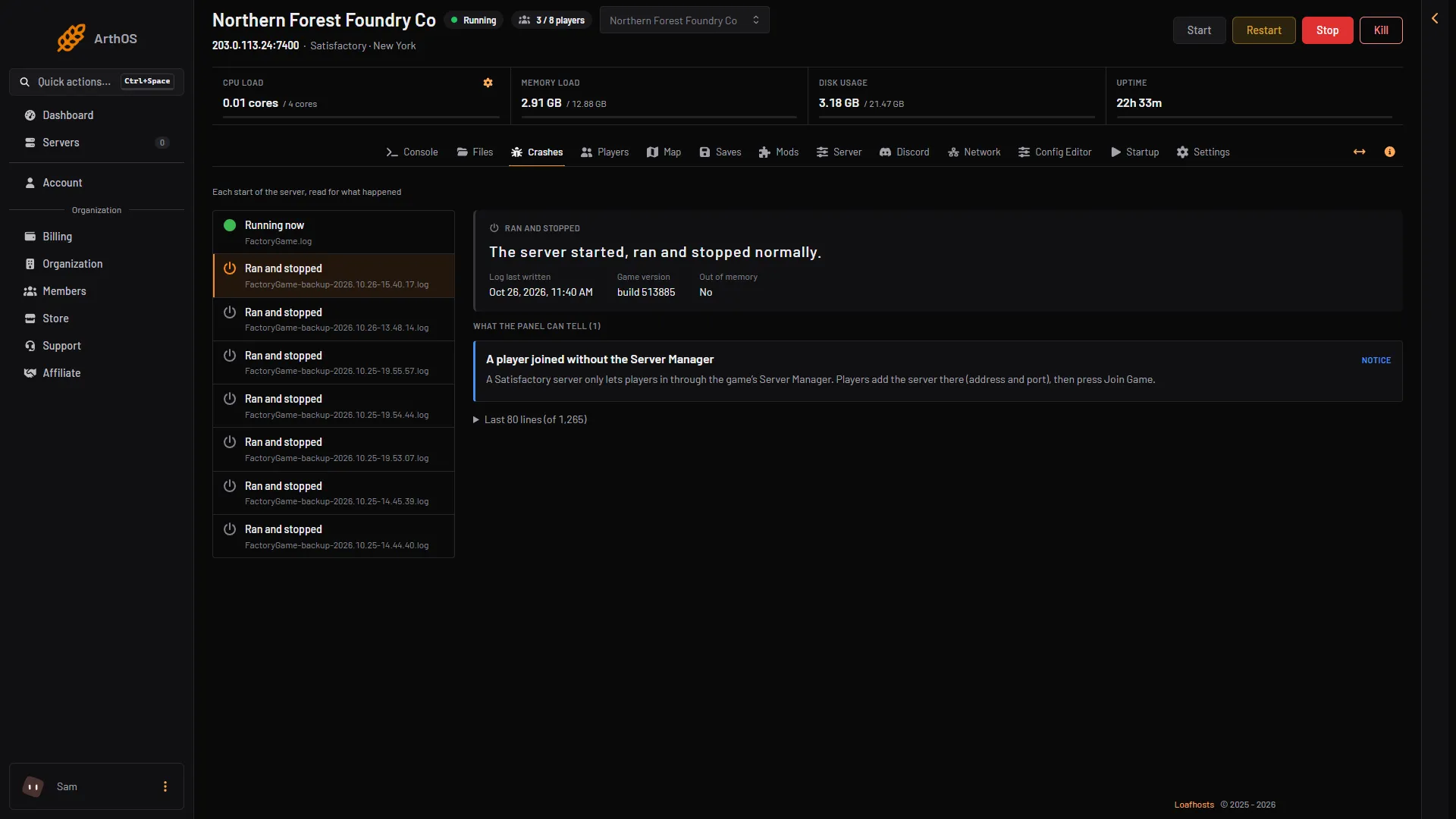
“Encryption token missing”. You joined without the Server Manager, for example from a typed address or a friend’s invite. The game refuses this. Add the server in the Server Manager, and join from there. The panel records it on the Players page, under Lately, as “Someone tried to join without the Server Manager and was turned away”. The Crashes page also shows a notice, “A player joined without the Server Manager”.
- Joined without the Server Manager
-
The server does not appear or says it cannot connect. Check that the server is running. On the Players page, a stopped server says “The server is stopped. Start it to see who is on.” Choose Start at the top right of the server page. A server that nobody played on for 10 days stops by itself (Standby, in Settings); you can also start it with its wake link.
-
A version problem. Your game and the server must be on the same version and the same branch. If you play the experimental branch, the server must too.
-
The loading screen never ends. Join through the Server Manager with the address from the Players page, and wait until the server has fully started, a few seconds after it starts.
-
You are on a console. Dedicated servers are for PC only.
More about the game: Satisfactory servers.