











The mod Ficsit Remote Monitoring (FRM) lets the Map page show players, trains, drones and vehicles live. It needs SML (the Satisfactory Mod Loader), so your server becomes a modded server, and anyone who can reach the game port can read the data.
Read this first
When the live layer is on, the panel warns:
“With it on, anyone who can reach the game port can read where players are and what the factory makes, without a password: Ficsit Remote Monitoring answers through the game’s own port.”
The game port is the one players join on, so anyone who has your address can reach it. The panel says the data is open without a password, so the join password does not protect it.
Do not use it when:
- You do not want strangers to see where your players are.
- Your server is not modded yet. Adding FRM makes it modded, and players then need SML. See below.
If you use it, you can turn it off again at any time.
What it shows
On the Map page, with live positions on:
- Players, moving.
- Trains, live
- Drones, live
- Vehicles, live
- The power: “(made) MW made, (used) MW used, (capacity) MW in all”.
The buildings are still drawn from the newest save. The heading then says “Buildings as saved”, with the Live tag beside the session name. Not checked on 1.2 as of 27 October 2026: how often positions refresh.
Install it
The panel offers live positions on a server that already runs mods. The Live positions card shows one of two lines. On a server with no mods it says: “Live positions need the Ficsit Remote Monitoring mod, which runs with SML. A modded server can only be joined by players with the same mods, so this is for servers that already run mods.” On a server that runs mods but not this one it says: “Install Ficsit Remote Monitoring on the Mods page to see players, trains and drones move.”
- Open the Mods page and the tab Add mods.
- Search ficsit.app for
Ficsit Remote Monitoring. - Choose Install.
- The box lists what it needs, and the size. If this is the first mod, tick “I understand: players need the same mods”.
- Confirm. The server stops, the mods are installed, and it starts again if it was running.
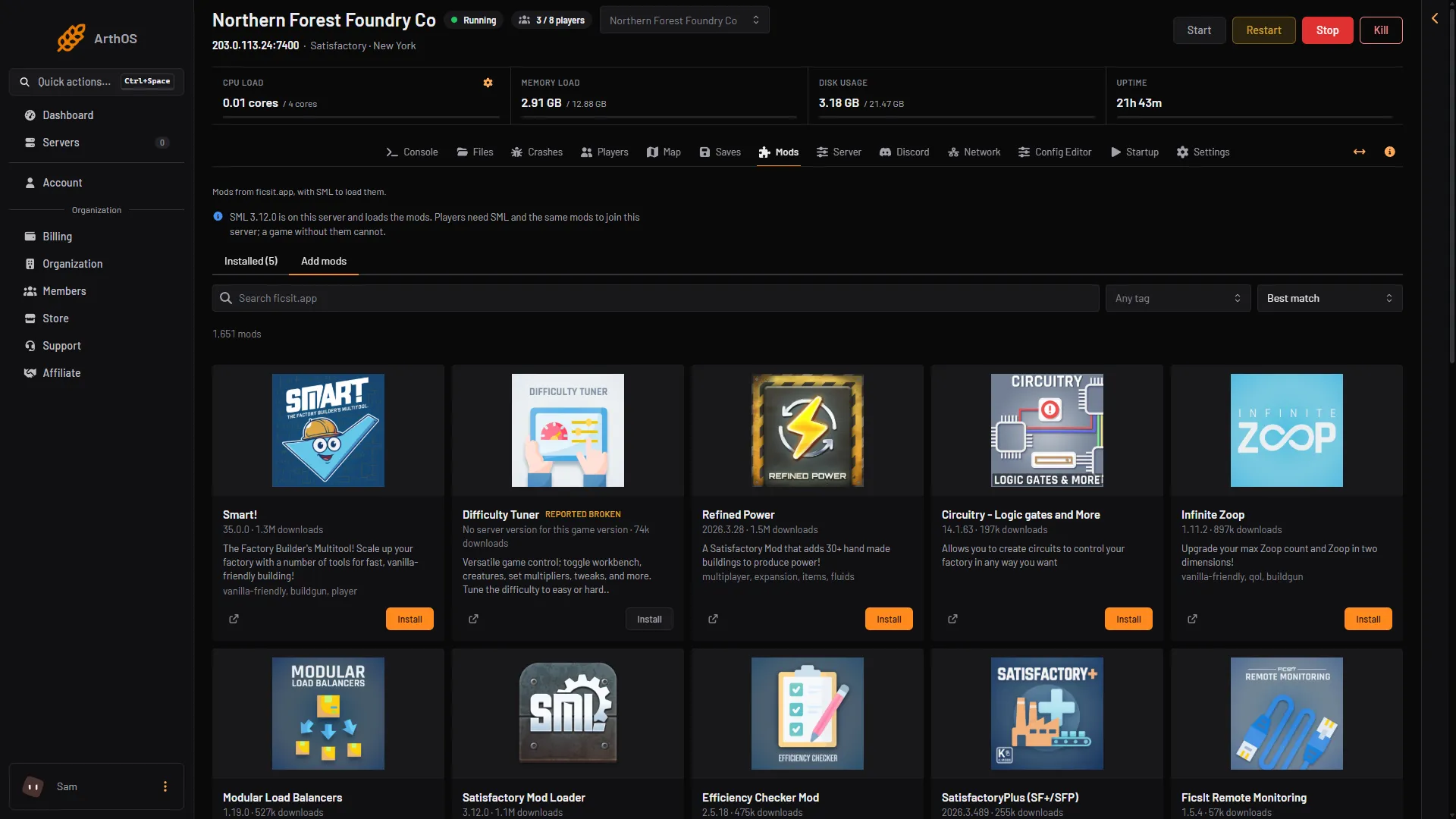
- Search
- Install
Players need SML to join a modded server. The list For players on the Mods page shows exactly what each player installs, through the Satisfactory Mod Manager, so follow that list. Not checked on 1.2 as of 27 October 2026: whether a player needs FRM itself on their PC. See players install mods.
Turn the live layer on
- Wait for the server to start. The mod loads with the server’s mods at a start.
- Open the Map page.
- In the card Live positions, read the warning.
- Switch on Show live positions.
The card then says “Live positions are on.” Switch it off to go back to saved places. The mod stays installed.
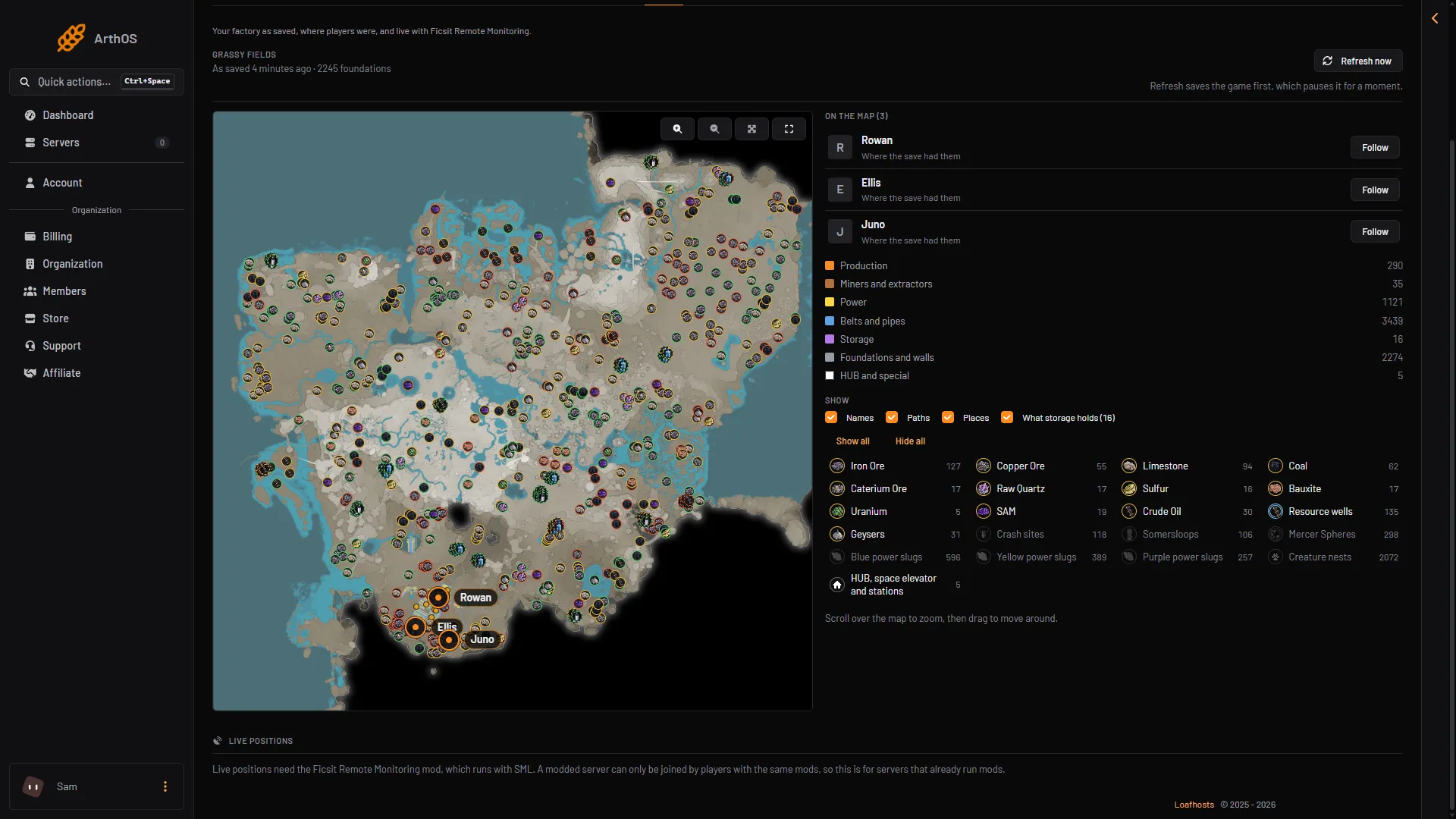
- Live positions
- Needs the mod
The picture shows the card before the mod is installed: it only explains what is needed. Once the mod is installed, the card offers the switch.
If you cannot switch it, a member’s role must allow managing the live map.
If it does not work
- The card says to install the mod. FRM is not among the server’s mods yet. Install it on the Mods page.
- “FRM is not answering. It loads with the server’s mods at the next start.” Restart the server and read What SML said at this start on the Mods page.
- The server will not start after the install. Use Find the mod on the Mods page. It starts the server with fewer mods until it finds the one that stops it.
- Players cannot join. They need SML. See install mods and the For players list.
More about the game: Satisfactory servers.
Sources: ficsit.app: FicsitRemoteMonitoring, docs.ficsit.app: Index.html