











The most players a Satisfactory server lets in at once is set on the Startup page, in Players. A server from Loafhosts starts at its plan’s player count: 4, 8 or 16 for Small, Standard and Large. The game’s own number is 4. A new number takes effect the next time the server starts.
What the game says
Coffee Stain officially supports four players in one session. On PC there is no hard limit, so you can set a higher number. The wiki warns that a higher limit can make the server slower and less stable, and that it uses more memory.
You can set more than 4, but every extra player costs the server more. A big factory with many players is the hardest case. See what a Satisfactory server needs.
Dedicated servers are for PC only. Players on the Steam and the Epic Games Store versions can both join. Players on consoles cannot join a dedicated server at all, so the limit only counts PC players.
In the panel
- Open the server and choose the Startup page.
- Find Players. Its help line says “How many players can be on at once. The game’s own default is 4.”
- Type a whole number from 1 to 64.
- Save the change.
- Restart the server so the game reads it. See restart a Satisfactory server. The panel saves the game first when you restart it.
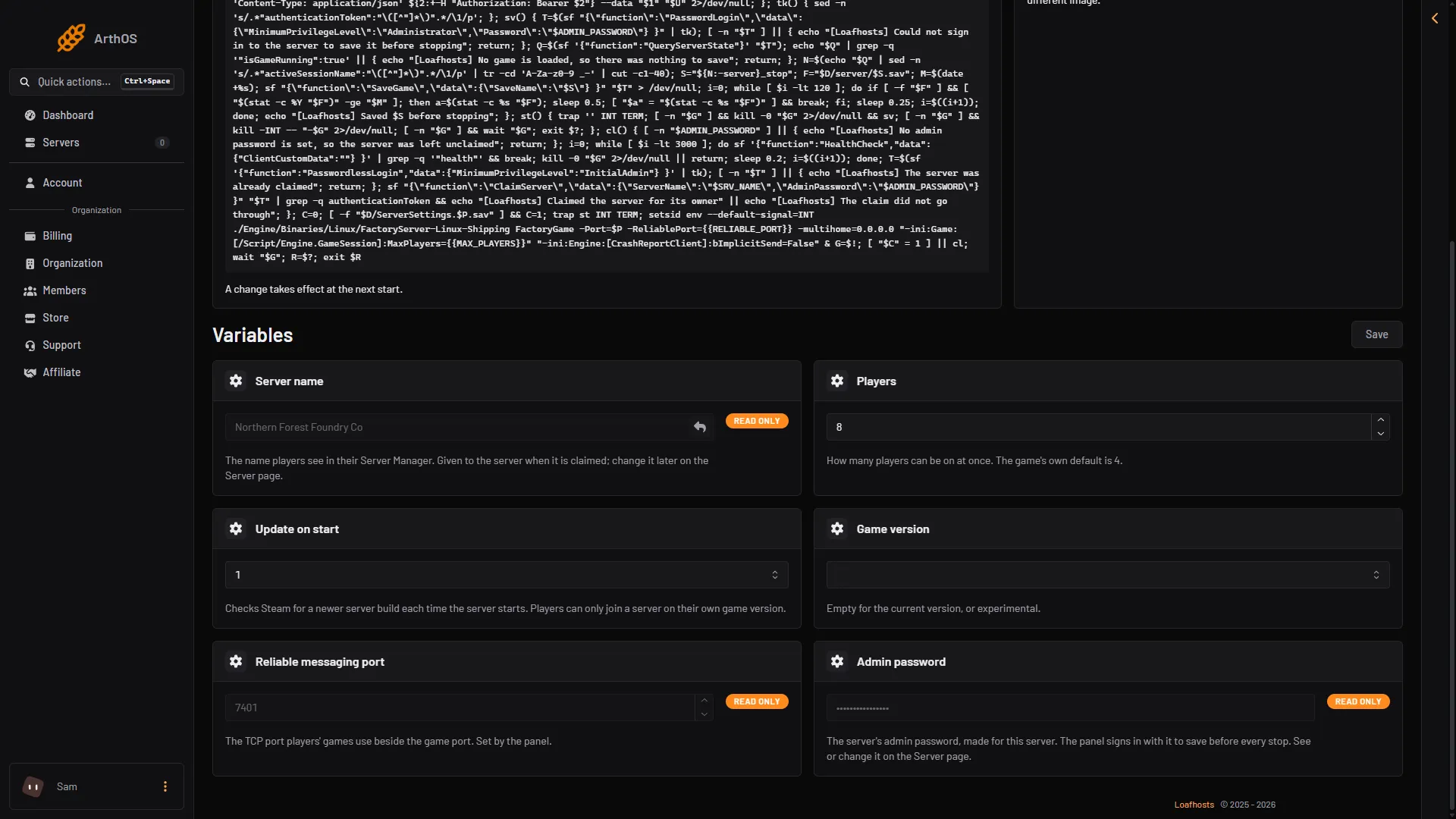
- Type the limit
- Save
The server reads the number only when it starts. Until then the old limit stays in force, even though the page already shows the new value.
Check the limit
Open the Players page. The count at the top reads like “3 / 8”. The first number is who is on now. The second number is the limit the running game uses. The names of those on the server are under Online. If you changed Players but the second number is still the old one, the server has not been restarted yet.
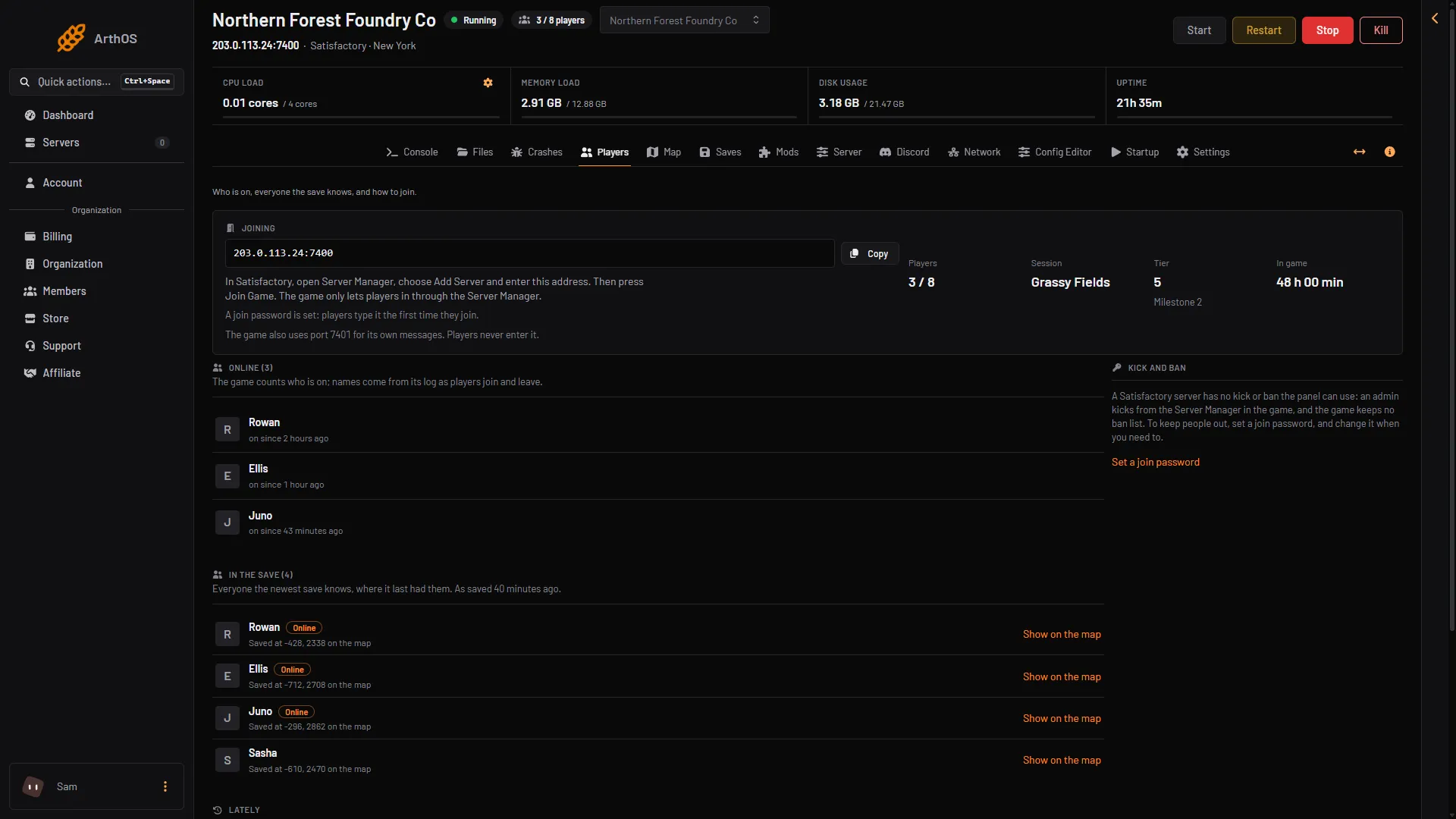
- Who is on
Memory and speed
More players use more memory. The wiki lists 8 GB as the starting point for a server, and says 16 GB may be recommended “for larger saves or to host more than 4 players”. Raise the limit in small steps and watch the Tick rate card on the Server page. A tick is one step in which the server moves the whole factory on. The card shows how many ticks a second the server manages. 30 is full speed. If it drops while the server is full, lower the limit or lower the Network quality option on the same page.
By hand
On a server you run yourself, set MaxPlayers in Game.ini. The wiki gives this form for a dedicated server:
[/Script/Engine.GameSession]
MaxPlayers=8
You can also add -ini:Game:[/Script/Engine.GameSession]:MaxPlayers=8 to the start line. Change the file only while the server is stopped, because the game writes its ini files when it stops and can undo your edit.
On Loafhosts the panel puts that start-line setting in for you from Players. Use Startup, not the file.
If it does not work
- The count on the Players page still shows the old limit. Restart the server.
- The server lags with many players. Lower Network quality on the Server page, restart daily, or lower the limit. See Satisfactory tick rate.
- The server stops with too little memory. The Crashes page shows how each start ended and why. See Satisfactory out of memory.
More about the game: Satisfactory servers.
Sources: satisfactory.wiki.gg: Multiplayer, satisfactory.wiki.gg: Configuration files, satisfactory.wiki.gg: Dedicated servers