











If the Crashes page says The server ran out of memory, the game needed more memory than the server has. The fix is to give the server more memory, or to remove a mod you do not need.
What the finding means
There are two signs on the Crashes page, and either one means memory:
- The finding The server ran out of memory. The panel reads it from the game’s log. Its advice is: “Big factories and mods need more. Remove a mod you do not need, or raise the server’s memory.”
- Out of memory shows Yes in the details of the start, and the start is marked Crashed. Then the node stopped the server because it used more memory than its size. The game’s log may say nothing about it.
If neither sign is there, the cause is something else. See server crashes.
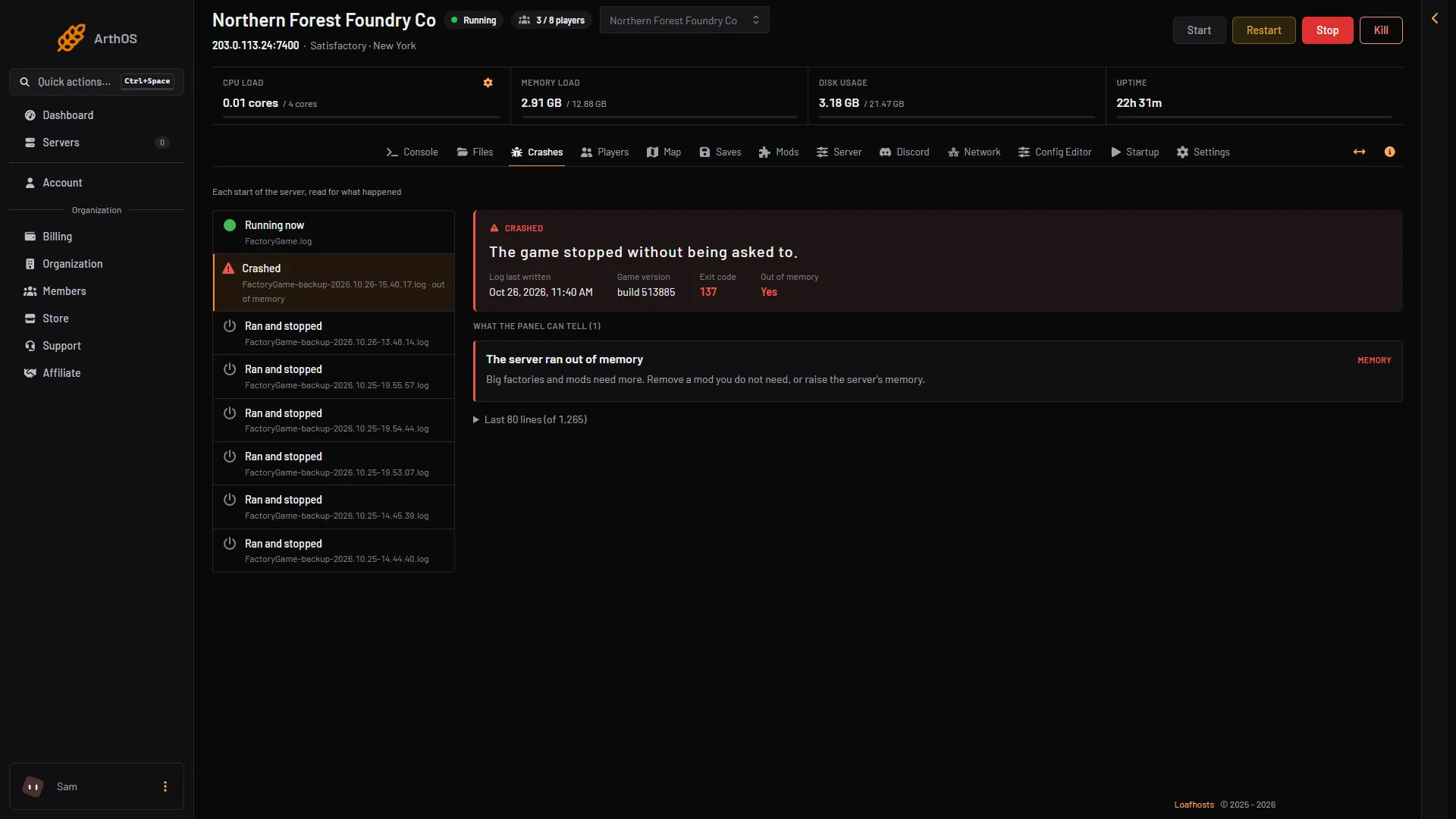
- The start that was stopped
- Out of memory: Yes
- The finding
What uses memory
- A bigger factory. The more you build, the bigger the save, and the more the server holds in memory. The Saves page lists the size of each save.
- More players. Each player adds to what the server holds.
- Mods. Mods add buildings, items and code that load with the game.
The game’s wiki gives 8 GB of memory as the starting point, and 16 GB for larger saves or for more than four players. A new world with nobody on uses about 2.7 to 3 GB. Use these as a guide, not a promise: your own factory decides.
Raise the server’s memory
- Go to the list of your servers, or your services under billing.
- Open the menu on this server and choose Customize.
- Pick a bigger size. The page shows the memory, the CPU and the storage of each size.
- Read what it costs for the rest of the period, then pay and apply.
A bigger size changes the server as soon as it is paid. Start the server again if it stopped. Not checked on 1.2 as of 27 October 2026: whether a running server needs a restart to use the new memory.
Remove a mod you do not need
- Stop the server. The game reads its mods when it starts, so mods can only be changed while it is stopped. Choose Stop at the top right of the server page.
- Open the Mods page, then the Installed tab. A mod’s menu and its switch work only while the server is stopped.
- Open the menu (three dots) on the mod and choose Remove, then confirm. Or use the switch that turns the mod off, to keep it for later.
- Choose Start at the top right of the server page.
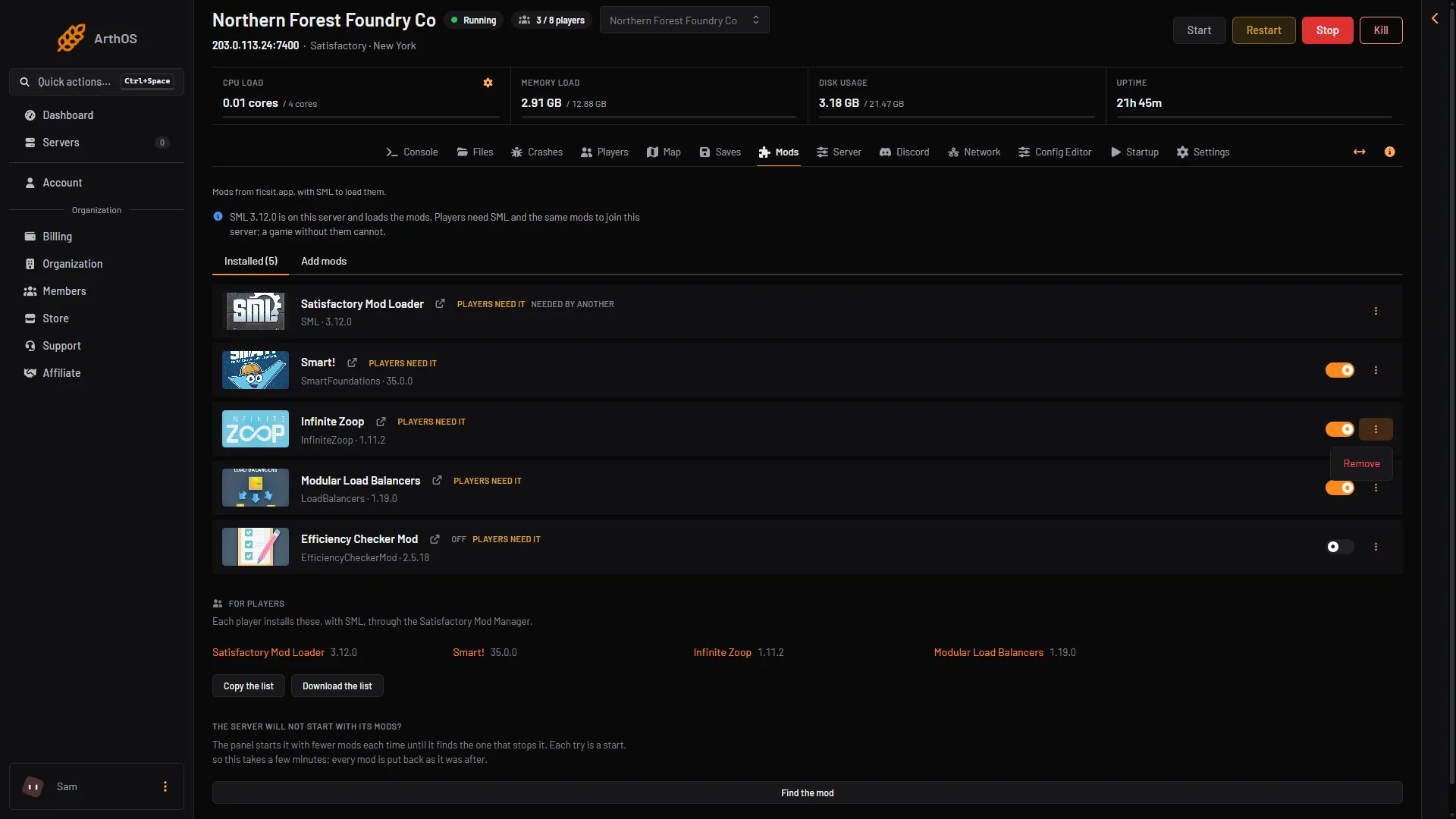
- Remove
Players need the same mods as the server, so tell them the list changed. See remove mods.
If it does not work
- It runs out again soon after a start. The size is still too small for the factory. Pick a bigger size.
- The server is slow but does not stop. That is lag, not memory. See server lag.
- The finding names no mod, but you added one lately. Remove the newest mod first.
More about the game: Satisfactory servers.