











A mod that does not load is usually missing another mod it needs, or was built for a different version of the game. The Mods page shows which mod it is and why. Then you update the mod, remove it, or turn it off.
See which mod did not load
- Open the Mods page and stay on the Installed tab.
- Look at the chip beside each mod. They only show while the server runs.
- Loaded: SML (the Satisfactory Mod Loader, the program that loads every mod) saw the mod start.
- Not loaded yet: the mod is on, but SML has not reported it. Wait until the server finishes starting and look again. If it stays this way, the mod did not load.
- Off: you turned it off.
- Look for the card What SML said at this start. It appears only when SML reported problems. Each line names a mod and says what went wrong, for example that it needs a newer game version.
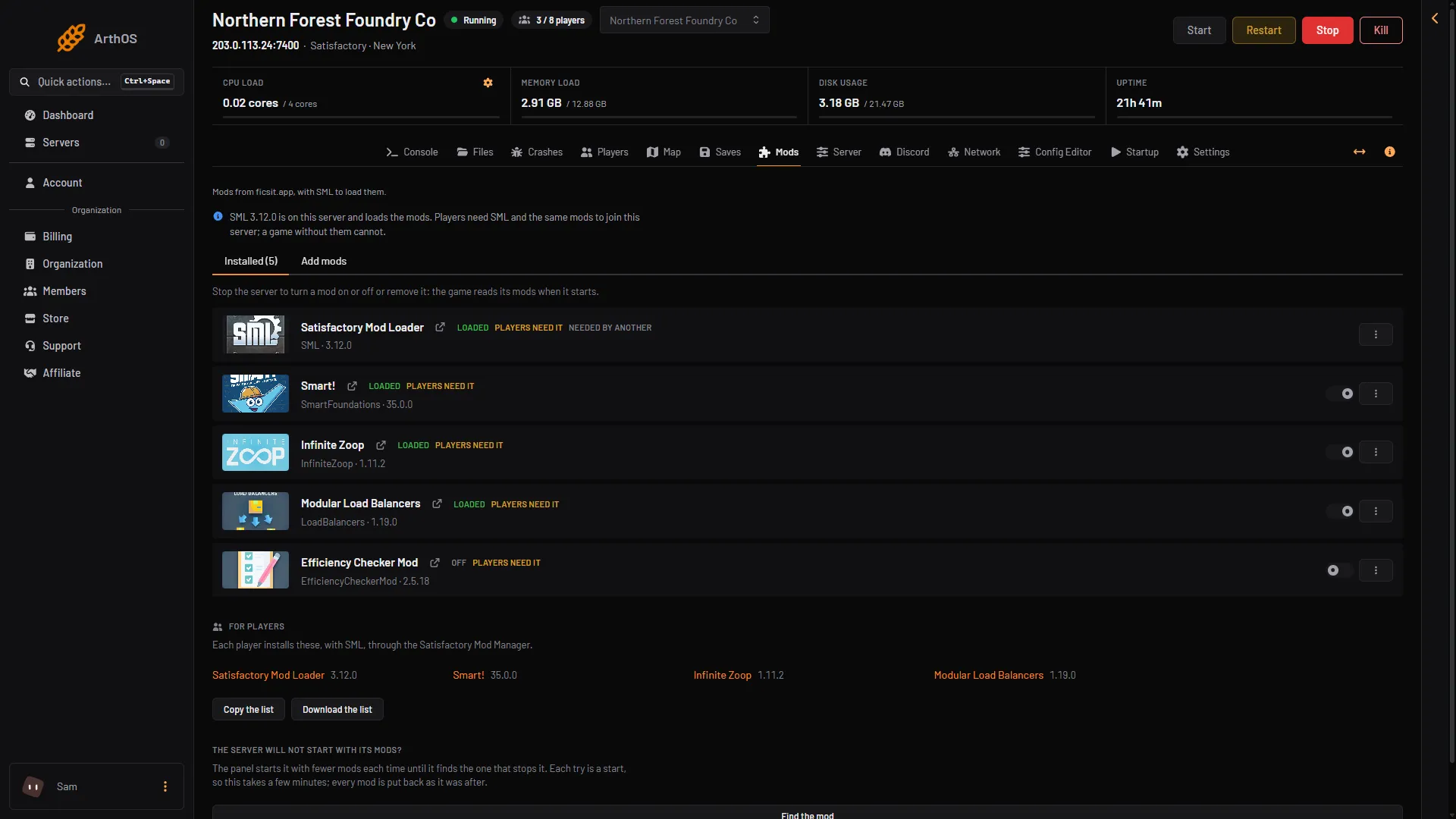
- Loaded
- Off
- The switch
The Crashes page shows the same thing as a finding called A mod did not load. It sits on the start where the mod failed, which is usually the start before the one running now. The line from the log names the mod and why. The most common reasons are another mod it needs, or a version made for another game build.
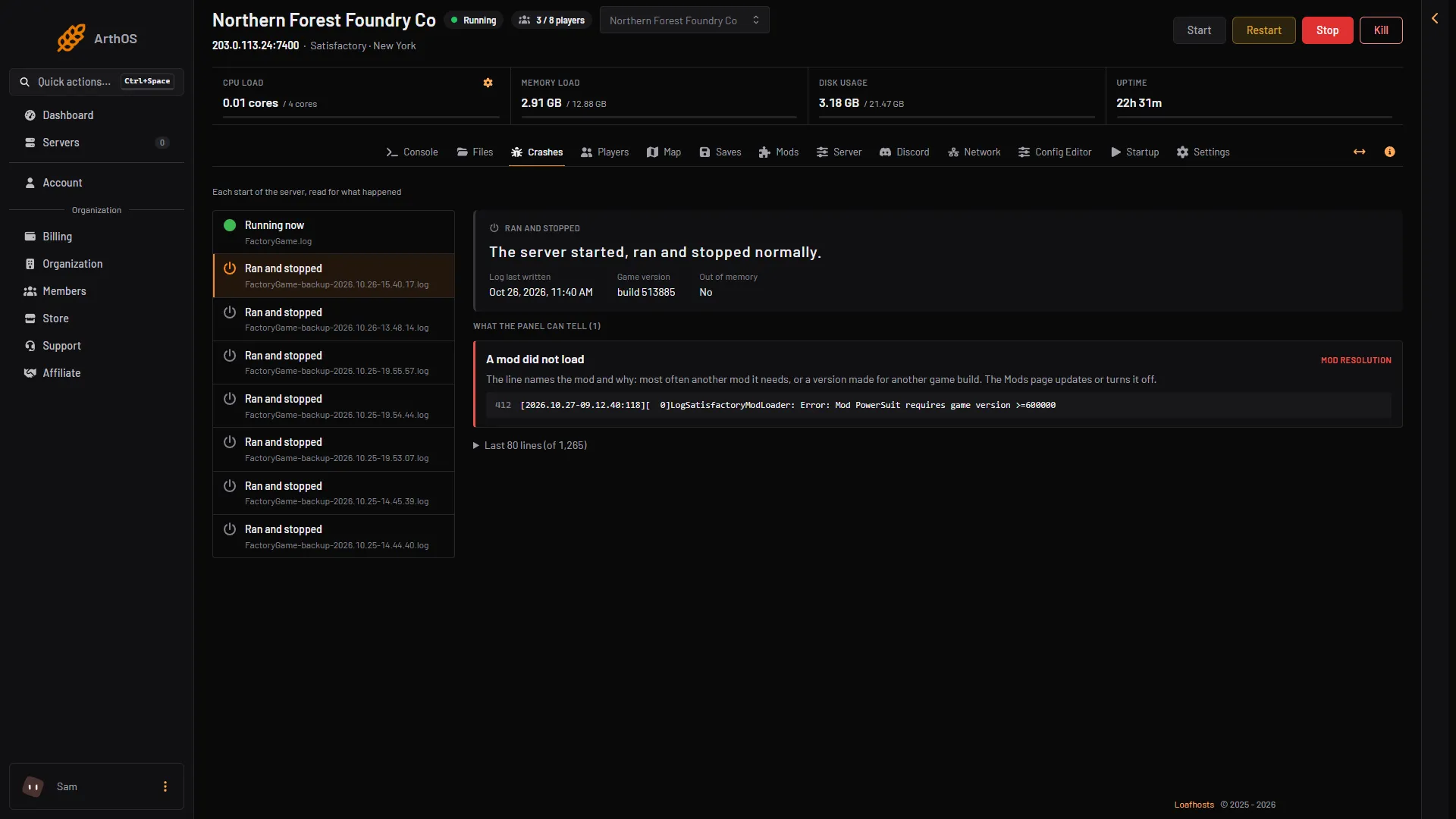
- The start with the finding
- The finding
- The line from the log
Fix it
Match the reason to a fix.
- It needs another mod. Install the missing mod from Add mods. The install window lists what a mod needs and installs it with it.
- It was made for another game version. Look at the mod’s row. A chip Update (version) means a newer file fits this server. Open the menu on the row and choose Update to (version).
- The chip says Reported broken or Reported damaged. ficsit.app marks a mod this way when it does not work on the current game release. A mod without such a chip is not marked. Open its page with the link icon beside its name and wait for a fix, or turn it off.
To turn a mod off, choose Stop at the top right of the server page and use the switch on the mod’s row. Then choose Start. The mod stays installed. Turn it on the same way later. Remove in the row menu deletes the mod’s folder. Its settings stay. The link icon beside a mod’s name opens its page on ficsit.app.
A mod broke after a game update
The game updates itself when the server starts. If the page says Steam has a newer version of the game, mods that carry a Reported broken or Reported damaged chip may stop the server from starting.
- Choose Hold the update. The server keeps its current game version at its next starts. The button shows only when Steam has a newer version, the server has at least one mod, and your role may change the startup settings.
- Wait until the mod’s team fixes it, and update the mod. Update when the mods you need no longer carry one of those chips.
- Choose Update at the next start to let the game update again.
A server with no mods has no Hold the update button. To stay on its version, set Update on start to 0 on the Startup page. Players who updated their game cannot join until it is 1 again.
Find the mod for you
If the server will not start at all and you do not know which mod does it, use the card The server will not start with its mods?
- Choose Find the mod.
- Confirm in the window Search the mods? with Search.
The panel starts the server with fewer mods each time until it finds the one that stops it. Every try is a start, so it takes a few minutes. Afterwards every mod is as it was before. The result appears as Search done. Then update, turn off or remove that mod.
The card only shows when you have at least one mod besides SML and your role may install mods.
If it does not work
- The mod is Loaded but does not do anything. Players need SML and the same mods on their own computers. See the For players card on the Mods page. The game’s mod settings are in the Config Editor.
- The switch cannot be changed. The server is running. Stop it first.
- There is no What SML said card, but the mod is Not loaded yet. The server may still be starting. Wait for it to finish, then reload the page.
More about the game: Satisfactory servers.
Sources: ficsit.app, satisfactory.wiki.gg: Dedicated servers