











A Satisfactory server lags when it cannot update the factory fast enough, or when it cannot send updates to players fast enough. The Server page shows which one. Look at the tick rate first, then restart.
Read the tick rate
The tick rate is how many times a second the server moves the factory on. 30 is full speed.
- Open the Server page.
- Find Tick rate. The chart covers the last two days.
- Read the lines under it. Now is the current rate and Lowest is the worst in two days. A line such as “Slow 12% of the time” says how much of the time the factory ran slow.
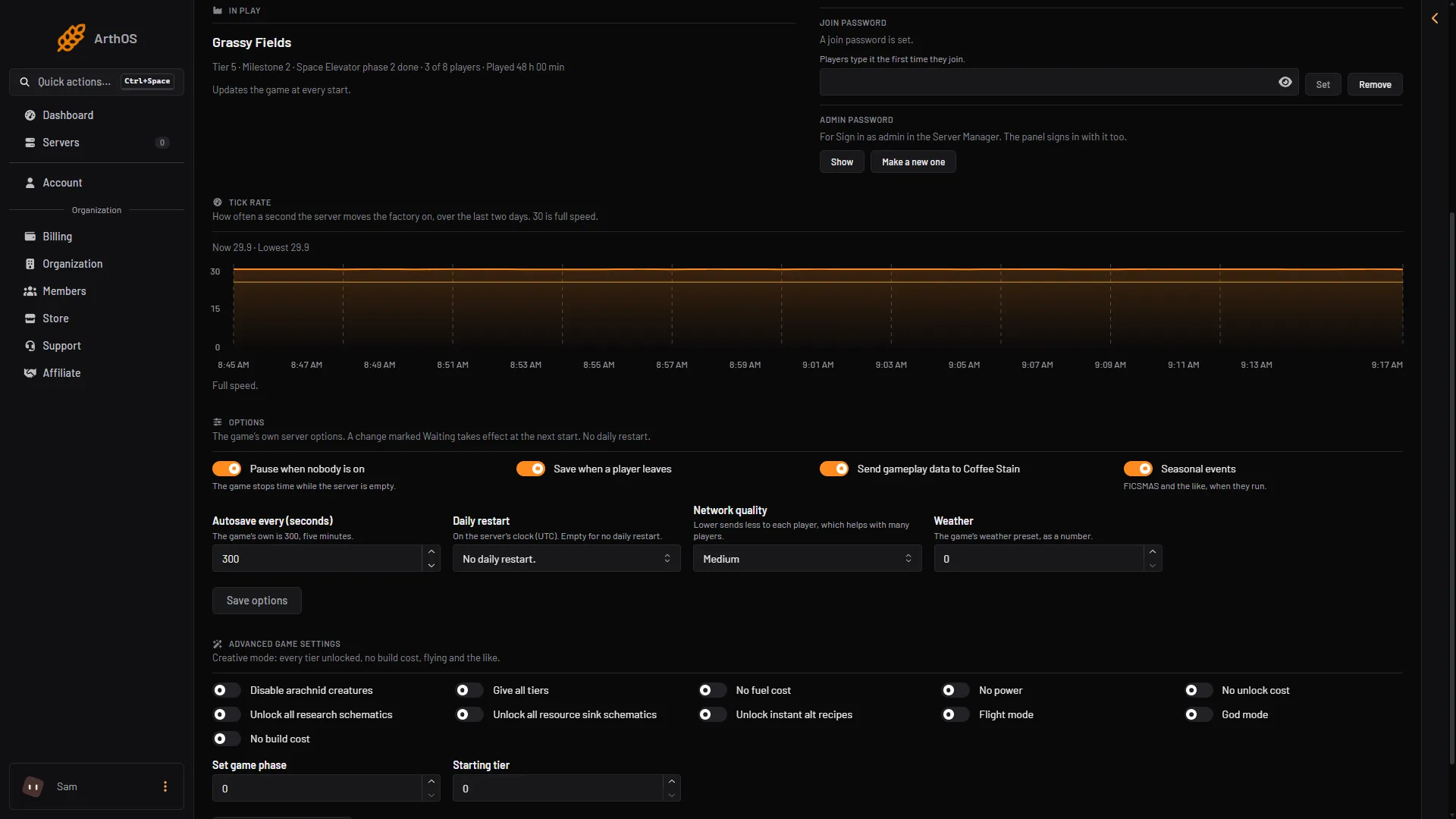
- Tick rate
- Now and lowest
- What it means
The panel reads the rate once a minute while the game runs. With no readings yet it says so.
- Full speed. The server keeps up. The lag is on the network side. See “Jumpy buildings and players” below.
- The factory has run slow, or runs slow now. The server cannot keep up. Read on.
Why the factory runs slow
- A big factory. The page shows the size of the newest save: “the bigger the factory, the more the server has to move each tick.”
- Many players. The game is tuned for 4 players. Its wiki says raising the limit may hurt stability and performance. A server from the store starts at its plan’s player count: 4, 8 or 16 for Small, Standard and Large. You can raise or lower the number in Players on Startup.
- One fast core matters most. The game spreads some work over many threads, but its main loop runs on one thread, so that core does most of the work.
- Autosaves. The wiki says shorter autosave times cost performance each time the server saves. The option is Autosave every (seconds) on the Server page, under Options. The game’s own value is 300.
- Memory. A new world with nobody on uses about 2.7 to 3 GB. The wiki suggests 8 GB, and 16 GB for big saves or more than 4 players. If the server runs out, see out of memory.
What to do
-
Restart the server. Choose Restart at the top right of the server page. It helps at once. The panel saves the game first.
-
Set a daily restart. On the Server page, under Options, set Daily restart to a quiet hour (00:00 to 23:00), on the server’s own clock. Choose Save options. A change marked Waiting applies at the next start.
-
Lower the network quality with many players. Under Options, Network quality has Low, Medium, High and Ultra. A lower one sends less to each player. The game’s wiki says higher quality may improve load times at the cost of server speed.
-
Do not raise the server tick rate. The wiki says this will not help if the hardware cannot reach 30.
Jumpy buildings and players
When the tick rate is at 30 and players still see things jump, the server may not be sending enough to each player. Open Config Editor and choose Server settings. In the group Upload to players, Upload per player is the bytes a second the server sends each player. 120000 is about 1 Mbit/s. Raise it with Most upload per player and the Steam and Epic versions of it, which must stay at or above it.
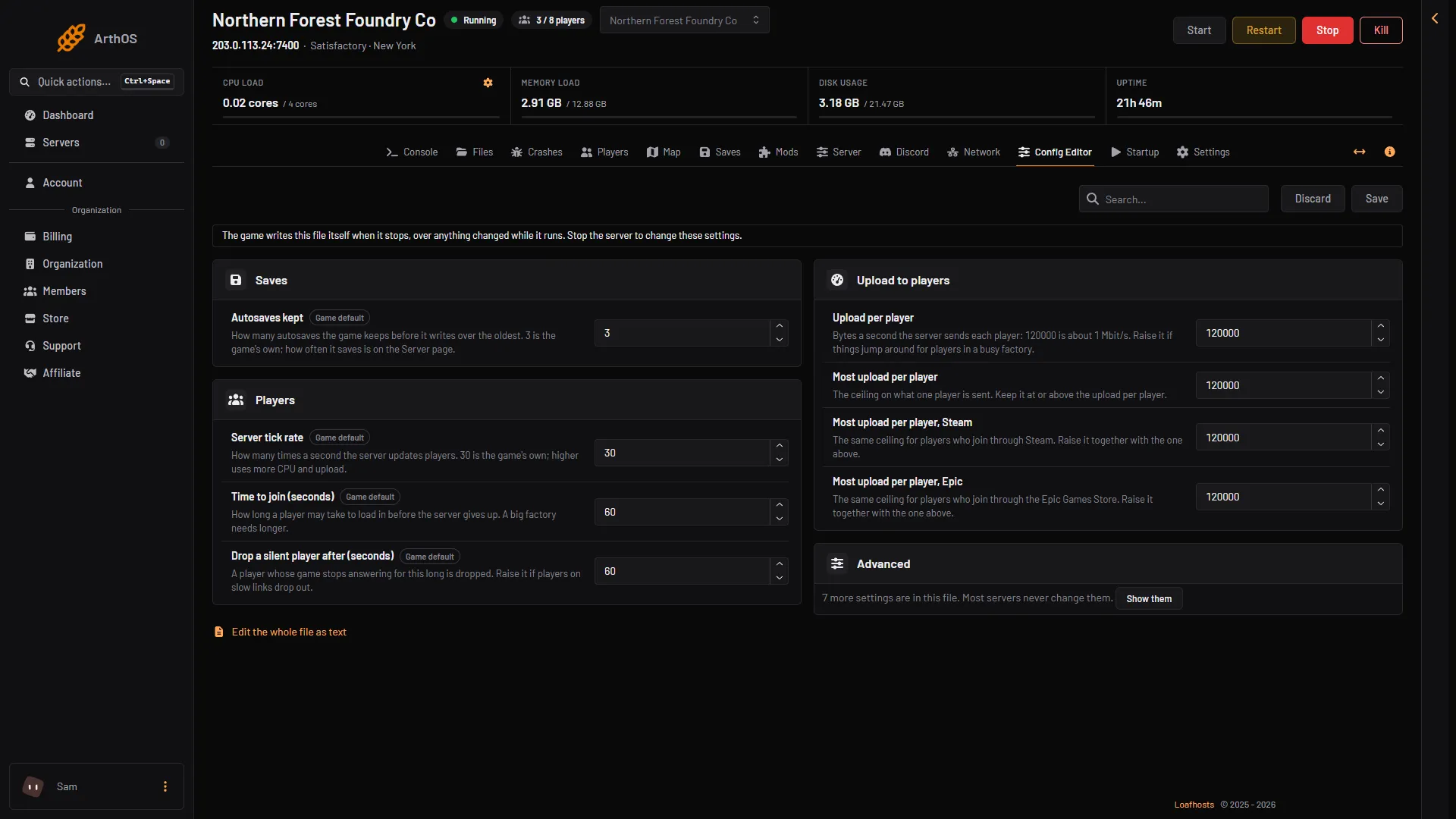
- Upload per player
- Stop the server first
On a player’s side, the game’s wiki says to uncheck Send Gameplay Data in the game’s options if latency is high.
If it does not work
- Lag only for one player. Their own link is the cause. Others on the server are fine.
- Players drop out. Raise Drop a silent player after (seconds) or Time to join (seconds) in the same Config Editor group. A big factory needs longer to load.
- Lag started after a mod was added. Remove it on the Mods page, with the server stopped.
Not checked on 1.2 as of 27 October 2026: how much each Config Editor value changes the lag.
More about the game: Satisfactory servers.
Sources: satisfactory.wiki.gg: Dedicated servers, satisfactory.wiki.gg: Configuration files, satisfactory.wiki.gg: Multiplayer