











When a Satisfactory save will not load, the server still starts, but with no game in it. The Crashes page then shows the finding The save could not be loaded. The quickest fix is to load an older save on the Saves page.
What the finding means
The game’s log said it failed to load a save, or that the save is corrupt, or that it is from a newer version of the game. The server starts anyway and waits with no game loaded. Players can reach the server but have nothing to play.
To see the finding, open Crashes, pick the start that went wrong, and read the finding under What the panel can tell. A session is one game world with all its saves.
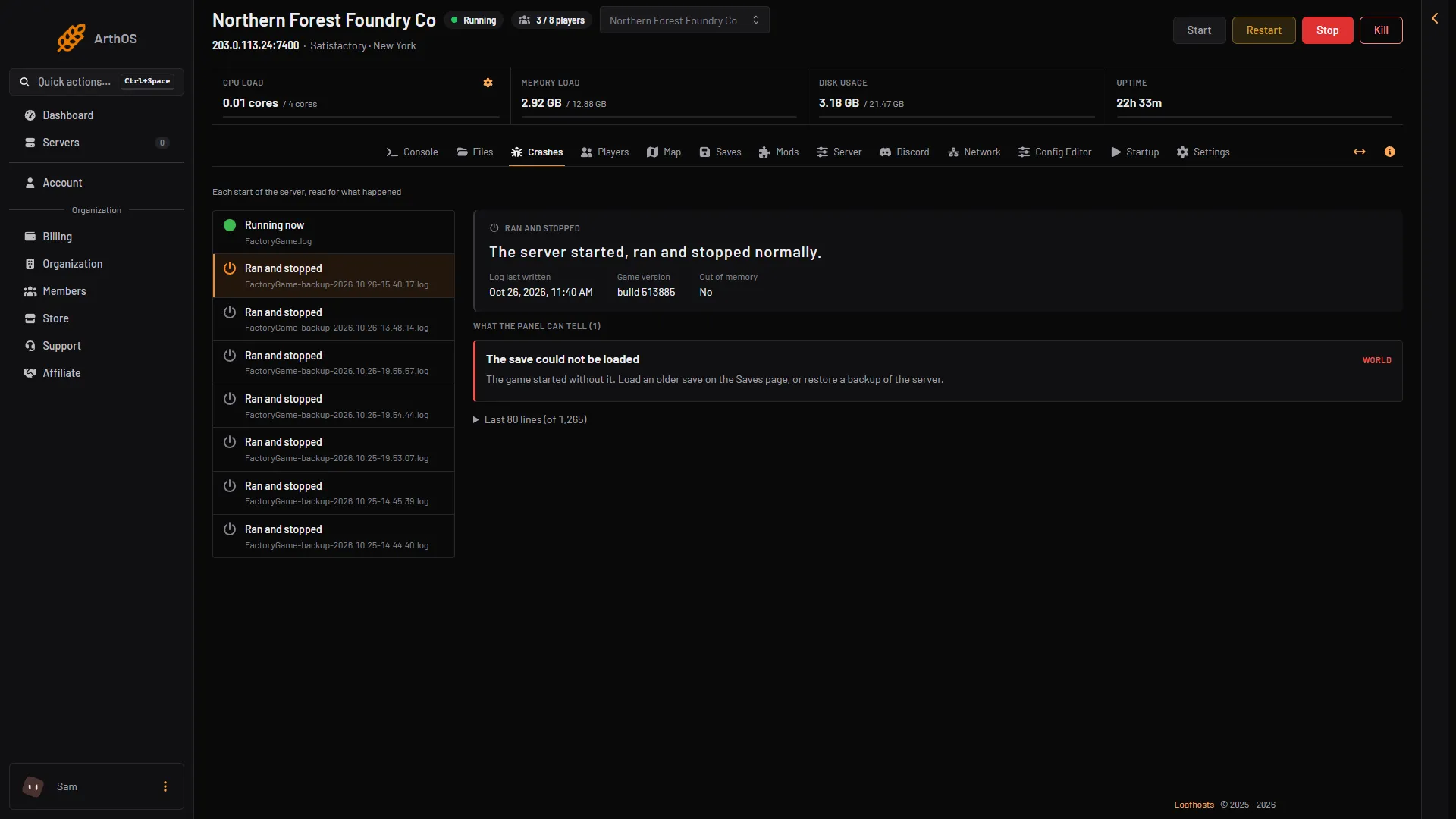
- The finding
- The fix
Load an older save
- Choose Start at the top right of the server page and wait until the server is ready. Then open the Saves page. A member’s role must allow restarting the server.
- Find your session. If only a few saves are shown, choose the link that reads All and the number of saves (the box marked 1 in the picture) to list every save.
- Pick an older save, such as an autosave from before the problem. Autosaves have
autosavein their name. The game keeps 3 autosaves by default, so the older ones are replaced as new ones are made. - Choose Load (2 in the picture), then confirm in the box.
The panel saves the game in play first, then loads the one you chose. Every stop and restart from the panel saves first too. Players go back to the menu while it loads. They join again when it is ready.
After the load, check that the session shows Loads at start on the Saves page. If it does not, open the session’s menu and choose Load at start.
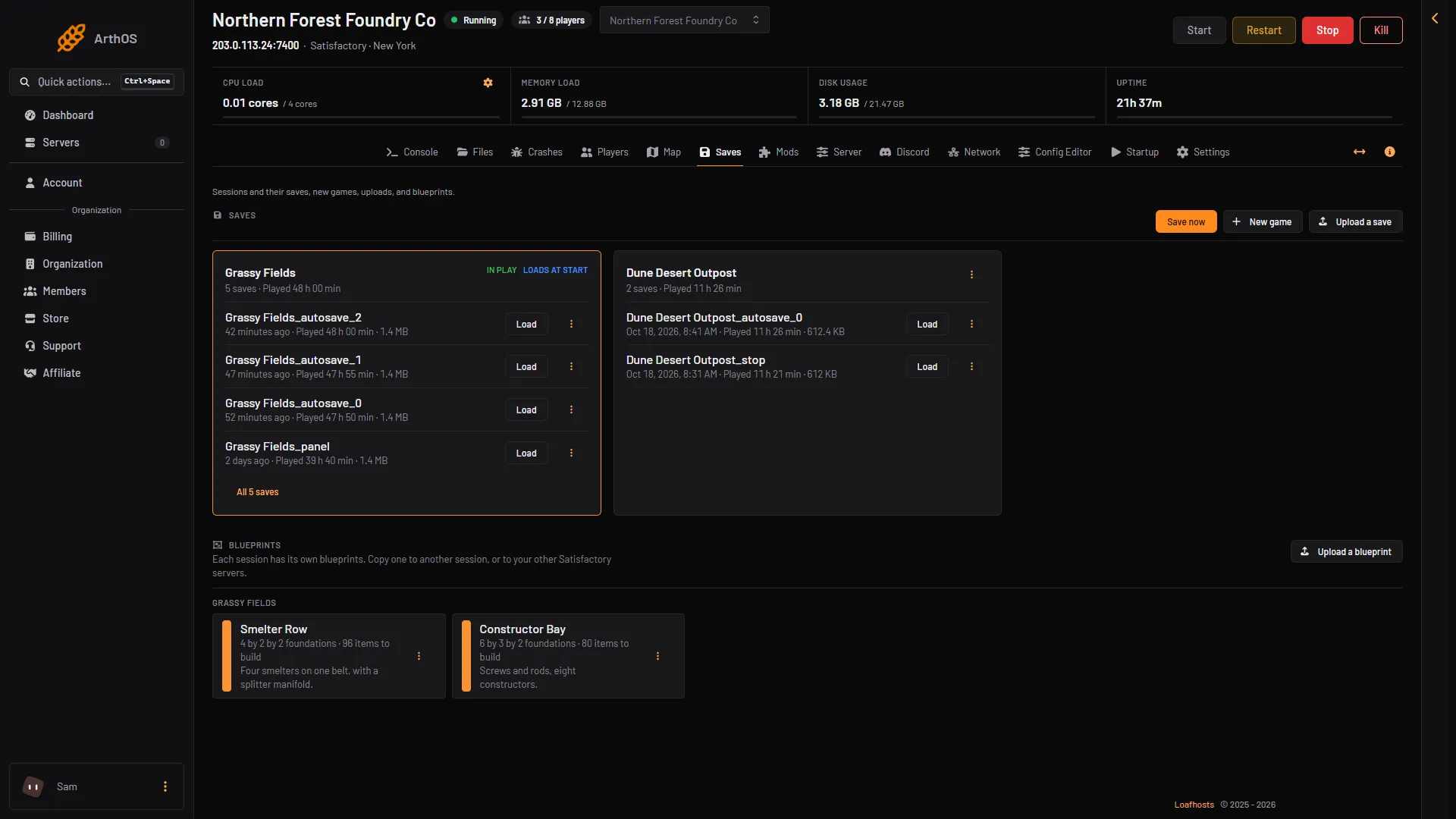
- List every save
- Load a save
A save from a newer game version
A save made by a newer build of the game cannot be loaded by an older server. The Saves page marks such a save with Newer game version. If you upload one, the panel refuses it and tells you both build numbers.
The fix is to bring the server up to the same version as the game that made the save. See update the server. Players must run the same version as the server too, and join through the game’s Server Manager.
A modded save
A save made with mods is marked Modded. Put the same mods on the server first, on the Mods page, then load it. Players need the same mods too.
If no save works
Restore a backup of the server from the Settings page, in the Backups tab. A restore stops the server and overwrites its files: everyone on it is dropped, and the backup’s files replace the current ones. If the current game matters, press Save now on the Saves page and make a fresh backup first. A backup does not save first: it holds the game as its last save left it. See also progress went back.
If it does not work
- The Load button is missing. The server is stopped or still starting. Choose Start at the top right of the server page and wait until it is ready.
- Every save is marked Newer game version. The server is on an older version than your game. Update the server.
- It loaded, but players cannot join. Players need the same game version, and the same branch, as the server. They must join through the game’s Server Manager.
More about the game: Satisfactory servers.
Sources: satisfactory.wiki.gg: Dedicated servers, satisfactory.wiki.gg: Save files, satisfactory.wiki.gg: Multiplayer