











To update a Satisfactory server on Loafhosts, restart it. By default it checks Steam every time it starts and installs a newer version if there is one. Players have to be on the same game version as the server, so they must update their game too.
How the update works
The setting is Update on start on the Startup page. It is on by default. Game version is a list with two entries: the empty one, which is the normal release, and experimental, a separate test version (a branch). Leave it empty for the normal release.
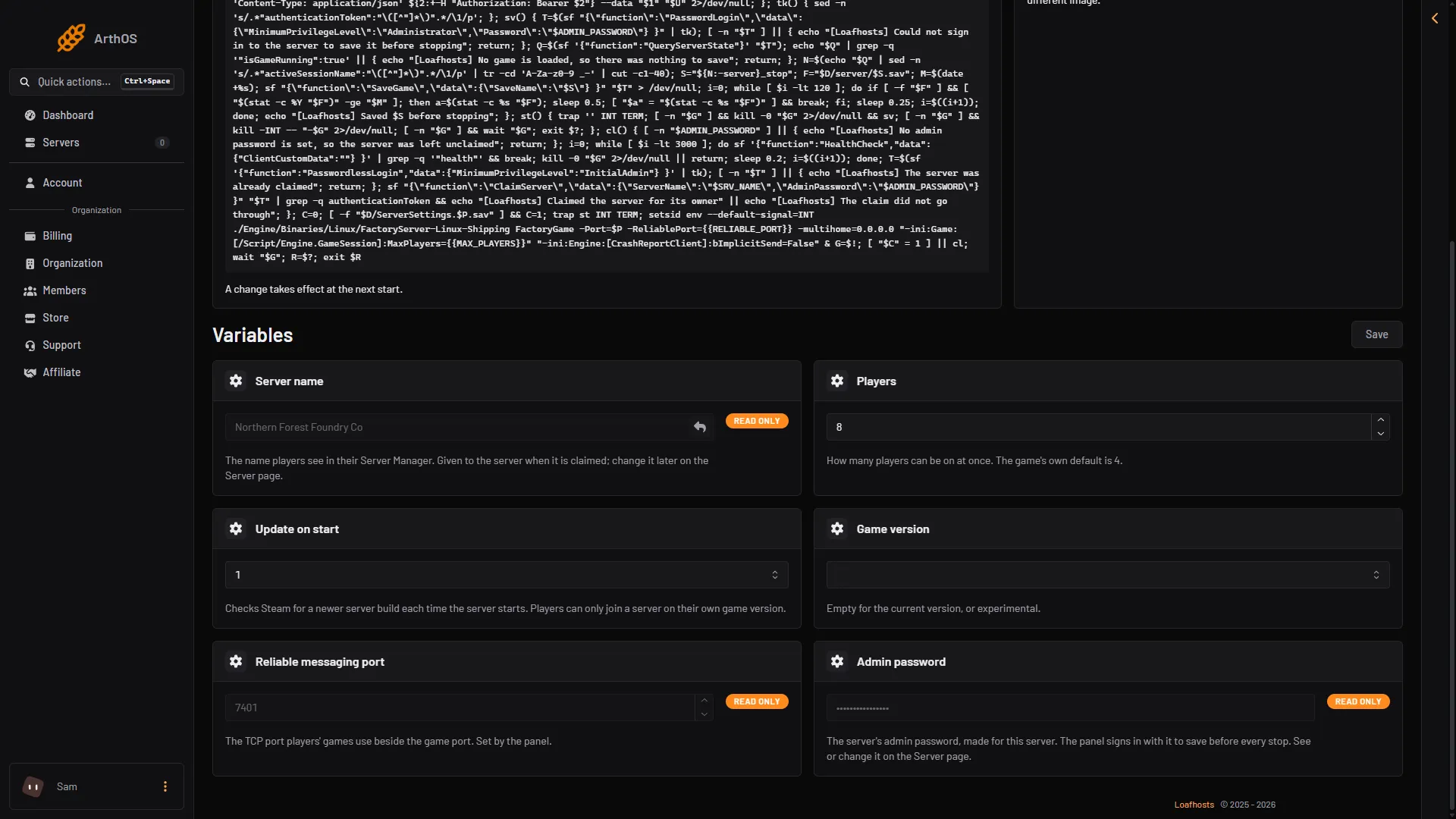
- Update on start
- Game version
The help line says it “checks Steam for a newer server build each time the server starts. Players can only join a server on their own game version.”
So the steps are:
- Players are told the server will restart.
- You choose Restart at the top right of the server page. See restart a Satisfactory server. The panel saves the game before it stops.
- At the start, the server asks Steam for a newer build and installs it before the game starts. A start that installs an update can take longer than a normal one.
- Players update their game and join again.
The Server page shows which mode the server is in, on the card In play. It says “Updates the game at every start.” If you run the experimental branch it says “Updates the game at every start, from the experimental branch.” See the experimental branch.
Players must match
The wiki’s tips for joining say to make sure “you’re both using the same version (Release Version or Experimental Version) and version number”. A player on an older or a different branch cannot join. After an update, every player has to update their game on Steam or the Epic Games Store before they can join again.
Before you update
Keep a copy before any update.
- Open the Saves page and choose Save now. The game writes a save you can name.
- Open Settings, choose the Backups tab, and choose Create Backup. A panel backup of a Satisfactory server does not save first. It holds the game as its last save left it, so do Save now before it.
- Then restart.
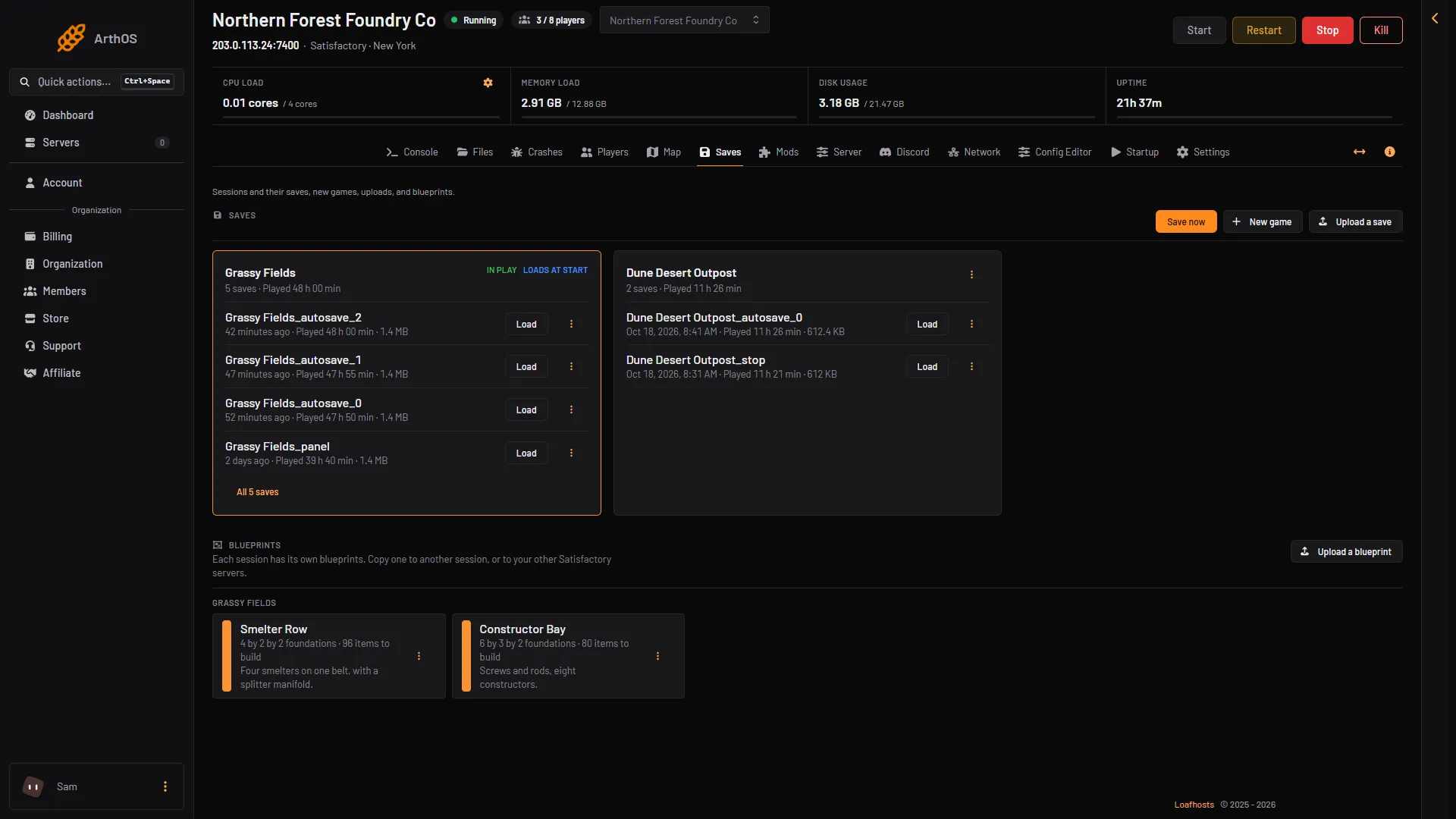
- Save now
If you use mods
A new game version can break a mod until its author updates it. The Mods page warns you when this is coming. It shows:
“Steam has a newer version of the game than this server runs. It updates at its next start; mods reported broken or damaged on ficsit.app may stop it starting.”
Beside it is the button Hold the update. Choose it if your mods are not ready yet. This turns Update on start off. Then:
- The server keeps its current version when it restarts.
- The page shows “The game update is held. Players who updated their game cannot join until the server updates.”
- The In play card shows “Game updates are held (the Mods page has the switch).”
To update later, choose Update at the next start on the same page, then restart. Do it when the mods you need no longer carry a Reported damaged or Reported broken chip on the Mods page. See hold the game update.
Players who already updated their game cannot join a held server. Tell your players to wait for the server before they update, if you can.
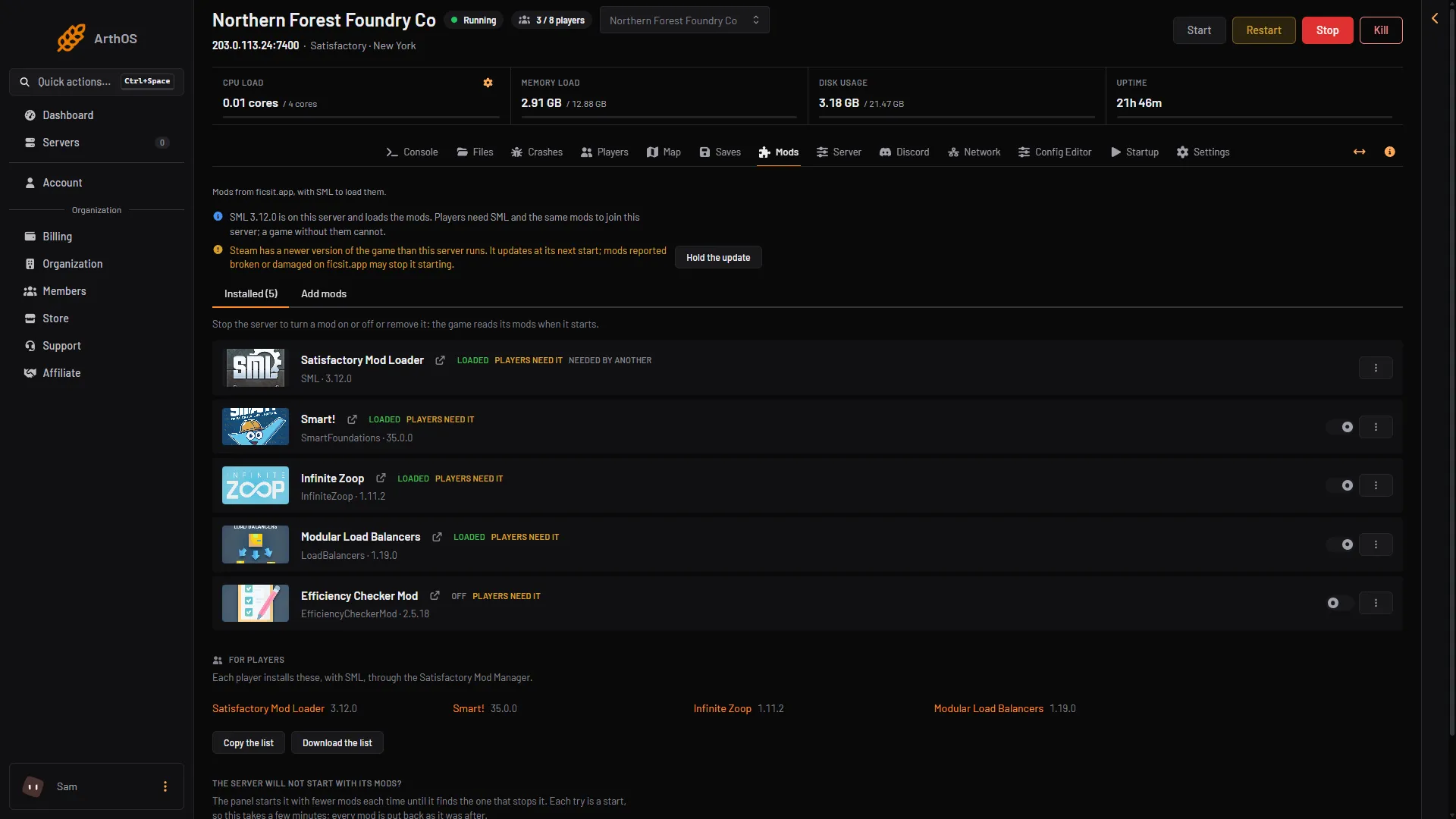
- A newer game version
- Hold the update
By hand
On a server you run yourself, stop the server first. Then run the same SteamCMD command that installed it. SteamCMD is Steam’s command-line download tool. The wiki gives the command for the dedicated server, app 1690800:
steamcmd +force_install_dir ~/SatisfactoryDedicatedServer +login anonymous +app_update 1690800 validate +quitAdd -beta experimental after 1690800 to use the experimental branch. Use -beta public to go back to the normal release. Do not update while the server is running: SteamCMD fails with state is 0x606 because a file is in use. If the server is already stopped and the error stays, the wiki says to reboot the host.
If it does not work
- Players cannot join after the update. They need the same version. See Satisfactory version mismatch.
- The server will not start after the update and you have mods. Find the mod that stops it with Find the mod on the Mods page, or hold the update and wait for the mod.
- The Hold the update button is not there. The panel shows it only when Steam has a newer version than the server has, the server has at least one mod, and your role may change the startup settings. Update at the next start shows whenever an update is held.
- The server has no mods and you want to stay on its version. There is no Hold the update button. Set Update on start to
0on Startup and save. Players who updated their game cannot join until it is1again.
More about the game: Satisfactory servers.
Sources: satisfactory.wiki.gg: Dedicated servers, satisfactory.wiki.gg: Multiplayer