











To load a save, open the Saves page, find the save, and choose Load. The game that is running is saved first. Players are sent back to the menu while the save loads, and then they join again.
You can use this to return to an earlier state of the factory. Every autosave is a save too, so you can load one from before something went wrong.
Before you start
- The server must be running and the game must answer. If the server is stopped or still starting, the Load buttons are not there. Choose Start at the top right of the server page and wait until the game answers.
- You need the permission to restart the server. Without it, the Load buttons are not shown.
- Players on the server will be sent to the menu. Tell them first.
Load a save
- Open the Saves page.
- Find the session you want. A session is one factory and all the saves made of it. The session in play has the tag In play.
- A session shows its four newest saves, newest first. Each row shows when it was saved, how long it was played, and its size. To see older ones, choose All N saves under the session, where N is the number of saves.
- Choose Load on the save you want.
- A box asks “Load (name)?”. It says: “The game in play is saved first, as (session)_panel. Players go back to the menu while it loads, then join again.” Choose Load.
- Wait for the game to load. The Saves page says the server is loading a save until it has.
- Players open the Server Manager in the game (the screen where a player adds and joins servers), choose your server, and choose Join Game.
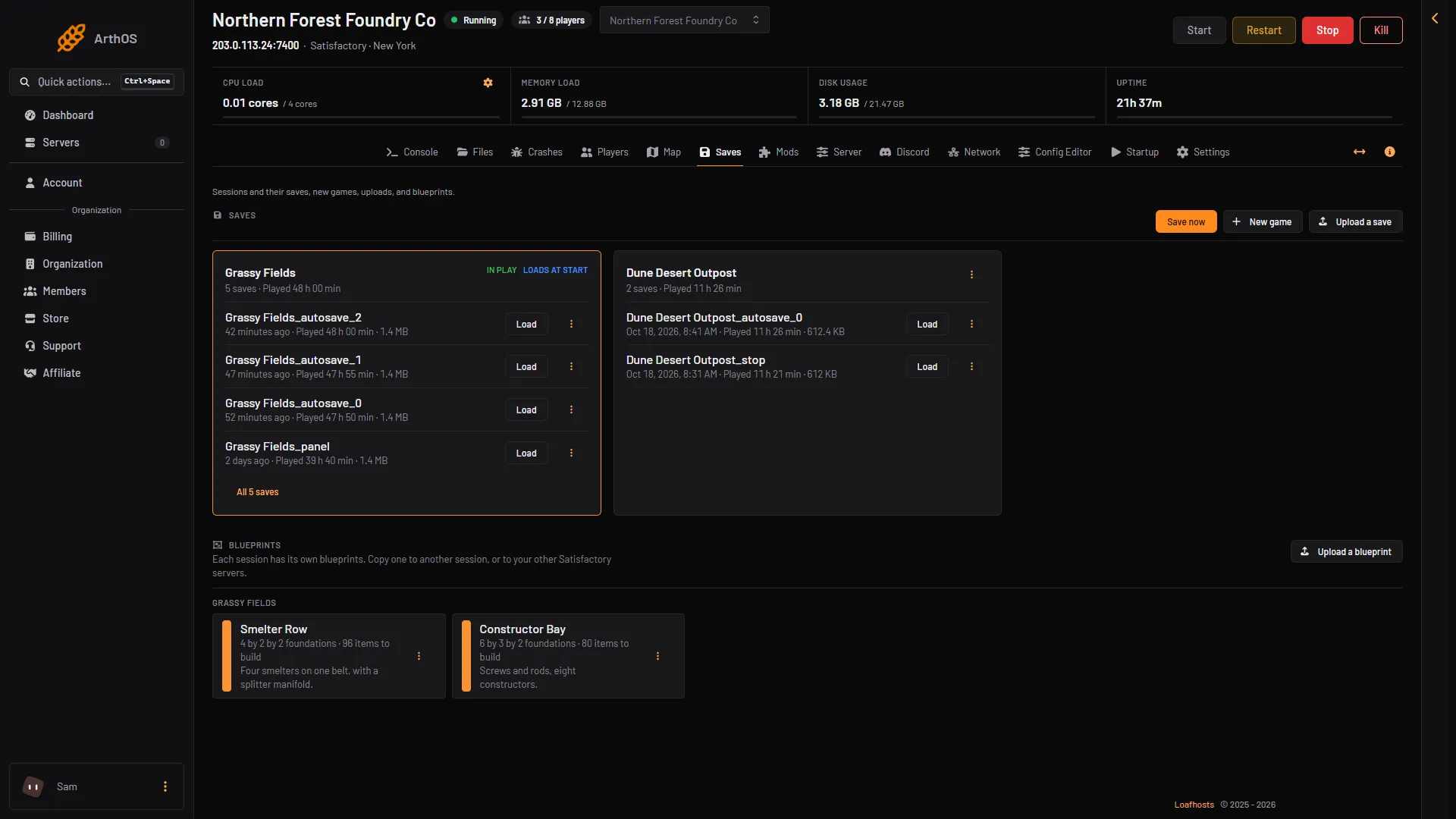
- Load a save
- All saves
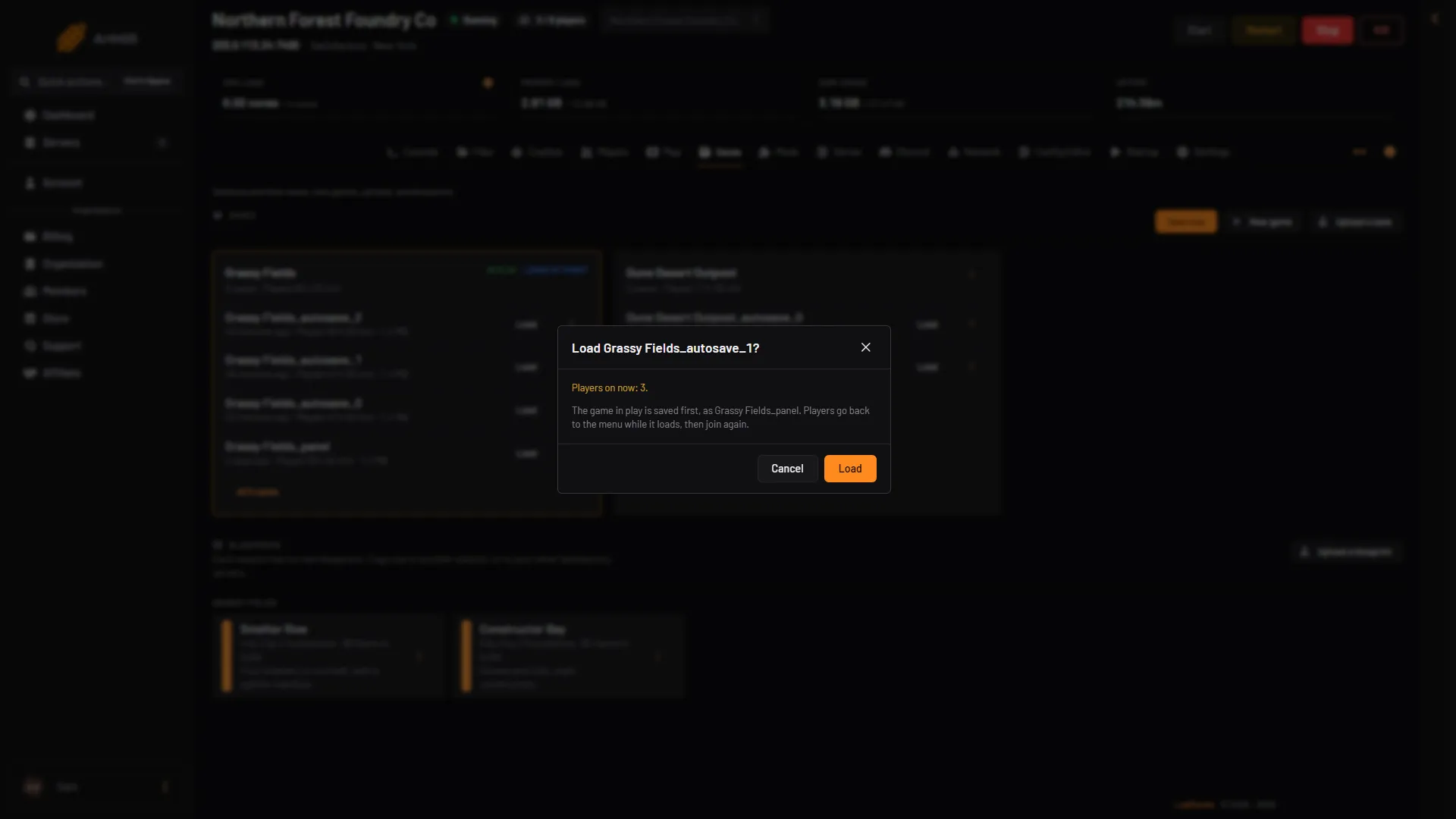
- Saved first
- Load
Go back to an older autosave
The game writes autosaves into the same session. Their names end in _autosave_0, _autosave_1 and so on. The game keeps three of them by default and writes over the oldest one next. See autosave settings.
- On the Saves page, choose All N saves under the session.
- Pick the autosave from the time you want.
- Choose Load, then Load again in the box.
Everything built after that save is gone from the loaded game. That progress is not lost from the server yet: the game in play was saved first as (session)_panel, so you can load that one to come back.
That safety save is one file, replaced each time. If you load twice, the second load replaces the first safety save. Save now with a name of your own, an upload with load, a new game and Refresh now on the Map page write the same (session)_panel file too. Use Save now with a name of your own when you need a copy that stays. See save now.
What Loads at start means
A session can have the tag Loads at start. It means this session is the one the server loads when it starts. After a load, check that the session shows Loads at start on the Saves page. If it does not, open the session’s menu and choose Load at start. See loads at start.
Saves from a newer game
A save made by a newer version of the game than the server runs cannot be loaded. The row has the tag Newer game version and its Load button is off. Update the server to the same version first.
If it does not work
- There is no Load button. The server is stopped, still starting, or already loading another save. Wait until it has loaded. Or your role cannot restart the server.
- The tag Newer game version is on the save. The save is from a newer game than the server. Update the server.
- The panel says the game in play could not be saved first. Nothing was replaced. Try again in a minute.
- Players cannot get back in. They must join through the Server Manager in the game again. A direct join is refused with the message “Encryption token missing”. See connect to a Satisfactory server.
More about the game: Satisfactory servers.
Sources: satisfactory.wiki.gg: Dedicated servers, satisfactory.wiki.gg: Save files