











If your Satisfactory factory went back in time, the server loaded an older save than the one you remember. The game saves by itself every 5 minutes by default, so a crash can lose up to that much play. A newer autosave may have more of your work. Load it on the Saves page.
Why progress goes back
The game does not save when it is simply stopped or when it crashes. It saves only on its autosave timer, and when someone saves. After a crash, the server comes back with the last save it wrote.
The Loafhosts panel adds saves where the game does not. It saves the game in play before every stop. It also saves before it loads a save, starts a new game, or loads an uploaded save. A stop, restart or load from the panel does not lose play for a normal factory. Not checked on 1.2 as of 27 October 2026: a very large save that needs longer than the stop allows.
Get a newer save back
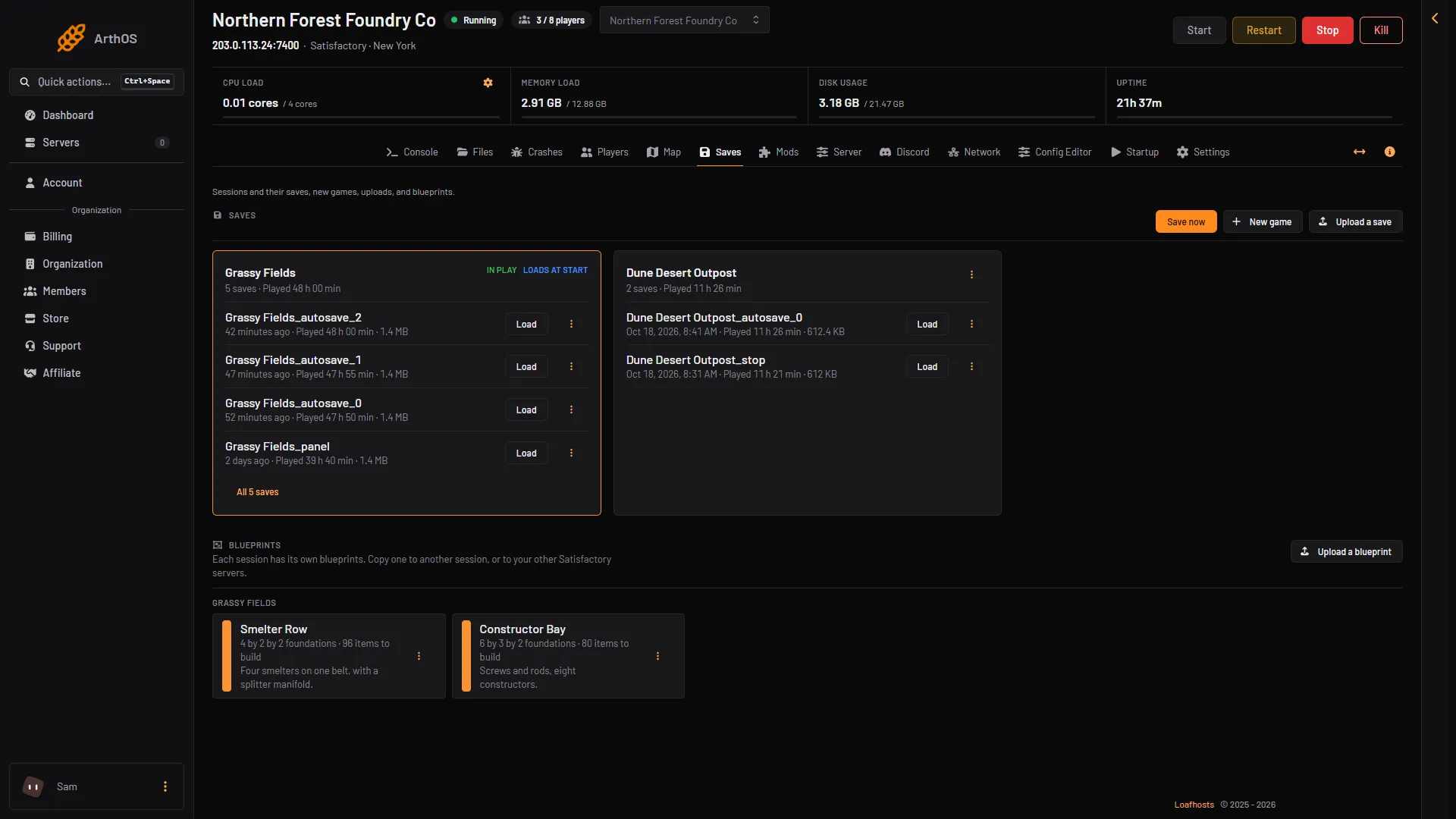
- Choose Start at the top right of the server page and wait until the server is ready. Then open the Saves page.
- Open your session and list all its saves. A session is one game world with all its saves.
- Look at the times. Pick the newest autosave, or a save made by the panel when it stopped the server. Its name ends in
_stopor_panel. - Choose Load and confirm. Players go back to the menu while it loads, then join again.
The game in play is saved first as (session)_panel. The next load, new game or upload writes over that file, so it keeps only one safety save. If you want to try a second save, press Save now with a name of your own first. See load a save.
After the load, check that the session shows Loads at start on the Saves page. If it does not, open the session’s menu and choose Load at start.
- List all saves
- Load a save
The game keeps 3 autosaves by default (Autosaves kept in the Config Editor), so older ones are replaced as new ones are made.
Lose less next time
- Save now. Before a risky change, such as a big build or a new mod, press Save now on the Saves page. Give it a name of your own, then choose Save. With the name empty it saves as the session name followed by
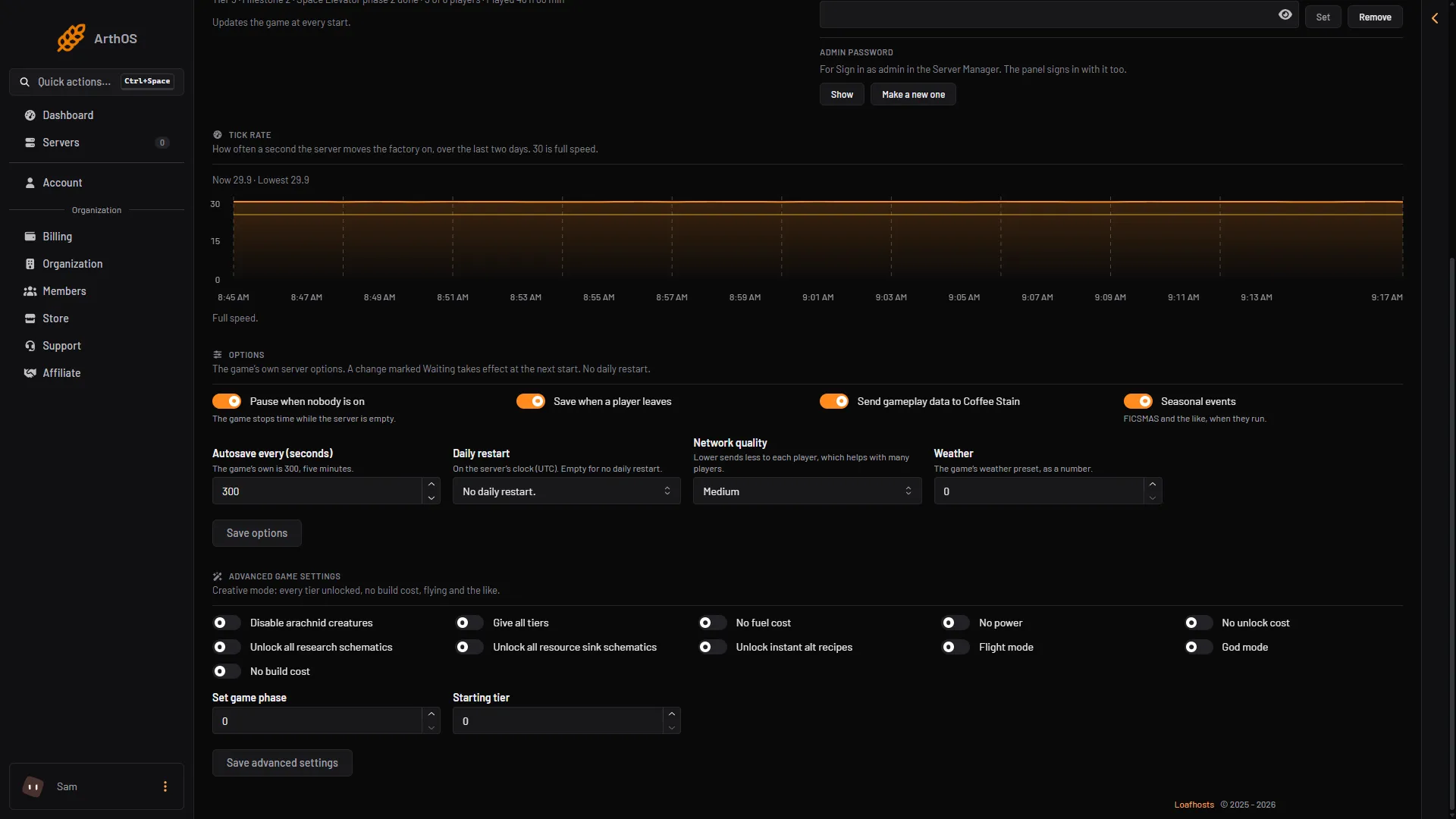
_panel, and writes over the last one. - Autosave more often. On the Server page, under Options, set Autosave every (seconds) (1 in the picture). The game’s own value is 300. Choose Save options (3 in the picture). If the option shows Waiting, it applies at the next start.
- Save when a player leaves. In the same Options, turn on Save when a player leaves (2). Save the options.
- Back up. A panel backup of Satisfactory does not save first. It holds the game as its last save left it, so press Save now first.
- Autosave every (seconds)
- Save when a player leaves
- Save options
If it does not work
- No newer save is in the list. The server went down before the next autosave. Restore a backup from the Settings page, Backups tab, if one is newer. A restore stops the server, drops everyone on it and writes the backup’s files over the current ones.
- Load is missing. The server is stopped or still starting. Choose Start at the top right of the server page and wait until it is ready.
- The save will not load. See a save that will not load.
More about the game: Satisfactory servers.