











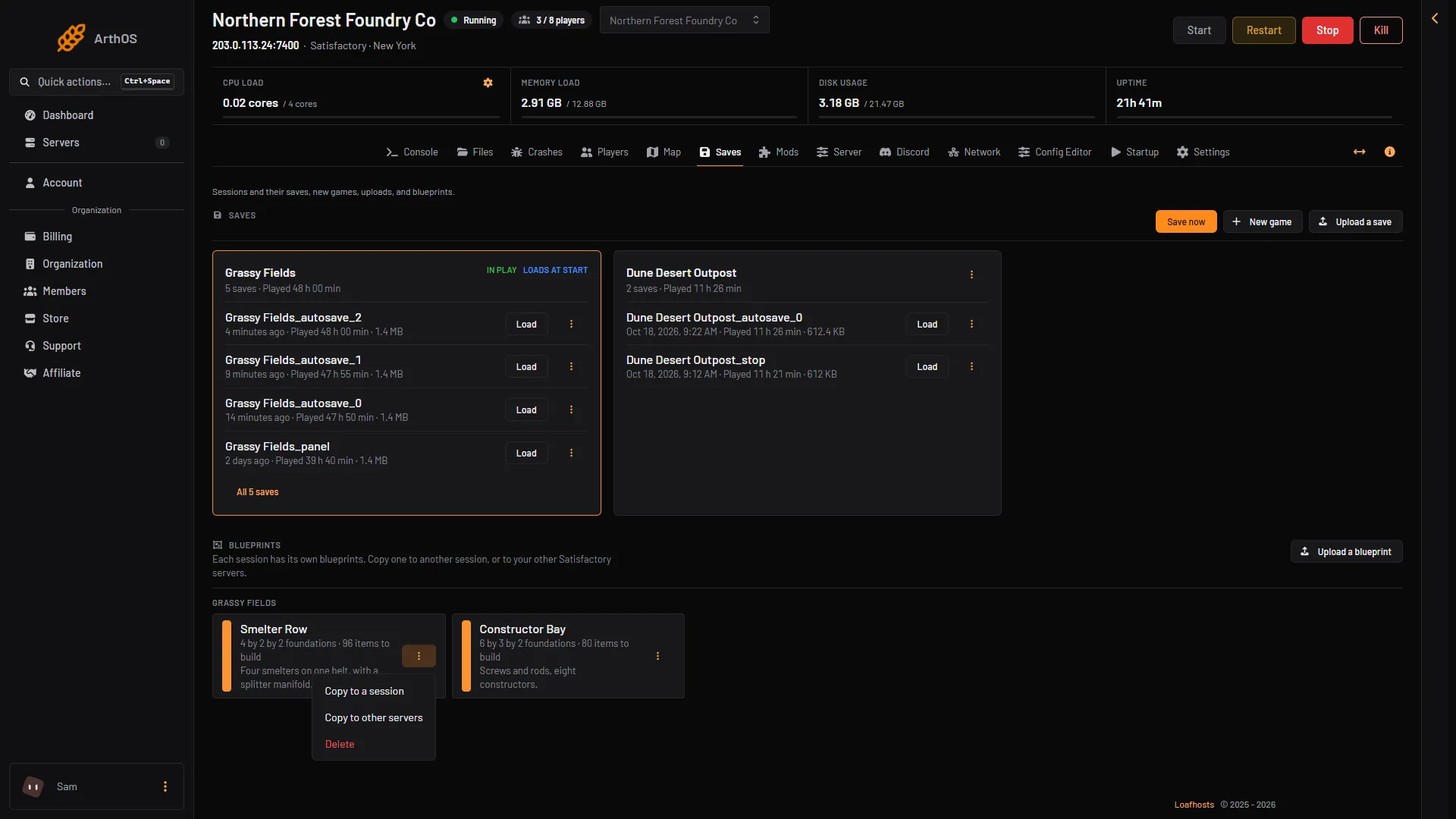
A session is one factory and all its saves. Every session on your server has its own set of blueprints. The Saves page shows them under Blueprints. You can upload a blueprint file, copy it to another session or to your other Satisfactory servers, or delete it. Blueprints themselves are made in the game, with the Blueprint Designer, a building in the game.
What a blueprint is
A blueprint is two files with the same name:
.sbp: the layout of the buildings. This is the one that matters..sbpcfg: the description, the icon and the icon colour. It is optional. Without it the blueprint still works, but it loses its description and icon.
A blueprint belongs to one session. A new game does not start with blueprints from your older games. That is the game’s own rule, not a fault.
See the blueprints on your server
- Open the Saves page.
- Find Blueprints. Each session has its own list.
- Each blueprint shows its size, like
4 by 4 by 3 foundations, anditems to build, the number of items it costs.
- Upload a blueprint
- A blueprint
- Copy to a session
- Copy to other servers
If the list says No blueprints yet, nobody has saved one on this server. Players make them in the game with the Blueprint Designer.
Upload a blueprint
- Find the blueprint files on your PC. Single-player blueprints are in
%LOCALAPPDATA%\FactoryGame\Saved\SaveGames\blueprints, in a folder named after the session. - On the Saves page, choose Upload a blueprint.
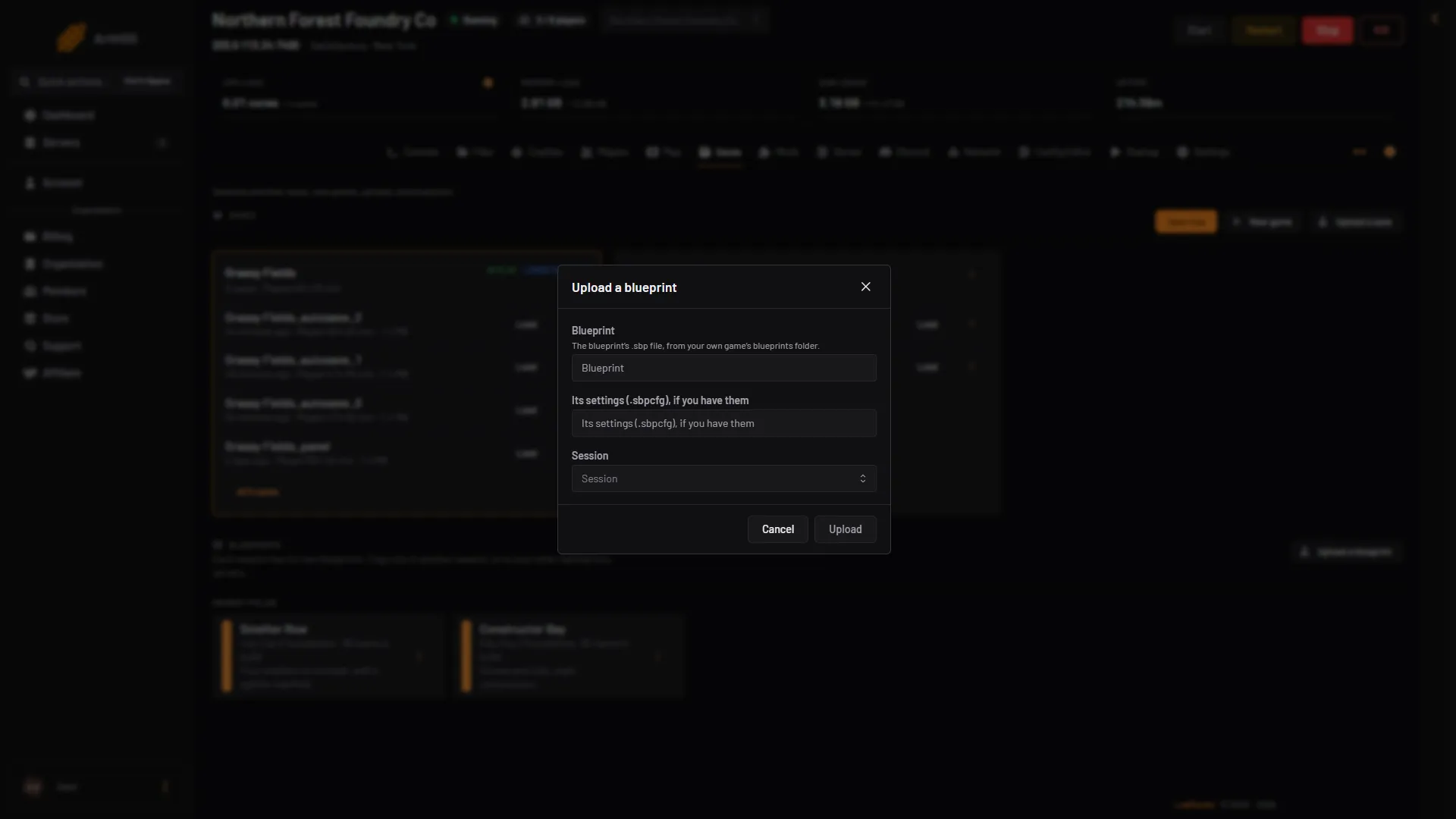
- In Blueprint, pick the
.sbpfile. - In Its settings (.sbpcfg), if you have them, pick the
.sbpcfgfile with the same name. - In Session, choose the session that should get it.
- Choose Upload.
- Blueprint
- Its settings
- Session
- Upload
Then load the session again, or start the game from it. The game reads blueprints when a session loads, and new ones do not show in the build menu until it has.
Copy a blueprint
Open the menu on the blueprint.
- Copy to a session: pick the session in To the session, then choose Copy. Use it to share a blueprint between your worlds.
- Copy to other servers: pick servers in To these servers, then choose Copy. Use it to keep one set of blueprints on all your Satisfactory servers. If you have no other Satisfactory server, the box says You have no other Satisfactory servers.
Delete a blueprint
Choose Delete in the menu on the blueprint, then confirm. The blueprint and its settings are deleted from that session. Other sessions keep their own copies.
Blueprint names
Keep names simple. The wiki warns against names that start or end with a space or a full stop. It also warns against an apostrophe and these characters: < > : " / \ | ? *.
If it does not work
- The upload is refused. Pick a
.sbpfile. A.sbpcfgalone is not a blueprint. - A copied blueprint is missing in the game. Load the session again. The game reads blueprints when a session loads.
- The blueprint has no icon or description. You uploaded only the
.sbp. Upload it again with its.sbpcfg. - Blueprints are missing after a new game. A new session has its own empty list. Copy them in with Copy to a session.
More about saves: where save files are. More about the game: Satisfactory servers.
Sources: satisfactory.wiki.gg: Blueprint, satisfactory.wiki.gg: Dedicated servers