











Use Upload a save on the Saves page to put a .sav file from your own game on the server. Tick Load it once it is on the server to play it at once, or load it later from its row.
Find the file on your PC
The game keeps your saves in %LOCALAPPDATA%\FactoryGame\Saved\SaveGames. Paste that into the address bar of File Explorer. Inside is a folder with your account id, and your .sav files are in it (wiki: Save files). Pick the save you want. The newest has the latest time.
Check two things before you upload:
- The name may only have letters, digits, spaces,
-and_. Rename the file if it has other signs. - The file must be smaller than 512 MB.
Upload it
- Open the Saves page.
- Choose Upload a save.
- In Save file, choose your
.savfile. - Tick Load it once it is on the server if you want to play it now. Leave it empty to only add it.
- Choose Upload. The box shows “Uploading” with a percent.
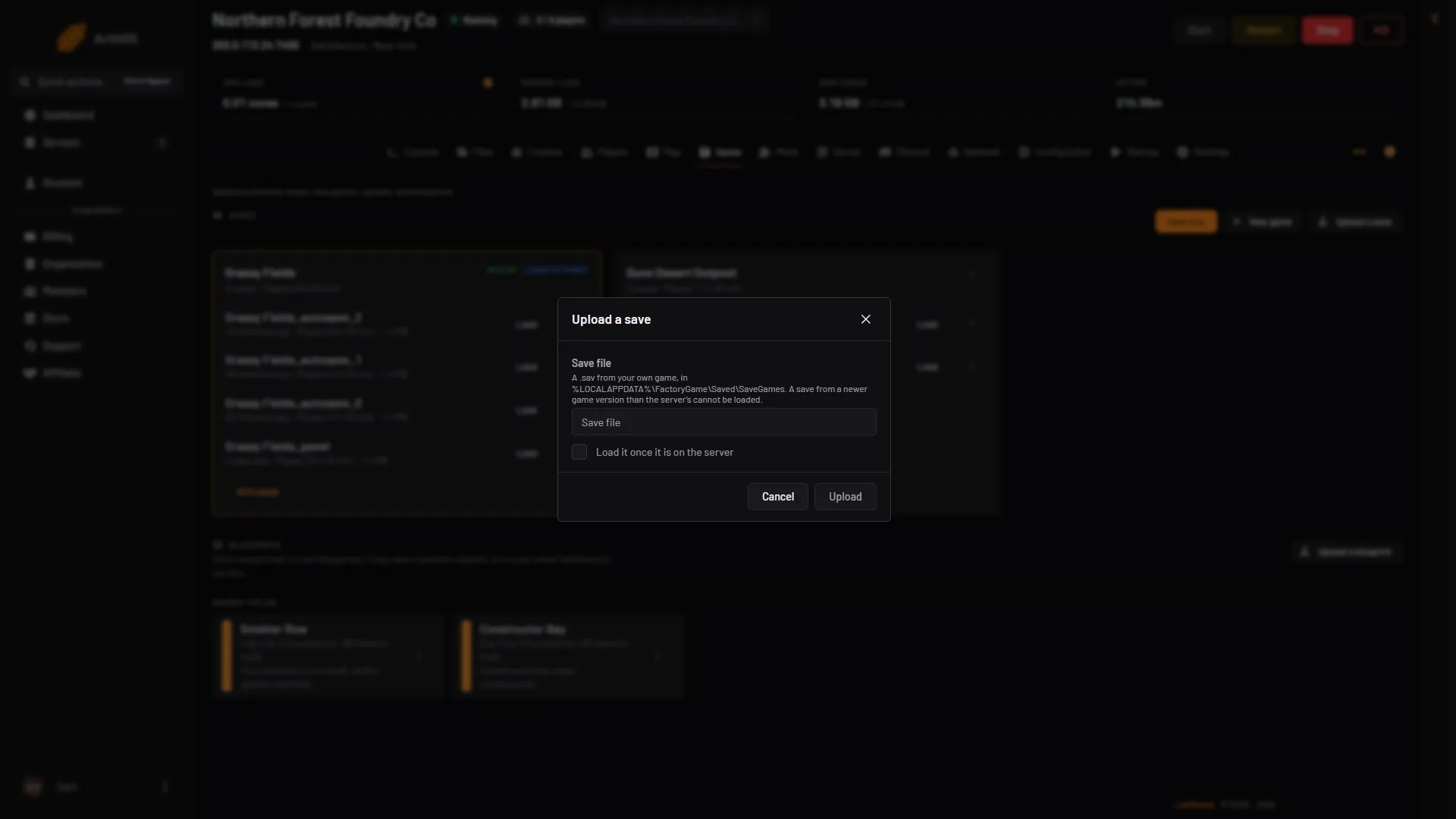
- Save file
- Load it once it is on the server
- Upload
The file first waits in a temporary folder in Files, .arthos/satisfactory-upload. You do not need to touch it. The panel checks the file and then moves it into the server’s saves folder. It must be a real Satisfactory save, and it must not come from a newer game version than the server runs. The session then shows on the Saves page with the play time. A session is one factory and all its saves.
Load it
If you ticked the box, the game in play is saved first, as (session)_panel. That is the same file that Save now with an empty name writes, and it replaces that file. For a rollback point, use Save now with a name of your own before you upload. The server then loads your save. Players go back to the menu while it loads, then join again through the Server Manager, a screen inside the game.
If you did not tick it, find your save on the Saves page and choose Load on its row.
After an upload with load, or a load, check that the session shows Loads at start on the Saves page. If it does not, open the session’s menu and choose Load at start.
A save made with mods shows a Modded tag. Players then need the same mods to join. A creative save shows Creative.
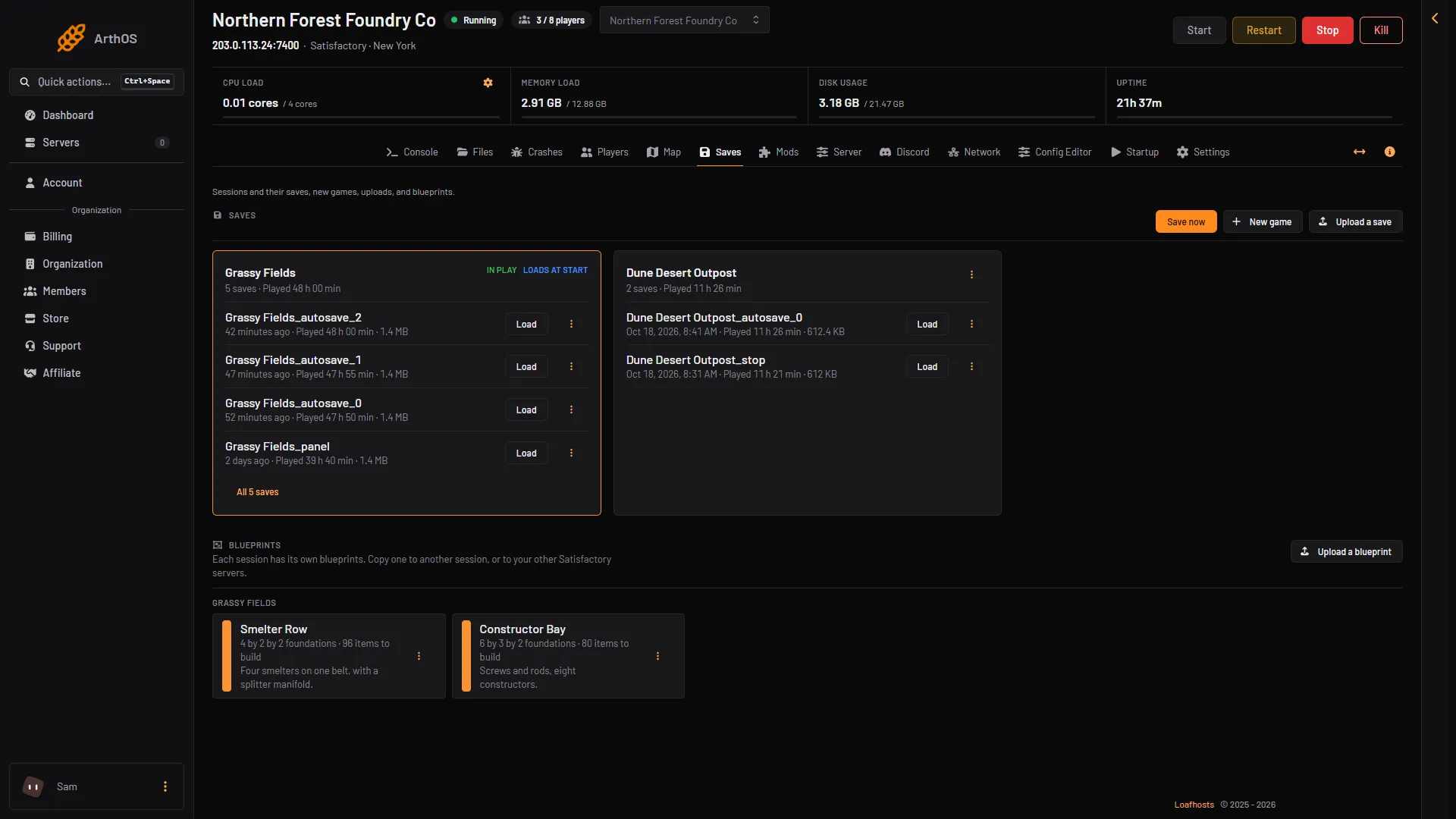
- Upload a save
- Load a save
If it does not work
- “Made with a newer game version”. Your game is newer than the server, for example on the experimental branch. The panel deletes the file again. Update the server, or play on the same version. An older save is fine: the game opens it and updates it.
- “Choose a .sav file.” You picked another kind of file.
- “Rename the file”. The name has signs the panel does not take. Rename it.
- Load is greyed out. The row shows Newer game version. The game cannot load that save.
- Load does nothing. The server must be running with the game answering. The page says so when it is not.
- Players cannot join afterwards. They must use the Server Manager in the game. See connect to a Satisfactory server.
The Server Manager in the game can also upload a save: the wiki describes a Manage Saves tab. More about the game: Satisfactory servers.
Sources: satisfactory.wiki.gg: Save files, satisfactory.wiki.gg: Dedicated servers