











You cannot type commands into the Console on the panel for a Satisfactory server. The game does not read commands from its console. What you want is almost always on the Saves page or the Server page, or in the game’s Server Manager. The Server Manager is a screen inside the game where you add servers and manage them.
Why the Console takes no commands
The Satisfactory dedicated server prints a log and nothing else. A line typed into the panel Console is shown and then ignored. The game only runs commands that come through its own server API, which is what the Server Manager uses. The Console page shows that log.
What to use instead
A session is one factory and all its saves.
| You want to | Use |
|---|---|
| Save the game | Save now on the Saves page |
| Load another save | Load on the save’s row |
| Start a fresh world | New game on the Saves page |
| Change the server name | Name, then Rename, on the Server page. It applies at once. |
| Set or remove the join password | Join password, Set or Remove, on the Server page. It applies at once. |
| Change the autosave time, pause when empty, network quality | Options, then Save options, on the Server page |
| Turn on creative settings | Advanced game settings on the Server page |
| Stop or restart | Stop or Restart at the top right of the server page. The panel saves the game first. |
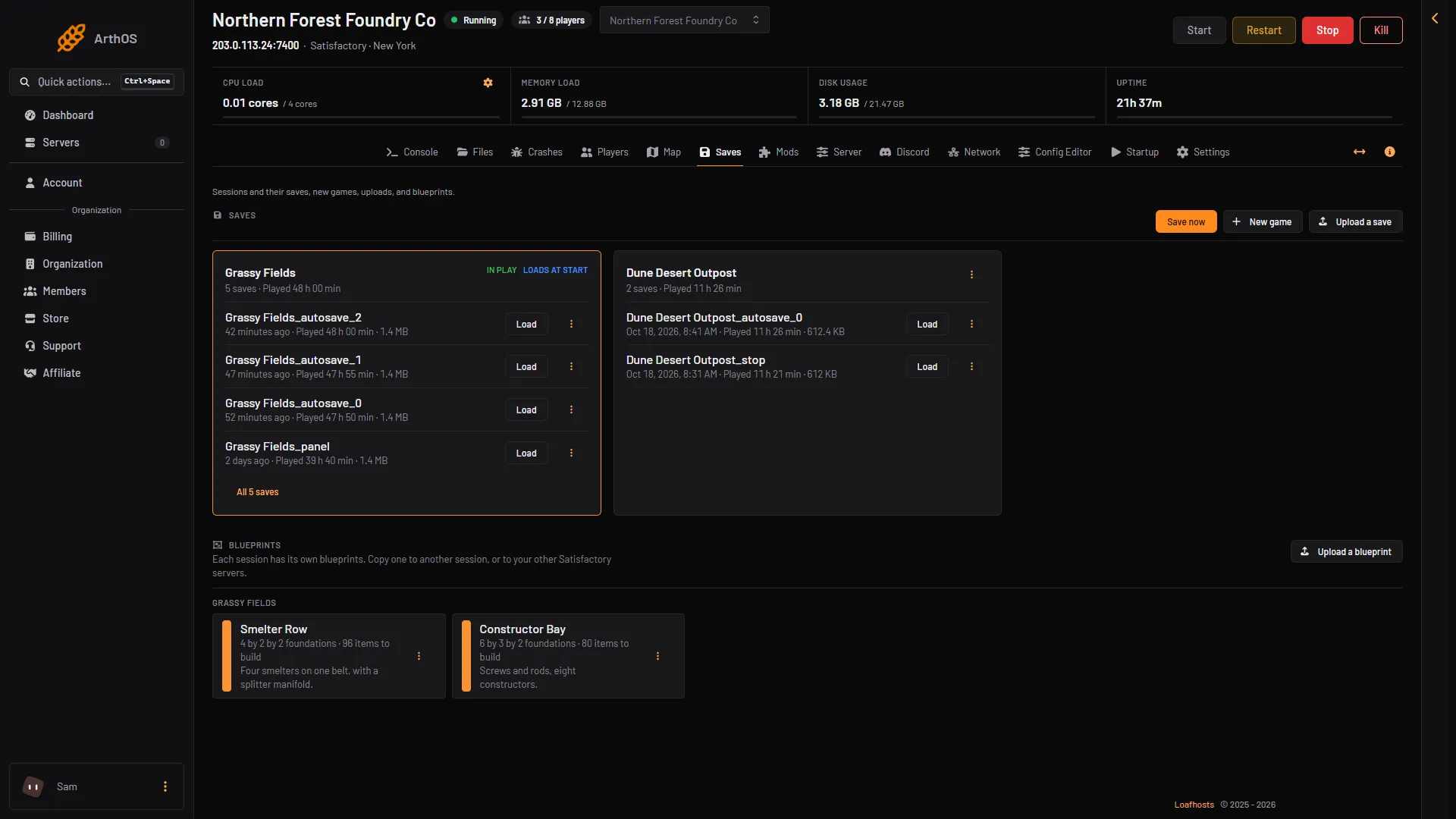
- Save now
- New game
- Upload a save
Save now (box 1) asks for a save name. New game (box 2) and Upload a save (box 3) are beside it.
If you leave the name empty, the panel saves as (session)_panel. That same file is also written by Refresh now on the Map page and by the save before a load, a new game or an upload. Each of these replaces the file. For a save you want to keep as a rollback point, type a name of your own.
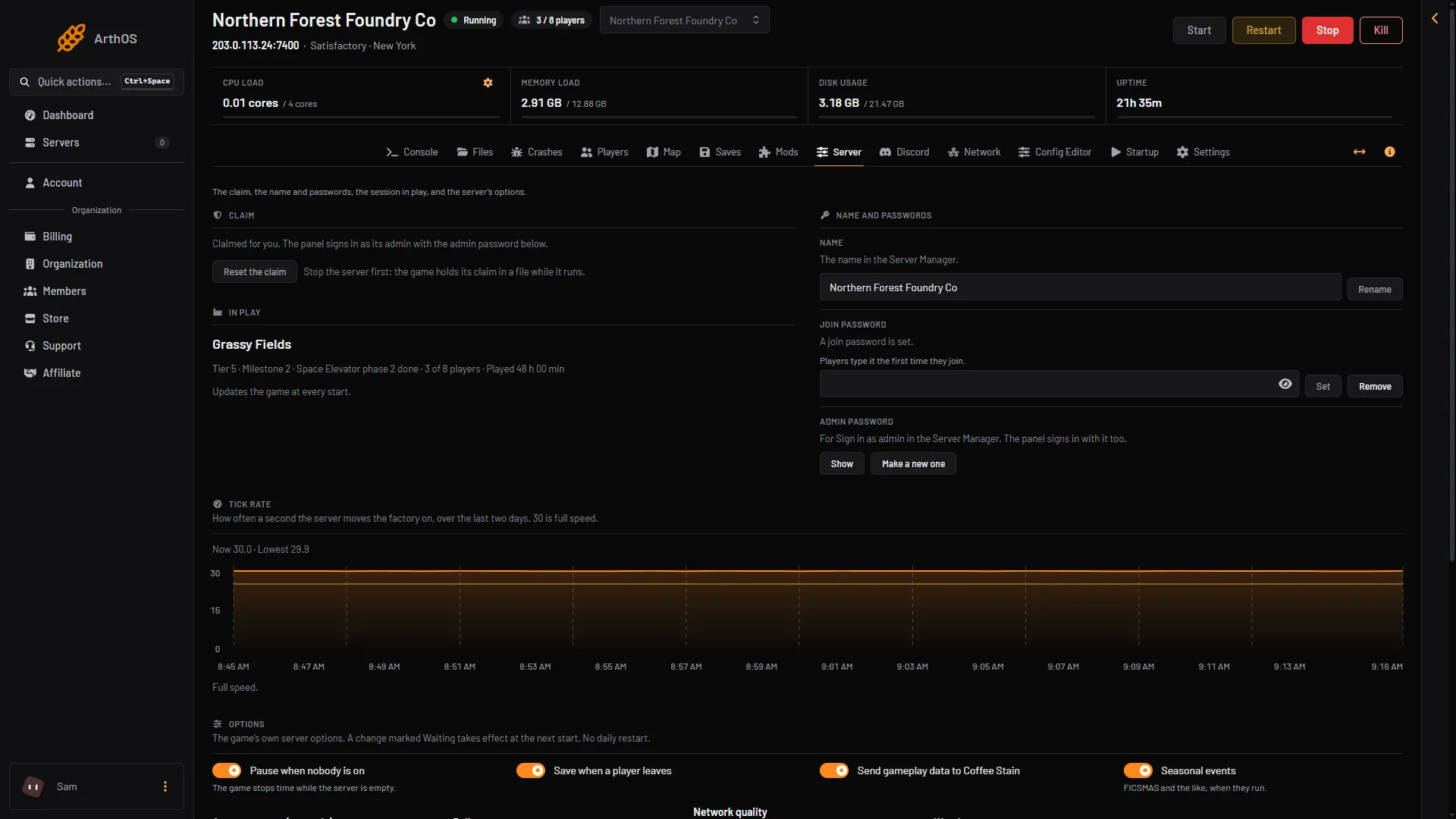
- Rename
To rename, type the new name on the Server page and choose Rename (box 1). A name is 1 to 60 characters, with no quote marks and no backslash. A member’s role must allow changing the startup settings to use the Server page options.
The Server Manager
Not checked on 1.2 as of 27 October 2026: the Console tab of the game’s Server Manager. The official wiki says it runs the server’s admin commands and lists a few, and says the list is incomplete:
server.SaveGame (name)makes a save of the session in play. Use quote marks around a name with spaces.server.GenerateAPITokenmakes a token for the server API. The API is the HTTPS API on the game port (TCP), described on the wiki page for the HTTPS API. Tools that talk to the server use the token.server.InvalidateAPITokenscancels every token made before.
The wiki also lists quit, stop and exit. Do not use them. They shut the server down from inside the game, and the server may start again by itself or be counted as a crash. Stop the server with the panel instead.
To open the Server Manager and sign in as admin, see Satisfactory Server Manager.
The game’s own console
In a game you play yourself, press the section sign, backtick or tilde key to open the debug console. The wiki says it shows debug data and changes some options, and that it cannot be used to cheat. Commands such as Fly, God, GiveItem and Teleport are listed as never working. The wiki does not describe it for a dedicated server, so do not rely on it there.
No kick or ban command
The panel has no kick or ban for Satisfactory, and the game keeps no ban list. An admin can remove a player in the Server Manager. To keep people out, change the join password. See Satisfactory server admin.
If it does not work
- You typed a command and nothing happened. That is expected. Use the pages above or the Server Manager.
- Save now does not work. The server must be running with a game loaded. The page says “Start the server to save, load or start a game.” Start it with Start at the top right of the server page, and start a game on the Saves page if none is loaded.
- The server came back after
quit. The game was shut down from inside. Use Stop at the top right of the server page next time.
More about the game: Satisfactory servers.
Sources: satisfactory.wiki.gg: Dedicated servers, satisfactory.wiki.gg: HTTPS API, satisfactory.wiki.gg: Debug console