











The Console page shows what the Satisfactory server prints, line by line, as it happens. It is a log, not a command line. If you type into the box at the bottom, nothing runs. For what to use instead, see server commands.
What you see
When the server starts, the game prints its startup, then lines about saves, players joining and leaving, and the line Server API listening when it is ready. The panel marks the server as running at that point.
Each line has a time, a source and a level. The game writes lines like this:
[2026.10.25-14.45.45:431][ 0]LogServer: Display: Loading most recent SaveGameFilter and search
Use Filter console to show fewer lines.
- Contains text: shows only lines with that text in them, such as a player name.
- Severity: pick from Fatal, Errors, Warnings, Info, Debug, Trace and Unclassified. Lines with no clear level are Unclassified.
- Source: limit the lines to the source that wrote them.
- Group repeated lines: joins a run of the same message into one line with a count.
- Fold long errors: shows the first line of an error and how many more it has.
Choose Show everything to clear the filters. Filters only change what you see. The server keeps sending every line, and no line is removed. The search button finds text in the lines already on the page, with Previous match and Next match.
The text size buttons change the font. Show Timestamps and Hide Timestamps switch the times on and off. Copy Selection copies the lines you marked.
The log files
The console only holds the latest lines. The full log is a file. Open Files and go to FactoryGame/Saved/Logs.
FactoryGame.logis the log of the start in progress.FactoryGame-backup-(time).logis a log from an earlier start. The game renames the old log at each start, for exampleFactoryGame-backup-2026.10.25-14.44.40.log.
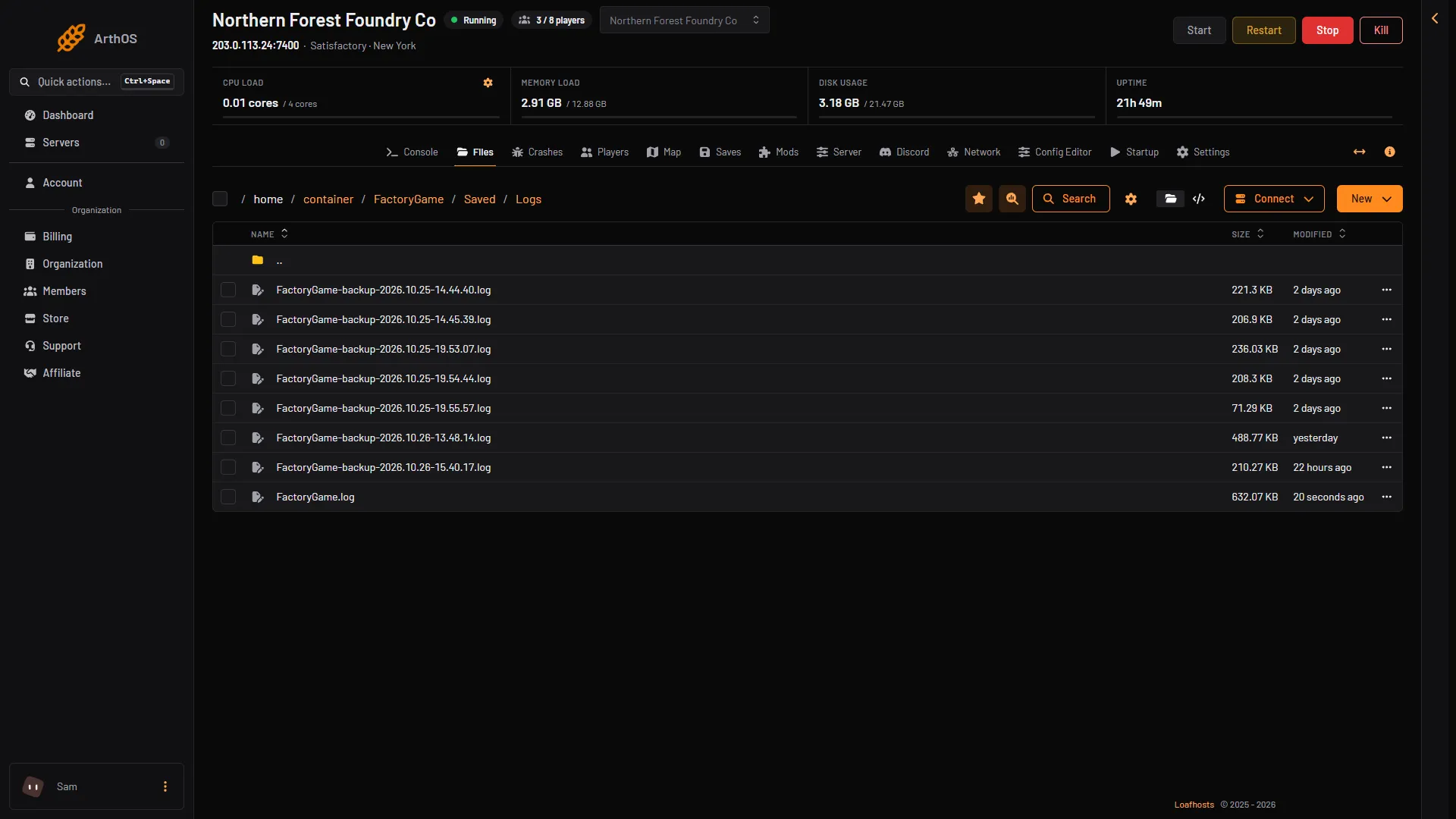
- This start
- Earlier starts
The log of this start (box 1) is FactoryGame.log. The files above it (box 2) are earlier starts. Times in a log are on the server’s own clock. The game keeps up to 15 log files on Linux (wiki).
The Crashes page
The Crashes page reads these logs for you. It lists the newest ten starts of the server on the left. The open start shows what the panel can tell about it, with the line from the log. Last 80 lines shows the game’s errors and warnings and the server’s own lines, and leaves out the routine lines every start prints. Open the page first when the server stops by itself. For more, see Satisfactory server crash.
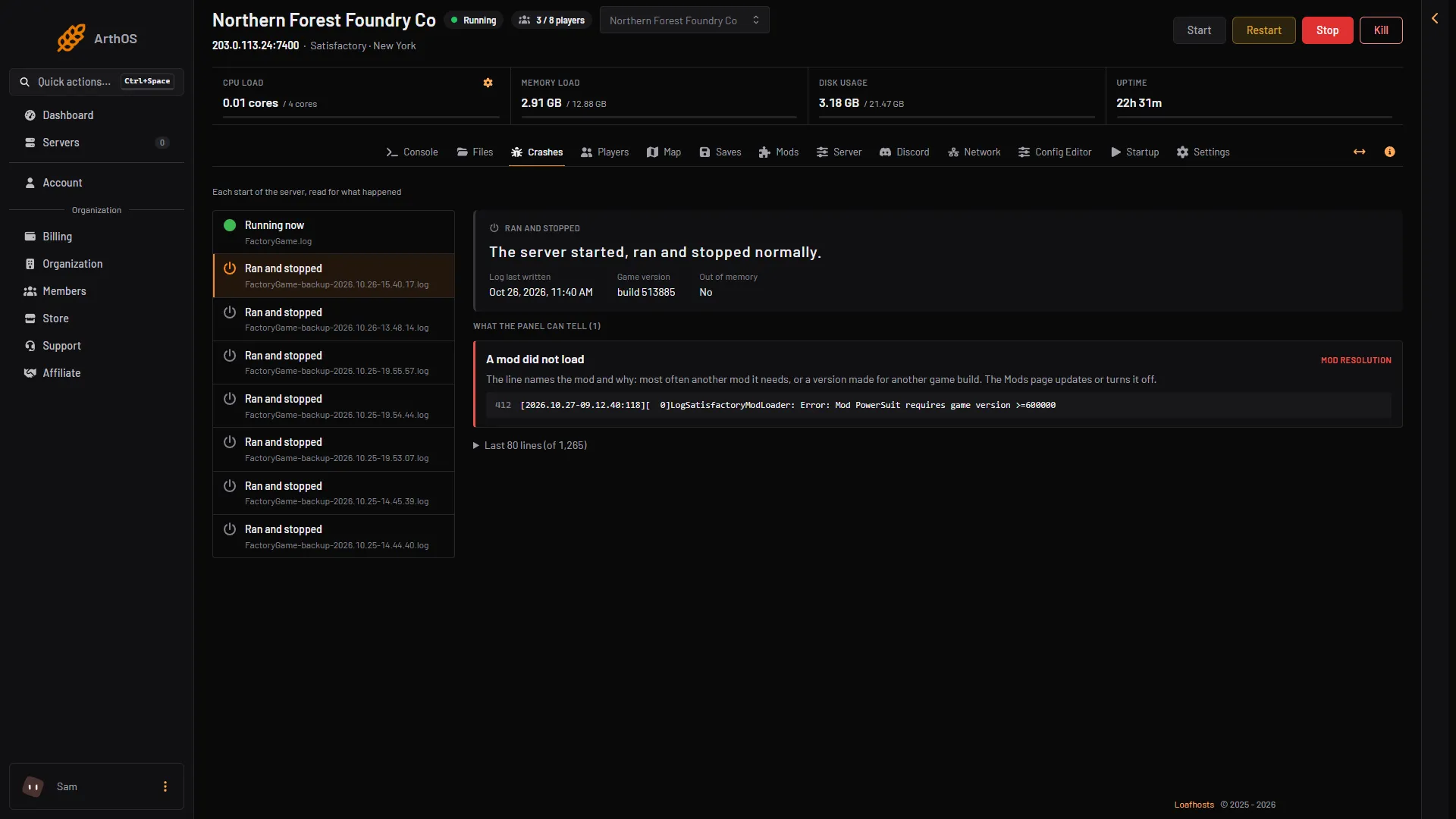
- The start running now
- The finding
- The line from the log
If it does not work
- I typed a command and nothing happened. The game reads no commands from its console.
- The console is empty. The server is stopped or still starting. Choose Start at the top right of the server page and wait a few seconds.
- I cannot find a line from yesterday. The console holds only the latest lines. Open the log file in Files.
More about the game: Satisfactory servers.