











The Satisfactory server writes one log file for every start. The newest is FactoryGame.log. The Crashes page reads these files for you, and Console shows the log live.
The log files
The game keeps its logs in the folder FactoryGame/Saved/Logs.
FactoryGame.logis the log of the start in progress.FactoryGame-backup-(time).logare the logs of earlier starts. An example isFactoryGame-backup-2026.10.25-14.44.40.log.
At each start the game renames the old FactoryGame.log to a backup name and begins a new one. The game’s wiki says it keeps up to 15 log files on Linux.
Read them on the Crashes page
- Open the Crashes page.
- Pick a start from the list. The newest is at the top. The page lists the newest ten starts.
- Read how it ended, such as Ran and stopped, Crashed or Failed to start.
- Under What the panel can tell, read each finding and its fix.
- Open Last 80 lines at the bottom for the plain text.
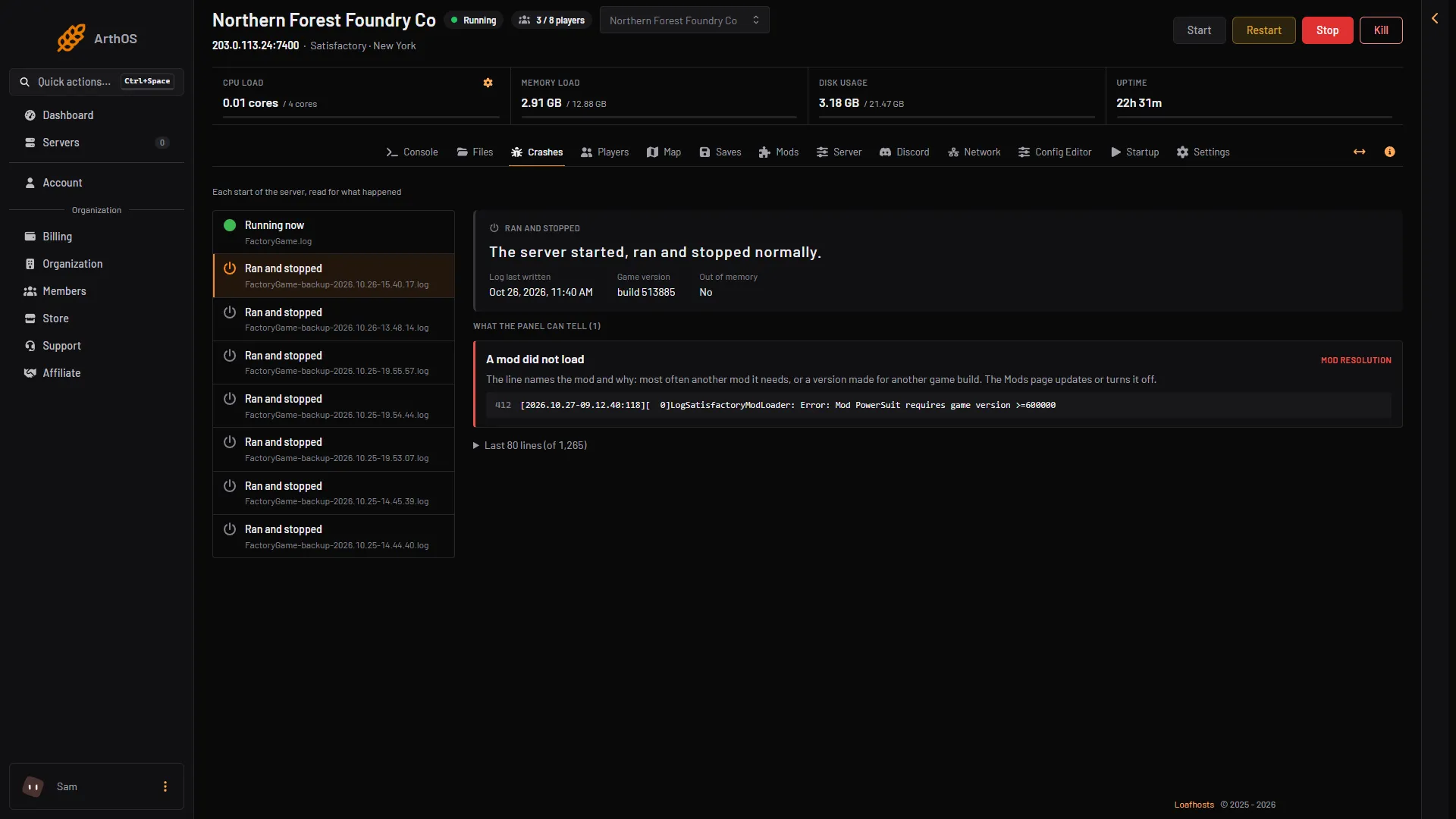
- The start running now
- The start with the finding
- The finding
The last 80 lines show the game’s errors and warnings and the server’s own lines. They leave out the routine lines every start prints. Players’ entry tickets are hidden here.
Watch the log live
Open Console. It shows what the game writes as it runs. Use it to watch a start: the server is ready for players a few seconds after it starts, when the log says Server API listening.
Download a log
- Open Files.
- Go to
FactoryGame, thenSaved, thenLogs. - Open the menu (three dots) on a log file and choose Download.
The file you download is the raw log. It holds players’ join details, so do not post it in public.
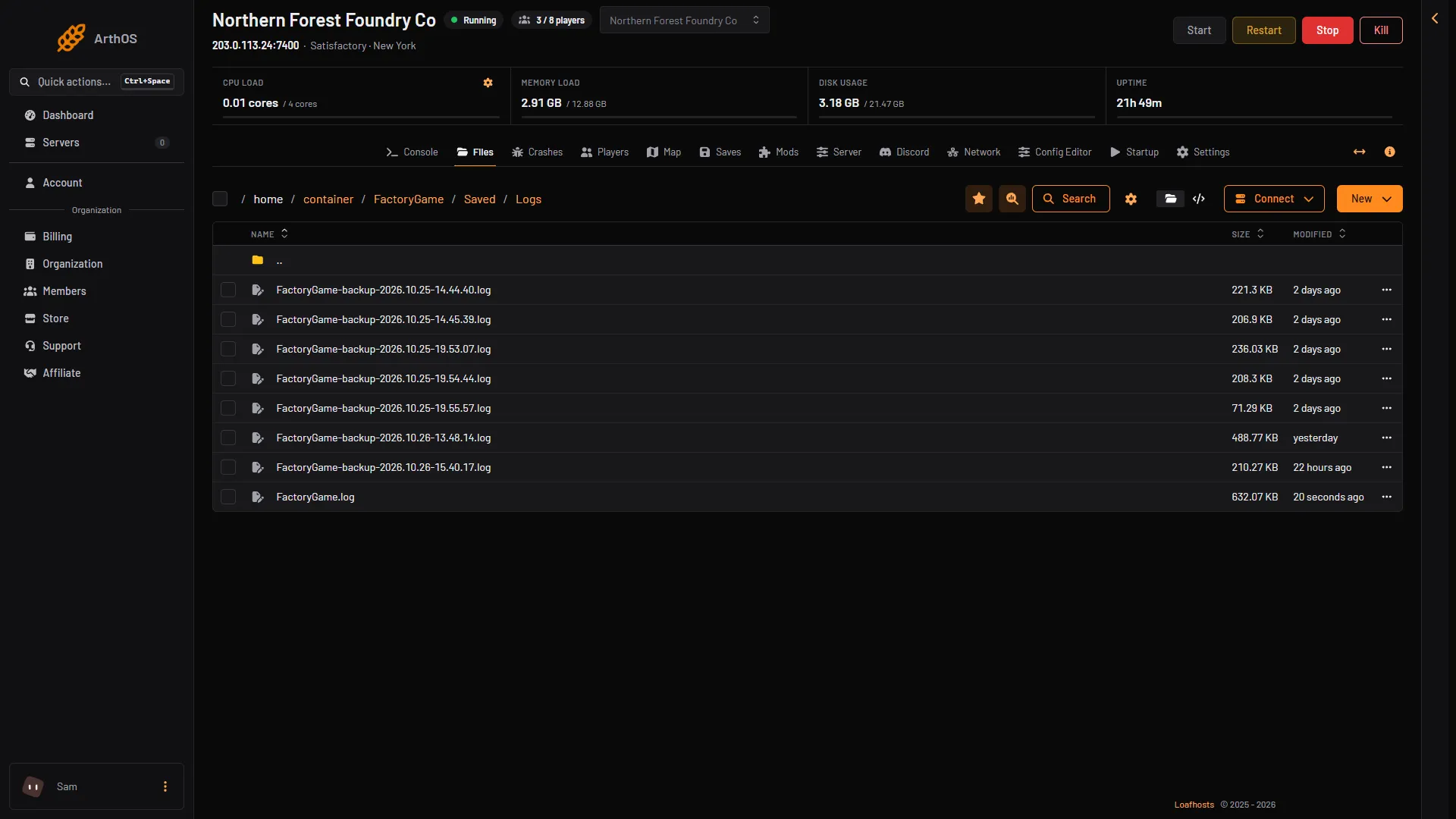
- This start
- Earlier starts
Lines that look bad but are routine
Every start prints a dozen lines marked Error. The Crashes page ignores them. These are routine:
- Lines starting
LogNavigation(the map’s walking paths for creatures). LogCreature: Error: Nav Data.- Lines starting
LogOnlineSchema. LogOnlineServices: Error: [FLobbiesCommon.Could not find user setting with id.Attempt to access option.
Two warnings after the start finish are also harmless, because they come from the Epic Online Store, which the server does not use. The server is then just waiting for players. The game’s wiki lists them, and Last 80 lines can show them, because it keeps warnings:
NAT Detection Failed, unable to resolve host.EOSSDK-LogEOSAnalytics: EOS STA Analytics disabled for route.
If the server runs and players can join, you can leave these alone.
If it does not work
- The Crashes page says nothing has started. The server has not started yet, so there is no log. Choose Start at the top right of the server page.
- Your older log is gone. The game keeps up to 15 log files on Linux, and the Crashes page lists ten starts. Download a log you want to keep.
- A finding names a problem. See server crashes or out of memory.
More about the game: Satisfactory servers.