











Saves and blueprints are under .config/Epic/FactoryGame/Saved/SaveGames. The settings file is FactoryGame/Saved/Config/LinuxServer/Engine.ini. Mods are in FactoryGame/Mods. The log is FactoryGame/Saved/Logs/FactoryGame.log. Open them in Files.
The folders
All paths start at the top of the server’s files.
| What | Where |
|---|---|
| Saves | .config/Epic/FactoryGame/Saved/SaveGames/server |
| Blueprints | .config/Epic/FactoryGame/Saved/SaveGames/blueprints |
| The claim file | .config/Epic/FactoryGame/Saved/SaveGames/ServerSettings.7400.sav (for example; the number is the server’s game port, shown on the Network page) |
| Settings | FactoryGame/Saved/Config/LinuxServer/Engine.ini |
| Mods | FactoryGame/Mods |
| Mod settings | FactoryGame/Configs |
| Logs | FactoryGame/Saved/Logs |
| Crash reports | FactoryGame/Saved/Crashes |
.config starts with a dot, so some programs hide it. On a server you run yourself the folders differ: see where saves are.
What each one holds
- Saves. One
.savfile per save. The game writes a new one at every autosave and keeps a few. The panel adds its own: the panel save(session)_paneland the stop save(session)_stop. A session is one factory and all its saves. See where saves are. - The claim file. It holds the server’s name, its passwords and the session it loads at start. The panel’s Reset the claim button on the Server page empties it.
- Engine.ini. The server’s settings. The Config Editor shows it as Server settings. See the Config Editor.
- Mods and mod settings. Mods you add from the Mods page. A mod’s own settings are small JSON files in
FactoryGame/Configs. - Logs.
FactoryGame.logis the current start. The game renames the one before it toFactoryGame-backup-followed by the date and time. It keeps up to 15 log files. See the server logs.
A server that has run has no Game.ini. The GameUserSettings.ini there is for a player’s graphics, not the server.
Open the files
- Choose Files on the server page.
- Open the folder. Open a text file to edit it.
- For big files, such as a save, choose Connect, then via SFTP. SFTP is a way to copy files to and from the server with a file transfer program. The panel shows the host, the port and the username. Use any SFTP program.
The save folder lists every save the game has written for the session. The newest autosave, the panel save and the stop save sit side by side.
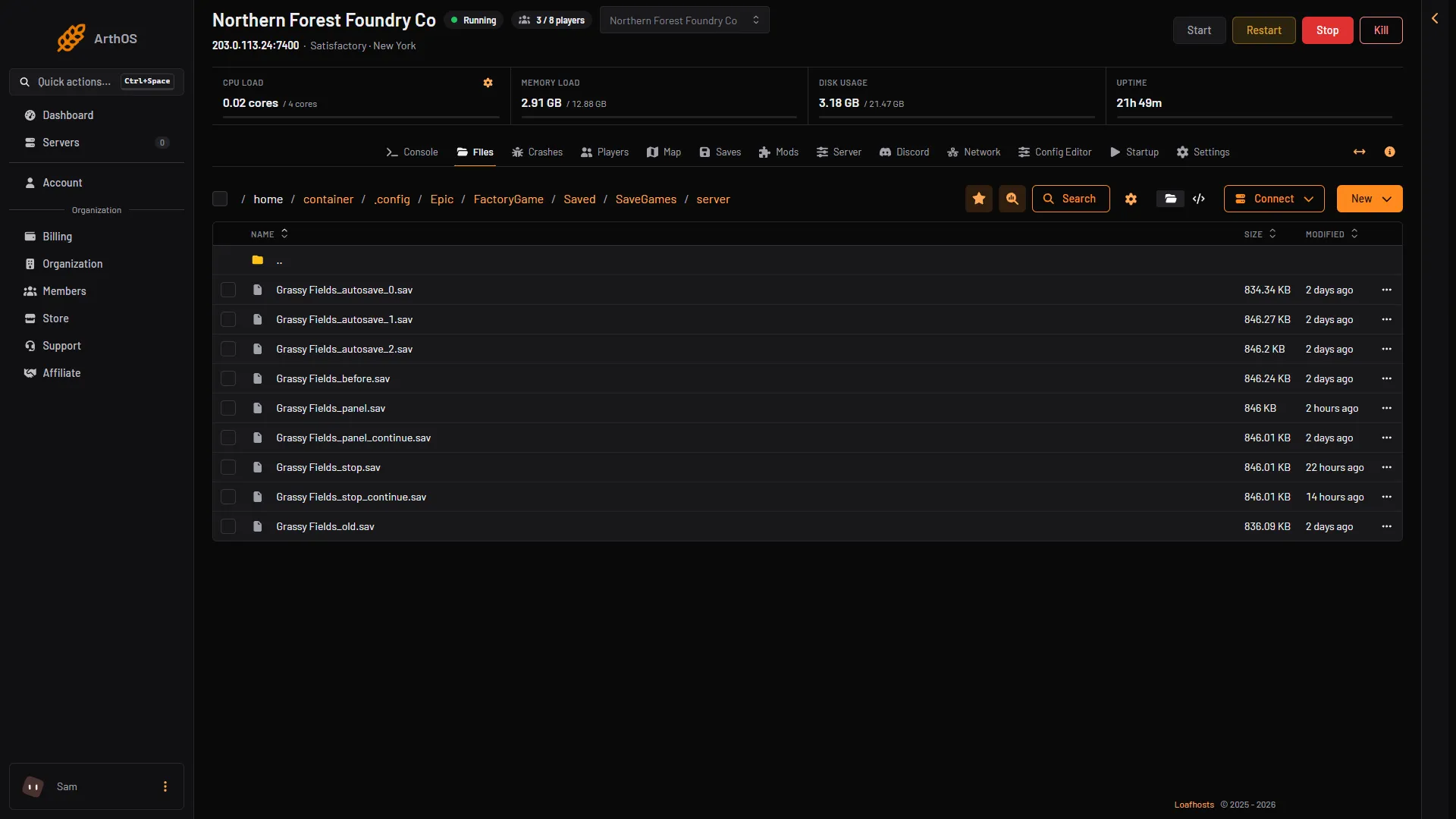
- A save file
The log folder keeps this start’s log and a backup log for each earlier start.
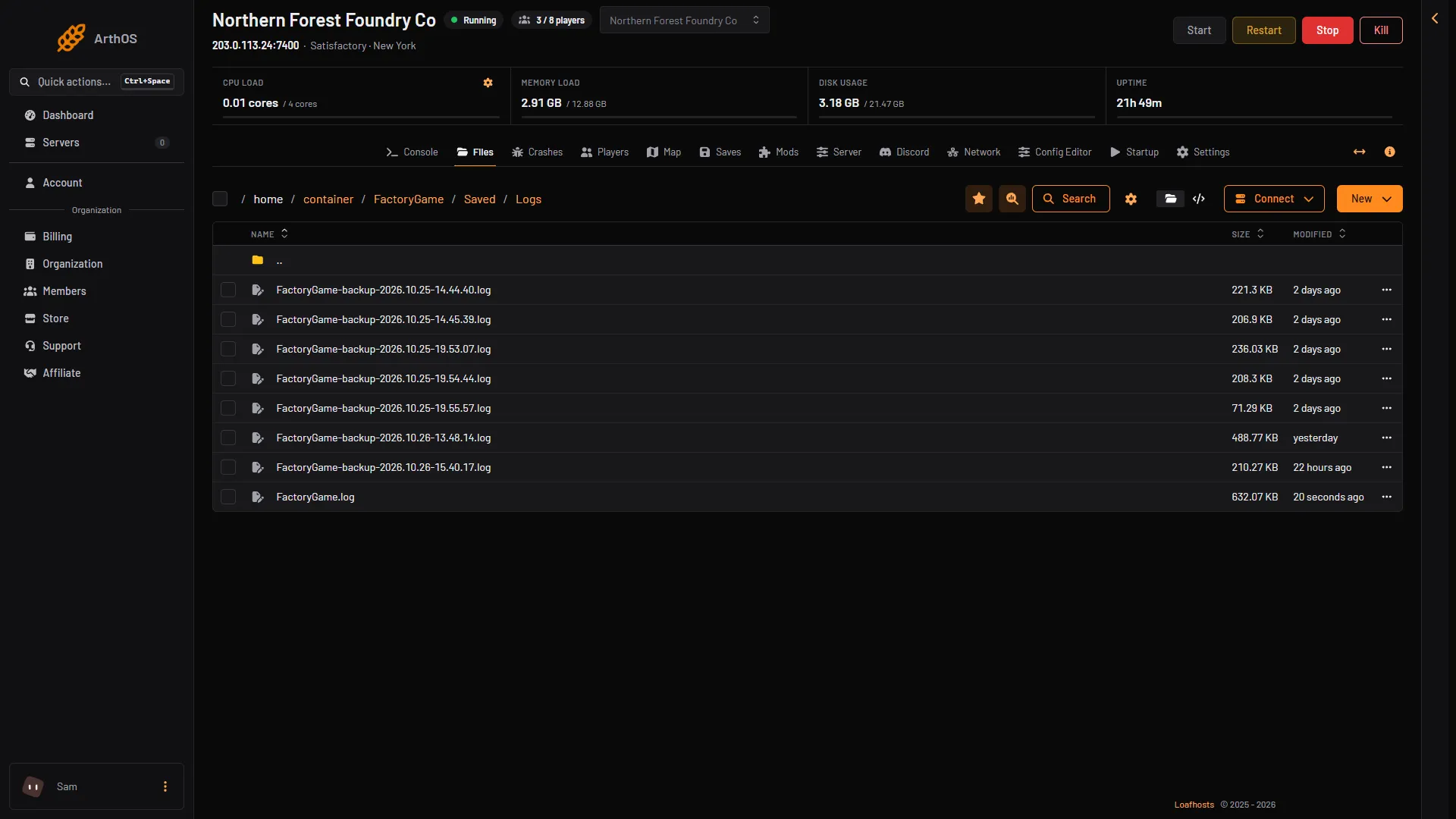
- This start's log
- Logs of earlier starts
What never to edit while it runs
- Engine.ini and the other ini files. The game writes them again when it stops, over anything you changed while it ran. Stop the server first, then edit, then start it.
- Save files. Do not change, rename or delete a
.savfile the game is using. Use the Saves page to load, download, upload or delete saves. To keep a copy, download it from there. - The claim file. Do not edit it by hand. Use Reset the claim on the Server page, with the server stopped.
Every stop and restart from the panel saves first. Before you copy files by hand, choose Save now on the Saves page.
If it does not work
- You cannot find
.config. Hidden folders may be off in your SFTP program. Turn them on. - A change to Engine.ini vanished. You edited while the server ran, or the game stopped and wrote the file again. Edit it stopped.
- There is no
blueprintsfolder. The game makes it only after someone saves a blueprint in the game.
More about the game: Satisfactory servers.