











A player can only join a Satisfactory server that runs the same game version as their own game, on the same branch. A branch is a separate line of game releases: stable or experimental. If a player just updated their game, restart the server so it updates too.
See what the server runs
- Open the Server page.
- Find In play. Under it the panel says one of these:
- “Updates the game at every start.”
- “Updates the game at every start, from the experimental branch.”
- “Game updates are held (the Mods page has the switch).”
- For the exact build, open Crashes. Each start lists its Game version, for example
build 513885. The game’s version 1.2 is build 513885 as of 27 October 2026.
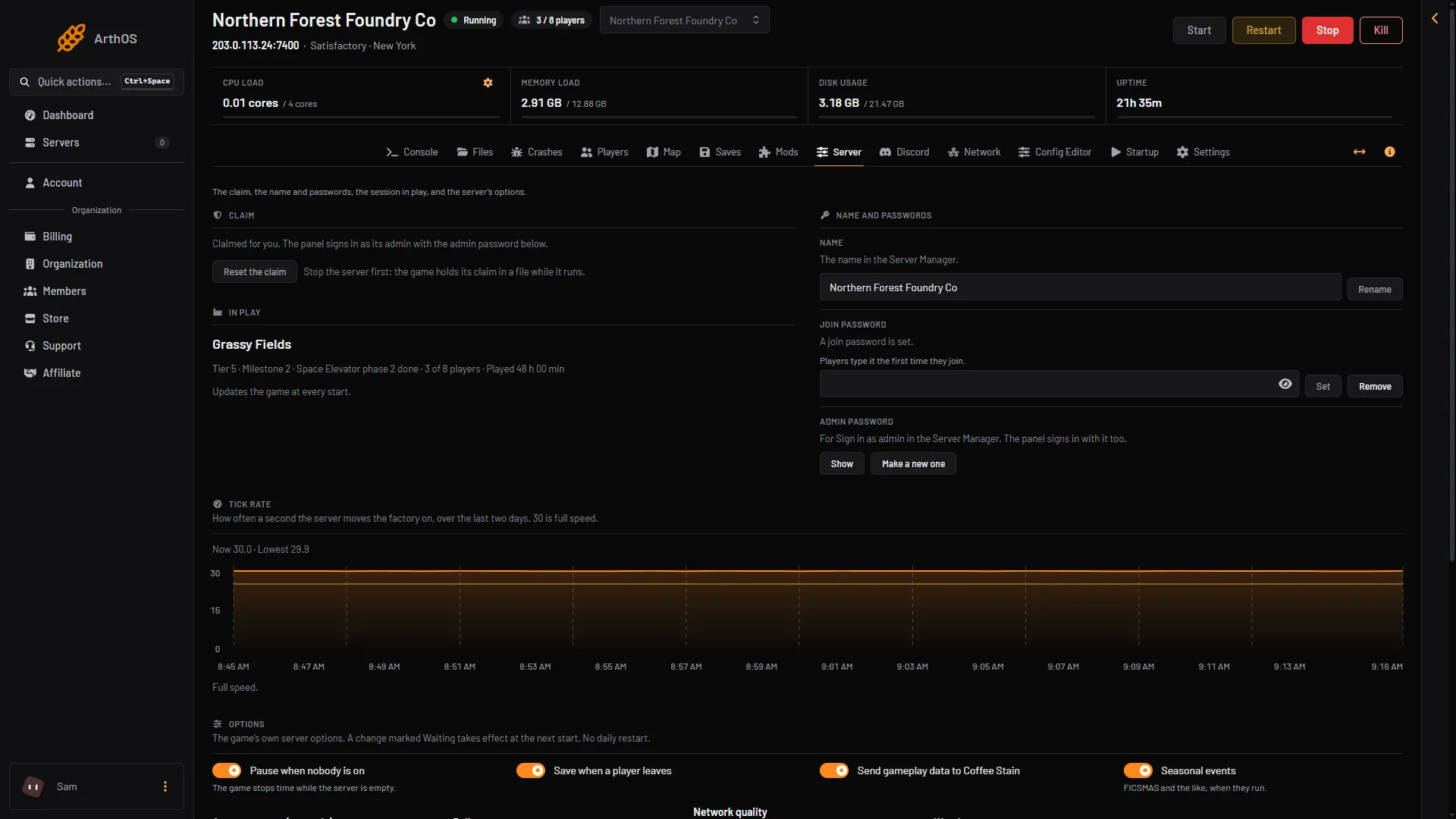
- In play
The server is behind the players
This happens after Coffee Stain Studios releases an update and your players install it first. The server updates when it starts, if Update on start is on.
- Open the Startup page.
- Check that Update on start is on. It is on by default. It checks Steam for a newer server build each time the server starts.
- Choose Restart at the top right of the server page. The panel saves the game first.
- Wait for it to start, then join again.
The update is held on purpose
On a modded server you may hold the update while the mods catch up. Mods often break when the game updates. When the update is held, the Mods page says “The game update is held. Players who updated their game cannot join until the server updates.”
To let the server update again:
- Open the Mods page.
- Choose Update at the next start. It shows whenever an update is held.
- Choose Restart at the top right of the server page.
Hold the update shows only when Steam has a newer version, the server has at least one mod, and your role may change the startup settings. See hold the game update. A server with no mods has no Hold button. To stay on its version, set Update on start to 0 on Startup. Players who updated cannot join until it is 1 again.
The Mods page also tells you when Steam has a newer version: “Steam has a newer version of the game than this server runs. It updates at its next start.”
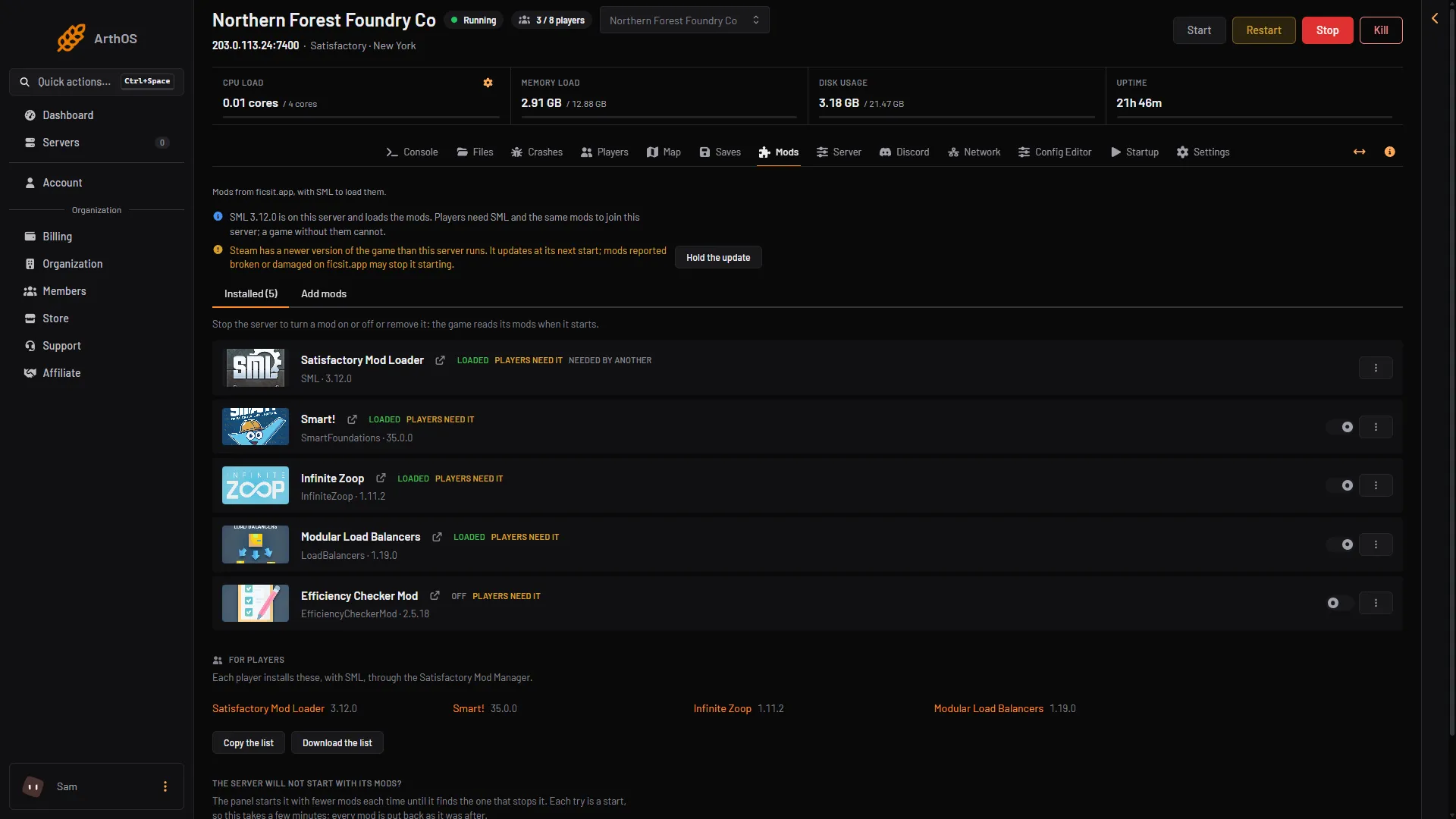
- A newer game version
- Hold the update
Stable or experimental
Experimental is a separate branch. A player on experimental cannot join a stable server, and a player on stable cannot join an experimental one. Both sides must match.
- To change the server, open Startup and choose a value in the Game version list (the picture below). Leave it empty for the current stable version, or choose
experimental. The change takes effect at the next start. - To change a player, the player sets their own game to the same branch. In Steam this is Properties, then Betas, on the game. Not checked on 1.2 as of 27 October 2026: how a player switches branch on Steam and on the Epic Games Store.
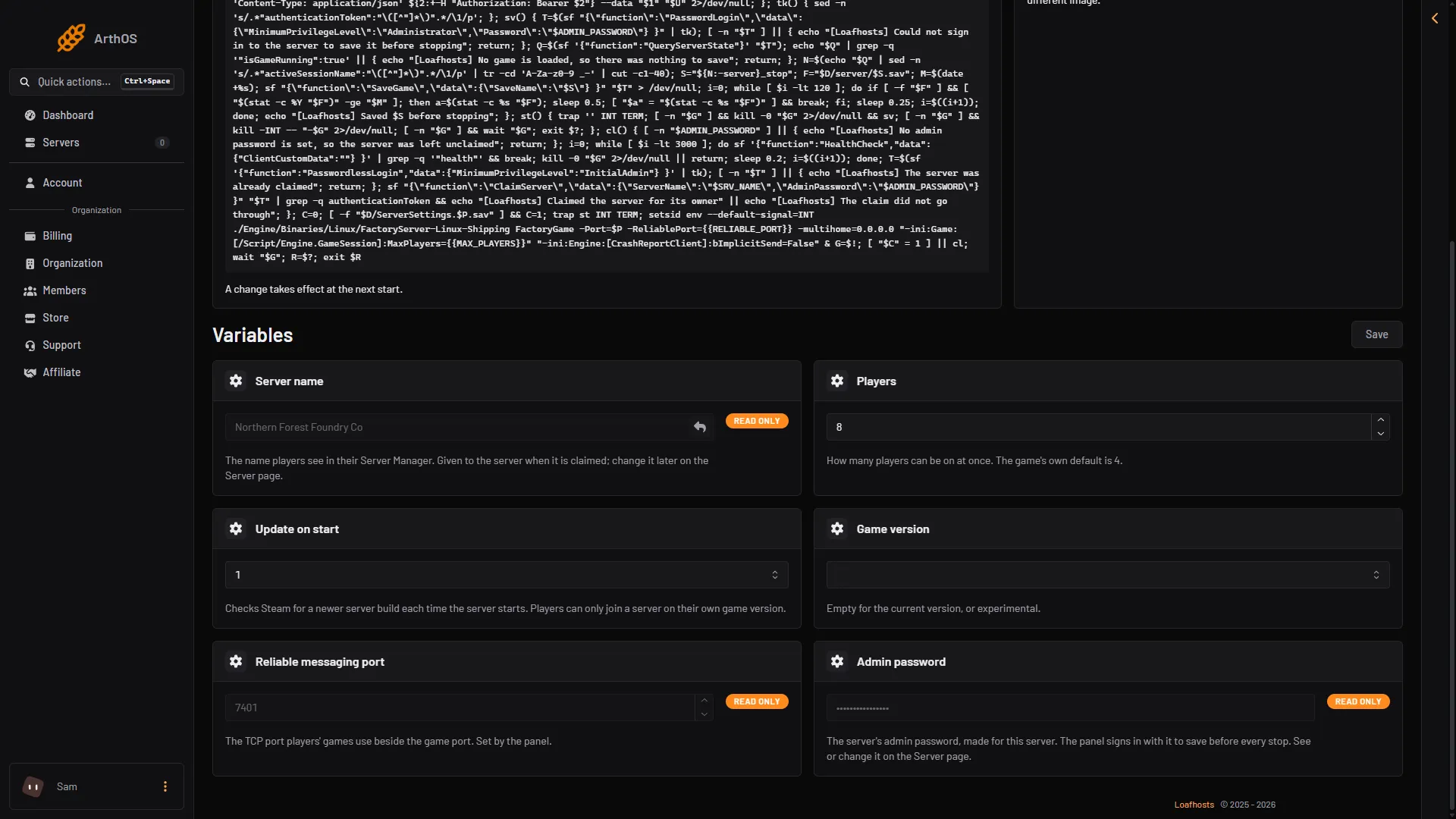
- Update on start
- Game version
A save from a newer game
The Saves page marks a save from a newer game with Newer game version. A save made on a newer version than the server’s cannot be loaded. Update the server first.
If it does not work
- The server did not update. Check that Update on start is on and that the update is not held, then restart.
- Players are on stable and the server is on experimental. Choose the empty entry in Game version to match, then restart.
- The server updated and mods stopped loading. Mods made for an older build may need updating. The Mods page shows what SML, the Satisfactory Mod Loader, said at the last start. A mod with a Reported damaged or Reported broken chip on ficsit.app does not work on the current release. Update when the mods you need no longer carry one of those chips.
Not checked on 1.2 as of 27 October 2026: the exact message the game shows a player on the wrong version.
More about the game: Satisfactory servers.
Sources: satisfactory.wiki.gg: Dedicated servers, satisfactory.wiki.gg: Multiplayer