











Satisfactory has two branches (two versions of the game that are published side by side): the normal release and Experimental, the test build. To run Experimental, choose experimental in the Game version list on the Startup page and restart the server. Every player must be on Experimental too. The wiki says to make sure everyone uses “the same version (Release Version or Experimental Version)” and the same version number.
Put the server on Experimental
- Open the Startup page.
- Find Game version. It is a list with two entries: empty, which means the current normal release, and
experimental. A new server has it empty. - Choose
experimental(1) and choose Save (2). - Restart the server: choose Restart at the top right of the server page.
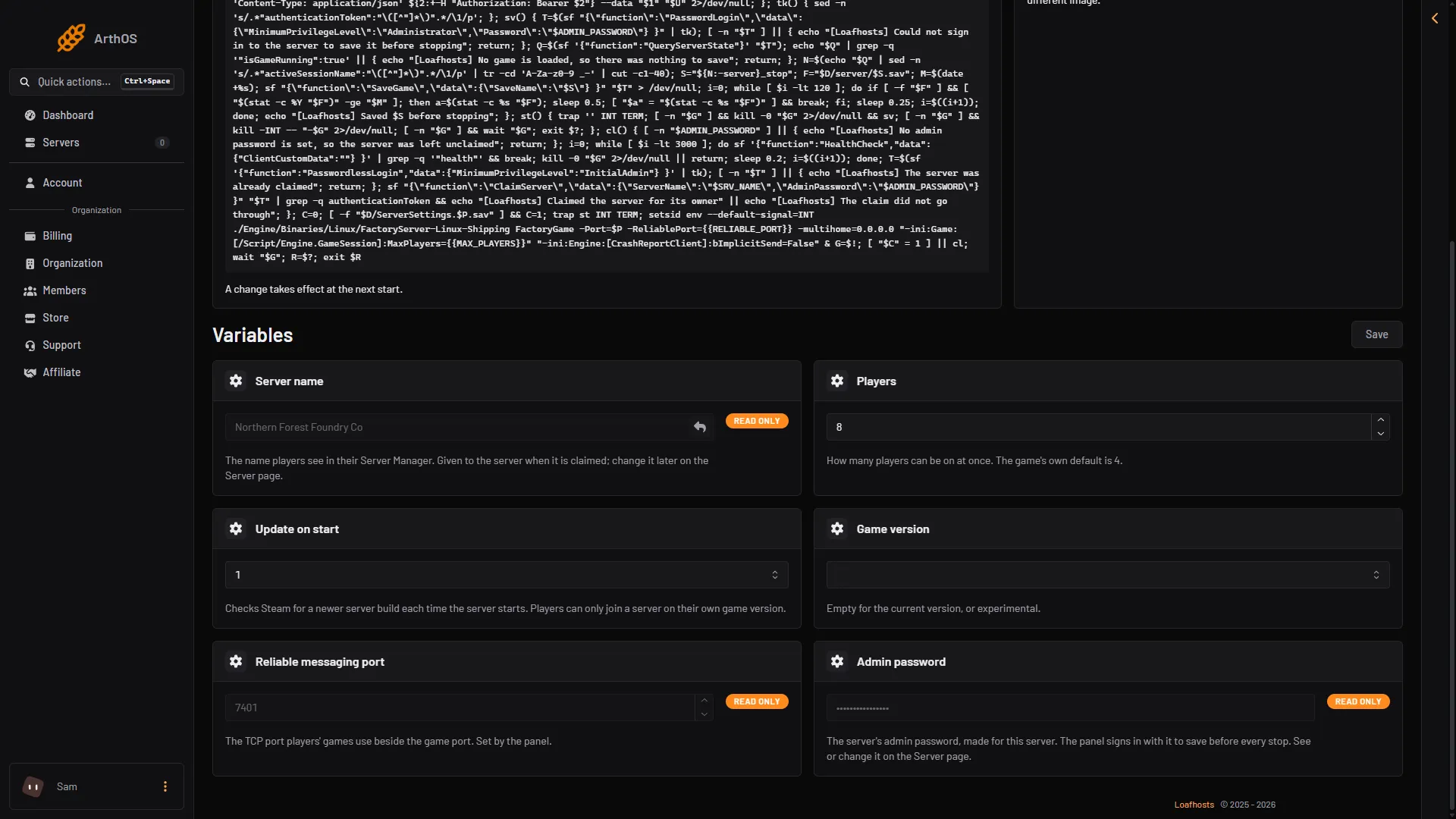
- Choose Game version
- Save
The change takes effect at the next start. The server then downloads the Experimental build before it runs. Keep Update on start switched on (it is on by default) so the server checks Steam at every start. The first start after the change is slower than usual because of the download.
Tell your players
Your players must switch their game to Experimental before they can join. For the server tool, the wiki describes it like this: in Steam, open Properties, go to Betas, and choose the Experimental branch. Not checked on 1.2 as of 27 October 2026: how a player switches the game itself on Steam and on the Epic Games Store.
A player on a different branch or build than the server cannot join. See version mismatch.
Things to know
- Experimental is a test build. It can have new bugs.
- The wiki notes that Steam or Epic cloud sync may show a notice when a player switches the game between Experimental and normal.
- A save made on a newer game build may not load on an older one. The panel refuses an upload of a save from a newer build than the server’s. See upload a save.
- Take a backup before you switch. Choose Save now on the Saves page first, because a panel backup holds the game as its last save left it.
Go back to the normal release
- Open Startup.
- Choose the empty entry in Game version and save.
- Restart the server.
The server then installs the normal build at the start. Players switch their game back to the normal branch.
The wiki warns that Steam remembers a branch that is simply left out. The panel therefore tells Steam to use the normal release (public) whenever Game version is empty, so the restart moves the server back.
By hand
If you run the server yourself with SteamCMD (Valve’s command line tool), the wiki gives these forms. Not checked on 1.2 as of 27 October 2026: either line.
steamcmd +force_install_dir ~/SatisfactoryDedicatedServer +login anonymous +app_update 1690800 -beta experimental validate +quit
steamcmd +force_install_dir ~/SatisfactoryDedicatedServer +login anonymous +app_update 1690800 -beta public validate +quit
The first installs Experimental. The second goes back to the normal release.
If it does not work
- Players cannot join after the switch. Their game is on the other branch. Make every player use the same branch as the server.
- The server still shows the old build. It did not restart, or Update on start is off. Turn it on and restart.
- Mods stopped loading. A mod built for the normal release may not fit an Experimental build. Check the mod’s page on ficsit.app.
More about the game: Satisfactory servers. To update a server on its current branch, see update a Satisfactory server.
Sources: satisfactory.wiki.gg: Dedicated servers, satisfactory.wiki.gg: Multiplayer, satisfactory.wiki.gg: Save files