











Claiming a Satisfactory server means one person becomes its owner by setting its name and admin password. On Loafhosts you do not have to do this. Your server claims itself at its first start, so nobody else can claim it.
What claiming is
The game’s wiki says a new server must be claimed before it can start a game. On a server you run yourself, the first player to reach it opens the Server Manager (a screen in the game), adds the server, sets a name and sets the admin password. Whoever does that first owns it.
That is a risk on a public address. Until it is claimed, a stranger who finds the address could do it. On Loafhosts the server claims itself at its first start, with an admin password the panel made. See the admin password.
See the claim
- The server must be running to see this card. If it is stopped, choose Start at the top right of the server page.
- Open the Server page.
- Look at the Claim card (box 1 in the picture).
It says “Claimed for you. The panel signs in as its admin with the admin password below.” That is the normal state.
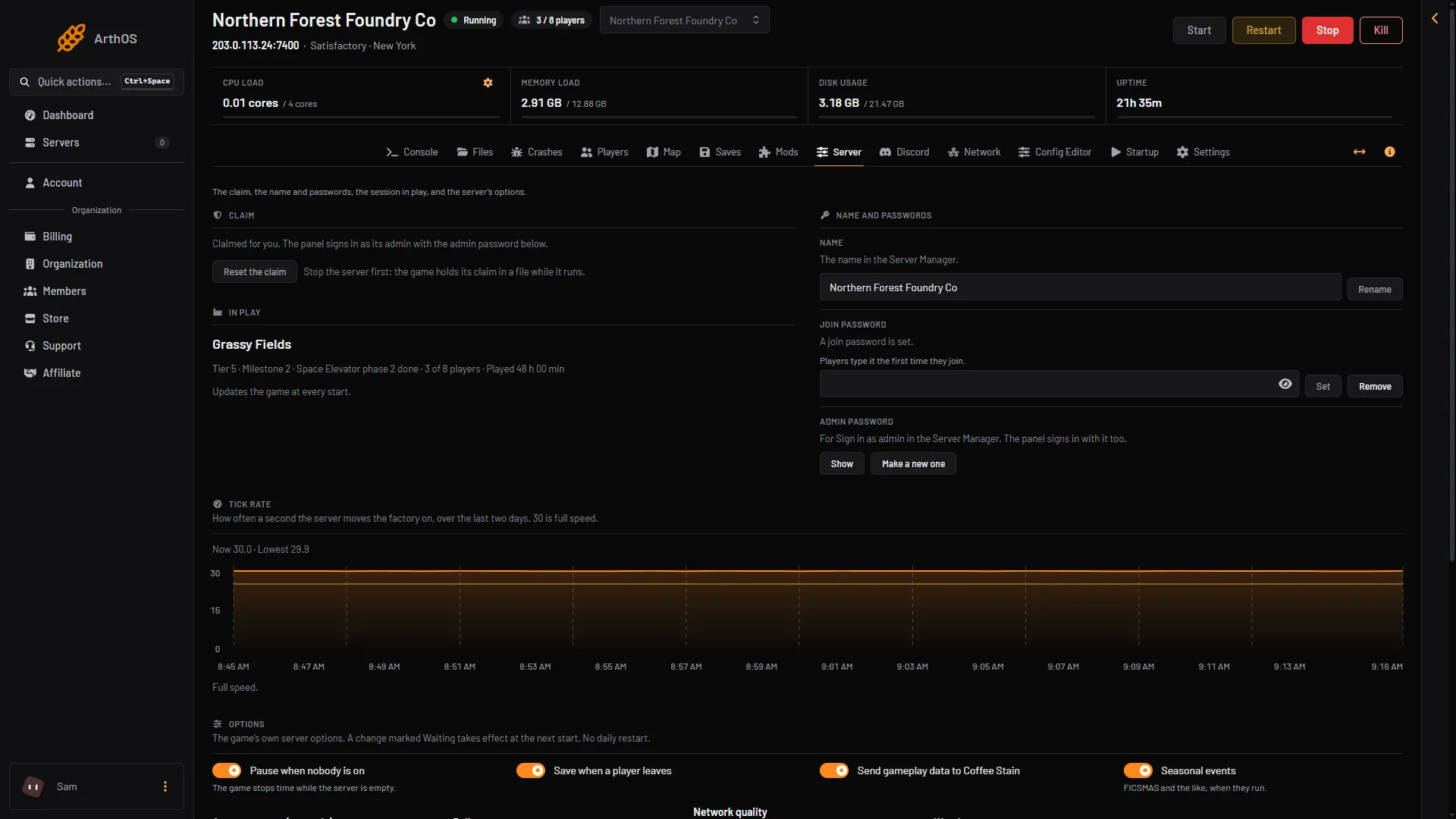
- The claim
- Reset the claim
In the picture the server is running, so Reset the claim (box 2) is greyed out and the card says to stop the server first.
If the server is stopped, the card says “The panel cannot tell while the server is stopped.”
If the card says nobody has claimed it
An older server may say: “Nobody has claimed this server yet, so whoever reaches it first could. The server claims itself for you at its next start.”
While the server is running, the card also shows Claim it now. Choose it and the server is claimed with the admin password on the page.
Reset the claim
Reset the claim only if you want to wipe the claim and set the server up again. Stop the server first. The game holds its claim in a file while it runs, so the panel refuses while the server is up.
- Choose Stop at the top right of the server page.
- Open the Server page, then the Claim card.
- Choose Reset the claim.
- Read the box titled “Reset the claim?” and confirm.
The box says: the game forgets its claim, its join and admin passwords, its options and the session it loads at start. A session is one factory and all its saves. At its next start the server claims itself again with the admin password on the page, then waits for a save to be loaded on the Saves page. Saves are kept.
So after a reset, start the server and load a save on the Saves page. Then check that the session shows Loads at start. If it does not, open the session’s menu and choose Load at start. The join password is gone too, so set it again if you want one. See set a join password.
The certificate card
The card can also say the server shows a certificate the panel has not met before, so the panel stopped talking to it. That happens after the claim is reset or the server’s settings file is replaced. If you did that, choose Trust the new certificate. If you did not, leave it alone and check who changed the server.
If it does not work
- Reset the claim does not work. The server is running: the card says “Stop the server first: the game holds its claim in a file while it runs.” Stop it, then try again.
- The panel cannot sign in. The admin password was changed in the game. See the admin password.