






A warning is a private message to one player. Only they see it, in the middle of their screen. It does not remove them from the server. Send one from the Players page, or let the Teamkill warning send one by itself.
In the ArthOS panel
Warn one player
- Start the server and open Players.
- Choose Warn on the player’s row.
- In Message (the box in the picture below), write the warning. It can be up to 200 characters.
- Send it. The dialog says it is “Shown only to them, in the middle of their screen.”
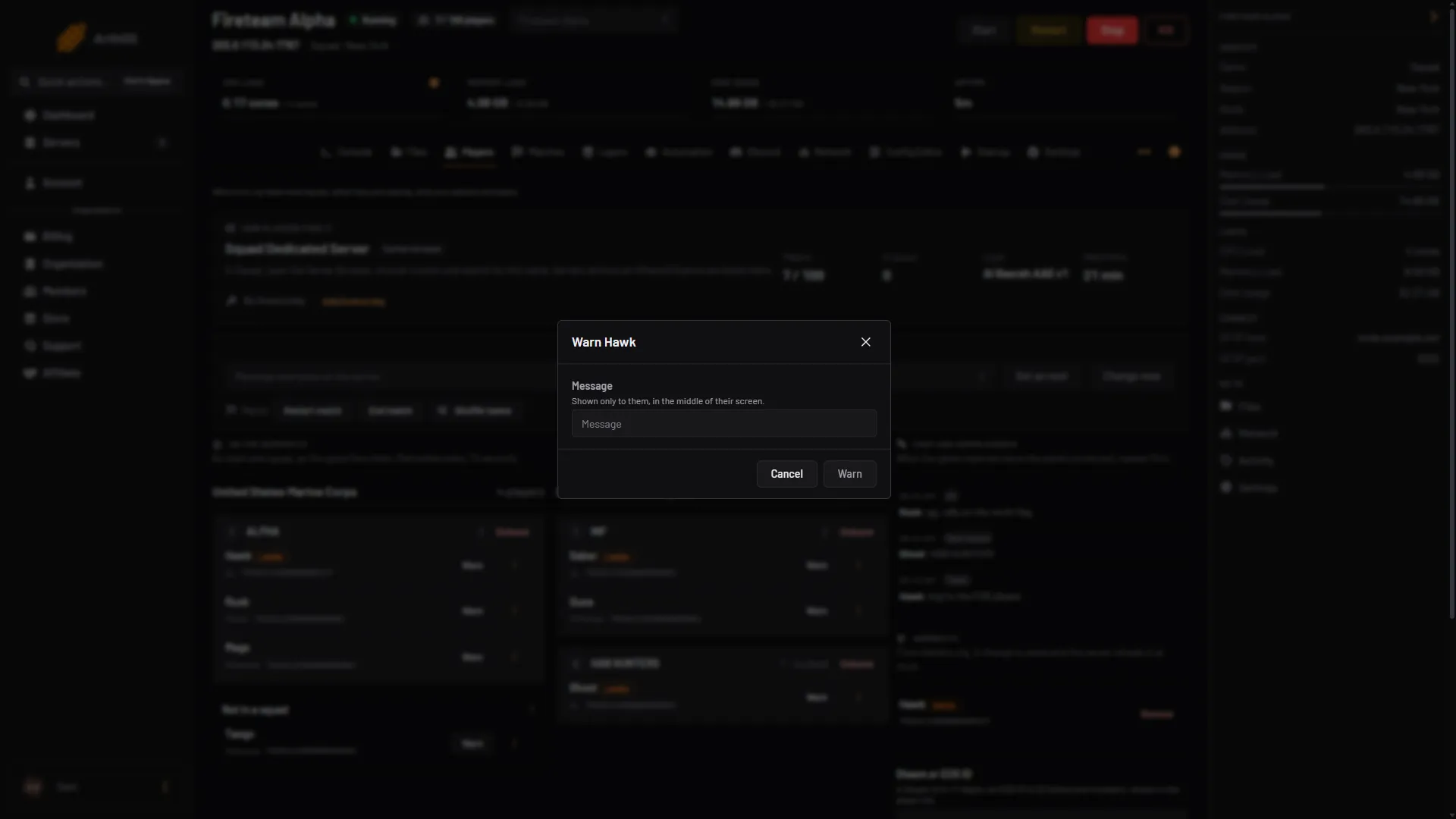
- Type the warning
The warning needs a message. You need permission to moderate players.
To speak to everyone instead, use Message everyone on the same page.
Warn teamkillers automatically
The panel can warn whoever teamkills, the moment it happens. It is off until you turn it on.
- Open Automation.
- Find Teamkill warning (box 1 in the picture below). Turn it on.
- Edit Warning. The panel starts with: “You just teamkilled a player. Please apologise in all chat.”
- Choose Save (box 2) at the top of the page. It applies within a minute.
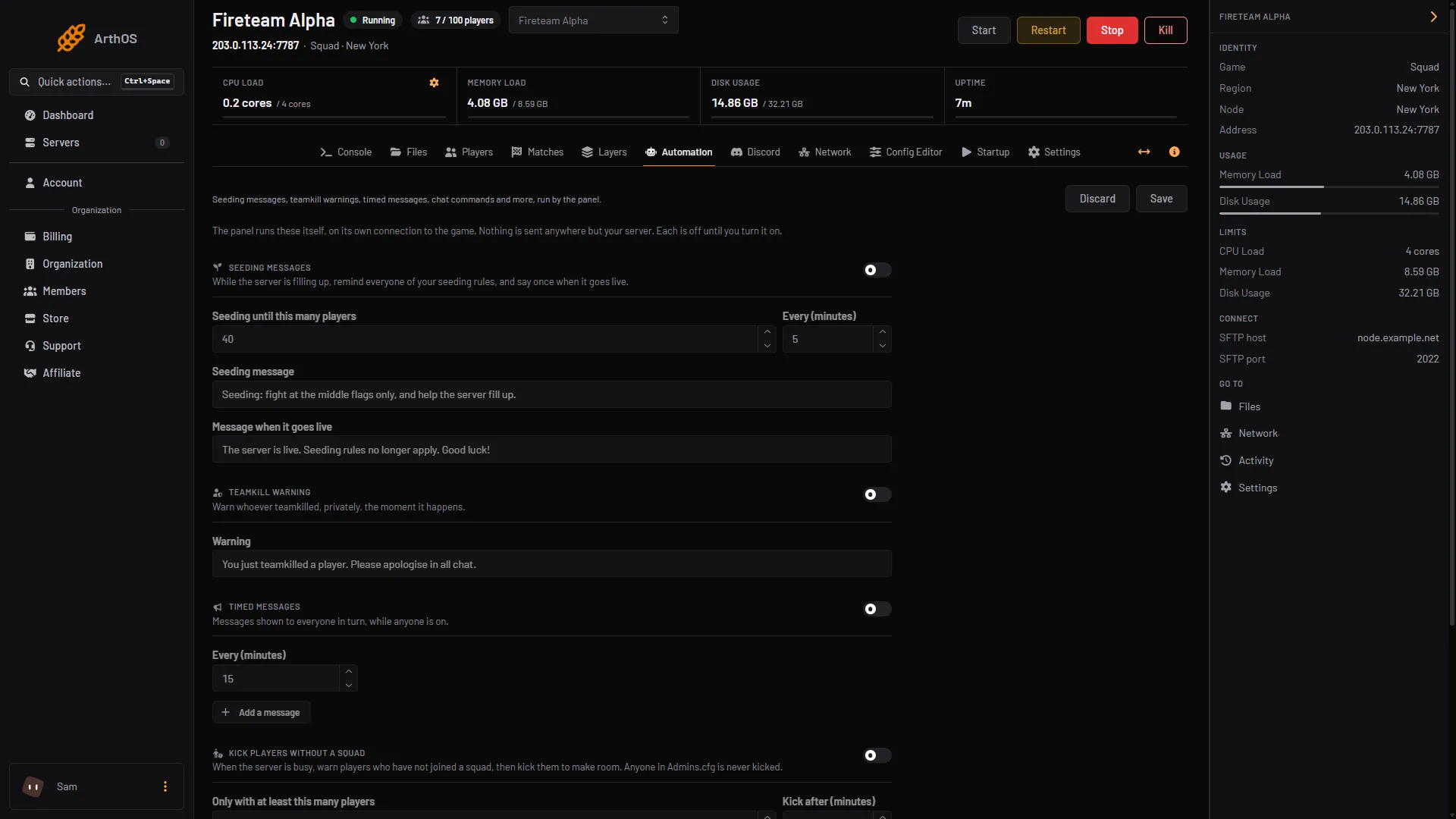
- Teamkill warning
- Save
The panel reads teamkills from the server log and sends the warning privately to the player who did it. Changing the warning needs the game control and player moderation permissions. Teamkills are also marked in the killfeed on the Matches page.
This is separate from Offworld’s own teamkill limits in Server.cfg, such as Teamkills before a ban. See teamkill settings.
By hand
An admin with the kick permission can run this from an RCON tool (see Squad RCON). The Console Type a command… box on the server does not answer admin commands:
AdminWarn <NameOrSteamId> <WarnReason>There is also AdminWarnById <PlayerId> <WarnReason>, which uses the number from ListPlayers. Offworld describes it as warning a player for being abusive. See the Server Administration page.
If it does not work
- There is no Warn button. Your role lacks permission to moderate players.
- Nothing happens. Warn works only while the server runs and the player is on it.
- The teamkill warning never fires. Check Teamkill warning is on and saved, and that a message is written. A teamkill is only seen while the panel is watching the server.
- You want everyone to read it. A warning goes to one player. Use Message everyone instead.
More about the game: Squad servers.
Sources: squad.fandom.com: Server Administration, store.steampowered.com: 393380