






On a busy Squad server, players who never join a squad take up slots. The panel can warn them and then kick them. You turn it on under Automation. It is off until you do.
In the ArthOS panel
- Open your server and choose Automation.
- Find Kick players without a squad (box 1 in the picture below) and turn it on.
- Set Only with at least this many players. Nobody is warned or kicked while fewer players than this are on. The number can be from 10 to 100. The panel starts you at 80.
- Set Kick after (minutes). This is how long a player has to join a squad before they are kicked. It can be from 1 to 30 minutes. The panel starts you at 6.
- Edit Warning if you like. Write
{minutes}where you want the time to appear. The panel replaces it with your Kick after (minutes) number. The starting text is “Join a squad within {minutes} minutes or you will be kicked to make room.” - Choose Save. The page says the change applies within a minute.
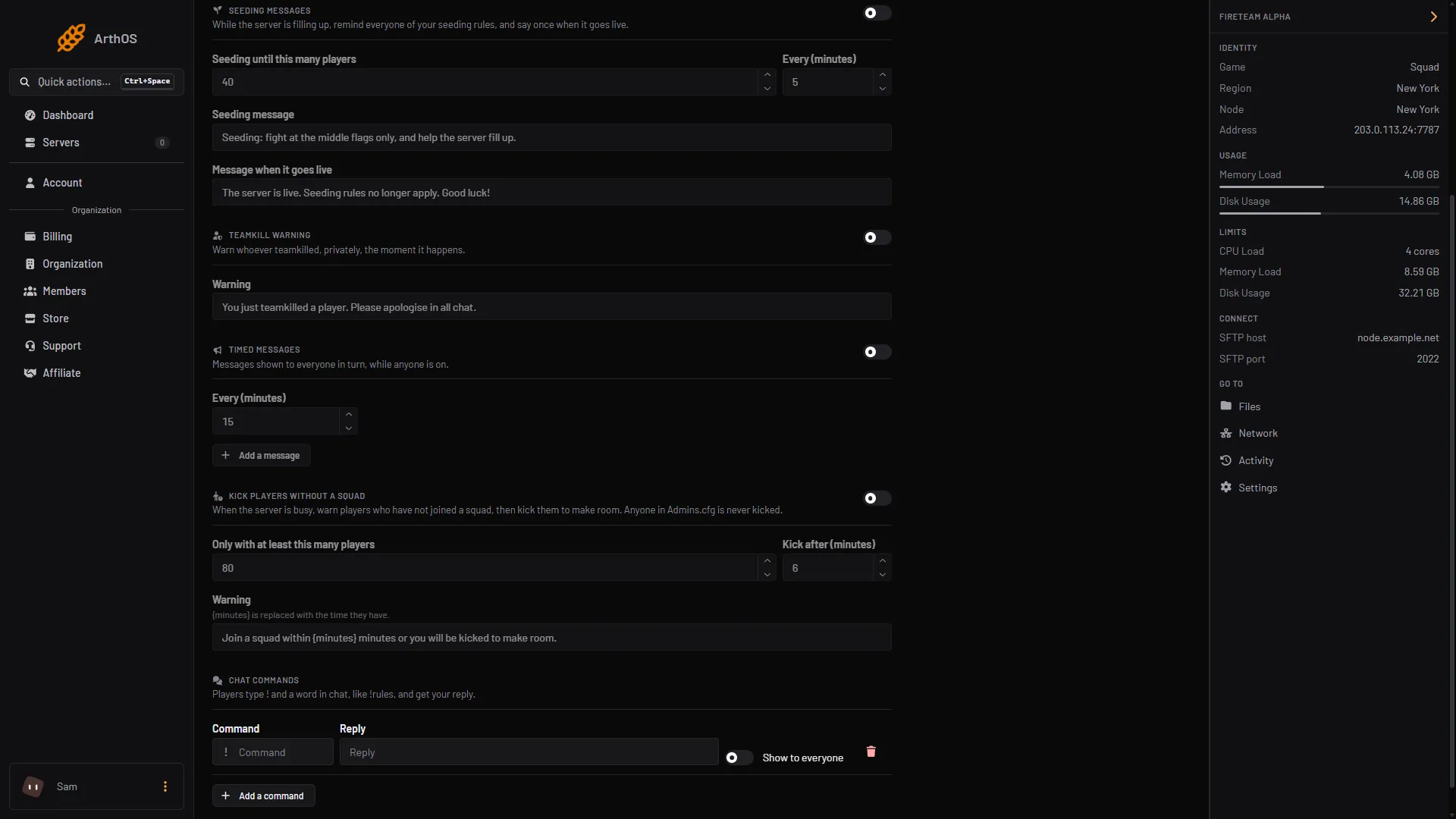
- Kick players without a squad
You need the game control and player moderation permissions to change these settings. Without them you can see the settings but not save them.
What happens to a player
The panel checks players who are on a team but not in a squad.
- When the server has at least the number of players you set, the panel starts a timer for each such player.
- The player gets the Warning once, privately.
- If they have not joined a squad when Kick after (minutes) is up, they are kicked. The kick reason is “Not in a squad”. They can join the server again.
- If they join a squad, or leave, their timer is cleared. If the server drops below your player number, all timers are cleared.
Admins are never kicked
Anyone listed in Admins.cfg, by Steam ID or EOS ID, is left alone, whatever their group. The panel re-reads Admins.cfg about every five minutes. A person you add to the list is safe within that time.
To protect someone, add them to Admins.cfg. This also gives them whatever the group allows, so use a group with few levels, such as one with only reserve. See Squad reserved slots for how groups work.
By hand
Server.cfg has no setting for this. You would need a tool that watches the server and runs AdminKick through RCON. The panel’s Automation does this for you.
If it does not work
- The settings are grey. Your role lacks the game control and player moderation permissions. Ask the server owner.
- Nobody is kicked. Check that the server is running and has at least the number of players you set. Remember the timer starts only once the count is reached.
- An admin was not kicked, and you wanted that. That is by design. Anyone in
Admins.cfgis left out. - Players say they never saw a warning. The warning is shown once, in the middle of their screen. They will be kicked when the time ends whether or not they saw it.
More about the game: Squad servers.
Sources: store.steampowered.com: 393380