
















If players are refused for a wrong password, look at the join password under Passwords in the Config Editor. You can read it there, change it, or empty it. On TShock, check a second password as well.
Read or reset the join password
- Open the Config Editor.
- Choose Passwords (1).
- Find Server password. This is the password players type. It is a secret field.
- To change it, type a new one. To let everyone in with no password, empty the field.
- A bar reads “Unsaved changes: (n)” with Discard and Save. Choose Save. On a running server the panel then says “Saved. Restart the server to apply the changes.” On a stopped server it says “Saved. The changes apply when the server starts.”
- If the server is running, choose Restart at the top of the server page. A restart disconnects everyone who is on, so use Message everyone first.
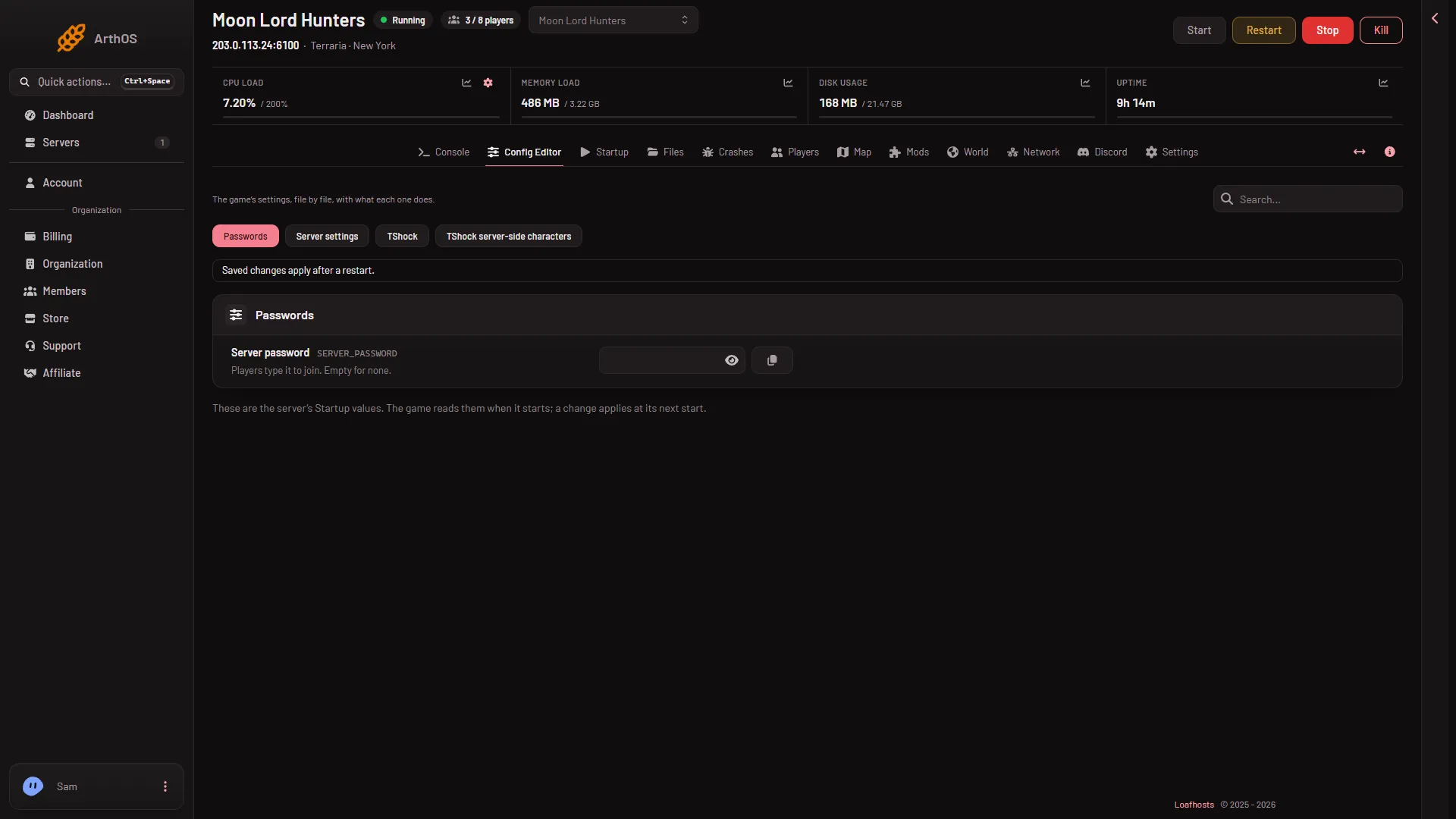
- Open Passwords
A new server has no password. The password is up to 40 characters, on one line.
The Startup page does not show the password. It only points to Passwords. See where Terraria passwords are kept.
In Server settings the same password also shows as Join password. That row is locked: change it under Passwords.
TShock has its own join password
A TShock server has a TShock join password of its own. Open the TShock file in the Config Editor and look in the Server group.
- If it is empty, TShock uses Server password from Passwords.
- If it holds a value, TShock asks players for that one instead, and Server password is ignored.
If the two differ, players type the wrong one. Empty the TShock join password to use a single password.
TShock also has account passwords. A player makes one when they register in the game. That is not the join password, and the panel does not hold it.
If it does not work
- You changed it and players still need the old one. Restart the server.
- Players are asked for a password you never set. The TShock join password may be set. Check the TShock file.
- You cannot see Passwords. Your role may not allow changing the startup. Ask the server’s owner.
If the password is right and players are still refused, check the connection checklist.
More about the game: Terraria servers.
Sources: terraria.wiki.gg: Server