
















Work through these checks in order. Most failed joins are one of the first three: the server is off, the address or port is wrong, or the password is wrong.
1. Is the server running?
Open the Players page. If the server is stopped, it says “The server is offline. Who is on shows while it runs.” While it starts, it says “The server is starting.” A server that is still starting cannot be joined. The console is ready when it prints “Type ‘help’ for a list of commands”.
A server can also be asleep. If Standby is on and nobody played for a while, the server stopped itself. The Standby card in Settings says “Went into standby (when). Nothing was deleted.” Start it from the panel, or from its Wake link.
2. Use the right address and port
The address and port are not the game’s usual 7777. Loafhosts gives each server its own port. Use the one in the Join box on the Players page, and press Copy (1) so you do not mistype it. The Network page lists the same port under Allocations.
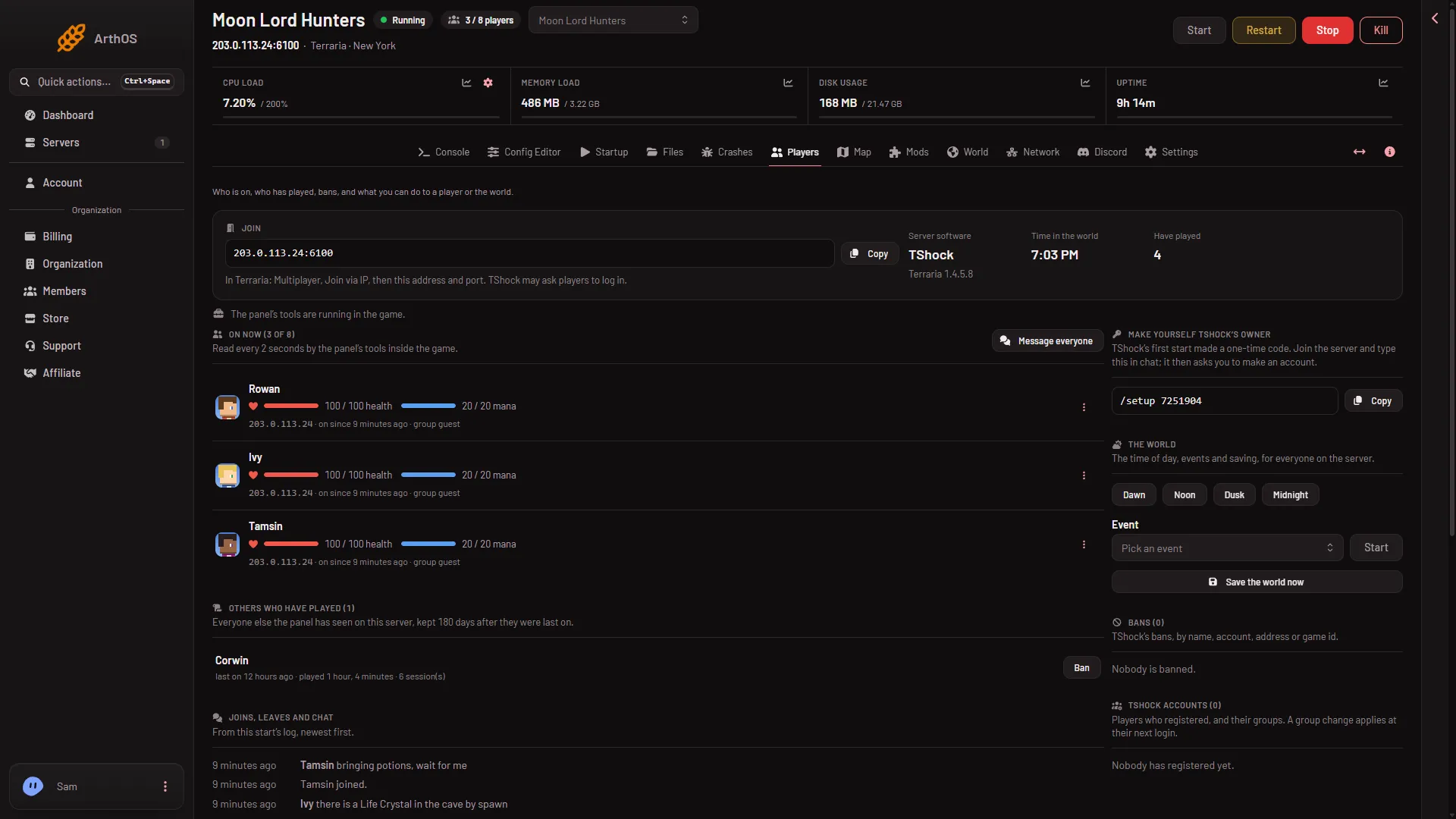
- Copy the address
- How to join
In the game: Multiplayer, choose a character, Join via IP, then type the address and the port. If the box says “The server has no address yet.”, the server has none to give. Ask for help from support.
You do not need to open or forward anything. There is nothing to set up on your side.
3. The password
A new server has no password. If a password was set, the game asks for it after you enter the address. Type it exactly. If you forgot it, see wrong or forgotten join password.
4. The same version
The game must match the server. For Vanilla, the server’s version is the game version players must have. The World page shows it under Installed. A player whose game is different is turned away, and the log says “You are not using the same version as this server.” See the version fix.
5. Modded servers need tModLoader
A server that runs tModLoader cannot be joined with the normal game. Players need tModLoader, which is free on Steam. They choose Multiplayer, then Join via IP. It downloads the server’s mods as they join.
To see which program your server runs, look at Server software on the Players page, or the World page.
6. Is the player turned away, or never arriving?
The Players page shows Joins, leaves and chat from this start’s log, newest first. Then you can tell:
- A line “(name) joined.” means they got in.
- “A player was turned away or kicked: (reason)” means the server reached them and said no. The reason says why.
- No line at all means the player never reached the server. Check steps 1 and 2 again.
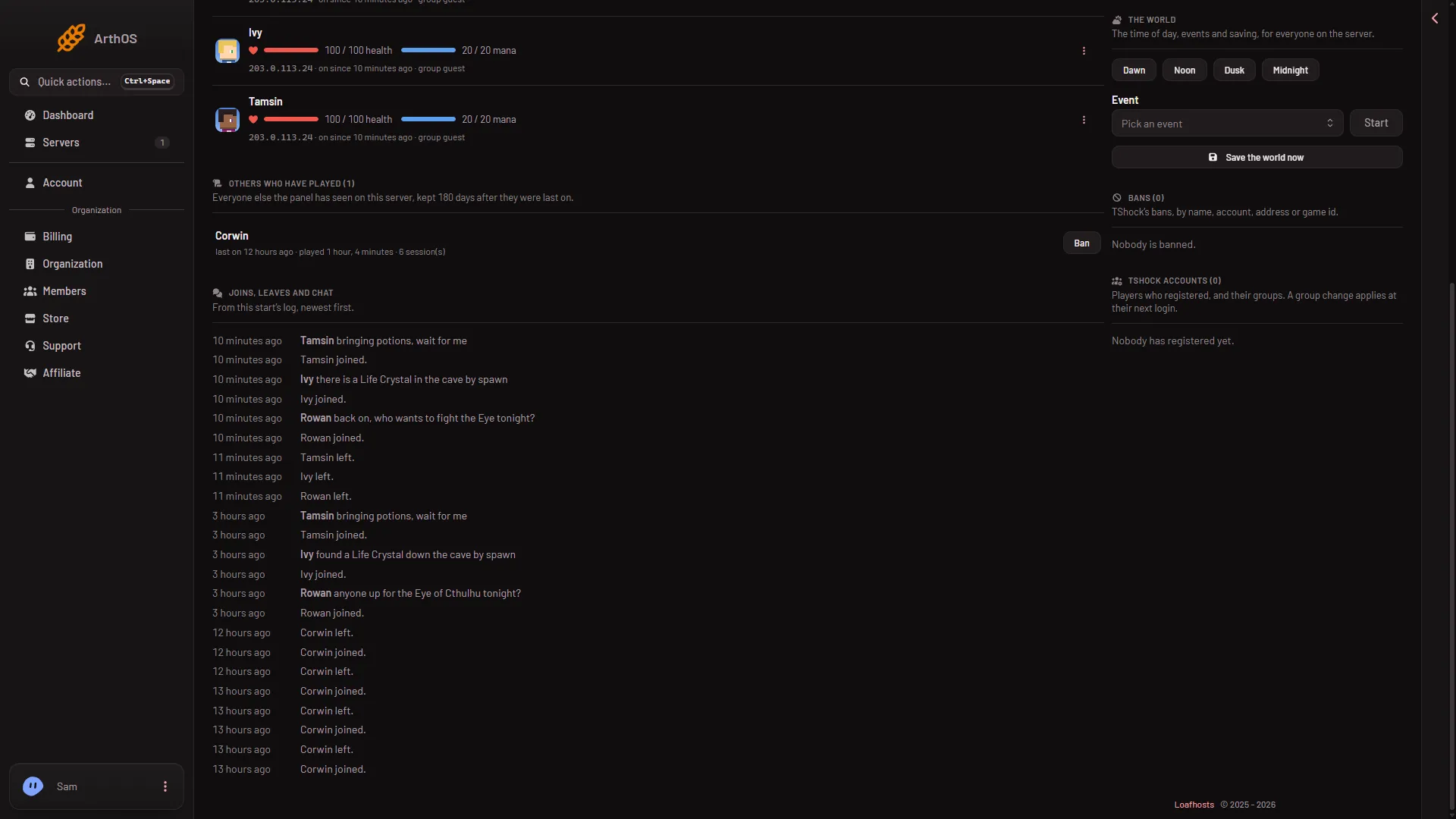
- Joins, leaves and chat
If it still does not work
- It worked yesterday. The server may have updated or switched program. Check Installed on the World page.
- Only one player cannot join. Their game version is probably different from the server’s. Others on the same version join fine.
- Players are full. The Players page shows how many are on out of the limit. If it is full, raise Max players on the Startup page (1 to 255) and restart the server. A restart disconnects everyone who is on, so warn them first with Message everyone on the Players page. See Max players. How many players the server can carry well depends on its memory and CPU, which is a separate question.
More about the game: Terraria servers.
Sources: terraria.wiki.gg: Server, store.steampowered.com: TModLoader